



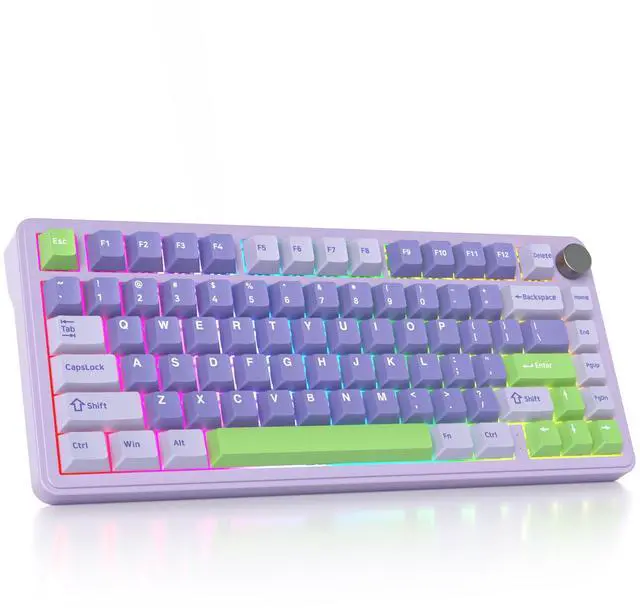


SURMEN M75 Wireless Keyboard

How To Use and Switch The BT ?
BT Pairing:
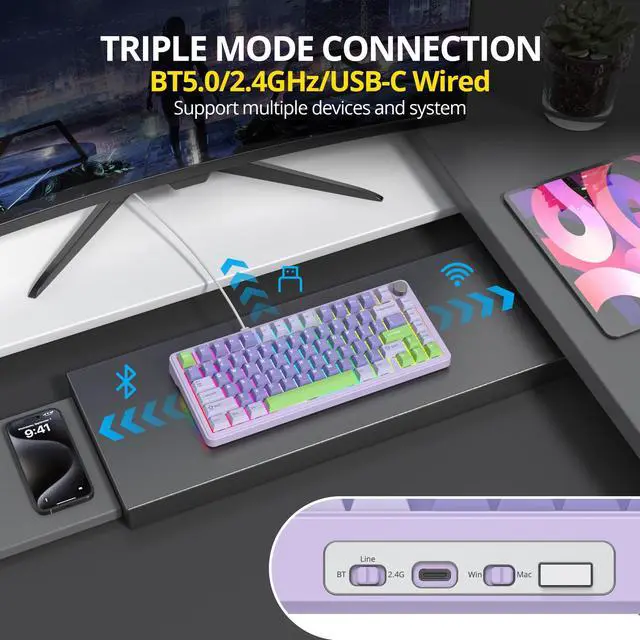
1. Set the mode switch on the side of the keyboard to BT status.
2. FN+Q/W/E. Long press any one of them for 3 seconds, for example, long press Fn+Q. At this time,the Q key will rapidly blink, in dicating that it has entered pairing mode.
3. Turn on the computer/mobile phone Bluetooth, and search for the displayed name: M75-BT1-5.0; M75-BT2-5.0; M75-BT3-5.0, then you will connect the device successfully.
4. Connection completed. Repeat the above steps, Q/W/E can store 3 sets of BT devices. When switchingshort press Fn+O/W/E, you can switch between different BT devices.


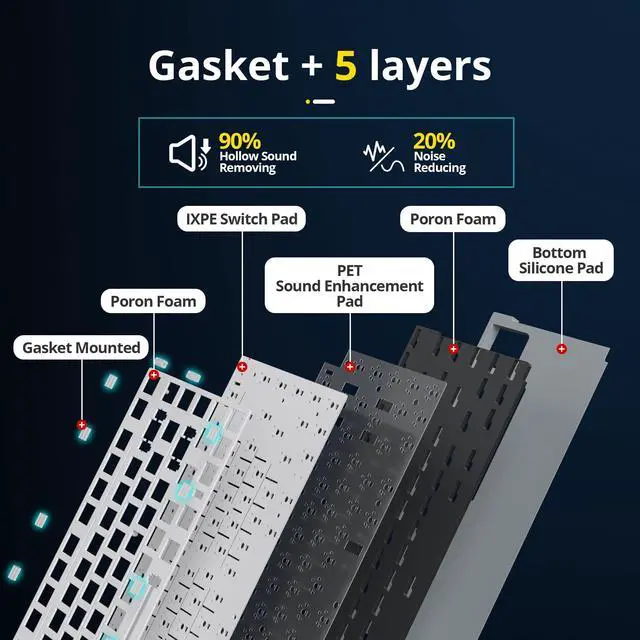
SURMEN M75 is a gasket-mount wireless gaming keyboard with 5-layer padding and bottom silicone pad to achieve an ultimate soft and smooth typing experience.
Pre-lubed stabilizer and switch pad are added to enrich performance. With gasket structure design, typing feel is greatly improved, noise is maximally reduced, and stability is enhanced.
Every keystroke is a joy to behold as you experience unparalleled comfort and precision, making long typing sessions a breeze


Side Light Strip
Fn+Right Alt : Side Light Mode Switch

Multifunctional Knob
Knob Function Explanation: Long-pressing the knob more than 3 seconds switches for light mode to multimedia mode.(light mode, volume level, plays or mutes the media)
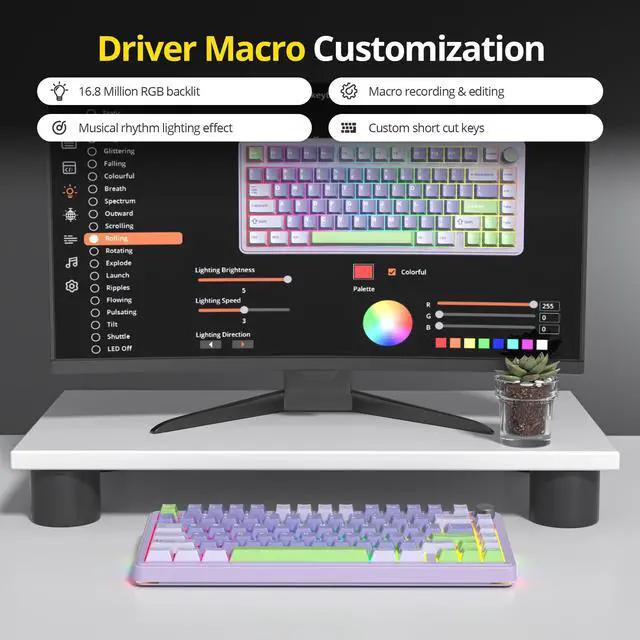
How can I get the software ?
bit.ly/3Hl9nWg
What you can do if your windows key doesn’t work?
The W indicator is always on, indicating that the Win key is locked; the Win key cannot be used normally at this time. Press FN+Win to restore the Win key function.
How to reset this keyboard ?
Long Press FN+ESC to restore the default settings.
Why does the ESC keycap is permanently red while usb state?
Only in the USB wiled state, the red light will turn on if the battery is not full.Once fully charged,the symbol light will return to its original mode.
SURMEN M75 Wireless Keyboard

How To Use and Switch The BT ?
BT Pairing:
1. Set the mode switch on the side of the keyboard to BT status.
2. FN+Q/W/E. Long press any one of them for 3 seconds, for example, long press Fn+Q. At this time,the Q key will rapidly blink, in dicating that it has entered pairing mode.
3. Turn on the computer/mobile phone Bluetooth, and search for the displayed name: M75-BT1-5.0; M75-BT2-5.0; M75-BT3-5.0, then you will connect the device successfully.
4. Connection completed. Repeat the above steps, Q/W/E can store 3 sets of BT devices. When switchingshort press Fn+O/W/E, you can switch between different BT devices.
A slightly cushioned feel, which provides a consistent, softer, and more pleasing acoustic feedback.
Soft Sound and Feel
This pre-lubed keyboard stabilizer & switches stay true to the original switch feel.


SURMEN M75 is a gasket-mount wireless gaming keyboard with 5-layer padding and bottom silicone pad to achieve an ultimate soft and smooth typing experience.
Pre-lubed stabilizer and switch pad are added to enrich performance. With gasket structure design, typing feel is greatly improved, noise is maximally reduced, and stability is enhanced.
Every keystroke is a joy to behold as you experience unparalleled comfort and precision, making long typing sessions a breeze


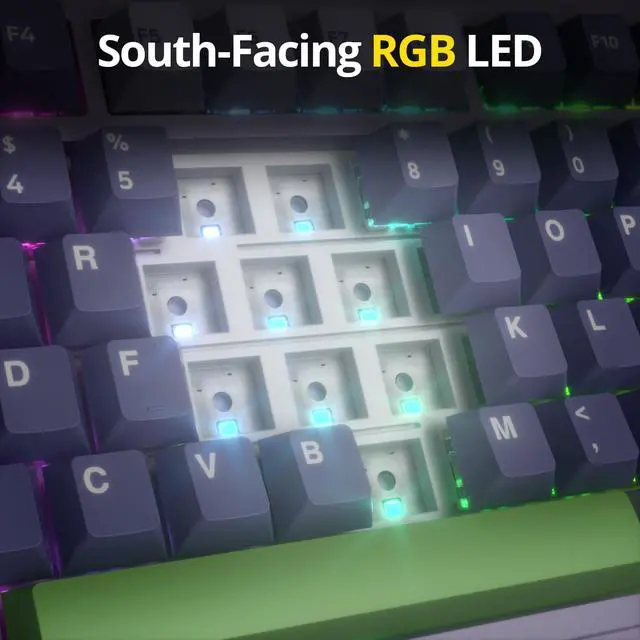
South Facing LEDs
Compatible with most 3 pin and 5 pin mechanical switches.
Side Light Strip
Fn+Right Alt : Side Light Mode Switch
Multifunctional Knob
Knob Function Explanation: Long-pressing the knob more than 3 seconds switches for light mode to multimedia mode.(light mode, volume level, plays or mutes the media)
How can I get the software ?
bit.ly/3Hl9nWg
What you can do if your windows key doesn’t work?
The W indicator is always on, indicating that the Win key is locked; the Win key cannot be used normally at this time. Press FN+Win to restore the Win key function.
How to reset this keyboard ?
Long Press FN+ESC to restore the default settings.
Why does the ESC keycap is permanently red while usb state?
Only in the USB wiled state, the red light will turn on if the battery is not full.Once fully charged,the symbol light will return to its original mode.