

Your Browsing History

Meet Your Seller

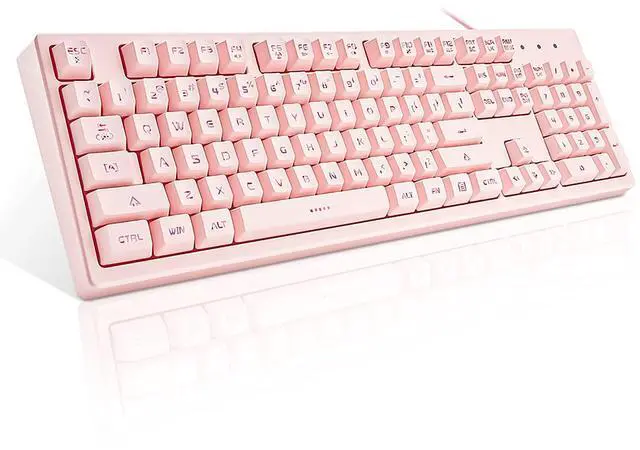
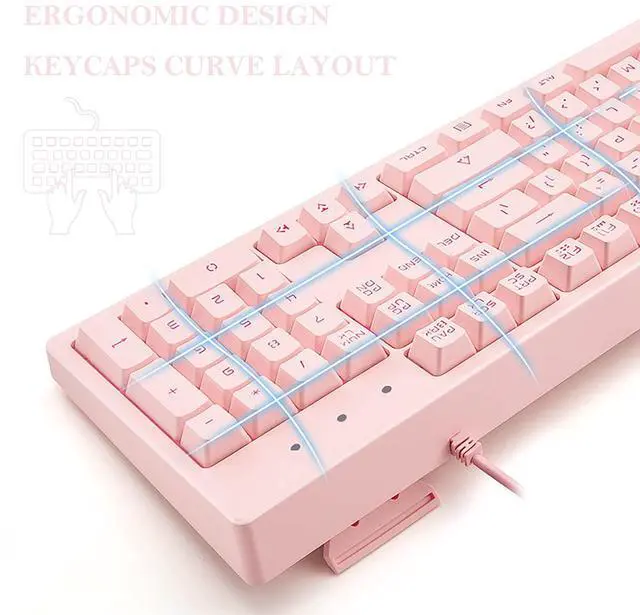

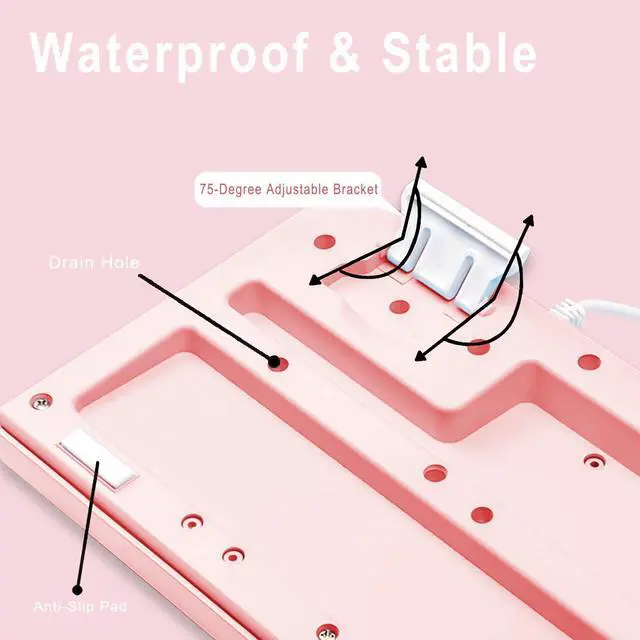


Pink Keyboard with 7-Colors LED Backlit, 104 Keys Silent Creamy Wired USB Keyboard, Double Shot Keycaps Light Up Keyboard for Computer, Mac, Laptop
- Brown Switch Mechanical Feeling Keys: The membrane keyboard comes with mechanical brown switch feeling keys for ultimate gaming performance. Offering the best tactile typing experience, kawaii keyboard appearance, also being ever so slightly quieter, fitting for office or gaming use. Standard 104-key aesthetic keyboard layout, we keep the keyboard as it is, without adding any elements, focus on providing you with the best experience of use
- 19-Key Anti-Ghosting Gaming Keyboard: 19 keys as follows can work simultaneously: Tab, Q, W, E, A, S, D, Shift-L, Z, X, C, B, Ctrl-L, Alt-L, Space, , , , . You can fully enjoy your game without program errors. Exceptionally silent keyboard can reduce 90% clicking noise, click freely no matter you are at work or meeting, in the library, at coffee or at home without bothering others
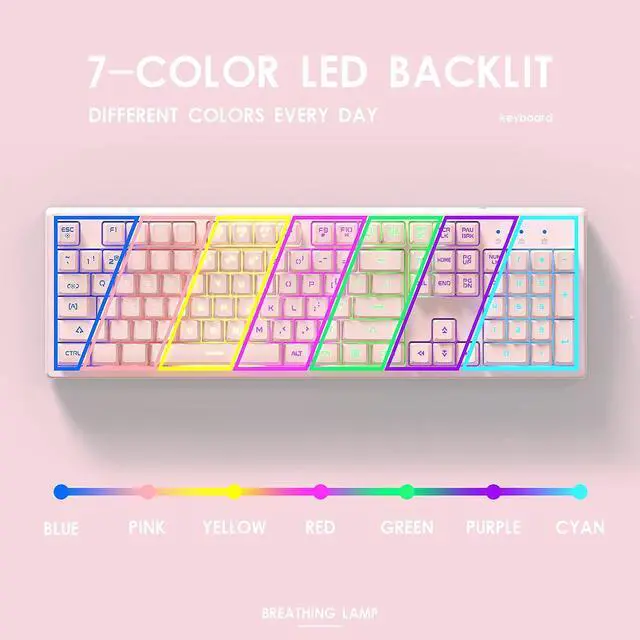
- 7-Color Illuminated Keyboards: 7 colors LED adjustable lighting and double-shot injection molded keycaps for crystal clear backlighting. Easily recognize the letters in the dark. Press Fn+Tab to change the backlit color. Press Fn+Esc to choose the lighting effects modes (Mid Brightness, High Brightness, Breathing, Turn Off). Support computer systems including Windows10 / 8 / 7, Mac OS X, Windows XP, Windows VISTA, Linux, etc
+
+
Overview
Specs
Reviews

Any questions? Our AI beta will help you find out quickly.
Try me now
Specification:
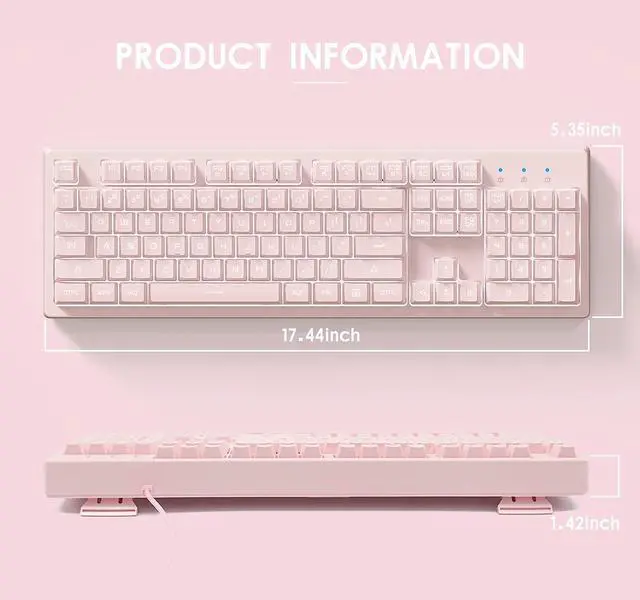
Dimensions: 443*136*36mm/18.2 x 6.7 x 2 In
Weight: 0.87kg/1.799lbs
Switch lifespan: >50 million
Cable length: 1.6m/5.24ft
19 keys anti-ghosting: Tab, Q, W, E, A, S, D, Shift-L, Z, X, C, B, Ctrl-L, Alt-L, Space, , , ,
Convenient Multimedia Shortcuts:
FN+F4: Mute
FN+F5: Music
FN+F6: Play/Pause
FN+F7: Volume -
FN+F8: Volume +
FN+F9: Home
FN+F10: Email
FN+F11: Keyboard Lock
FN+F12: WIN Key Lock
FN+W: Exchange W/S/A/D with ///
Lighting Effects Shortcuts:
FN+TAB: Switch Lighting Color
FN+ESC: Switch Breathing Modes
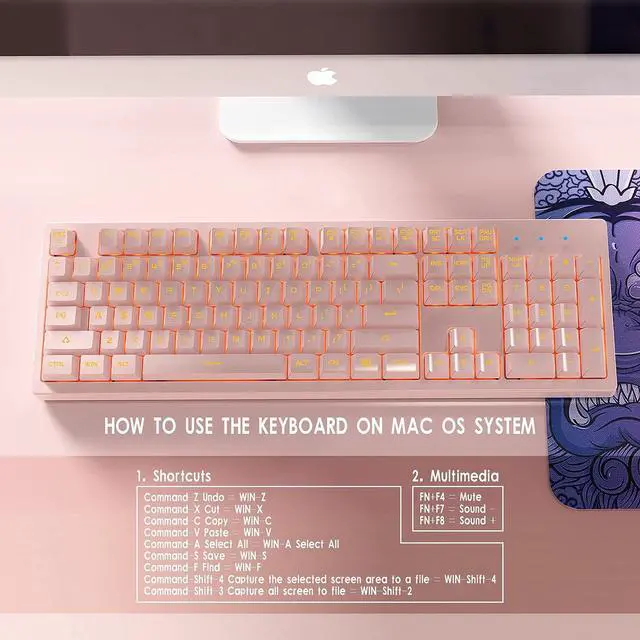
How to use the keyboard on Mac OS System
1.Shortcuts
Command-Z Undo = WIN-Z
Command-X Cut = WIN-X
Command-C Copy (Copy) = WIN-C
Command-V Paste = WIN-V
Command-A Select All (All) = WIN-A Select All
Command-S Save (Save) = WIN-S
Command-F Find= WIN-F
Command-Shift-4 Capture the selected screen area to a file=WIN-Shift-4
Command-Shift-3 Capture all screen to file=WIN-Shift-2
2.Multimedia
FN+F4=Mute
FN+F8=Sound +
FN+F7=Sound -
Warranty & Returns
Warranty, Returns, And Additional Information
Warranty
- Please contact the Seller directly for warranty information. Warranty information may also be found on the Manufacturer's website.
- CONTACT
Return Policies
- Return for refund within: 30 days
- Return for replacement within: 30 days
- This item is covered by HR Selects Return Policy
Manufacturer Contact Info
- For a directory of all our manufacturers, please click below.
- Manufacturers Directory
LOADING...