here!
here!
I’m your shopping assistant for PC builds, upgrades, and everything tech.
Got questions? Ask away!
Start a conversation
here!
I’m your shopping assistant for PC builds, upgrades, and everything tech.
Got questions? Ask away!
Start a conversation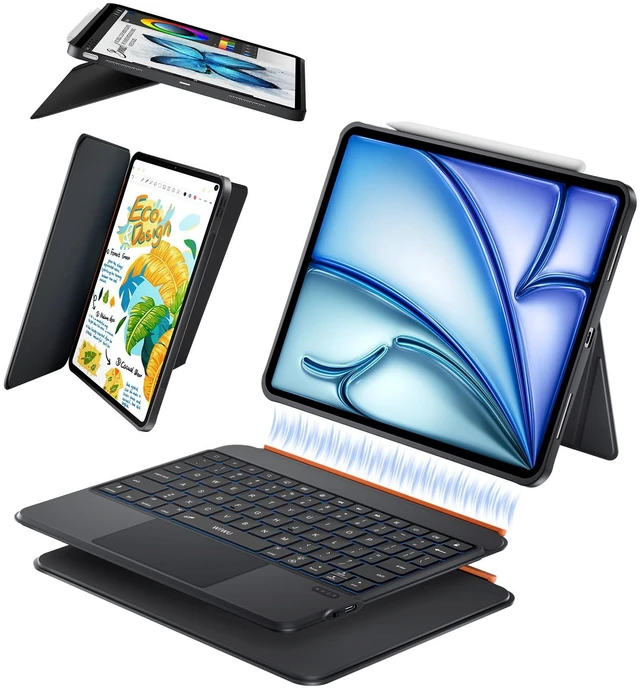
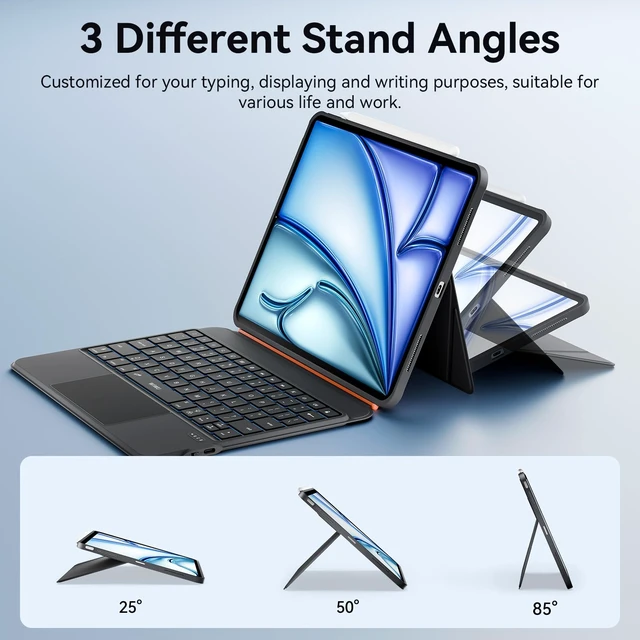
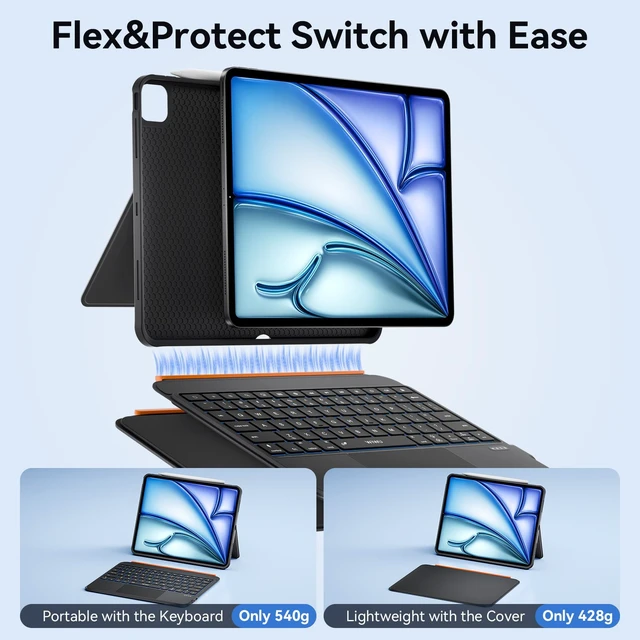
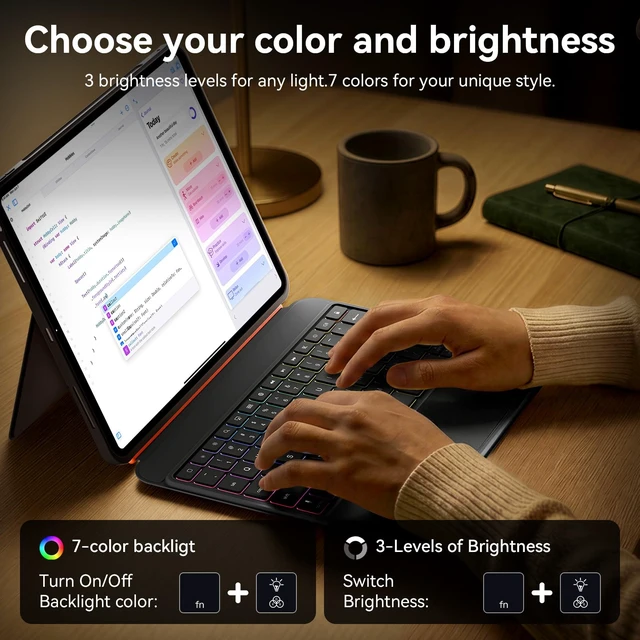



Any questions? Ask CelesteSM will help you find out quickly.


About Us
WiWU was born in 2011 to redefine how we navigate our dynamic, on-the-go lives. We're not just creators of travel gear and mobile accessories—we're architects of seamless experiences.
At WiWU, "Design for Mobile Lifestyle" is more than a slogan. With over 1,000,000 products trusted worldwide, we've turned everyday mobility into an art form. Every product is crafted to empower your journey, not weigh it down.


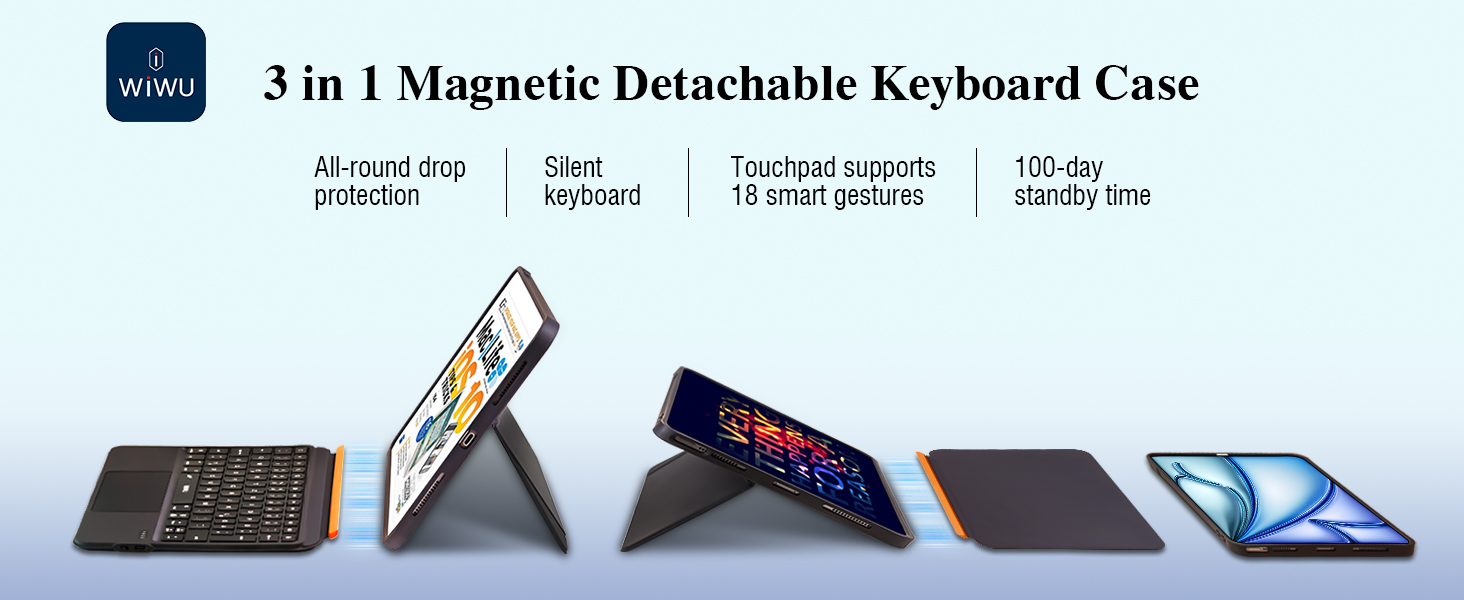
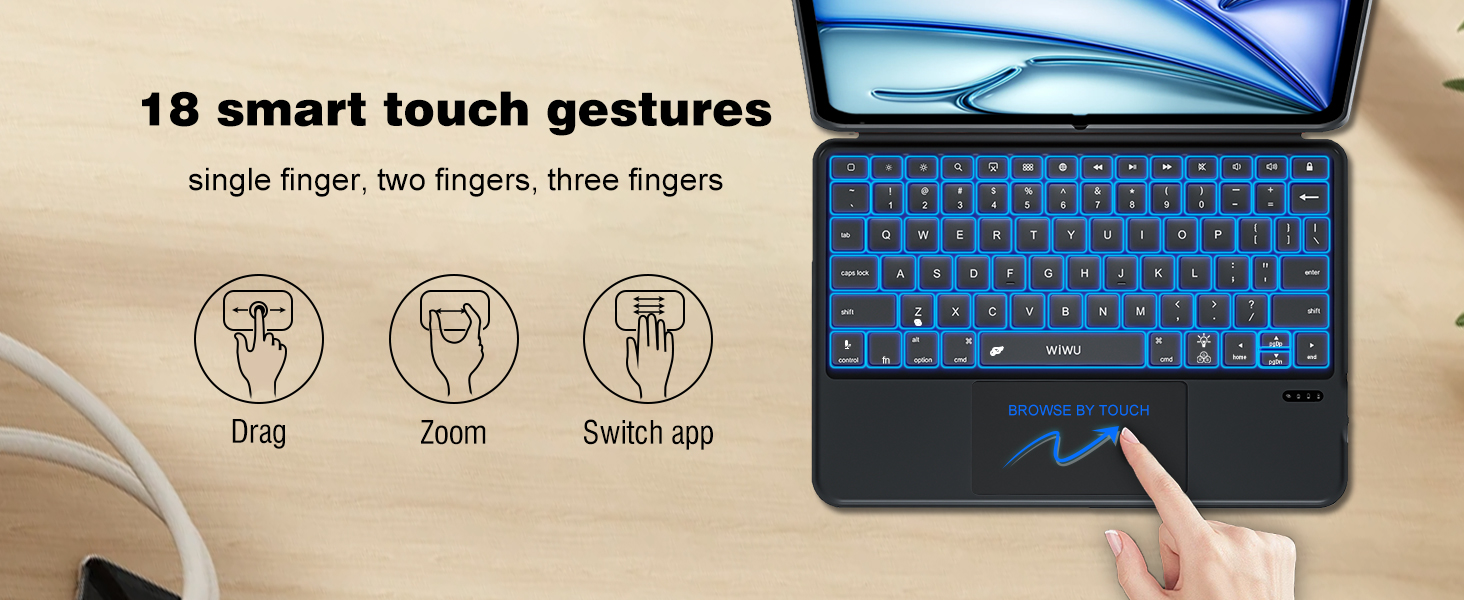
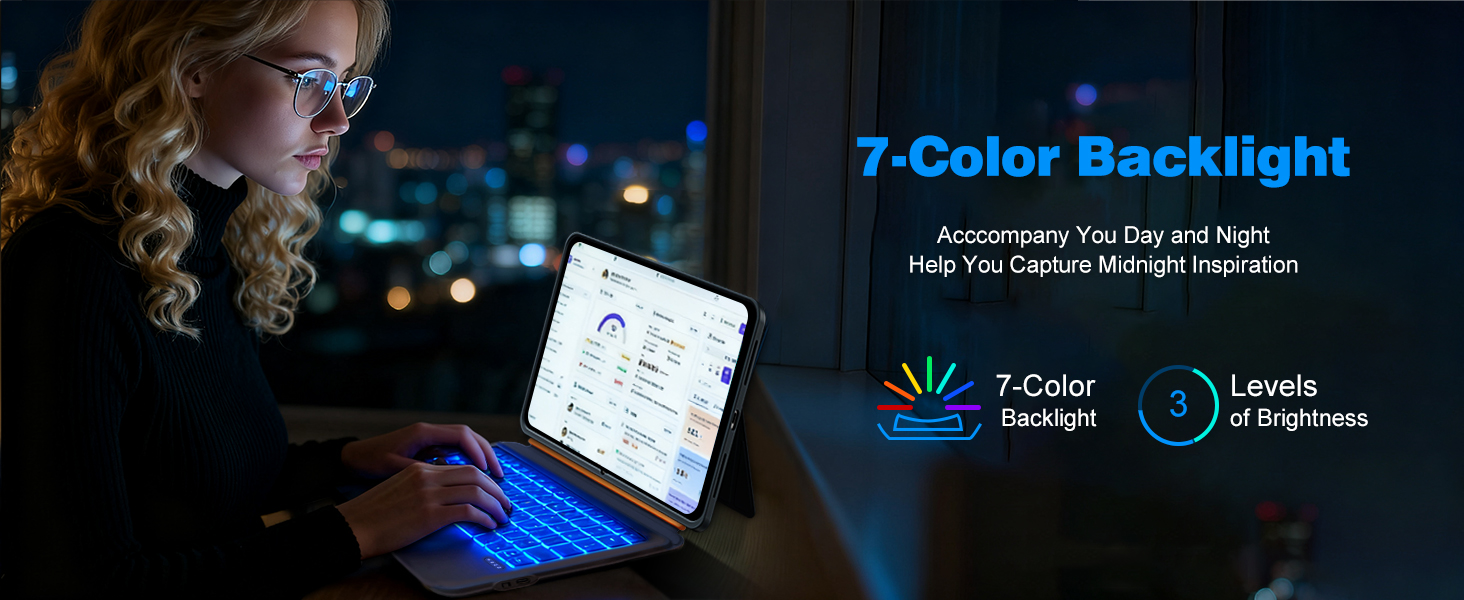
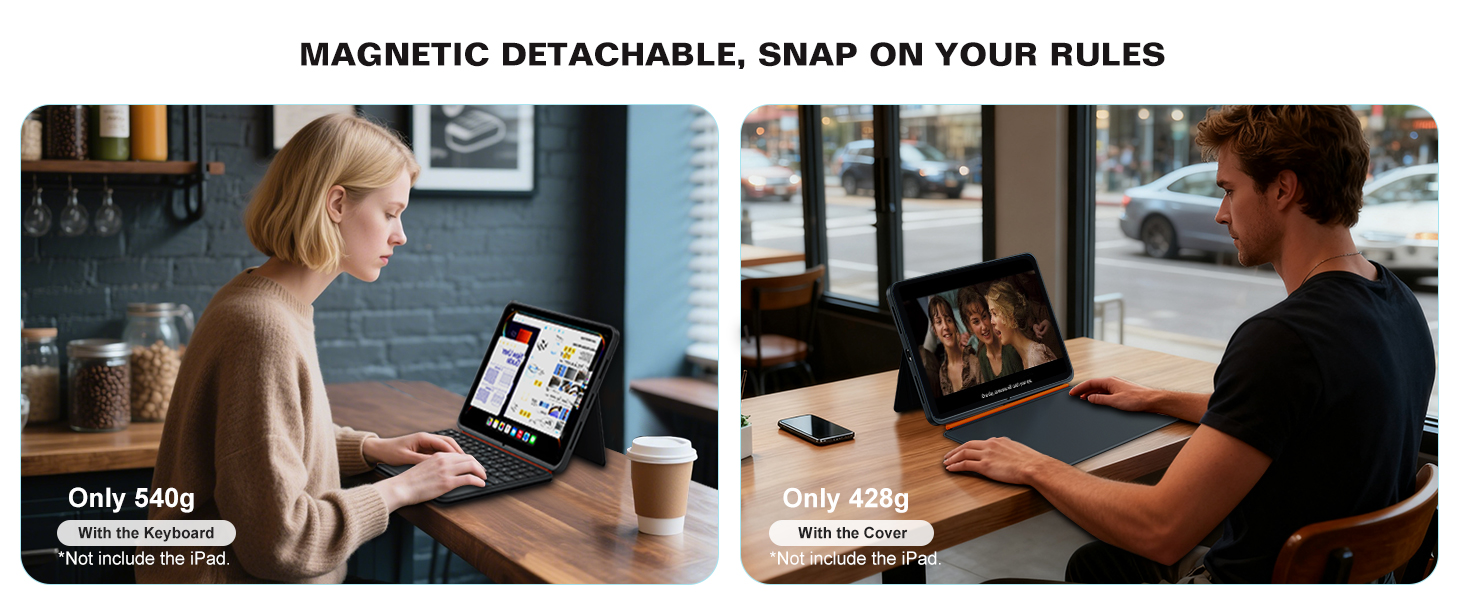

3 in 1 detachable magnetic keyboard case Stand Suitable for movies, video calls and meetings.Ideal for office, travel, and outdoor adventures
How to identify my iPad model correctly?
Open the iPad Settings>General>About>Click the "Model Number"
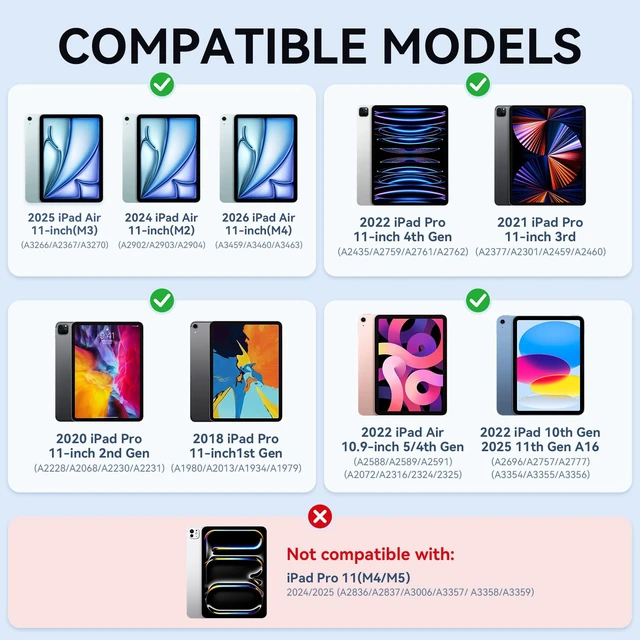
What specific iPad models are supported?
iPad 11 inch 11th Gen(A16) 2025
iPad 10.9 inch 10th Gen (2022)
iPad AIR 11 inch M4/M3/M2 (2026/2025/2024)
iPad Pro 11 inch 4th/3rd/2nd/1st Gen (2022/2021/2020/2018)
iPad Air 10.9 inch 5th/4th Gen (2022/2021)
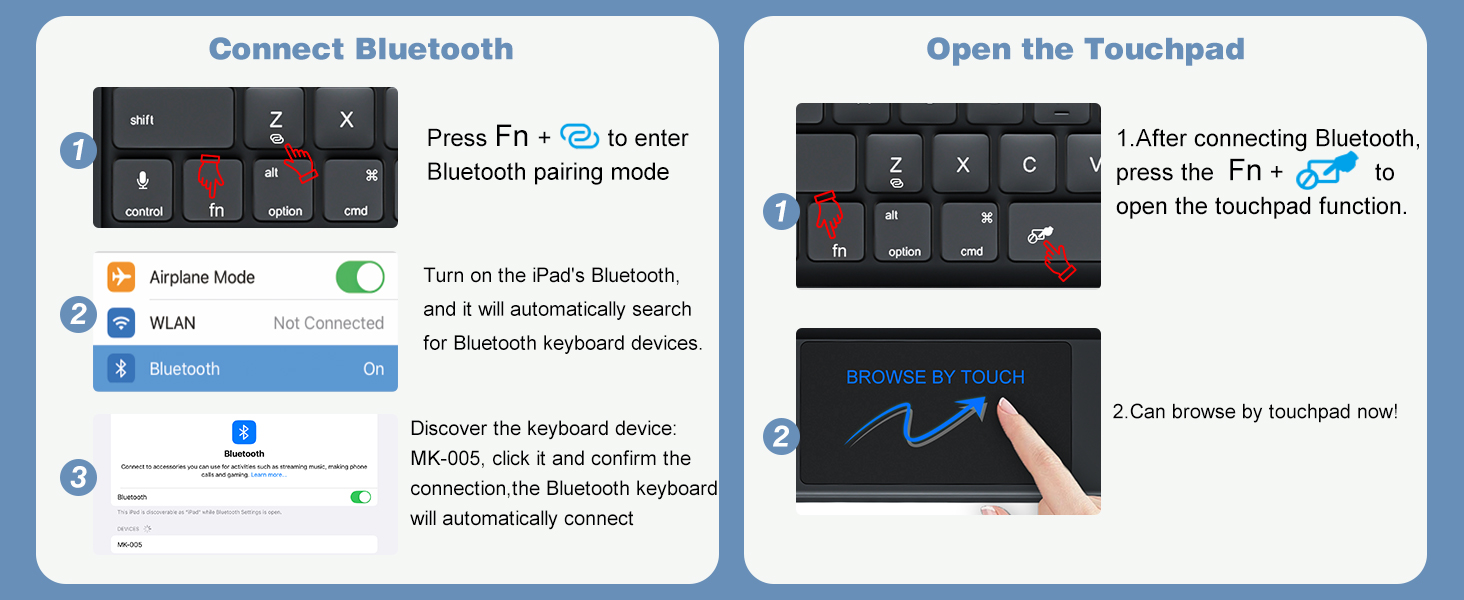
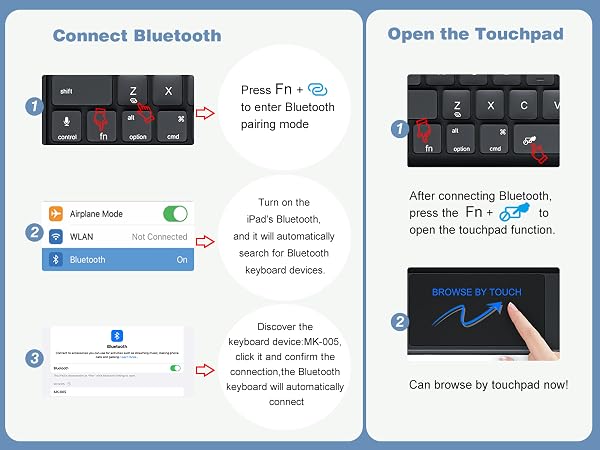
What to do if the indicator light is normal but FN+Bluetooth keys have no response?
This is usually caused by low battery voltage. Please charge the keyboard for a period of time, keep the USB cable connected, and try activating Bluetooth again
What to do if the indicator is normal and press FN+Bluetooth, but the ipad can't find the keyboard or fails to connect?
1.Re-enable Bluetooth
2.Can find the name but won’t connect(first use):tap pair but no connect.Please delete unused devices then try reconnect
3.Fails to reconnect after pairing:Refresh the list,pair to new device(MK005)instead of the old saved one
Why can't use the spacebar to select text while typing?
Please go to iPad Settings > General > Keyboard, then turn on the "Space Confirmation" option
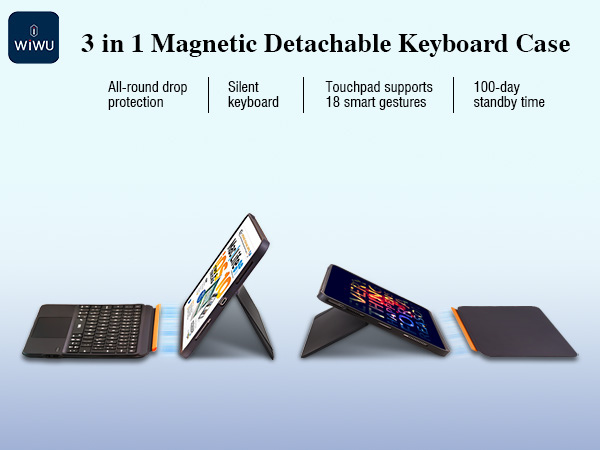
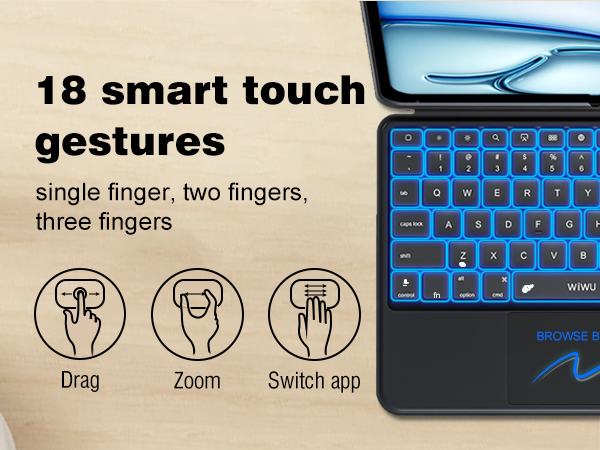
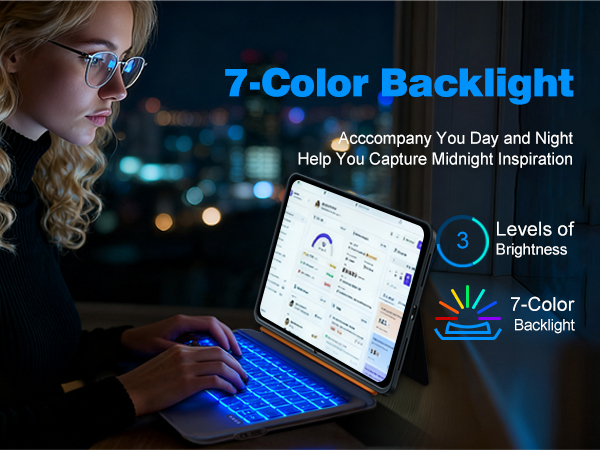

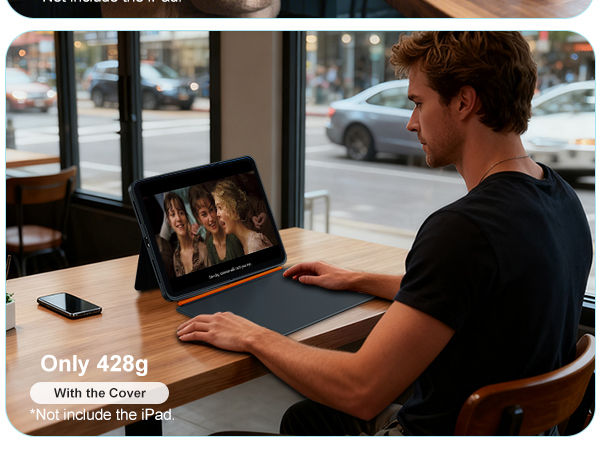
3 in 1 detachable magnetic keyboard case Stand Suitable for movies, video calls and meetings.Ideal for office, travel, and outdoor adventures
How to identify my iPad model correctly?
Open the iPad Settings>General>About>Click the "Model Number"
What specific iPad models are supported?
iPad 11 inch 11th Gen(A16) 2025
iPad 10.9 inch 10th Gen (2022)
iPad AIR 11 inch M4/M3/M2 (2026/2025/2024)
iPad Pro 11 inch 4th/3rd/2nd/1st Gen (2022/2021/2020/2018)
iPad Air 10.9 inch 5th/4th Gen (2022/2021)
What to do if the indicator light is normal but FN+Bluetooth keys have no response?
This is usually caused by low battery voltage. Please charge the keyboard for a period of time, keep the USB cable connected, and try activating Bluetooth again
What to do if the indicator is normal and press FN+Bluetooth, but the ipad can't find the keyboard or fails to connect?
1.Re-enable Bluetooth
2.Can find the name but won’t connect(first use):tap pair but no connect.Please delete unused devices then try reconnect
3.Fails to reconnect after pairing:Refresh the list,pair to new device(MK005)instead of the old saved one
Why can't use the spacebar to select text while typing?
Please go to iPad Settings > General > Keyboard, then turn on the "Space Confirmation" option
About Us
WiWU was born in 2011 to redefine how we navigate our dynamic, on-the-go lives. We're not just creators of travel gear and mobile accessories—we're architects of seamless experiences.
At WiWU, "Design for Mobile Lifestyle" is more than a slogan. With over 1,000,000 products trusted worldwide, we've turned everyday mobility into an art form. Every product is crafted to empower your journey, not weigh it down.