




How Should We Calibrate the Scale?
Normally, it no need to calibrate, if it's not accurate, please follow below steps to calibrate:
- Press "ON" key, wait it appear 0.00g.
- Long press the "UNITS" keys, until the screen displays 500.00g.
- Press the "UNITS" button for a short time, will appear CAL, and 500.00g will flash.
- Put a weight 500g on the scale, display "PASS" and 500.00g successively. -- Calibration is done.
- Please first turn off the scale directly, then take down the object. Don't reverse the steps.
- Note: Please calibrate for several times when it is still not accurate enough.
How to set the standby function:
- Press the ON/OFF button, wait a few seconds, the screen displays 0.00 static.
- Long press the TARE button, appears word 00 appears (It means will not automatically shut down)
- Press the UNITS key for a short time to adjust the number to 60/120/180 seconds.
- Select the required time, press the ON/OFF key to confirm, will appears PASS on the screen.


Warm Tips:
1.The minimum weight recommendation is above 0.05g, the normal error of ± 0.05g.
2.If need for precision weighing, please measure multiple times, remove the highest value and the lowest value, and take the average.
3.The power consumption of the scale is relatively small, don't use Nanfu batteries, otherwise the circuit board will burn out.
4.Please tear off the protective film at the digital scale surface.
5.Avoid shaking, dropping, shocking. Place the scale on a flat and solid surface.
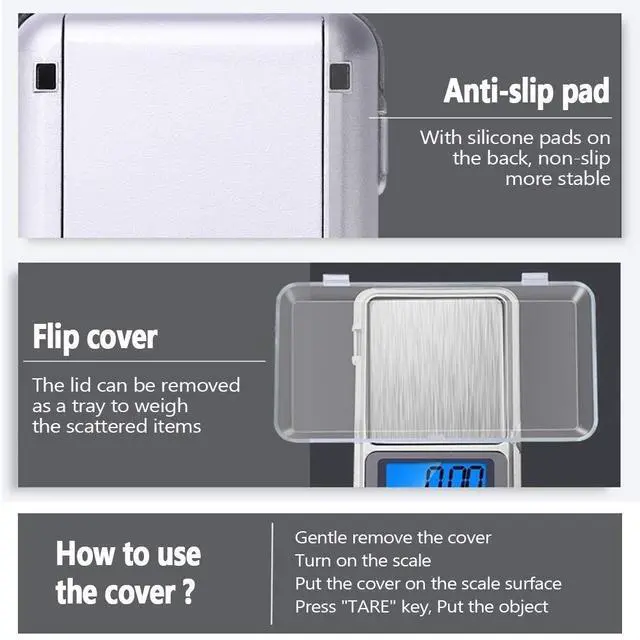
How to remove the lid as a tray?
- Since it is a plastic lid, be careful to avoid damage it.
- The lid is locked by the bayonet, please place the lid and scale surface at 90 degrees.
- Gently to pull the cover to the left slowly.
- Turn on the scale, put the cover on the scale surface.
- Press TARE key, it will show 0.00g
- Your can put the object on the lid to weight now.
Specifications:
- Precise Measurement: 0.01g /0.001oz increments
- Tolerance weight range: ± 0.05g
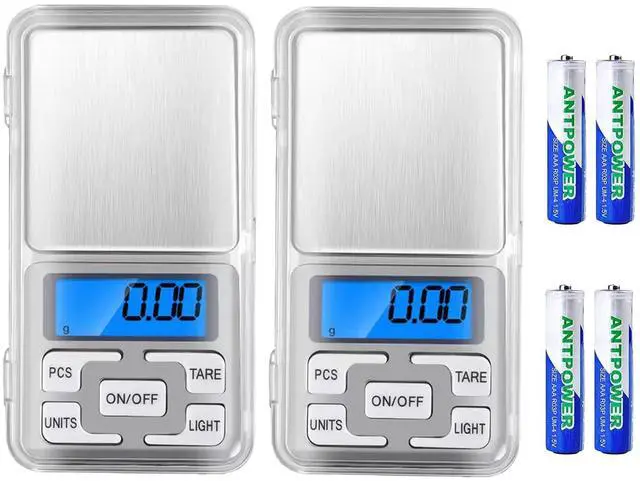
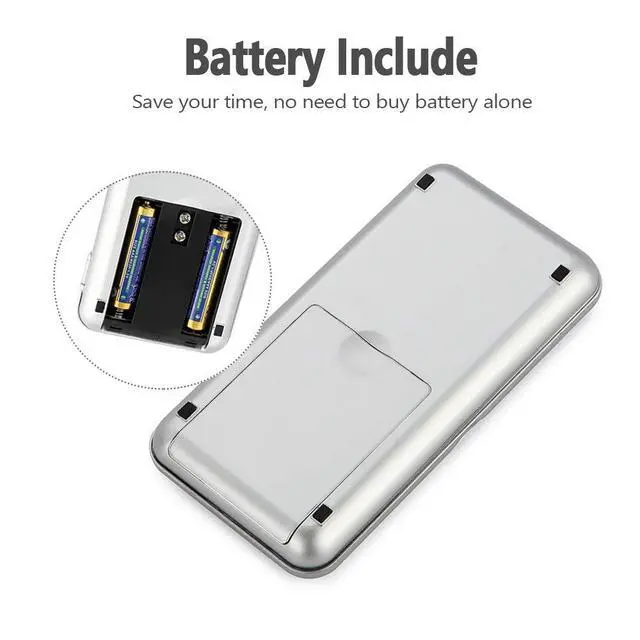
- Powered by 2*AAA batteries(included)
- PCS: Counting function, count small objects in large quantity
- TARE: Zero the weight of container, weigh liquids and small things inside your container without weighing the container itself
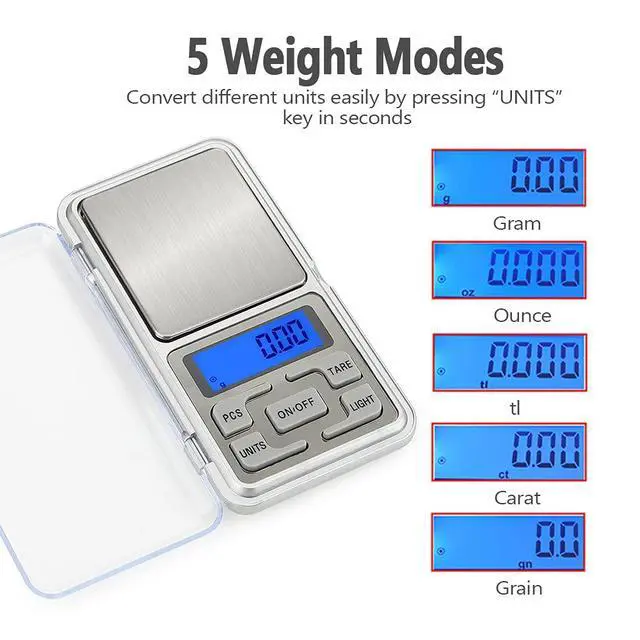
- UNITS: 5 Unit modes conversion - gram / oz / gn / ct / tl
- LIGHT: Turn on/off the backlight
- ON/OFF: Turn on/off the digital scale

Stainless Steel Drawing
Durable stainless material, when dust adheres to the surface, it can be easily wiped clean with paper or rag, a good choice for daily use.

High-Precision
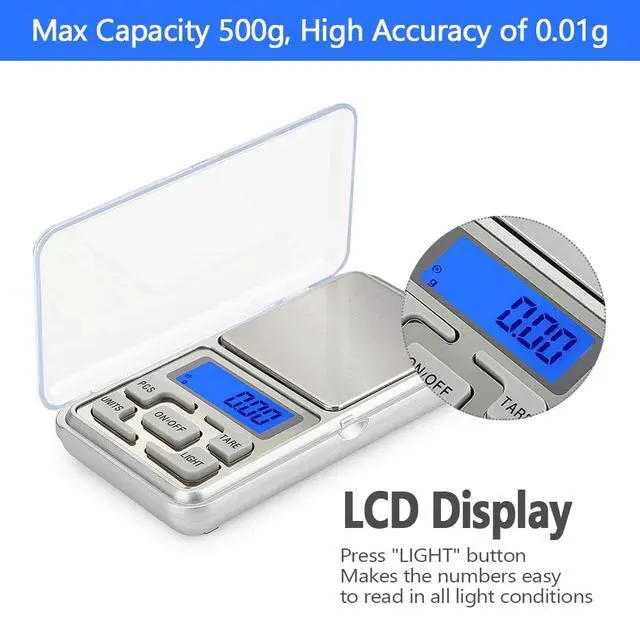
Built-in high-precision sensor can provide stable numbers, max weighs up to 500 grams, in 0.01g readability.

Multiple Units
Effectively measure in gram / tl / gn / oz / ct. You can convert easily by "UNITS" for different demands.

Press the ON/OFF button, wait a few seconds, the screen displays 0.00 static; Confirm the displayed unit, you can press the UNITS key to switch g/ tl / gn / oz / ct.

Long press the PCS until the 25 appears and see PCS flashes in the upper left corner; You can press the UNITS key to choose the value, the number will change from 25 50 75 100.

Put the corresponding number of samples ( Like 25pcs ), Press the PCS key to confirm , you will see the PCS word will stop flashing in the upper left corner of LCD display.

Take off the samples, and Finally, any number of same items can be placed to count.


How Should We Calibrate the Scale?
Normally, it no need to calibrate, if it's not accurate, please follow below steps to calibrate:
- Press "ON" key, wait it appear 0.00g.
- Long press the "UNITS" keys, until the screen displays 500.00g.
- Press the "UNITS" button for a short time, will appear CAL, and 500.00g will flash.
- Put a weight 500g on the scale, display "PASS" and 500.00g successively. -- Calibration is done.
- Please first turn off the scale directly, then take down the object. Don't reverse the steps.
- Note: Please calibrate for several times when it is still not accurate enough.
How to set the standby function:
- Press the ON/OFF button, wait a few seconds, the screen displays 0.00 static.
- Long press the TARE button, appears word 00 appears (It means will not automatically shut down)
- Press the UNITS key for a short time to adjust the number to 60/120/180 seconds.
- Select the required time, press the ON/OFF key to confirm, will appears PASS on the screen.
Warm Tips:
1.The minimum weight recommendation is above 0.05g, the normal error of ± 0.05g.
2.If need for precision weighing, please measure multiple times, remove the highest value and the lowest value, and take the average.
3.The power consumption of the scale is relatively small, don't use Nanfu batteries, otherwise the circuit board will burn out.
4.Please tear off the protective film at the digital scale surface.
5.Avoid shaking, dropping, shocking. Place the scale on a flat and solid surface.
How to remove the lid as a tray?
- Since it is a plastic lid, be careful to avoid damage it.
- The lid is locked by the bayonet, please place the lid and scale surface at 90 degrees.
- Gently to pull the cover to the left slowly.
- Turn on the scale, put the cover on the scale surface.
- Press TARE key, it will show 0.00g
- Your can put the object on the lid to weight now.
Specifications:
- Precise Measurement: 0.01g /0.001oz increments
- Tolerance weight range: ± 0.05g
- Powered by 2*AAA batteries(included)
- PCS: Counting function, count small objects in large quantity
- TARE: Zero the weight of container, weigh liquids and small things inside your container without weighing the container itself
- UNITS: 5 Unit modes conversion - gram / oz / gn / ct / tl
- LIGHT: Turn on/off the backlight
- ON/OFF: Turn on/off the digital scale
Stainless Steel Drawing
Durable stainless material, when dust adheres to the surface, it can be easily wiped clean with paper or rag, a good choice for daily use.
High-Precision
Built-in high-precision sensor can provide stable numbers, max weighs up to 500 grams, in 0.01g readability.
Multiple Units
Effectively measure in gram / tl / gn / oz / ct. You can convert easily by "UNITS" for different demands.
Press the ON/OFF button, wait a few seconds, the screen displays 0.00 static; Confirm the displayed unit, you can press the UNITS key to switch g/ tl / gn / oz / ct.
Long press the PCS until the 25 appears and see PCS flashes in the upper left corner; You can press the UNITS key to choose the value, the number will change from 25 50 75 100.
Put the corresponding number of samples ( Like 25pcs ), Press the PCS key to confirm , you will see the PCS word will stop flashing in the upper left corner of LCD display.
Take off the samples, and Finally, any number of same items can be placed to count.