




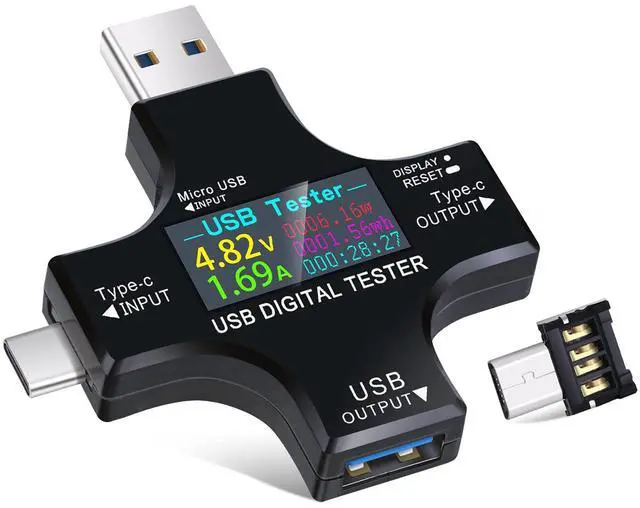


 2 in 1 USB Tester |  USB C Power Meter Tester |  USB 3.0 Tester |  35W USB Power Meter |  AT085 USB C Tester | |
|---|---|---|---|---|---|
| Customer Reviews | — | — | — | — | — |
| Price | — | — | — | — | — |
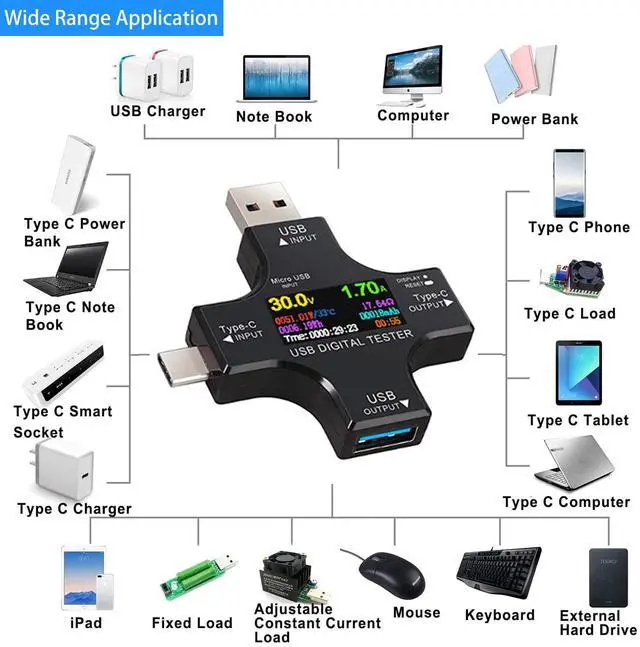
| Applications | For USB A and USB C port devices | For USB A and USB C port devicesport | For USB A port devices | For USB A and USB C devicesport | For USB C port devices |
| Measured Voltage Range | DC3.6-30V | DC4.5V-24V | DC3.3-30V | DC 3-21V | DC4.5-50V |
| Measured Current Range | 0-5.1A | 0-8A | 0-5.1A | 0-3A | 0-12A |
| Supported Protocols | QC3.0/2.0, BC 1.2, DCP, AFC, APPLe, FCP MTK-PE, etc | QC3.0, QC2.0 | QC3.0/2.0, BC 1.2, DCP, AFC, APPLe, FCP MTK-PE, etc | QC2.0/ QC3.0, BC 1.2, MTK-PE, ect | PD3.1 48V, PD2.0, PD3.0, PPS, OC2.0, QC3.0, FCP, SCPAFC, PE, DASH VOOC, SuperV00C etc. |
| Screen Rotation | Support, requires manual adjustment | Support, requires manual adjustment | no data | no data | Support, gravity-sensing automatic screen rotation |


Operation Instructions of USB Meter Tester
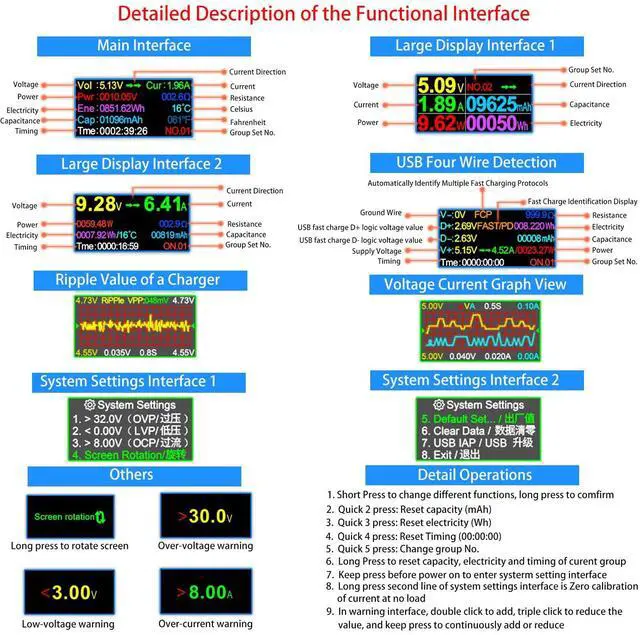
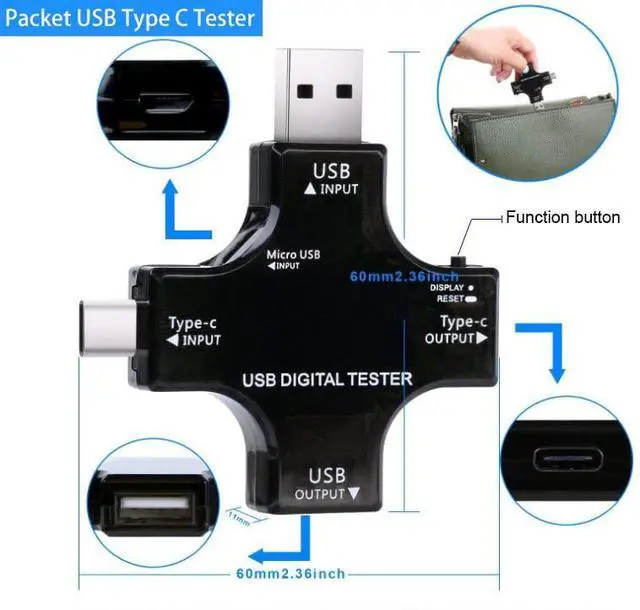
- Short Press to change different functions, long press to comfirm
- Quick 2 press: Reset capacity (mAh)
- Quick 3 press: Reset electricity (Wh)
- Quick 4 press: Reset Timing (00:00:00)
- Quick 5 press: Change group Number(NO.X, total 10 groups of data)
- Long Press to reset capacity, electricity and timing of curent group(mAh, Wh, 00:00:00)
- Keep press before power on to enter systerm setting interface
- Long press second line of system settings interface is Zero calibration of current at no load
- In warning interface, double click to add, triple click to reduce the value, and keep press to continuously add or reduce.
If you need a PDF file of the 2-in-1 USB tester, or have any other questions, please let us know(via ).

Automatically Identify Multiple Fast Chatrging Protocols
USB tester provides safe charging for mobile phone and monitors charging data in real time.
- Support QC3.0(3.8V~12V, +/- 0.2 step)
- Support QC2.0(5V/9V/12V/20V)
- Support Qualcomm Fast Charge
- Support Android BC1.2(5V)/DCP/AFC
- Support APPLE 2.4A/2.1A/1A/0.5A
- Support HUAWEI FCP 9V/2A, SCP 4.5V/5A
- Support MTK-PE(5V/7V/9V/12V)
- ...

Note:
- The system default value of Over-voltage Warning: 30.0V
- The system default value of Low-voltage Warning: 3.00V
- The system default value of Over-current Warning: 8.00A
How to change default value?
- Enter Warning Interface
- Double click to enter adjustment mode (screen will flashing)
- 2-click to increase the voltage value
- 3-click to decrease the voltage value
- 2-click or 3click then long press to continuously increases or decreases the parameter.
How to Quickly Distinguish the Quality of a Charger via Ripple Graph View?
- Ripple < 30 mV: Excellent
- 30~120 mV: Normal
- 120~200 mV: Slightly High
- Ripple > 200 mV: Poor

Bidirectional Current Charge Detection
This USB Tester uses a special metering chip, and both positive and negative currents can be sampled and measured, the output port can also be used as an input port.
eg: The C port can be plugged into the charger or used on the mobile phone. The small current displayed by the no-load application in the reverse application is the self-consumption current of the tester, which is a normal phenomenon.

Screen Rotation
To accommodate some chargers that use an inverted display as a forward display, Eversame add screen 180 degree flip display setting function of the USB tester, helping you to read the data more convenient.
(Move to the System Settings page, select the 4th option for Screen Rotation, and then press and hold the key to flip it 180 degrees.)

6.5A High Current Charging
USB meter tester uses a sampling chip with an internal resistance as low as 1 milliiohm (1mO), reducing self-consumption while providing you with more reliable values.
USB port upgraded to 6.5A fast charging port, which will help to test fast charging devices quickly and easily.

Test Charging Status of Laptops
USB tester provides real-time charging information of charging status to you, ensure a safety charging environment to your laptops.
Laptops' peripherals devices also can be tetected, including mobile hard drives, U disks, mouses, keyboards and HUB splitter, etc.

Test Charging Speed & Quality of USB Cable
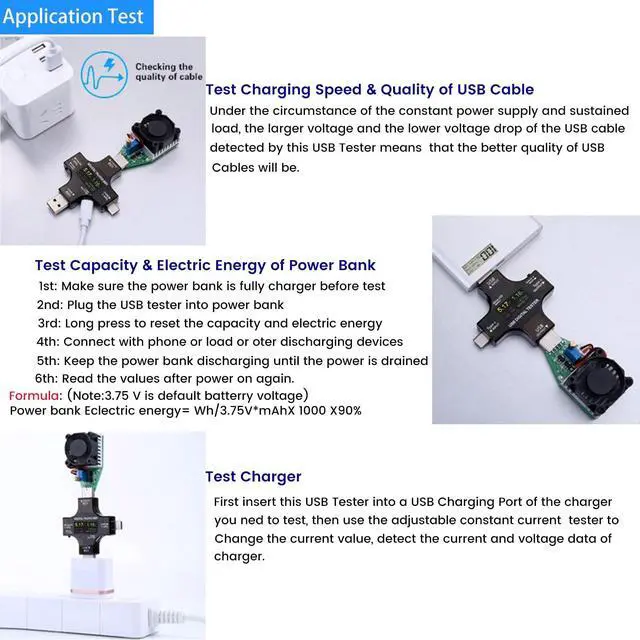
Under the circumstance of the constant power supply and sustained load, the larger voltage and the lower voltage drop of the USB cable detected by this USB Tester means that the better quality of the USB Cables will be.

Test Capacity and Electric Energy of Power Bank
Make sure the power bank to be tested is fully charged firstly, then plug this USB Tester into it and reset the capacity and electric energy by long pressing, and connect your phone or load or other discharging devices, making it charge for phone and or other discharging devices till power bank run out of its energy. Finally, the reading on this multimeter is real data of capacity of your power bank.


We are Eversame. We believe in the power of technology to enhance different aspects of your life.
Eversame is committed to providing excellent quality and ultimate user experience, by offering safer, faster, and higher-quality electronic accessories that create convenience in your life.
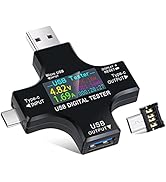
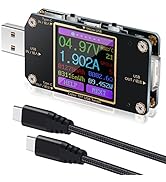
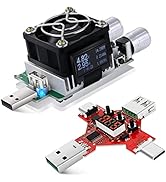
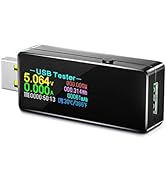
Digital USB Tester
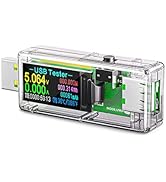
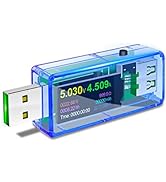
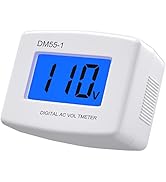
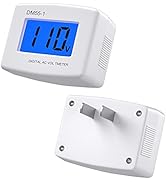
USB Meter and Voltage Meter



We are Eversame. We believe in the power of technology to enhance different aspects of your life.
Eversame is committed to providing excellent quality and ultimate user experience, by offering safer, faster, and higher-quality electronic accessories that create convenience in your life.
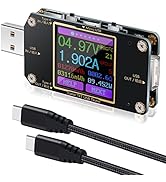
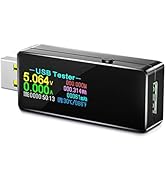
Digital USB Tester
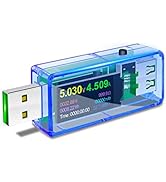
USB Meter and Voltage Meter
 2 in 1 USB Tester | USB C Power Meter Tester | USB 3.0 Tester |  35W USB Power Meter | AT085 USB C Tester | |
|---|---|---|---|---|---|
| Customer Reviews | — | — | — | — | — |
| Price | — | — | — | — | — |
| Applications | For USB A and USB C port devices | For USB A and USB C port devicesport | For USB A port devices | For USB A and USB C devicesport | For USB C port devices |
| Measured Voltage Range | DC3.6-30V | DC4.5V-24V | DC3.3-30V | DC 3-21V | DC4.5-50V |
| Measured Current Range | 0-5.1A | 0-8A | 0-5.1A | 0-3A | 0-12A |
| Supported Protocols | QC3.0/2.0, BC 1.2, DCP, AFC, APPLe, FCP MTK-PE, etc | QC3.0, QC2.0 | QC3.0/2.0, BC 1.2, DCP, AFC, APPLe, FCP MTK-PE, etc | QC2.0/ QC3.0, BC 1.2, MTK-PE, ect | PD3.1 48V, PD2.0, PD3.0, PPS, OC2.0, QC3.0, FCP, SCPAFC, PE, DASH VOOC, SuperV00C etc. |
| Screen Rotation | Support, requires manual adjustment | Support, requires manual adjustment | no data | no data | Support, gravity-sensing automatic screen rotation |
Operation Instructions of USB Meter Tester
- Short Press to change different functions, long press to comfirm
- Quick 2 press: Reset capacity (mAh)
- Quick 3 press: Reset electricity (Wh)
- Quick 4 press: Reset Timing (00:00:00)
- Quick 5 press: Change group Number(NO.X, total 10 groups of data)
- Long Press to reset capacity, electricity and timing of curent group(mAh, Wh, 00:00:00)
- Keep press before power on to enter systerm setting interface
- Long press second line of system settings interface is Zero calibration of current at no load
- In warning interface, double click to add, triple click to reduce the value, and keep press to continuously add or reduce.
If you need a PDF file of the 2-in-1 USB tester, or have any other questions, please let us know(via ).
Automatically Identify Multiple Fast Chatrging Protocols
USB tester provides safe charging for mobile phone and monitors charging data in real time.
- Support QC3.0(3.8V~12V, +/- 0.2 step)
- Support QC2.0(5V/9V/12V/20V)
- Support Qualcomm Fast Charge
- Support Android BC1.2(5V)/DCP/AFC
- Support APPLE 2.4A/2.1A/1A/0.5A
- Support HUAWEI FCP 9V/2A, SCP 4.5V/5A
- Support MTK-PE(5V/7V/9V/12V)
- ...
Note:
- The system default value of Over-voltage Warning: 30.0V
- The system default value of Low-voltage Warning: 3.00V
- The system default value of Over-current Warning: 8.00A
How to change default value?
- Enter Warning Interface
- Double click to enter adjustment mode (screen will flashing)
- 2-click to increase the voltage value
- 3-click to decrease the voltage value
- 2-click or 3click then long press to continuously increases or decreases the parameter.
How to Quickly Distinguish the Quality of a Charger via Ripple Graph View?
- Ripple < 30 mV: Excellent
- 30~120 mV: Normal
- 120~200 mV: Slightly High
- Ripple > 200 mV: Poor
Bidirectional Current Charge Detection
This USB Tester uses a special metering chip, and both positive and negative currents can be sampled and measured, the output port can also be used as an input port.
eg: The C port can be plugged into the charger or used on the mobile phone. The small current displayed by the no-load application in the reverse application is the self-consumption current of the tester, which is a normal phenomenon.

Screen Rotation
To accommodate some chargers that use an inverted display as a forward display, Eversame add screen 180 degree flip display setting function of the USB tester, helping you to read the data more convenient.
(Move to the System Settings page, select the 4th option for Screen Rotation, and then press and hold the key to flip it 180 degrees.)

6.5A High Current Charging
USB meter tester uses a sampling chip with an internal resistance as low as 1 milliiohm (1mO), reducing self-consumption while providing you with more reliable values.
USB port upgraded to 6.5A fast charging port, which will help to test fast charging devices quickly and easily.
Test Charging Status of Laptops
USB tester provides real-time charging information of charging status to you, ensure a safety charging environment to your laptops.
Laptops' peripherals devices also can be tetected, including mobile hard drives, U disks, mouses, keyboards and HUB splitter, etc.

Test Charging Speed & Quality of USB Cable
Under the circumstance of the constant power supply and sustained load, the larger voltage and the lower voltage drop of the USB cable detected by this USB Tester means that the better quality of the USB Cables will be.
Test Capacity and Electric Energy of Power Bank
Make sure the power bank to be tested is fully charged firstly, then plug this USB Tester into it and reset the capacity and electric energy by long pressing, and connect your phone or load or other discharging devices, making it charge for phone and or other discharging devices till power bank run out of its energy. Finally, the reading on this multimeter is real data of capacity of your power bank.