Your Browsing History
- Free 30-day Returns
$52.99
Ships from China.
Meet Your Seller
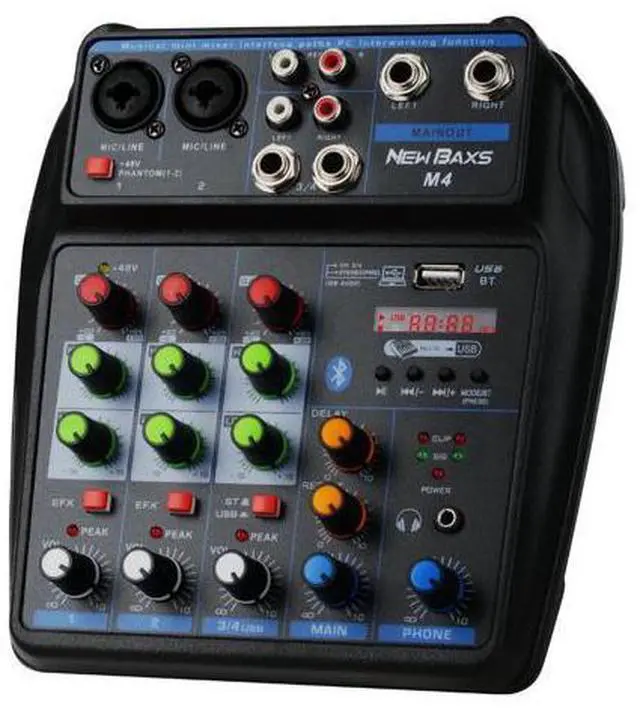
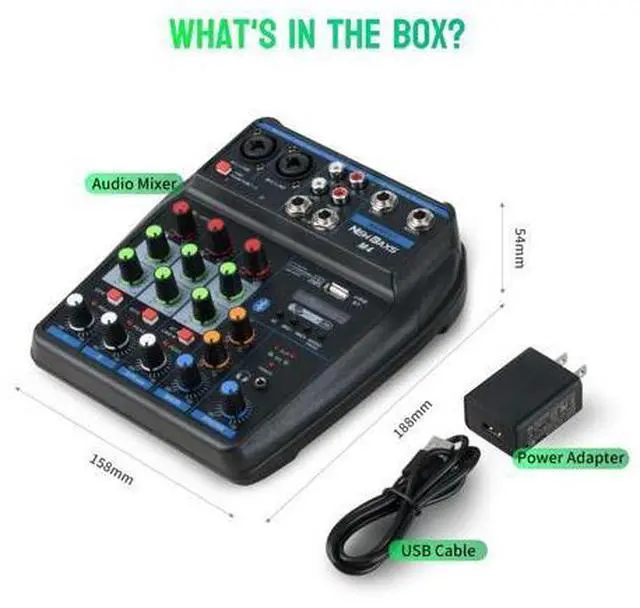
DJ Audio Mixer, DJ Mixers 4 Channel Sound Board with Bluetooth, NEW BAXS Sound Mixer Board XLR/1/4" Interface, USB/MP3 Computer Input 48V Phantom Power Stereo DJ Studio Streaming KTV Stage
Limited time offer, ends 07/11 By BRIGHTOR
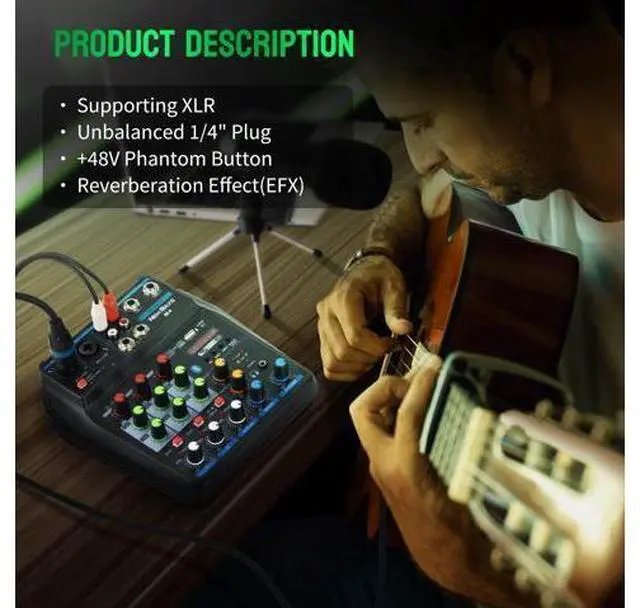
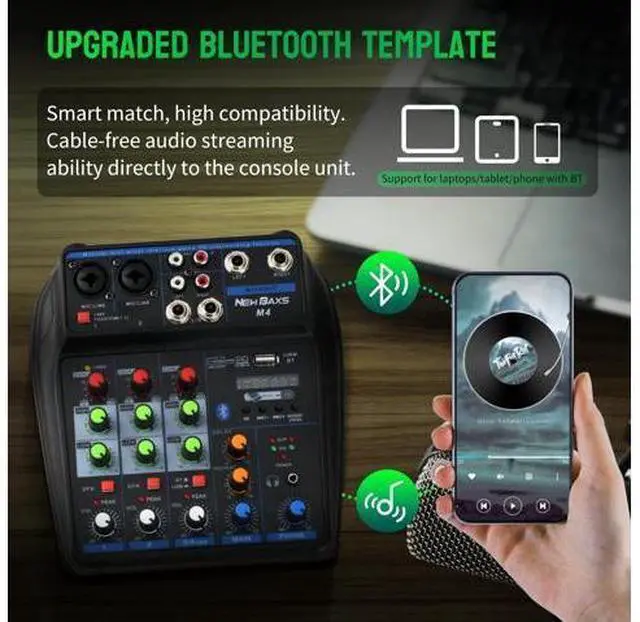
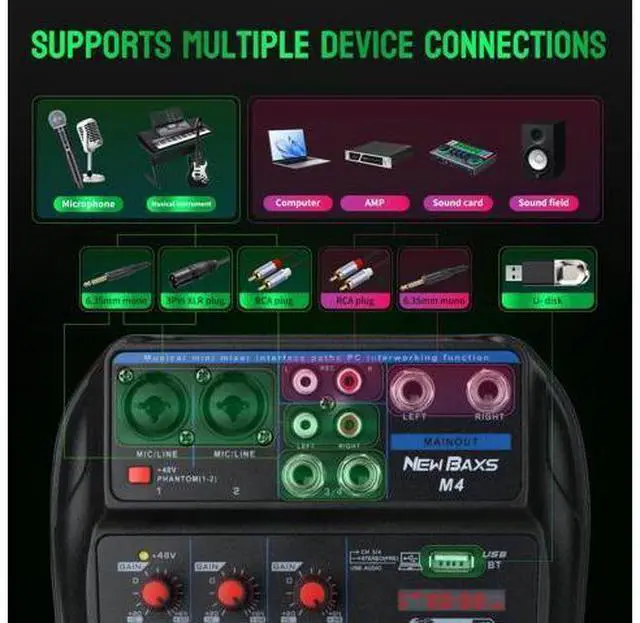
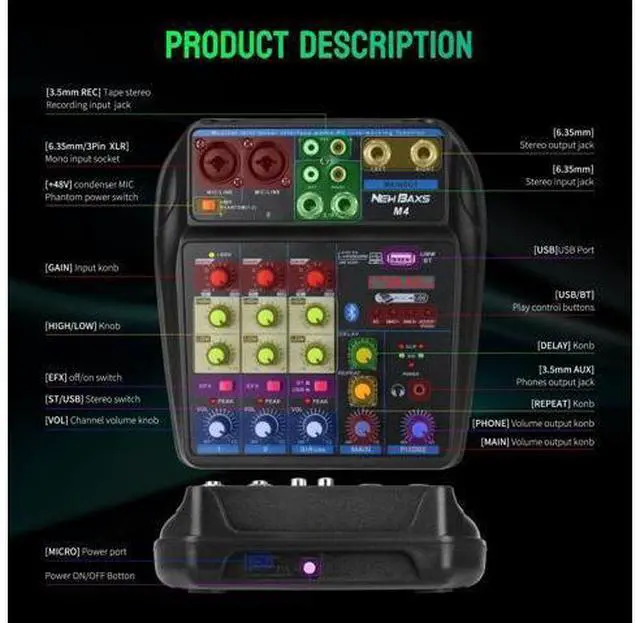
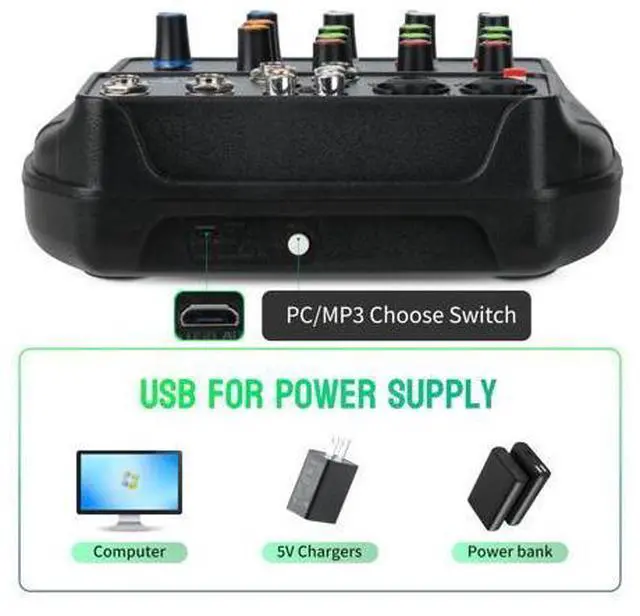
- Music Lover's Dream: Equipped with an integrated MP3 playing module, supporting a variety of music playing needs and creating an immersive audio experience.; Bluetooth Technology: Hassle and cable-free audio streaming ability directly to the console unit. Mix your iPad, iPhone, or Android smartphone to your DJ session. This audio mixer makes it a breeze to wirelessly stream all your favorite music tunes to the mixing board easily from Pandora or Spotify.; Universal Compatibility Effortlessly connect with a range of devices, including USB, Flash Reader, and MP3. Whether via an external USB, computer PC, flash drive, or Bluetooth device, seamlessly mix and record. Integrated easy-to-use controls allow for play/pause, track skipping, and mode switching for a user-friendly experience.; MIC + STEREO LINE INPUTS: Supporting XLR and unbalanced 1/4" Plug with +48V Phantom button, highly accurate LED Peak Level Indicator, and Ultra-musical 3-band EQ on all channels. Ultra-low noise, high headroom mixer with super easy functionality for professional vocal and instrumental sound.; Simple Design, Easy to Use: Sealed rotary controls to resist dust and grime, Our NEW BAXS Compact DJ Mixer will provide total dynamic control for the ultimate in punch and clarity, Effortlessly achieving premium quality crystal clear studio level quality musical playback.
+
+
Overview
Specs
Reviews
Any questions? Our AI beta will help you find out quickly.
Try me now
Previous page Next page 1 2 IN 1 AUDIO JACK 2 USB INTERFACE 3 REVERBERATION EFFECT 4 48V PHANTOM POWER 5 BLUETOOTH PLAYBACK Avoid the Noise or Damage to the
Machine NOTE: You need to connect the front-end equipment, such as microphones, mixers, guitars, etc., and then connet the back-end equipment such as amplifiers and speakers to avoid noise or damage to the machine. Distorted or Unclear Sound? 01. Check if the gain is too high or low. Adjust the gain knob or fader to fix distortion. 02. Adjust the EQ settings if the sound isn't clear or balanced. Unwanted Noise or Feedback? 01. Check if the microphone is too close to the speaker, causing feedback. 02. Make sure that all devices are correctly grounded to avoid any humming noises. 03. Check EQ settings. High gain levels in low-frequency bands can cause noise. One Channel Not Working? 01. Check if the channel is muted or the volume is down. 02. Try to change the cable or microphone to check if they're causing the problem. Effects Not Working? 01. Make sure the effect is enabled, and the corresponding control knob or slider is at the correct level. 02. If the effect requires input information like tempo, ensure that it's correctly set.

Warranty & Returns
Warranty, Returns, And Additional Information
Warranty
- Please contact the Seller directly for warranty information. Warranty information may also be found on the Manufacturer's website.
- CONTACT
Return Policies
- Return for refund within: 30 days
- Return for replacement within: 30 days
- This item is covered by BRIGHTOR Return Policy
Manufacturer Contact Info
- For a directory of all our manufacturers, please click below.
- Manufacturers Directory
LOADING...