

Your Browsing History
- Free 30-day Returns
$86.14
Ships from China.

Meet Your Seller

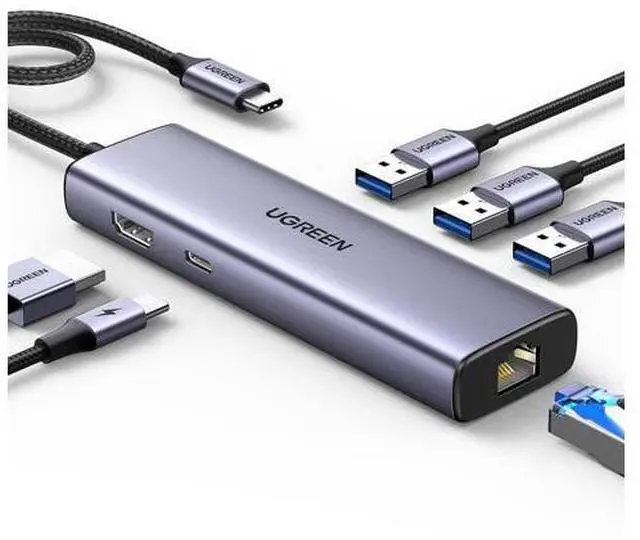
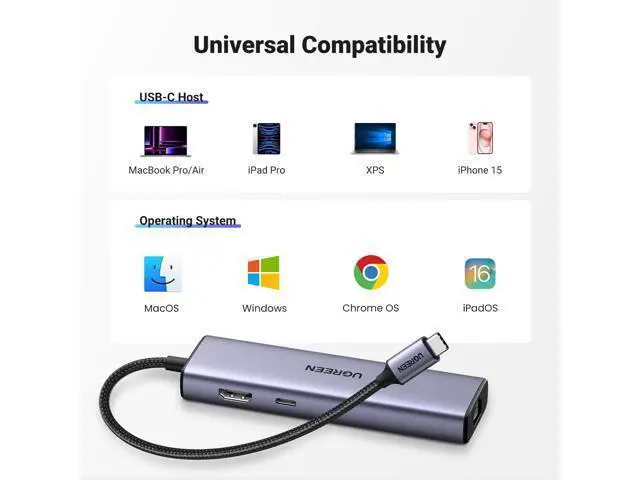


UGREEN Revodok 6 in 1 USB C Hub Gigabit Ethernet Adapter with 4K HDMI, 100W PD Charging, USB A Data Ports Compatible with Mac M1, M2, M3, iPad, iPhone 16 Pro/Pro Max, Steam Deck
Limited time offer, ends 09/14 By VoltSync
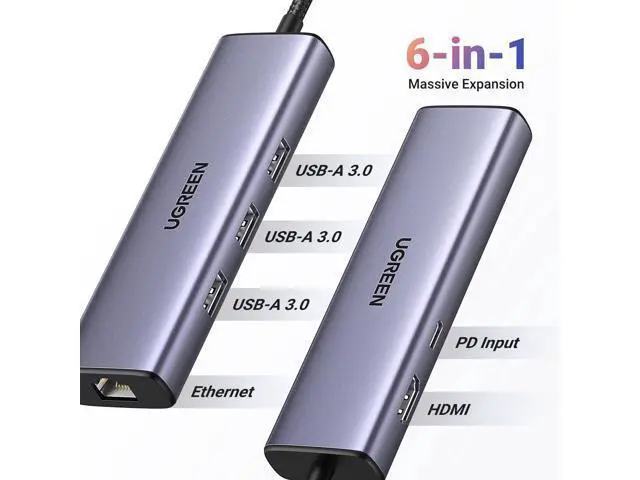
- 6 in 1 USB-C Hub: This USB C ethernent hub turns a single USB-C port into 6 ports with a 4K@30Hz HDMI, gigabit ethernet, PD 100W charging and 3x USB-A 3.0.
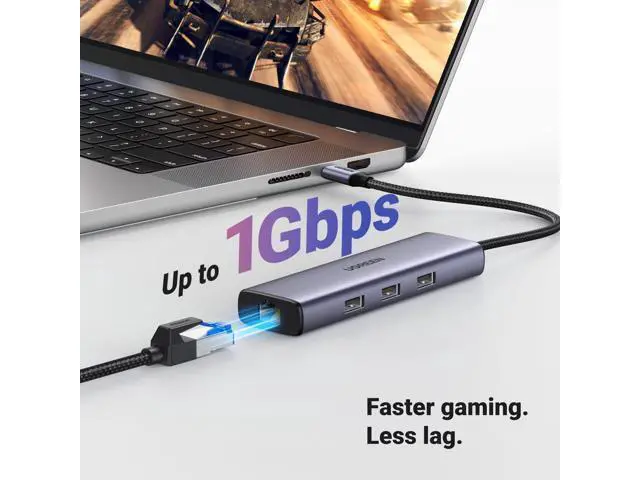
- Stable Gigabit Ethernet Connection: USB C hub comes with Gigabit RJ45 ethernet port that supports 1000Mbps with faster, more reliable connection, enjoy a smoother online gaming or working experience.
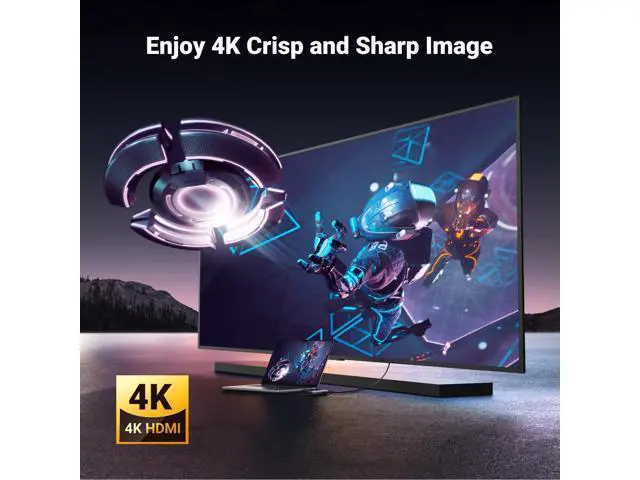
- 4K HD Visuals: USB C Dock is equipped with a 4K@30Hz HDMI port. Enjoy visually stunning movies, high-definition online meetings, or extend your display for incredibly appealing presentations. Note: Does not support HDR/3D.
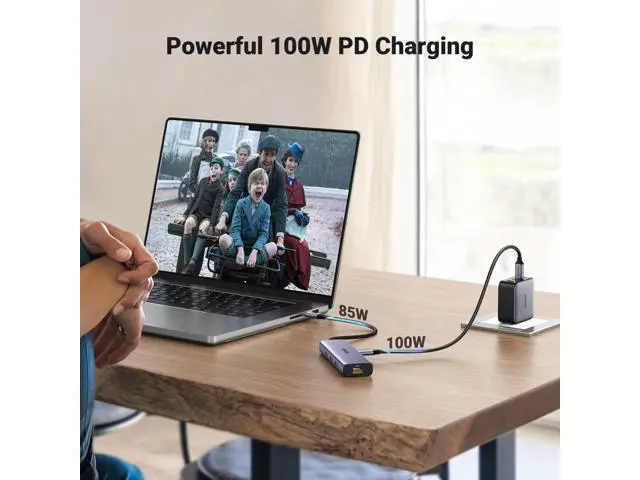
- PD 100W Fast Charging: Support up to 85W USB C pass-through charging via Type-C port to keep your laptop powered. 15W is reserved for other interface operations.Note: The USB-C port only supports charging and does not support data transmission or video output.
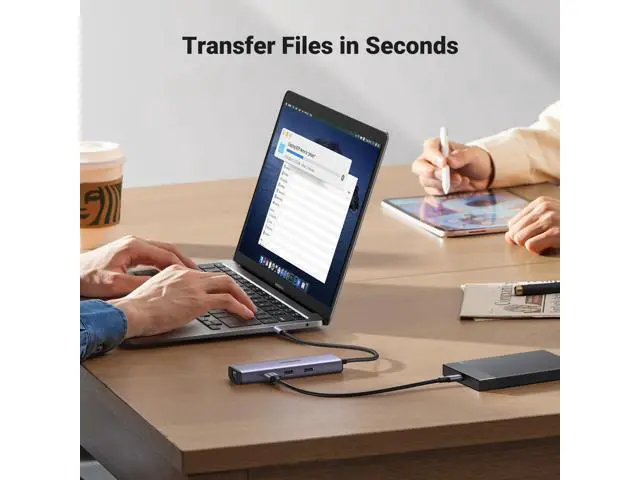
- Fast Data Transfer: Connect various peripheral devices like (wireless or wired) mouse, keyboard, hard drive, USB flash disk. Transfer movies, music, and fil
+
+
Overview
Specs
Reviews

Any questions? Our AI mode will help you find out quickly.
Try me now
Previous page Next page 1 4K Display 2 100W PD Charging 3 5Gbps Data Transfer 4 Gigabit Ethernet Previous page Next page Previous page Next page What can I do if I can't get the ethernet port isnt properly connecting? 1) Please install the driver; 2) For Mac devices, add this adapter in the Network settings page. Go to "System Preferences""Network" "+" Select the network card with the corresponding name "Create" Why doesn't my laptop display properly when using the HDMI port? 1) The laptop must support the video transmission function (DisplayPort Alternate Mode), in order to use this docking station to transmit video.
2) Please make sure your HDMI cable has no cuts or breaks and is functioning properly. Why can't my laptop use the PD interface? 1) The USB-C interface of the device must support the PD charging function. 2) In order to avoid an identification problem with the PD protocol, we suggest using the original charger of the notebook to charge. Why does the 30W ROG Ally Turbo Mode cannot be triggered? It is suggestd to connect a 87W or above PD charger to trigger the 30W turbo mode. UGREEN USB C Hub UGREEN USB C Ethernet Hub USBC Hub With Screen Lock Revodok 10Gbps USB C Hub UGREEN USB C Ethernet Hub Dock for Gaming & Work Steam Deck Dock UGREEN USB C Ethernet Hub Customer Reviews Price Max Transfer Speed 5Gbps 10Gbps 10Gbps 5Gbps 5Gbps 10Gbps 10Gbps USB Ports 3xUSB-A 3.0 2*USB A +2*USB C 2*USB A 3.2 +USB C 3.2 2xUSB A 3.0 2xUSB A 3.0 +USB C 3.0 USB A 3.2 +USB C 3.2 +2*USB 2.0 USB-A 3.2 +USB-C 3.2 +2xUSB 3.0 Max Display Resolution 4K@30Hz 4K@60Hz 4K@60Hz 4K@60Hz 4K@120Hz 4K@60Hz 4K@60Hz Charging Port 100W 100W 100W 100W 100W PD 100W 100W Plug & Play??????? Gigabit Ethernet??????? SD/TF Card Reader??????? Previous page UGREEN 10Gbps USB C HUB UGREEN Hub & Stand UGREEN USB C Hub UGREEN USB Hub UGREEN Mouse & Keyboard UGREEN Multi HDMI Dock UGREEN 10Gbps USB C HUB Revodok Basic Revodok Pro Revodok Max Next page 2 4K Display 3 100W PD Charging 4 5Gbps Data Transfer 5 Gigabit Ethernet What can I do if I can't get the ethernet port isnt properly connecting? 1) Please install the driver; 2) For Mac devices, add this adapter in the Network settings page.
Go to "System Preferences""Network" "+" Select the network card with the corresponding name "Create" Why doesn't my laptop display properly when using the HDMI port? 1) The laptop must support the video transmission function (DisplayPort Alternate Mode), in order to use this docking station to transmit video. 2) Please make sure your HDMI cable has no cuts or breaks and is functioning properly. Why can't my laptop use the PD interface? 1) The USB-C interface of the device must support the PD charging function. 2) In order to avoid an identification problem with the PD protocol, we suggest using the original charger of the notebook to charge.
Why does the 30W ROG Ally Turbo Mode cannot be triggered? It is suggestd to connect a 87W or above PD charger to trigger the 30W turbo mode. UGREEN USB C Hub UGREEN USB C Ethernet Hub USBC Hub With Screen Lock Revodok 10Gbps USB C Hub UGREEN USB C Ethernet Hub Dock for Gaming & Work Steam Deck Dock UGREEN USB C Ethernet Hub Customer Reviews Customer Reviews Customer Reviews Customer Reviews Customer Reviews Customer Reviews Customer Reviews Price Price Price Price Price Price Price Max Transfer Speed Max Transfer Speed Max Transfer Speed Max Transfer Speed Max Transfer Speed Max Transfer Speed Max Transfer Speed 5Gbps 10Gbps 10Gbps 5Gbps 5Gbps 10Gbps 10Gbps USB Ports USB Ports USB Ports USB Ports USB Ports USB Ports USB Ports 3xUSB-A 3.0 2*USB A +2*USB C 2*USB A 3.2 +USB C 3.2 2xUSB A 3.0 2xUSB A 3.0 +USB C 3.0 USB A 3.2 +USB C 3.2 +2*USB 2.0 USB-A 3.2 +USB-C 3.2 +2xUSB 3.0 Max Display Resolution Max Display Resolution Max Display Resolution Max Display Resolution Max Display Resolution Max Display Resolution Max Display Resolution 4K@30Hz 4K@60Hz 4K@6
2) Please make sure your HDMI cable has no cuts or breaks and is functioning properly. Why can't my laptop use the PD interface? 1) The USB-C interface of the device must support the PD charging function. 2) In order to avoid an identification problem with the PD protocol, we suggest using the original charger of the notebook to charge. Why does the 30W ROG Ally Turbo Mode cannot be triggered? It is suggestd to connect a 87W or above PD charger to trigger the 30W turbo mode. UGREEN USB C Hub UGREEN USB C Ethernet Hub USBC Hub With Screen Lock Revodok 10Gbps USB C Hub UGREEN USB C Ethernet Hub Dock for Gaming & Work Steam Deck Dock UGREEN USB C Ethernet Hub Customer Reviews Price Max Transfer Speed 5Gbps 10Gbps 10Gbps 5Gbps 5Gbps 10Gbps 10Gbps USB Ports 3xUSB-A 3.0 2*USB A +2*USB C 2*USB A 3.2 +USB C 3.2 2xUSB A 3.0 2xUSB A 3.0 +USB C 3.0 USB A 3.2 +USB C 3.2 +2*USB 2.0 USB-A 3.2 +USB-C 3.2 +2xUSB 3.0 Max Display Resolution 4K@30Hz 4K@60Hz 4K@60Hz 4K@60Hz 4K@120Hz 4K@60Hz 4K@60Hz Charging Port 100W 100W 100W 100W 100W PD 100W 100W Plug & Play??????? Gigabit Ethernet??????? SD/TF Card Reader??????? Previous page UGREEN 10Gbps USB C HUB UGREEN Hub & Stand UGREEN USB C Hub UGREEN USB Hub UGREEN Mouse & Keyboard UGREEN Multi HDMI Dock UGREEN 10Gbps USB C HUB Revodok Basic Revodok Pro Revodok Max Next page 2 4K Display 3 100W PD Charging 4 5Gbps Data Transfer 5 Gigabit Ethernet What can I do if I can't get the ethernet port isnt properly connecting? 1) Please install the driver; 2) For Mac devices, add this adapter in the Network settings page.
Go to "System Preferences""Network" "+" Select the network card with the corresponding name "Create" Why doesn't my laptop display properly when using the HDMI port? 1) The laptop must support the video transmission function (DisplayPort Alternate Mode), in order to use this docking station to transmit video. 2) Please make sure your HDMI cable has no cuts or breaks and is functioning properly. Why can't my laptop use the PD interface? 1) The USB-C interface of the device must support the PD charging function. 2) In order to avoid an identification problem with the PD protocol, we suggest using the original charger of the notebook to charge.
Why does the 30W ROG Ally Turbo Mode cannot be triggered? It is suggestd to connect a 87W or above PD charger to trigger the 30W turbo mode. UGREEN USB C Hub UGREEN USB C Ethernet Hub USBC Hub With Screen Lock Revodok 10Gbps USB C Hub UGREEN USB C Ethernet Hub Dock for Gaming & Work Steam Deck Dock UGREEN USB C Ethernet Hub Customer Reviews Customer Reviews Customer Reviews Customer Reviews Customer Reviews Customer Reviews Customer Reviews Price Price Price Price Price Price Price Max Transfer Speed Max Transfer Speed Max Transfer Speed Max Transfer Speed Max Transfer Speed Max Transfer Speed Max Transfer Speed 5Gbps 10Gbps 10Gbps 5Gbps 5Gbps 10Gbps 10Gbps USB Ports USB Ports USB Ports USB Ports USB Ports USB Ports USB Ports 3xUSB-A 3.0 2*USB A +2*USB C 2*USB A 3.2 +USB C 3.2 2xUSB A 3.0 2xUSB A 3.0 +USB C 3.0 USB A 3.2 +USB C 3.2 +2*USB 2.0 USB-A 3.2 +USB-C 3.2 +2xUSB 3.0 Max Display Resolution Max Display Resolution Max Display Resolution Max Display Resolution Max Display Resolution Max Display Resolution Max Display Resolution 4K@30Hz 4K@60Hz 4K@6
Warranty & Returns
Warranty, Returns, And Additional Information
Warranty
- Please contact the Seller directly for warranty information. Warranty information may also be found on the Manufacturer's website.
- CONTACT
Return Policies
- Return for refund within: 30 days
- Return for replacement within: 30 days
- This item is covered by VoltSync Return Policy
Manufacturer Contact Info
- For a directory of all our manufacturers, please click below.
- Manufacturers Directory
LOADING...