

Your Browsing History
- Free 45-day Returns
$63.87
Ships from China.

Meet Your Seller

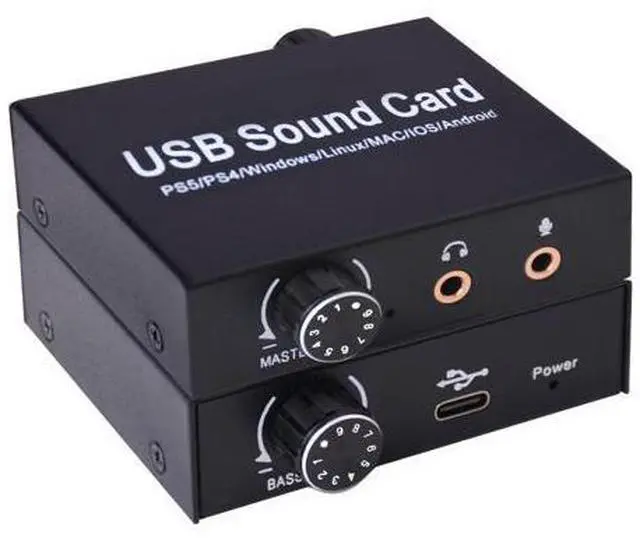
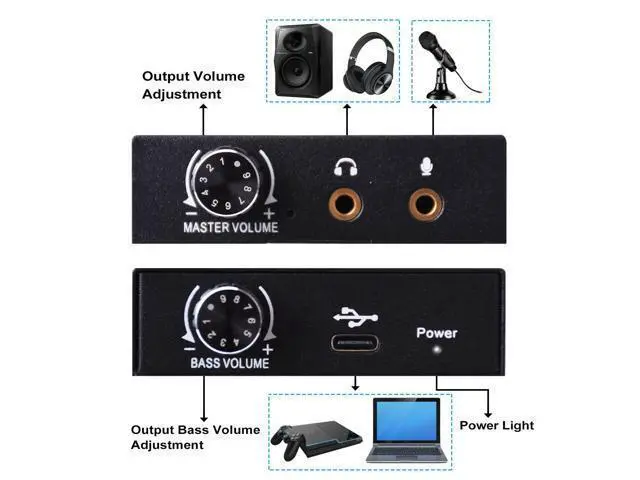
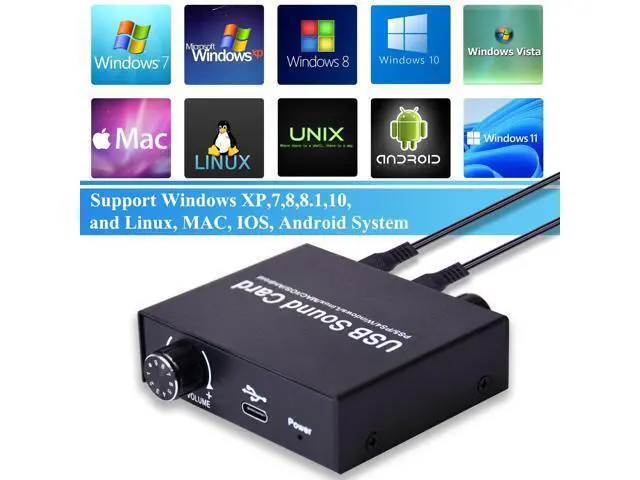


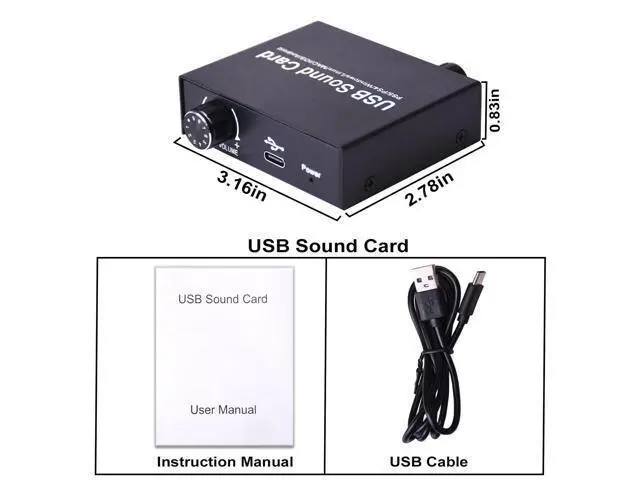


BUCIER External Sound Card, USB Audio Adapter with Volume Output and Bass Adjustment, Stereo Sound Card with 3.5mm Microphone Port for Windows/Linux/MAC/iOS/Android System, PS5, Laptops, Desktops
Limited time offer, ends 10/13 By PeakCircuit Technology
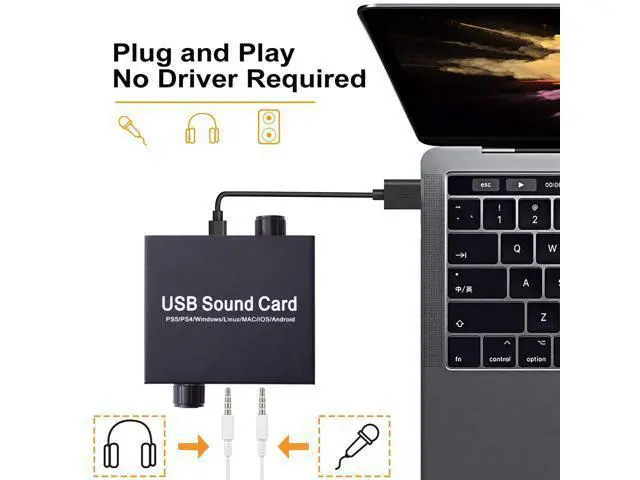
- USB to 3.5mm Jack Sound Card: The external sound card is ideal for connecting 3.5 mm headphones, microphones or speakers to your computer via the USB port. Supports stereo listening + speaking with dual functionality. Easily add an auxiliary port to your device, or replace a broken USB sound card audio adapter. (One-way audio transfer: This USB port is an output, not an input. Audio can only be transferred from the USB port to the 3.5mm port).
- High Fidelity Sound: USB to headphone jack adapter will bring you the best listening experience. Support 16bit/44.1Khz 16bit/48Khz audio sampling rate and 16~600 impedance headphone, maintain the original sound quality, provide full and delicate tone, highly restore quality sound, ensure low noise and high interference suppression.
+
+
Overview
Specs
Reviews

Any questions? Our AI mode will help you find out quickly.
Try me now
- USB to 3.5mm Jack Sound Card: The external sound card is ideal for connecting 3.5 mm headphones, microphones or speakers to your computer via the USB port. Supports stereo listening + speaking with dual functionality. Easily add an auxiliary port to your device, or replace a broken USB sound card audio adapter. (One-way audio transfer: This USB port is an output, not an input. Audio can only be transferred from the USB port to the 3.5mm port).
- High Fidelity Sound: USB to headphone jack adapter will bring you the best listening experience. Support 16bit/44.1Khz 16bit/48Khz audio sampling rate and 16~600 impedance headphone, maintain the original sound quality, provide full and delicate tone, highly restore quality sound, ensure low noise and high interference suppression.
Warranty & Returns
Warranty, Returns, And Additional Information
Warranty
- Please contact the Seller directly for warranty information. Warranty information may also be found on the Manufacturer's website.
- CONTACT
Return Policies
- Return for refund within: 45 days
- Return for replacement within: 30 days
- This item is covered by PeakCircuit Technology Return Policy
Manufacturer Contact Info
- For a directory of all our manufacturers, please click below.
- Manufacturers Directory
LOADING...