

Your Browsing History
- Free 30-day Returns
$122.99
Ships from China.

Meet Your Seller

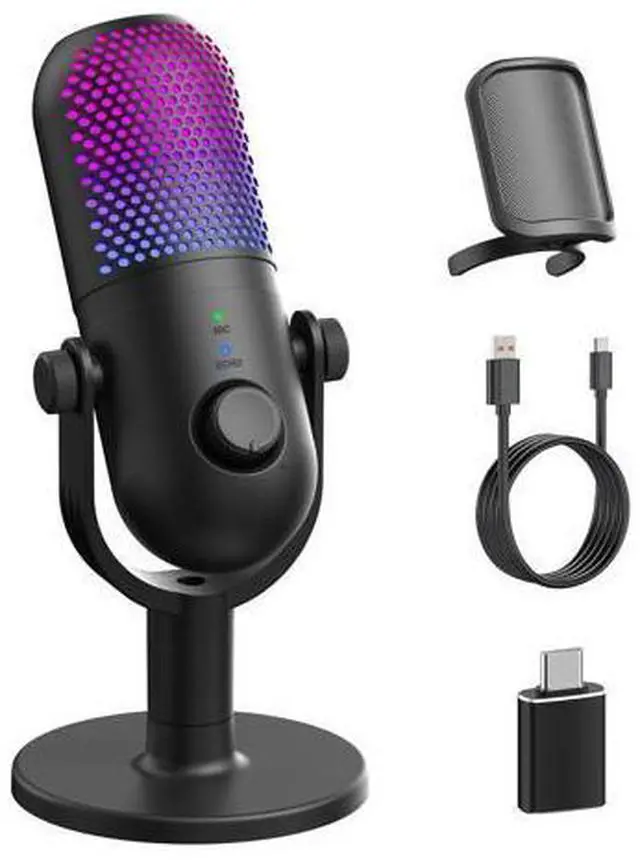


USB Microphone for PC Gaming: Condenser Microphone RGB for Gamer with Stand Mic - Recording Mic for Computer&Laptop with Qiuck Mute - Desk Podcast Mic for Podcast & Singing & Streaming & Youtube Black
Limited time offer, ends 07/25 By XXZHKYLY
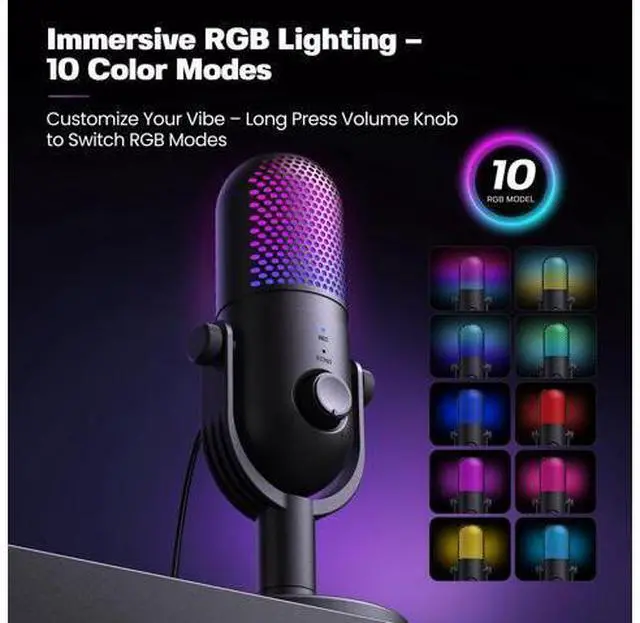
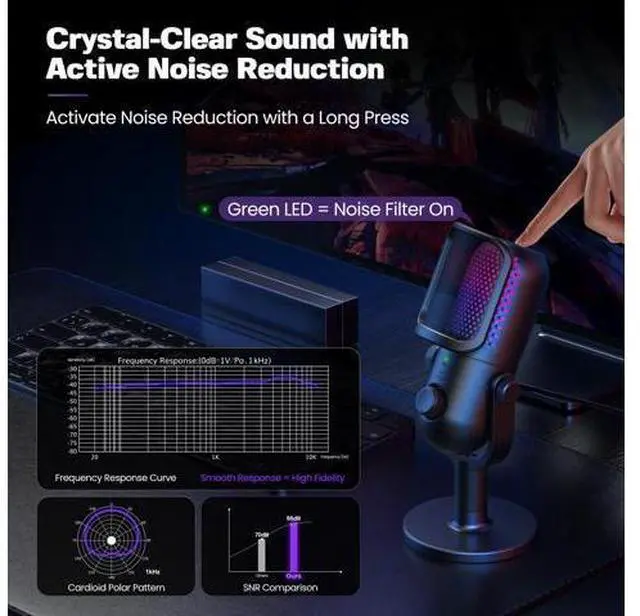
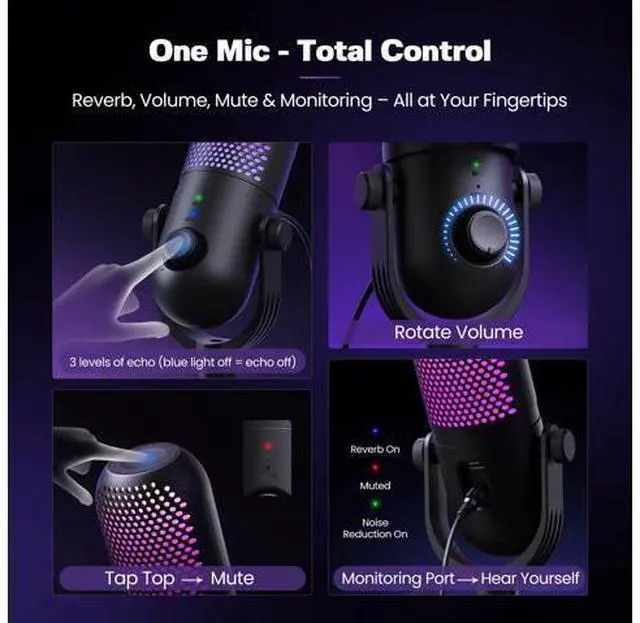
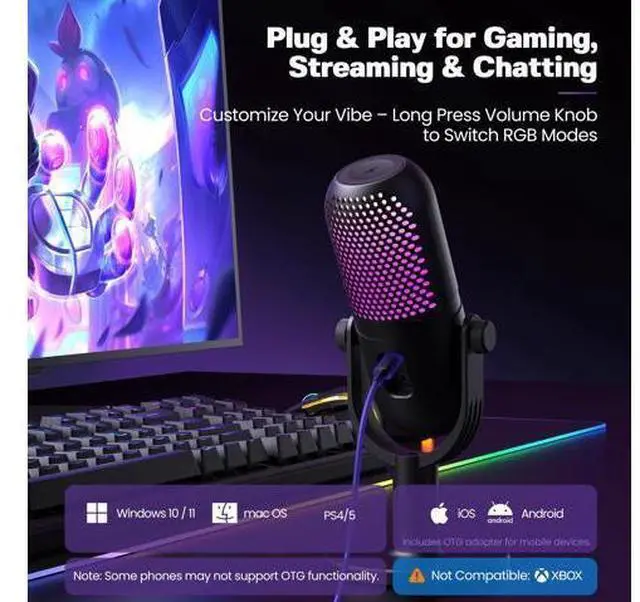
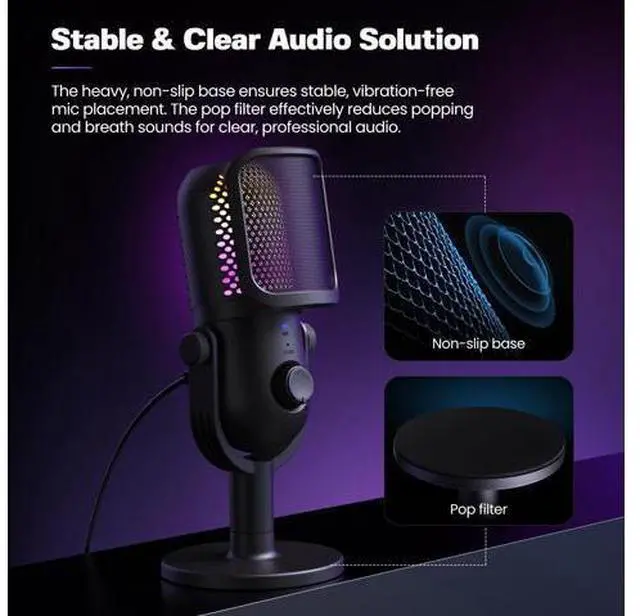
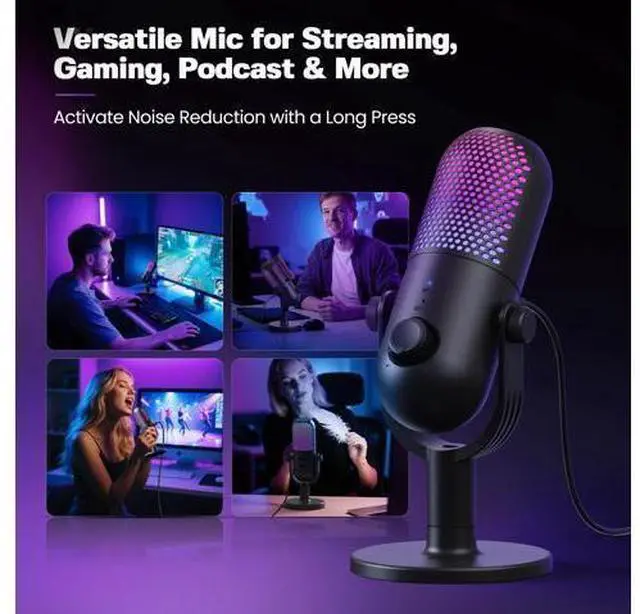
- Professional Sound with Noise Reduction, Monitoring & Reverb - This USB condenser microphone features a one-touch noise reduction button to eliminate background noise and deliver crystal-clear vocals. Enjoy real-time voice monitoring with zero latencyideal for streaming, podcasting, gaming, recording, Zoom calls, karaoke, and ASMR. Includes 3 adjustable reverb modes to adapt to various scenes.; 10 RGB Lighting Effects Customizable & Switchable - Built-in RGB lights with 10 vibrant effects: rainbow, breathing, gradient (single/dual), and fixed colors like red, blue, pink, purple, yellow, and cyan. Easily switch modes to match your desktop or mood. Prefer a clean setup? Turn off lights for a distraction-free environmentgreat for white or minimalist desk aesthetics.; One-Tap Mute, Volume Knob & Intuitive Controls - Tap the top to mute the mic instantlyLED indicator shows mute status at a glance. Precise volume control via rotary knob. Quickly toggle between RGB modes and reverb effects without interrupting your recording or game. A practical audio solution for gamers, streamers, YouTubers, and singers.; Plug & Play Compatible with Multiple Devices - No driver neededthis wired mic works with Windows, Mac, PS4, PS5, laptops, Android phones (via included Type-C adapter), and desktop PCs. Just plug it into your USB port and start recording or chatting. Note: Not compatible with Xbox. A great option for dynamic podcast setups and vocal projects.
+
+
Overview
Specs
Reviews

Any questions? Our AI beta will help you find out quickly.
Try me now
Previous page Next page 1 Volume Control 2 Noise Cancelling 3 10 RGB Modes 4 Echo Mod Does the ZTD39 microphone support Xbox? No, the ZTD39 does not support Xbox. Why is there a strong echo when using the ZTD39 microphone? The echo occurs because the Echo Mode is enabled. The ZTD39 has 3 levels of Echo. You can short press the volume button to switch levels (blue Echo light flashes). Repeat until the Echo light turns off to disable Echo Mode. How do I adjust the lighting modes on the ZTD39 microphone? The ZTD39 features 10 RGB lighting effects.
Long press the volume button to cycle through the modes, or turn off the RGB lighting. How do I enable Noise Cancelling on the ZTD39 microphone? Long press the mute button on top of the ZTD39. When the MIC indicator turns green, Noise Cancelling is activated. Previous page Next page 2 Volume Control 3 Noise Cancelling 4 10 RGB Modes 5 Echo Mod Does the ZTD39 microphone support Xbox? No, the ZTD39 does not support Xbox. Why is there a strong echo when using the ZTD39 microphone? The echo occurs because the Echo Mode is enabled.
The ZTD39 has 3 levels of Echo. You can short press the volume button to switch levels (blue Echo light flashes). Repeat until the Echo light turns off to disable Echo Mode. How do I adjust the lighting modes on the ZTD39 microphone? The ZTD39 features 10 RGB lighting effects. Long press the volume button to cycle through the modes, or turn off the RGB lighting. How do I enable Noise Cancelling on the ZTD39 microphone? Long press the mute button on top of the ZTD39. When the MIC indicator turns green, Noise Cancelling is activated.
USB Microphone for
PC Gaming: Condenser Microphone RGB for Gamer with Stand Mic - Recording Mic for Computer&Laptop with Qiuck Mute - Desk Podcast Mic for Podcast & Singing & Streaming & Youtube Black
Long press the volume button to cycle through the modes, or turn off the RGB lighting. How do I enable Noise Cancelling on the ZTD39 microphone? Long press the mute button on top of the ZTD39. When the MIC indicator turns green, Noise Cancelling is activated. Previous page Next page 2 Volume Control 3 Noise Cancelling 4 10 RGB Modes 5 Echo Mod Does the ZTD39 microphone support Xbox? No, the ZTD39 does not support Xbox. Why is there a strong echo when using the ZTD39 microphone? The echo occurs because the Echo Mode is enabled.
The ZTD39 has 3 levels of Echo. You can short press the volume button to switch levels (blue Echo light flashes). Repeat until the Echo light turns off to disable Echo Mode. How do I adjust the lighting modes on the ZTD39 microphone? The ZTD39 features 10 RGB lighting effects. Long press the volume button to cycle through the modes, or turn off the RGB lighting. How do I enable Noise Cancelling on the ZTD39 microphone? Long press the mute button on top of the ZTD39. When the MIC indicator turns green, Noise Cancelling is activated.
USB Microphone for
PC Gaming: Condenser Microphone RGB for Gamer with Stand Mic - Recording Mic for Computer&Laptop with Qiuck Mute - Desk Podcast Mic for Podcast & Singing & Streaming & Youtube Black
Warranty & Returns
Warranty, Returns, And Additional Information
Warranty
- Please contact the Seller directly for warranty information. Warranty information may also be found on the Manufacturer's website.
- CONTACT
Return Policies
- Return for refund within: 30 days
- Return for replacement within: 30 days
- This item is covered by XXZHKYLY Return Policy
Manufacturer Contact Info
- For a directory of all our manufacturers, please click below.
- Manufacturers Directory
LOADING...