

Your Browsing History

Meet Your Seller


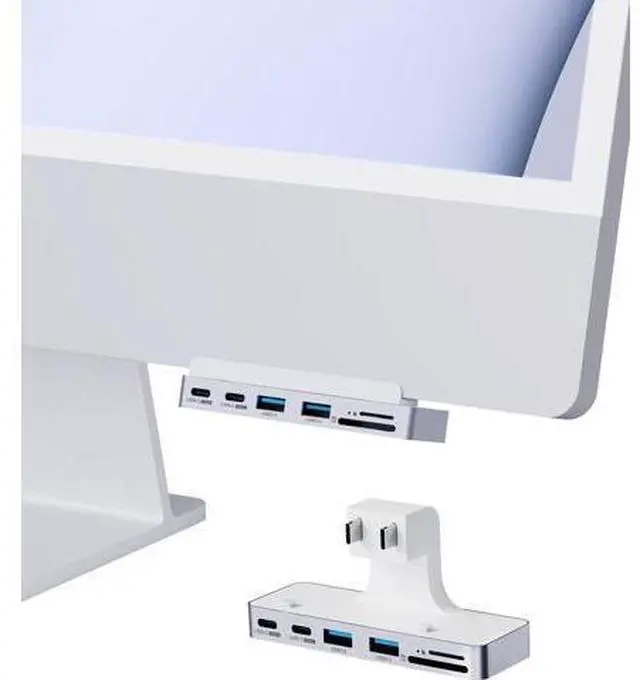


Hagibis iMac Hub with USB C 3.1, USB 3.0 Ports and SD/Micro SD Card Reader, USB-C Clamp Hub USB C Docking Station for 2021 iMac 24 inch (Without HDMI)
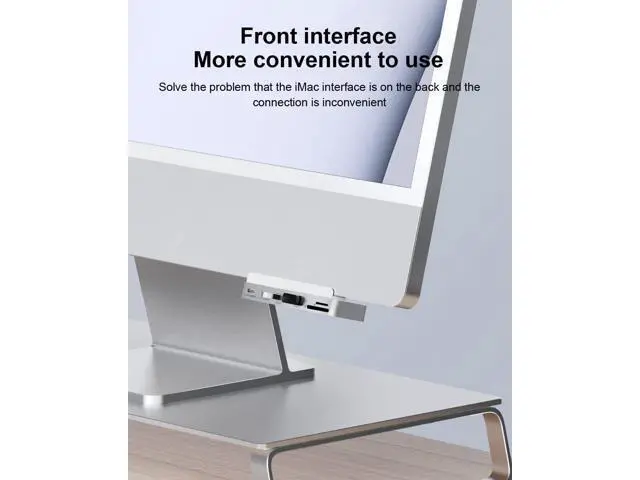
- Designed For 2021 iMac: Hagibis iMac clamp USB C hub exclusively designed for 2021 iMac (24-inch), the best solution for a front access and addition to your iMac rear expansion ports
+
+
Overview
Specs
Reviews

Any questions? Our AI mode will help you find out quickly.
Try me now
Designed For 2021 iMac: Hagibis iMac clamp USB C hub exclusively designed for 2021 iMac (24-inch), the best solution for a front access and addition to your iMac rear expansion ports
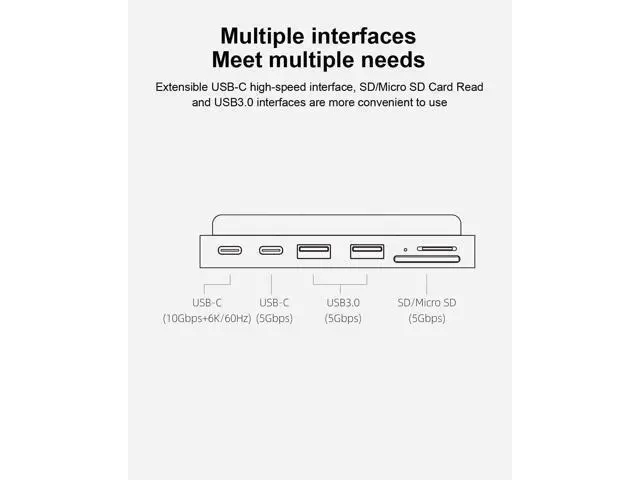
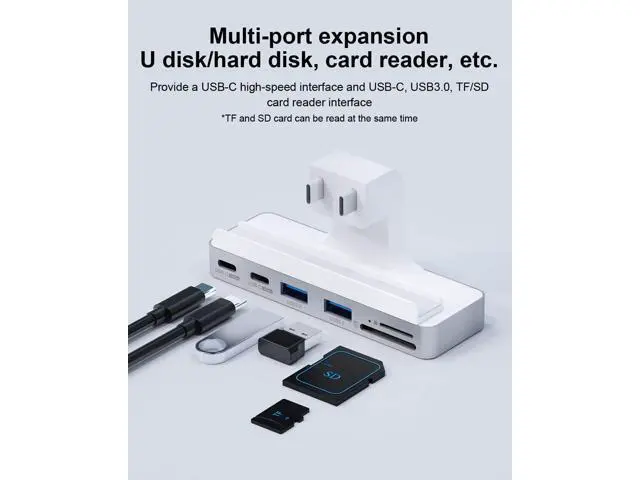
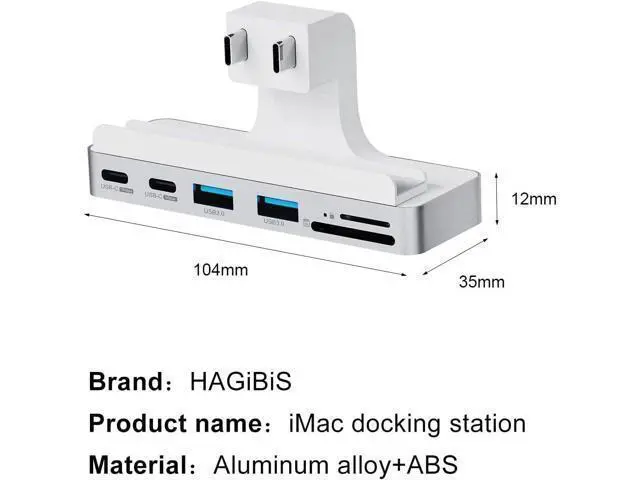
Multiple Interfaces: Hagibis USB-C dock with 4K@60Hz HDMI port, 10Gbps & 6K@60Hz USB C 3.1 Gen2 port, 5Gbps USB C port, 2 USB 3.0 ports and 5Gbps SD/Micro SD Card Reader.
*Note: SD/Micro SD Card can be read at the same time Dual
Screen Extension: With rear 4K@60Hz HDMI 2.0 port, you can connect an external monitor for Mirror mode or Extended mode
High-Speed USB: Transfer files in seconds with 10Gpbs USB-C and 5Gbps USB-A. Also can charge for phone, tablet, AirPods, and Apple watch Plug and
Play:
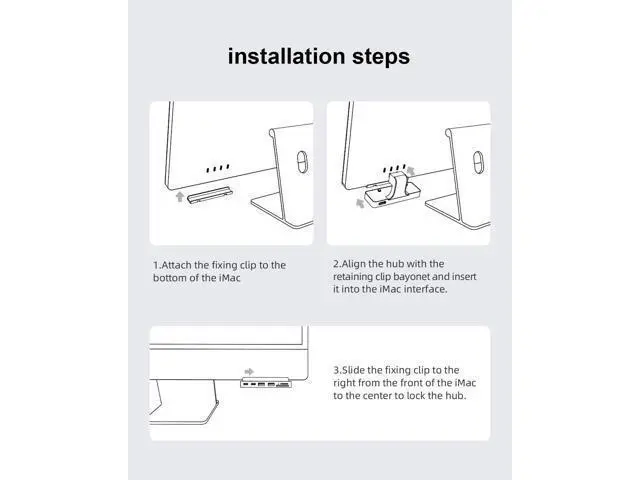
1. Attach the fixing clip to the bottom of the iMac.
2. Align the hub with the retaining clip bayonet and insert it into the iMac interface.
3. Slide the fixing clip to the right from the front of the iMac to the center to lock the hub
Multiple Interfaces: Hagibis USB-C dock with 4K@60Hz HDMI port, 10Gbps & 6K@60Hz USB C 3.1 Gen2 port, 5Gbps USB C port, 2 USB 3.0 ports and 5Gbps SD/Micro SD Card Reader.
*Note: SD/Micro SD Card can be read at the same time Dual
Screen Extension: With rear 4K@60Hz HDMI 2.0 port, you can connect an external monitor for Mirror mode or Extended mode
High-Speed USB: Transfer files in seconds with 10Gpbs USB-C and 5Gbps USB-A. Also can charge for phone, tablet, AirPods, and Apple watch Plug and
Play:
1. Attach the fixing clip to the bottom of the iMac.
2. Align the hub with the retaining clip bayonet and insert it into the iMac interface.
3. Slide the fixing clip to the right from the front of the iMac to the center to lock the hub
Warranty & Returns
Warranty, Returns, And Additional Information
Warranty
- Please contact the Seller directly for warranty information. Warranty information may also be found on the Manufacturer's website.
- CONTACT
Return Policies
- Return for refund within: 30 days
- Return for replacement within: 30 days
- This item is covered by AxisLink Return Policy
Manufacturer Contact Info
- For a directory of all our manufacturers, please click below.
- Manufacturers Directory
LOADING...