

Your Browsing History
- Free 30-day Returns
$145.89
Ships from China.


Meet Your Seller

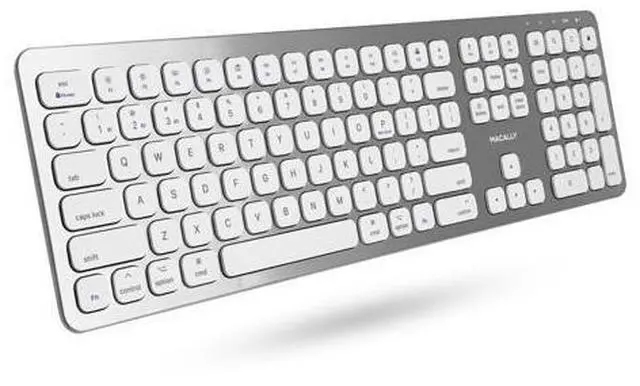
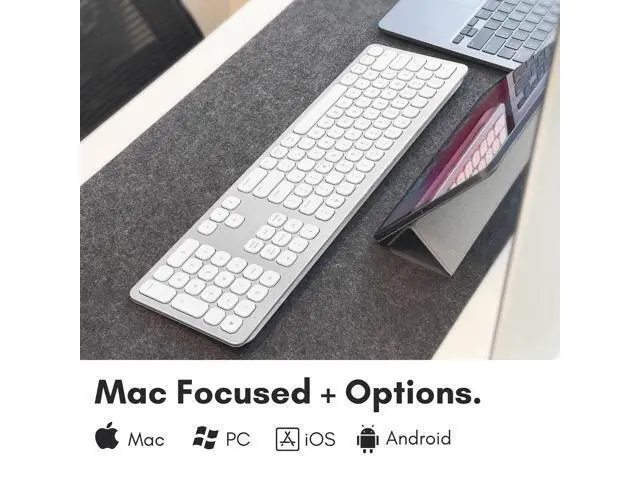


Premium Bluetooth Keyboard for Mac - Compatible Apple Keyboard with Numeric Keypad - Multi Device Wireless for MacBook Pro/Air, Mac mini Pro, iMac, Laptop
Limited time offer, ends 09/28 By PixelCore
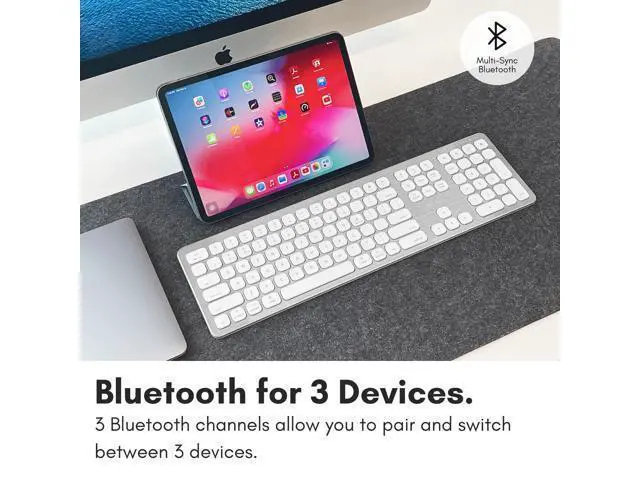
- Pair Up to Three Devices: In seconds you can seamlessly pair the Apple Wireless Keyboard to any macOS or iOS Bluetooth enabled device. Multi sync with your Macbook, iPad, or iPhone. Wireless Keyboard Mac perfect partner!
- Reliable Wireless Connection: Enjoy a stable connection with our Mac keyboard, which comes with a micro USB cable, a user manual, an 18-month warranty, and our friendly customer service.
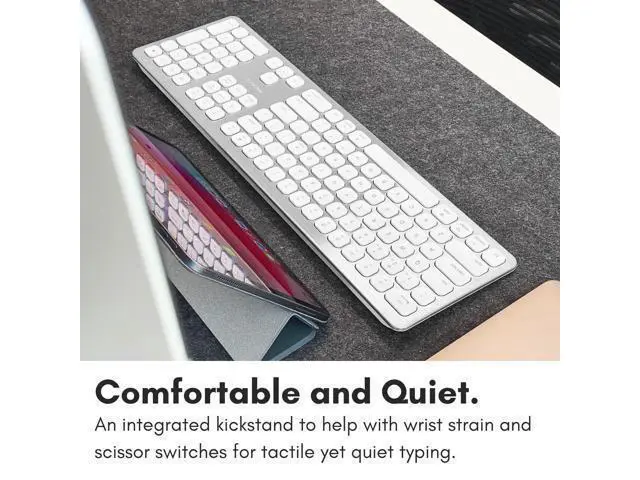
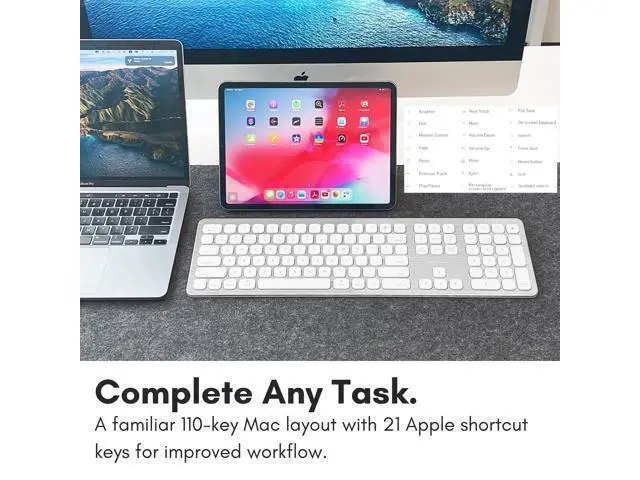
- Comfortable Typing with Full Size Layout: This bluetooth keyboard for mac features scissor switch keycaps (laptop style) for the ultimate responsive touch and quiet typing, 21 shortcut keys preset to support Mac and iOS platform, and 17-key numeric keypad to quickly and efficiently enter long sequences of numbers.
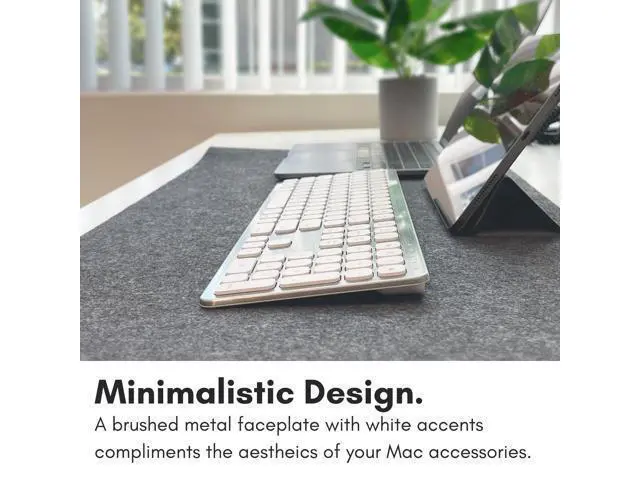
- UItra Slim and Clean Design: This budget friendly Apple keyboard with numeric keypad alternative features a cordless low profile design that will transform your workspace into a simple and clean layout.
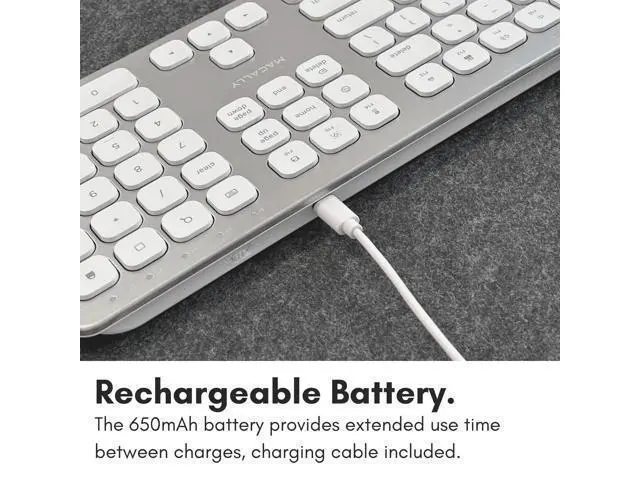
- Rechargeable Mac Wireless Keyboard: Built-in 650mAh rechargeable Lithium-ion battery lasts up to 2 months with no need to replace battery and can recharged with the included USB cable.
+
+
Overview
Specs
Reviews

Any questions? Our AI mode will help you find out quickly.
Try me now
Previous page Next page 1 Bluetooth for 3 Devices 2 Built for Mac Previous page Next page 1 Rechargeable Battery 2 Aluminum Faceplate Previous page Next page 1 Slim and Comfortable 2 Scissor Switch Keys How do you pair the BTWKEYMB to three devices? To pair, please press and hold the Fn key, and while holding it press the Number 1, 2, or 3 key on the number row and let go. Then press and hold Fn then while holding Fn press the "P" key and let go. How do you quick-switch the Bluetooth channels from B1 to B2 and B3? All you need to do is press and hold Fn and press the numbers 1, 2, or 3 on the number row, and let go of both.
What is the difference between the LED light on B1, B2, and B3 flashing rapidly or slowly means? If the LED light is flashing rapidly it means that the BTWKEYMB is looking for a device to pair. If the LED light flashes slowly, it means it is trying to find the device that is already paired with. The F1-F15 row does not work properly. What happened? On the top right there should be a lock symbol with an FN in the lock. See if there is a Blue LED light on the panel which is on the top right.
If there is a Blue LED light on, then press and hold Fn and press ESC to shut off the Fn lock. What batteries does the BTWKEYMB use and how do you charge it? The battery is built-in and it is rechargeable. You can either charge it using a cellphone wall adapter or on your Apple computer. Micro USB to a USB-A cable included. Check out our bluetooth collection. BTWKEYMB BTBLZKEYSG BTERGOKEY ACEBTKEY BTTABKEYBAT BTDYNAMOUSE BTNUMKEYPRO Customer Reviews Price Description Slim Aluminum Keyboard for Mac Backlit Keyboard for Mac Split Ergonomic Keyboard Sleek and Simple Mac Keyboard Keyboard for iPhone Stand Quiet and Slim Mouse Full Aluminum Numeric Keypad Bluetooth???????? Rechargeable???????? For Mac???????? Plug and Play???????? Previous page Pair Up to 3 Devices.
Enjoy seamless bluetooth connectivity between 3 of your favorite Apple devices. Simple Wired Connection. Equipped with crisp backlit keys, you can enjoy a simple plug and play solution. A Natural Typing Experience. Split into 2 zones, you will be able to work comfortably with less wrist strain. Small, Backlt, and Bluetooth. This compact keyboard is perfect for on the go! Backlit, rechargeable, and wireless. Take Your Work On the Go. Set up your mobile workstation in seconds. Integrated stand for your iPhone or iPad.
Keeping it Simple for PC. Looking for a basic, reliable, and easy to use keyboard for your PC? Here it is. Reclaim Desk Space. A space saving wireless combo designed specifically for PC. Macbook Missing a Keypad? Boost your workflow and tackle spreadsheets and input data with ease. Simple Point and Click. Enjoy a reliable mouse for your everyday tasks and ditch the wireless connectivity issues. - - - Next page 2 Bluetooth for 3 Devices 3 Built for Mac 2 Rechargeable Battery 3 Aluminum Faceplate 2 Slim and Comfortable 3 Scissor Switch Keys How do you pair the BTWKEYMB to three devices? To pair, please press and hold the Fn key, and while holding it press the Number 1, 2, or 3 key on the number row and let go.
Then press and hold Fn then while holding Fn press the "P" key and let go. How do you quick-switch the Bluetooth channels from B1 to B2 and B3? All you need to do is press and hold Fn and press the numbers 1, 2, or 3 on the number row, and let go of both. What is the difference between the LED light on B1, B2, and B3 flashing rapidly or slowly means? If the LED light is flashing rapidly it means that the BTWKEYMB is looking for a device to pair.
If the LED light flashes slowly, it means it is trying to find the device that is already paired with. The F1-F15 row does not work properly. What happened? On the top right there should be a lock symbol with an FN in the lock. See if there is a Blue LED light on the panel which is on the top right. If there is a Blue LED light on, then press and hold Fn...
What is the difference between the LED light on B1, B2, and B3 flashing rapidly or slowly means? If the LED light is flashing rapidly it means that the BTWKEYMB is looking for a device to pair. If the LED light flashes slowly, it means it is trying to find the device that is already paired with. The F1-F15 row does not work properly. What happened? On the top right there should be a lock symbol with an FN in the lock. See if there is a Blue LED light on the panel which is on the top right.
If there is a Blue LED light on, then press and hold Fn and press ESC to shut off the Fn lock. What batteries does the BTWKEYMB use and how do you charge it? The battery is built-in and it is rechargeable. You can either charge it using a cellphone wall adapter or on your Apple computer. Micro USB to a USB-A cable included. Check out our bluetooth collection. BTWKEYMB BTBLZKEYSG BTERGOKEY ACEBTKEY BTTABKEYBAT BTDYNAMOUSE BTNUMKEYPRO Customer Reviews Price Description Slim Aluminum Keyboard for Mac Backlit Keyboard for Mac Split Ergonomic Keyboard Sleek and Simple Mac Keyboard Keyboard for iPhone Stand Quiet and Slim Mouse Full Aluminum Numeric Keypad Bluetooth???????? Rechargeable???????? For Mac???????? Plug and Play???????? Previous page Pair Up to 3 Devices.
Enjoy seamless bluetooth connectivity between 3 of your favorite Apple devices. Simple Wired Connection. Equipped with crisp backlit keys, you can enjoy a simple plug and play solution. A Natural Typing Experience. Split into 2 zones, you will be able to work comfortably with less wrist strain. Small, Backlt, and Bluetooth. This compact keyboard is perfect for on the go! Backlit, rechargeable, and wireless. Take Your Work On the Go. Set up your mobile workstation in seconds. Integrated stand for your iPhone or iPad.
Keeping it Simple for PC. Looking for a basic, reliable, and easy to use keyboard for your PC? Here it is. Reclaim Desk Space. A space saving wireless combo designed specifically for PC. Macbook Missing a Keypad? Boost your workflow and tackle spreadsheets and input data with ease. Simple Point and Click. Enjoy a reliable mouse for your everyday tasks and ditch the wireless connectivity issues. - - - Next page 2 Bluetooth for 3 Devices 3 Built for Mac 2 Rechargeable Battery 3 Aluminum Faceplate 2 Slim and Comfortable 3 Scissor Switch Keys How do you pair the BTWKEYMB to three devices? To pair, please press and hold the Fn key, and while holding it press the Number 1, 2, or 3 key on the number row and let go.
Then press and hold Fn then while holding Fn press the "P" key and let go. How do you quick-switch the Bluetooth channels from B1 to B2 and B3? All you need to do is press and hold Fn and press the numbers 1, 2, or 3 on the number row, and let go of both. What is the difference between the LED light on B1, B2, and B3 flashing rapidly or slowly means? If the LED light is flashing rapidly it means that the BTWKEYMB is looking for a device to pair.
If the LED light flashes slowly, it means it is trying to find the device that is already paired with. The F1-F15 row does not work properly. What happened? On the top right there should be a lock symbol with an FN in the lock. See if there is a Blue LED light on the panel which is on the top right. If there is a Blue LED light on, then press and hold Fn...
Warranty & Returns
Warranty, Returns, And Additional Information
Warranty
- Please contact the Seller directly for warranty information. Warranty information may also be found on the Manufacturer's website.
- CONTACT
Return Policies
- Return for refund within: 30 days
- Return for replacement within: 30 days
- This item is covered by PixelCore Return Policy
Manufacturer Contact Info
- For a directory of all our manufacturers, please click below.
- Manufacturers Directory
LOADING...