Your Browsing History
Meet Your Seller
Keychron K2 75% Layout Bluetooth Wireless Mechanical Keyboard K Pro Brown Switch/White LED Backlit/USB C/Anti Ghosting/N-Key Rollover, 84 Keys Gaming Keyboard for Mac Windows-Version 2
Limited time offer, ends 07/25 By PixelCore
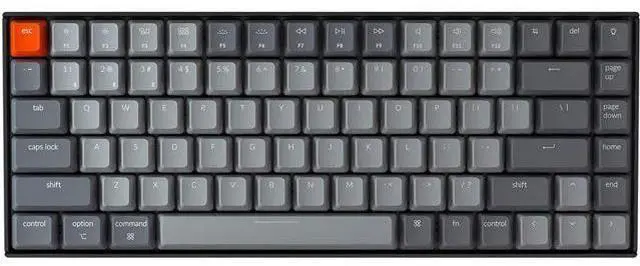
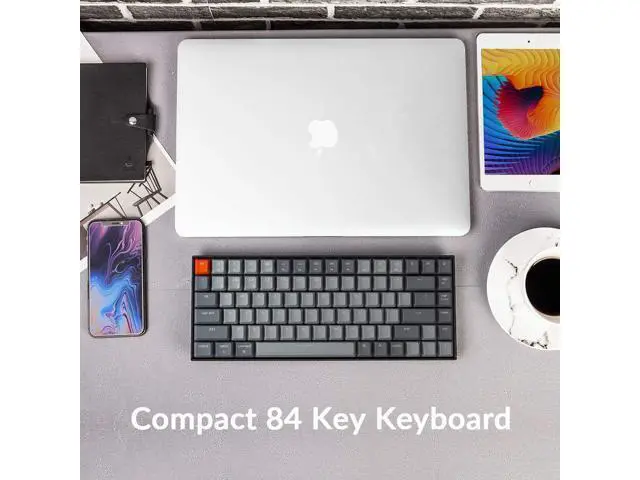
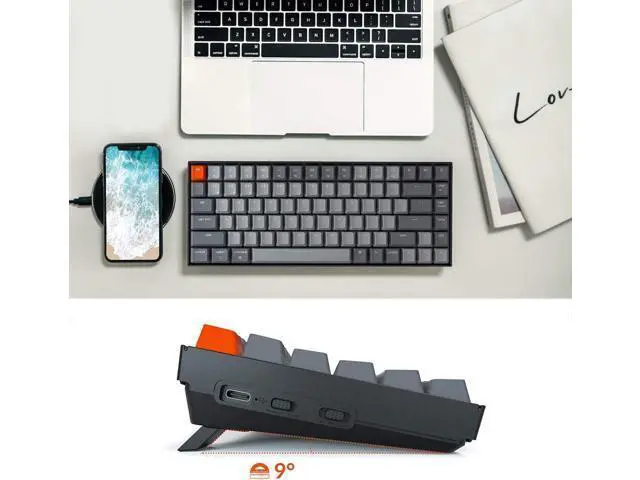
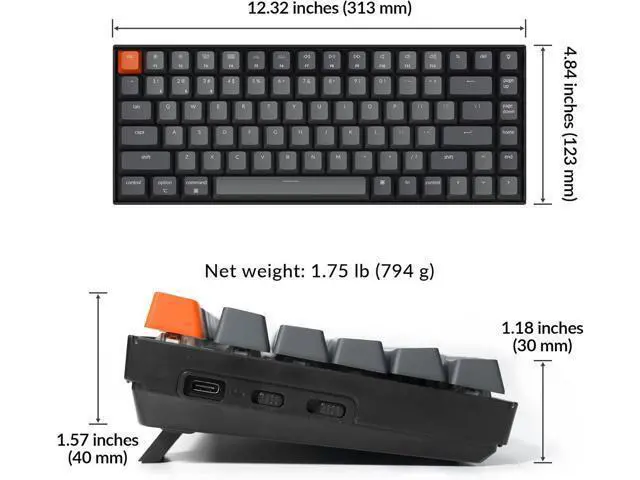
- Keychron K2, a 75% layout (84-key) white LED backlight compact Bluetooth mechanical keyboard. The ultimate keyboard that retains shortcut and arrow keys. Inclined bottom frame makes the K2 more comfortable to type even without a palm rest.
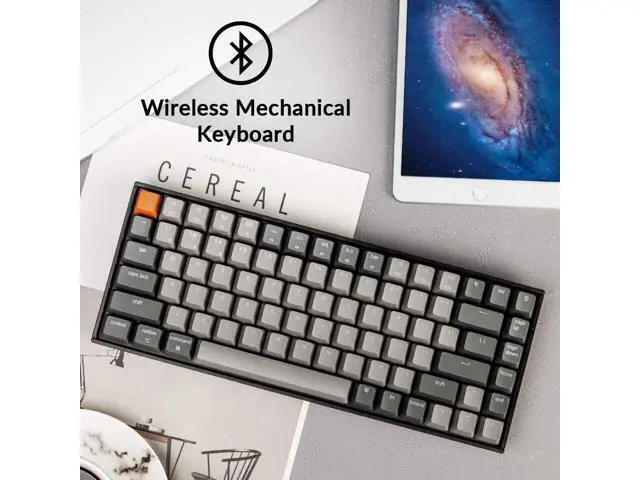
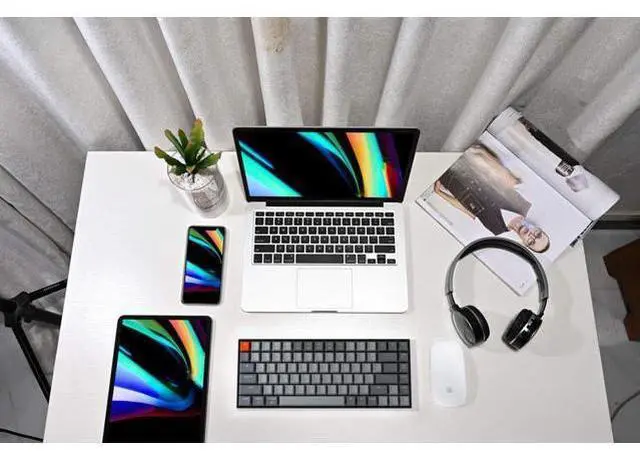
- Connects with up to 3 devices via Bluetooth and switch among them easily. With the latest Broadcom Bluetooth 5.1 chipset, the K2 is best to fit home, office and light gaming use while connecting with your smartphone, laptop and iPad. It also has wired mode with USB Type-C connection.
- With a unique Mac layout, K2 gaming keyboard has all necessary Mac function keys, while compatible with Windows. Extra keycaps for both Windows and Mac operating system are included.
- K2 can last up to 72 hours typing, or up to 7 days normal use (count 8hrs per day) with a 4000 mAh big battery, which is one of the biggest in mechanical keyboard. N-key rollover (NKRO) on wired mode or 6KRO on wireless mode.
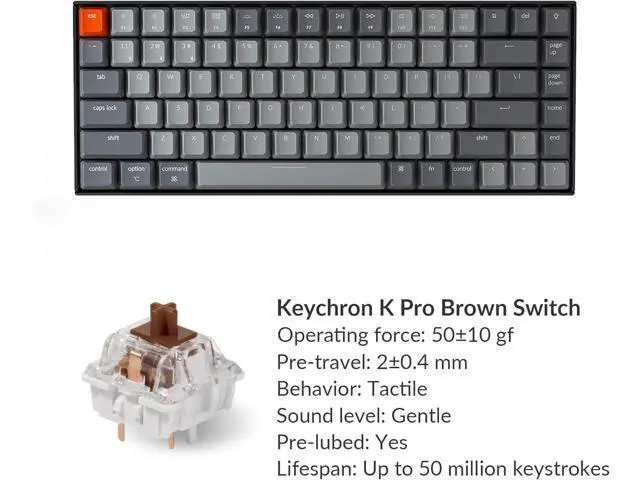
- With the Keychron K Pro Mechanical Brown switch providing
+
+
Overview
Specs
Reviews
Any questions? Our AI beta will help you find out quickly.
Try me now
Previous page Wireless and Wired Multi-Device Connectivity Connect up to 3 devices via the stable Broadcom Bluetooth 5.1 chipset and switch easily. 84-keys Comes with a 84 key 75% layout K2 is a LED backlight compact Bluetooth mechanical keyboard that retains shortcut, arrow keys. Switch Operating Systems Support macOS / Windows Just plug and use, Extra keycaps for both Windows and Mac operating systems are included. Keychron Super switch With the Keychron Super mechanical switch Weve got you covered with three Keychron Super switch options (Silent Red, Red, Brown). Next page 1 75% Layout 2 macOS / Windows 3 Keychron Switch 4 Wireless/Bluetooth Keychron K2 Wireless Mechanical Keyboard 75% layout (84-keys) The K2 is a 75% layout (84-keys) white led backlit compact Bluetooth mechanical keyboard.
The ultimate keyboard that retains shortcut and arrow keys. 4000mAh Big Battery The K2 can last up to 240 hours (with backlit disabled) with a 4000 mAh big battery, which is one of the biggest in mechanical keyboards. Ergonomic Support Two-level adjustable feet, an inclined bottom frame, and curved OEM profile keycaps, all working together to provide long-lasting ergonomic support. White LED Backlight White backlight that is always in sync with your mood to keep you productive. Easily cycle to different backlight schemes using the light bulb key. Previous page White LED Backlight Charming white backlight that is always in sync with your mood to keep you happy and productive.
Easily cycle to different backlight schemes using the light bulb key. 4000mAh Big Battery The K2 can last up to 240 hours (with backlit disabled) with a 4000 mAh big battery, which is one of the biggest in mechanical keyboards. N-key rollover (NKRO) on wired mode or 6KRO on wireless mode. Ergonomic Support Two-level adjustable feet, an inclined bottom frame, and curved OEM profile keycaps, all working together to provide long-lasting ergonomic support when you type on the K2. Next page Why do I frequently make misclicks? The keyboard features a compact 75% layout.
It takes time and practice to build new muscle memory and adapt your typing habits. Bluetooth Not Connecting?
Try These Steps: 1.
Reset keyboard: Hold Fn + Z + J for 4s. 2. Power cycle all devices. 3.
Disable auto-sleep: Hold Fn + S + O for 4s. 4. Test with other devices to confirm keyboard functionality. Bluetooth Not Connecting (For macOS)? 1. Check Macs Wi-Fi and
Bluetooth interference: see troubleshooting guide for details. 2.
Try these troubleshooting tips: see troubleshooting guide for details. Bluetooth Not Connecting (For Windows)? 1. Uncheck "Allow the computer to turn off this device" under Device Manager > Power Management 2. Reset Bluetooth drivers 3. For desktops, ensure the Bluetooth antenna or adapter is properly installed One key does not work/register/input properly? 1. Remove the keycap and clean with compressed air. 2. If that fails, reset by holding Fn + Z + J for 4s. 3. Might be a switch issueGateron switches on your keyboard are soldered. Let us know if you'd like to replace soldered switches.
Note: Shortcut key operations are temporarily not supported fn + L + Light Effect Key (long press for 3s) - Lock/Unlock the Backlight Effect fn + S + O (Bluetooth mode, long press for 3s) - Disable/Enable the Auto Sleep Mode fn + S + L + R (Bluetooth mode, long press for3s) - Auto Sleep in 10 Minutes Without Typing fn + S + L + T (Bluetooth mode, long press for3s) - Auto Sleep in 20 Minutes Without Typing fn + S + L + Y (Bluetooth mode, long press for3s) - Auto Sleep in 30 Minutes Without Typing fn + J + Z (long press for 3s) - Reset the Keyboard fn + X + L (Windows mode, long press for 3s) - Switch Between Function Keys and Multimedia keys(F1-F12) fn + K + C (Mac mode, long press for 3s) - Switch Between Function Keys and Multimedia Keys (Only works for F5 and F6) Previous page Keychron specializes in designing and building high-quality keyboards and mice. With over 40 models, it covers nearly every a...

The ultimate keyboard that retains shortcut and arrow keys. 4000mAh Big Battery The K2 can last up to 240 hours (with backlit disabled) with a 4000 mAh big battery, which is one of the biggest in mechanical keyboards. Ergonomic Support Two-level adjustable feet, an inclined bottom frame, and curved OEM profile keycaps, all working together to provide long-lasting ergonomic support. White LED Backlight White backlight that is always in sync with your mood to keep you productive. Easily cycle to different backlight schemes using the light bulb key. Previous page White LED Backlight Charming white backlight that is always in sync with your mood to keep you happy and productive.
Easily cycle to different backlight schemes using the light bulb key. 4000mAh Big Battery The K2 can last up to 240 hours (with backlit disabled) with a 4000 mAh big battery, which is one of the biggest in mechanical keyboards. N-key rollover (NKRO) on wired mode or 6KRO on wireless mode. Ergonomic Support Two-level adjustable feet, an inclined bottom frame, and curved OEM profile keycaps, all working together to provide long-lasting ergonomic support when you type on the K2. Next page Why do I frequently make misclicks? The keyboard features a compact 75% layout.
It takes time and practice to build new muscle memory and adapt your typing habits. Bluetooth Not Connecting?
Try These Steps: 1.
Reset keyboard: Hold Fn + Z + J for 4s. 2. Power cycle all devices. 3.
Disable auto-sleep: Hold Fn + S + O for 4s. 4. Test with other devices to confirm keyboard functionality. Bluetooth Not Connecting (For macOS)? 1. Check Macs Wi-Fi and
Bluetooth interference: see troubleshooting guide for details. 2.
Try these troubleshooting tips: see troubleshooting guide for details. Bluetooth Not Connecting (For Windows)? 1. Uncheck "Allow the computer to turn off this device" under Device Manager > Power Management 2. Reset Bluetooth drivers 3. For desktops, ensure the Bluetooth antenna or adapter is properly installed One key does not work/register/input properly? 1. Remove the keycap and clean with compressed air. 2. If that fails, reset by holding Fn + Z + J for 4s. 3. Might be a switch issueGateron switches on your keyboard are soldered. Let us know if you'd like to replace soldered switches.
Note: Shortcut key operations are temporarily not supported fn + L + Light Effect Key (long press for 3s) - Lock/Unlock the Backlight Effect fn + S + O (Bluetooth mode, long press for 3s) - Disable/Enable the Auto Sleep Mode fn + S + L + R (Bluetooth mode, long press for3s) - Auto Sleep in 10 Minutes Without Typing fn + S + L + T (Bluetooth mode, long press for3s) - Auto Sleep in 20 Minutes Without Typing fn + S + L + Y (Bluetooth mode, long press for3s) - Auto Sleep in 30 Minutes Without Typing fn + J + Z (long press for 3s) - Reset the Keyboard fn + X + L (Windows mode, long press for 3s) - Switch Between Function Keys and Multimedia keys(F1-F12) fn + K + C (Mac mode, long press for 3s) - Switch Between Function Keys and Multimedia Keys (Only works for F5 and F6) Previous page Keychron specializes in designing and building high-quality keyboards and mice. With over 40 models, it covers nearly every a...
Warranty & Returns
Warranty, Returns, And Additional Information
Warranty
- Please contact the Seller directly for warranty information. Warranty information may also be found on the Manufacturer's website.
- CONTACT
Return Policies
- Return for refund within: 30 days
- Return for replacement within: 30 days
- This item is covered by PixelCore Return Policy
Manufacturer Contact Info
- For a directory of all our manufacturers, please click below.
- Manufacturers Directory
LOADING...