Your Browsing History
Meet Your Seller
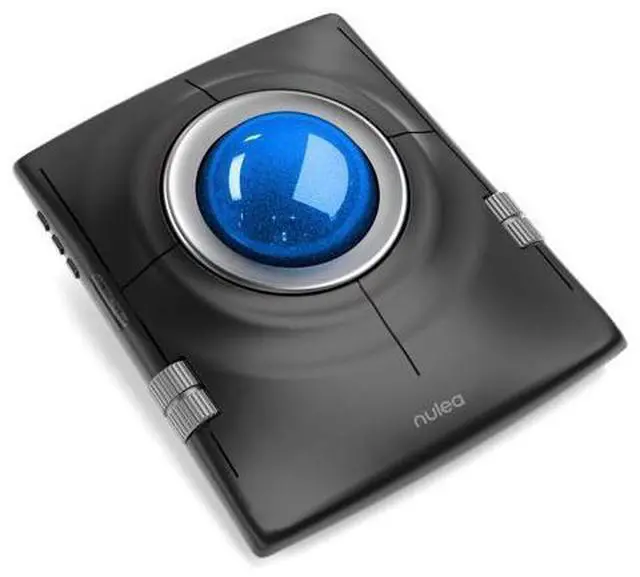
M512 Wireless Trackball Mouse, Ergonomic 55mm Trackball, 4 Level Adjustable DPI for Precise Control, Left or Right Hand Compatible, Rechargeable, Multi-Device Bluetooth & 2.4GHz for PC, Laptop
Limited time offer, ends 08/08 By PixelCore
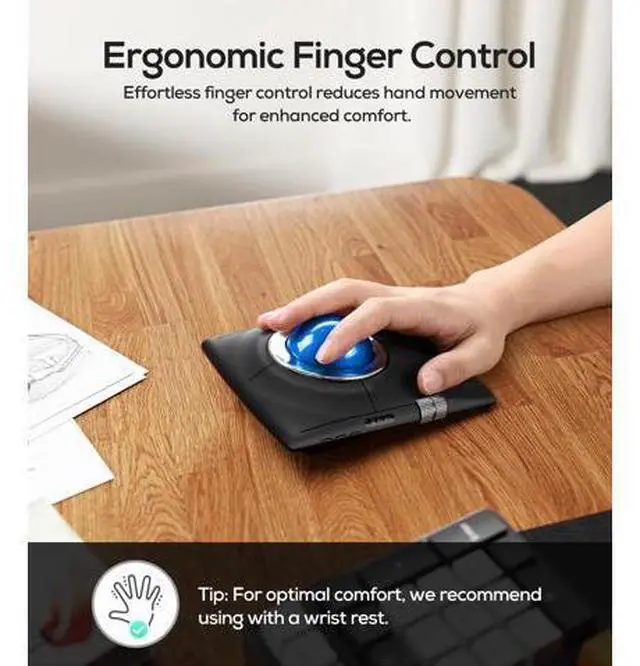
- Ergonomic Design for Comfort: The trackball mouse is designed to reduce hand movement, making usage more comfortable and less straining on your arm
- ideal for long work hours in both home offices and shared spaces.
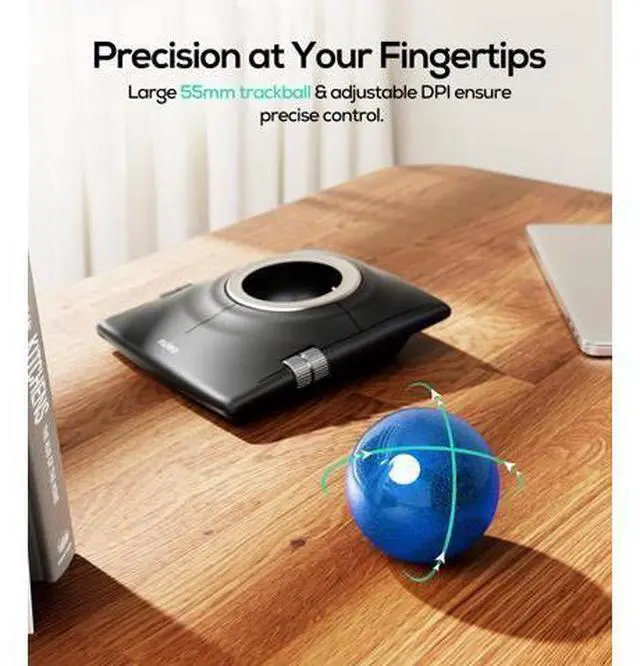
- 55mm Large Trackball: Features an oversized trackball for precise control
- ideal for graphic design, video editing, and everyday computing on any surface, making this the great track ball mouse.
- 4-Level Adjustable DPI: 400/800/1200/1600 DPI settings
- easily switch between four sensitivity levels for custom control
- suitable for browsing or detailed tasks with this bluetooth trackball mouse.
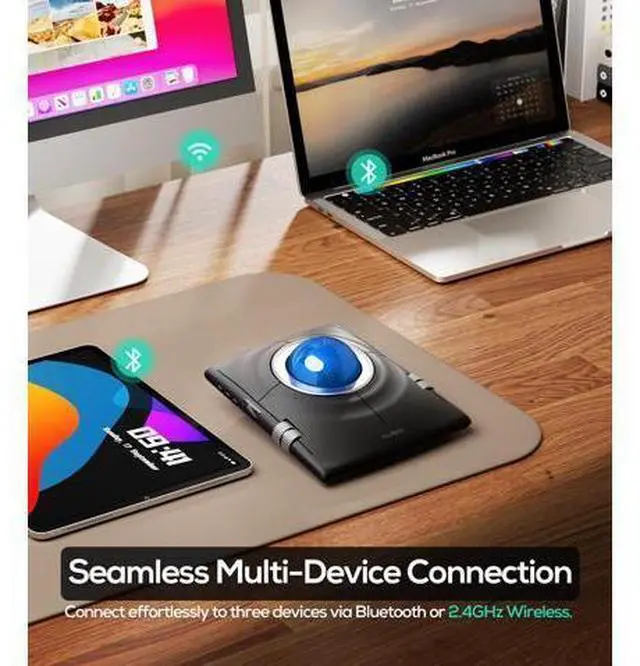
- Multi-Device Connection: Connect up to three devices via Bluetooth or 2.4 GHz wireless
- this track ball mouse USB wireless is compatible with laptops, tablets, and smartphones
- perfect for multitasking.
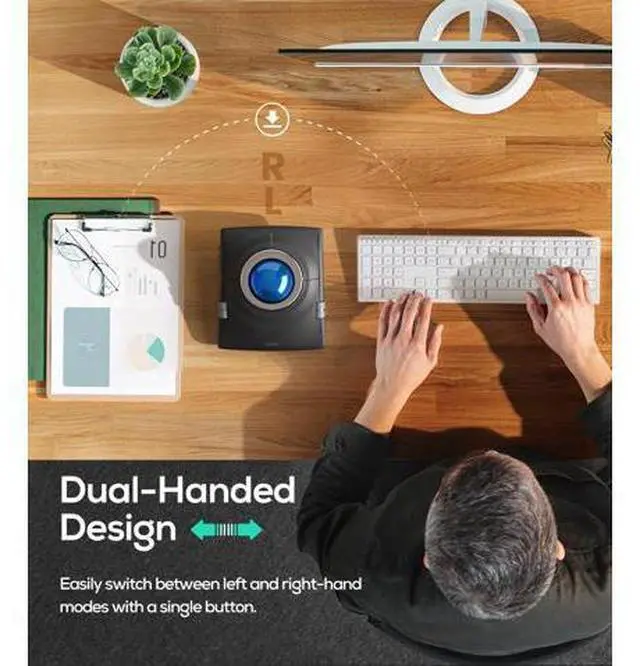
- Ambidextrous Design for Universal Usability:Uniquely supporting both left and right-handed users, the M512 lets you tailor the experience with a simple press of the mode switch button: all key functions automatically swap to match your dominant hand, ensuring a natural, comfortable grip. Ideal for shared use in offices or families, it eliminates awkward adjustments and guarantees usability for everyone.
+
+
Overview
Specs
Reviews
Any questions? Our AI mode will help you find out quickly.
Try me now
Previous page Next page Previous page Next page How to perform left/right hand mode switching? 1. Press the mode switching key. 2. When changing modes, the interface dynamically reassigns button functions - left and right inputs, center and back commands, and vertical/horizontal scrolling controls all switch corresponding operations. What are the functions of the left and right scroll wheels? In the right-handed state 1? Left wheel controls scrolling up and down. 2? Right wheel controls left and right scrolling. Automatically switch between left and right hand modes by pressing the left and right hand mode switching buttons.
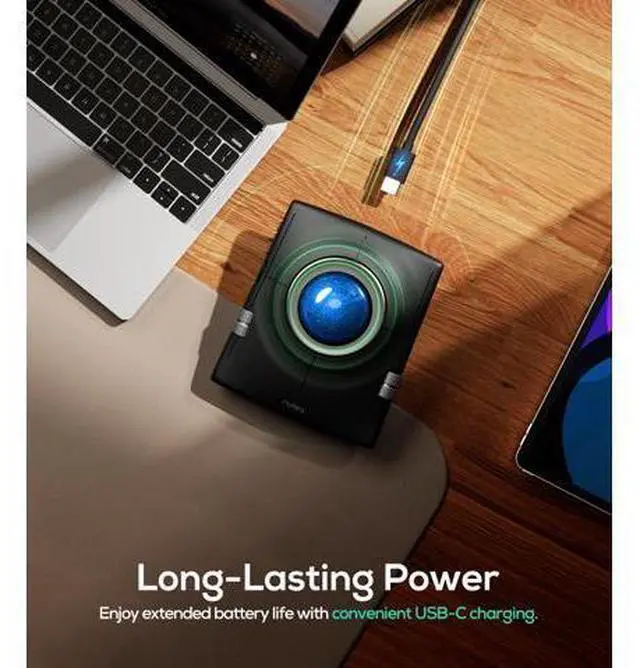
How to charge the mouse and know its charging state? Connect one end of the included Type-C cable to a USB charger and the other end to the charging port on the mouse. The charging indicator light will turn blue while charging and turn green when charging is complete. How to wake up the mouse? The mouse goes into sleep mode after 30 minutes of inactivity. To wake it up, just move the trackball or click any button. How to reprogram mouse buttons? 1. All keys are not programmable. 2.
The middle and back buttons are not compatible with Mac OS. Previous page For Ergonomic Mouse For Ergonomic Keyboard Next page Wide Compatibility Drag-Hold Function Rechargeable Design Adjustable DPI How to perform left/right hand mode switching? 1. Press the mode switching key. 2. When changing modes, the interface dynamically reassigns button functions - left and right inputs, center and back commands, and vertical/horizontal scrolling controls all switch corresponding operations. What are the functions of the left and right scroll wheels? In the right-handed state 1? Left wheel controls scrolling up and down.
2? Right wheel controls left and right scrolling. Automatically switch between left and right hand modes by pressing the left and right hand mode switching buttons. How to charge the mouse and know its charging state? Connect one end of the included Type-C cable to a USB charger and the other end to the charging port on the mouse. The charging indicator light will turn blue while charging and turn green when charging is complete. How to wake up the mouse? The mouse goes into sleep mode after 30 minutes of inactivity.
To wake it up, just move the trackball or click any button. How to reprogram mouse buttons? 1. All keys are not programmable. 2. The middle and back buttons are not compatible with Mac OS. For Ergonomic Mouse For Ergonomic Keyboard Nulea Wireless Trackball Mouse, Ergonomic 55mm Trackball, Adjustable DPI for Precise Control, Left or Right Hand Compatible, Rechargeable, Multi-Device Bluetooth & 2.4GH z for PC, Laptop, Mac (Blue) Product information Brand Nulea Color B-Blue Connectivity Technology Bluetooth, USB Special Feature Ergonomic Design, Rechargeable, Wireless Movement Detection Technology Trackball Package Dimensions 6.57 x 5.67 x 3.07 inches Item Weight 14.9 ounces Item model number M512 Batteries 1 AA batteries required.
Date First Available May 8, 2025 Manufacturer Nulea Language German

How to charge the mouse and know its charging state? Connect one end of the included Type-C cable to a USB charger and the other end to the charging port on the mouse. The charging indicator light will turn blue while charging and turn green when charging is complete. How to wake up the mouse? The mouse goes into sleep mode after 30 minutes of inactivity. To wake it up, just move the trackball or click any button. How to reprogram mouse buttons? 1. All keys are not programmable. 2.
The middle and back buttons are not compatible with Mac OS. Previous page For Ergonomic Mouse For Ergonomic Keyboard Next page Wide Compatibility Drag-Hold Function Rechargeable Design Adjustable DPI How to perform left/right hand mode switching? 1. Press the mode switching key. 2. When changing modes, the interface dynamically reassigns button functions - left and right inputs, center and back commands, and vertical/horizontal scrolling controls all switch corresponding operations. What are the functions of the left and right scroll wheels? In the right-handed state 1? Left wheel controls scrolling up and down.
2? Right wheel controls left and right scrolling. Automatically switch between left and right hand modes by pressing the left and right hand mode switching buttons. How to charge the mouse and know its charging state? Connect one end of the included Type-C cable to a USB charger and the other end to the charging port on the mouse. The charging indicator light will turn blue while charging and turn green when charging is complete. How to wake up the mouse? The mouse goes into sleep mode after 30 minutes of inactivity.
To wake it up, just move the trackball or click any button. How to reprogram mouse buttons? 1. All keys are not programmable. 2. The middle and back buttons are not compatible with Mac OS. For Ergonomic Mouse For Ergonomic Keyboard Nulea Wireless Trackball Mouse, Ergonomic 55mm Trackball, Adjustable DPI for Precise Control, Left or Right Hand Compatible, Rechargeable, Multi-Device Bluetooth & 2.4GH z for PC, Laptop, Mac (Blue) Product information Brand Nulea Color B-Blue Connectivity Technology Bluetooth, USB Special Feature Ergonomic Design, Rechargeable, Wireless Movement Detection Technology Trackball Package Dimensions 6.57 x 5.67 x 3.07 inches Item Weight 14.9 ounces Item model number M512 Batteries 1 AA batteries required.
Date First Available May 8, 2025 Manufacturer Nulea Language German
Warranty & Returns
Warranty, Returns, And Additional Information
Warranty
- Please contact the Seller directly for warranty information. Warranty information may also be found on the Manufacturer's website.
- CONTACT
Return Policies
- Return for refund within: 30 days
- Return for replacement within: 30 days
- This item is covered by PixelCore Return Policy
Manufacturer Contact Info
- For a directory of all our manufacturers, please click below.
- Manufacturers Directory
LOADING...