

Your Browsing History

Meet Your Seller

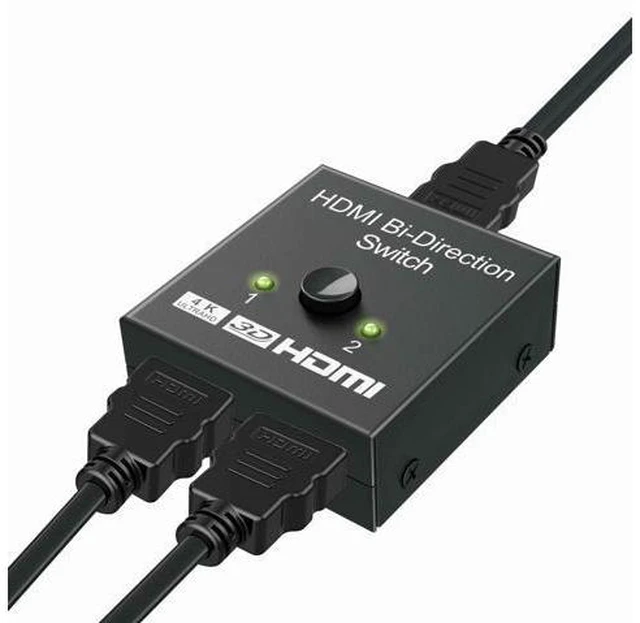

Audio/Video Switch
Limited time offer, ends 09/15 By PixelCore
- Use Tips : -If Your HDMI Source Device (like XBox, PS4) supports 4K, please use a HDMI cable 2.0 to connect 4K HDMI Source Device & HDMI switch& display, since HDMI cable 1.4 (or below HDMI 1.4 ) isn't enough to supportthe resolution of 4K (4096*2160). -2. If your HDMI cable is not HDMI cable 2.0, you couldadjust the resolution on your 4K HDMI Source device to 1080P (1920*1080) tomatch the specification of your HDMI cable. -3. HDMI switch box couldn't get two display devices to worksimultaneously when you connect 1 HDMI-Host to 2 HDMI TVs or monitors. Wide Resolution Range and BroadCompatibility HDMI splitter box supports all kinds of video formats, like3D, 1080p, 2K x 4K resolution, and also HD audio. Works with all devices fitted with HDMI port, such as PCs, laptops, gaming consoles, Xbox 360, Xbox One, PS3, PS4, projectors, TVreceivers, TVs and more.
+
+
Overview
Specs
Reviews

Any questions? Our AI mode will help you find out quickly.
Try me now
HDMI Switch Bi-Direction 4K HDMI Splitter 2 x 1/1 x 2 No External Power Required 2 Ports HDMI Switcher Supports Ultra HD 4K 3D 1080P for PS4 Xbox Fire Stick Roku
Warranty & Returns
Warranty, Returns, And Additional Information
Warranty
- Please contact the Seller directly for warranty information. Warranty information may also be found on the Manufacturer's website.
- CONTACT
Return Policies
- Return for refund within: 30 days
- Return for replacement within: 30 days
- This item is covered by PixelCore Return Policy
Manufacturer Contact Info
- For a directory of all our manufacturers, please click below.
- Manufacturers Directory
LOADING...