




3-in-1 Card Reader — Lightning, USB-A, and USB-C
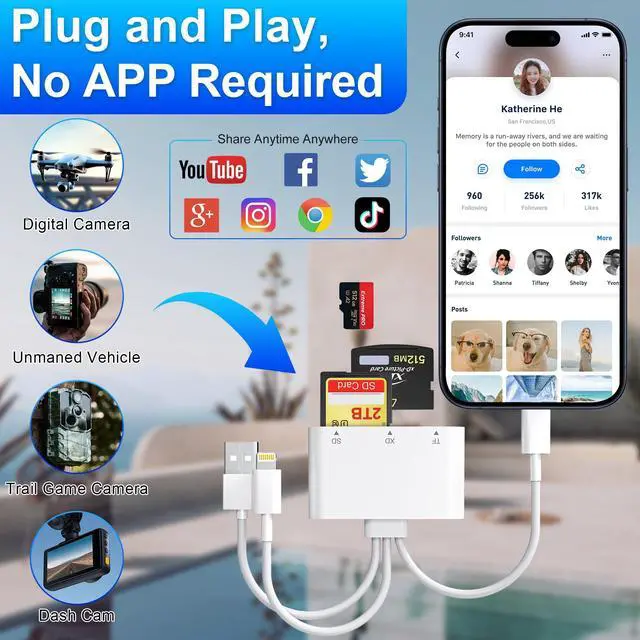
- Plug and play for instant access.
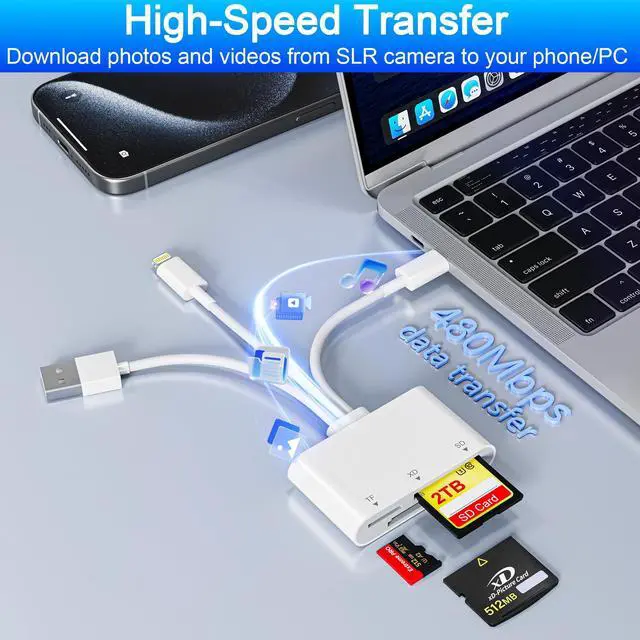
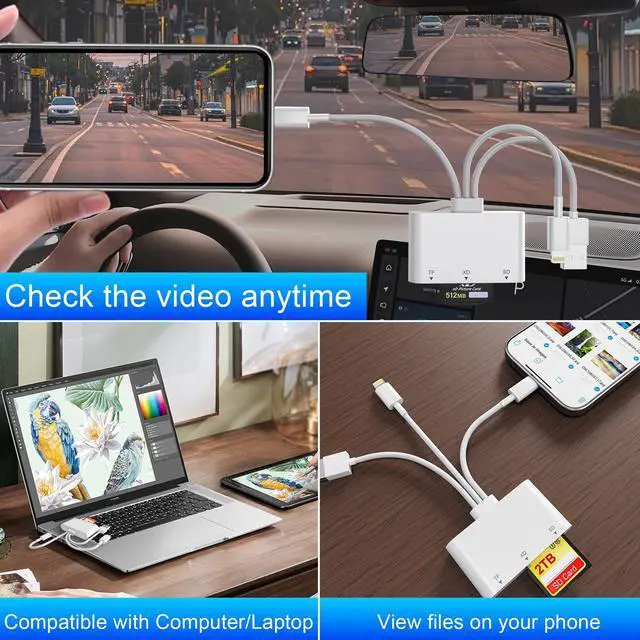
- Supports bidirectional file transfer, allowing you to easily batch upload photos and videos from XD/SD/TF cards to your phone or computer—or save content directly from your devices onto the memory cards.
- Streamline your workflow with fast, flexible, and reliable storage expansion.

3-in-1 Card Reader with Triple Slot & Triple Port
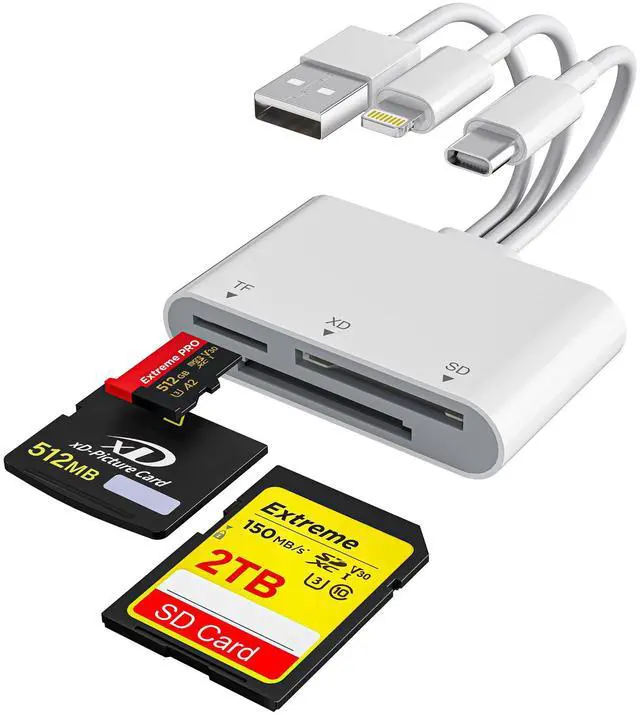
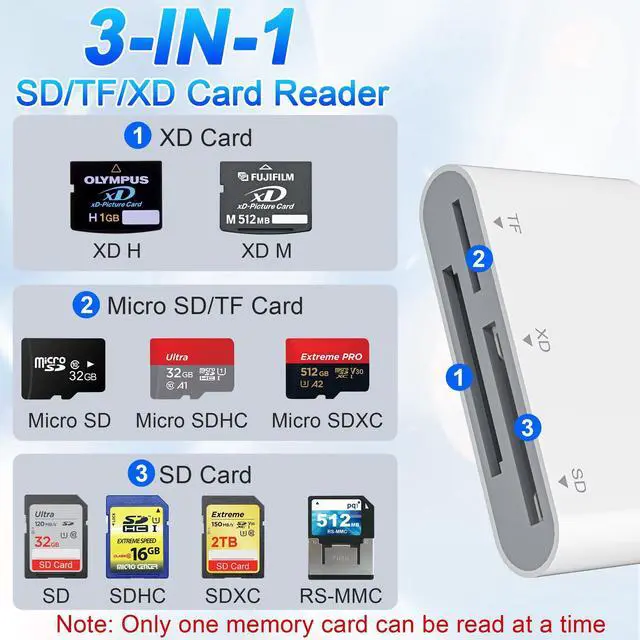
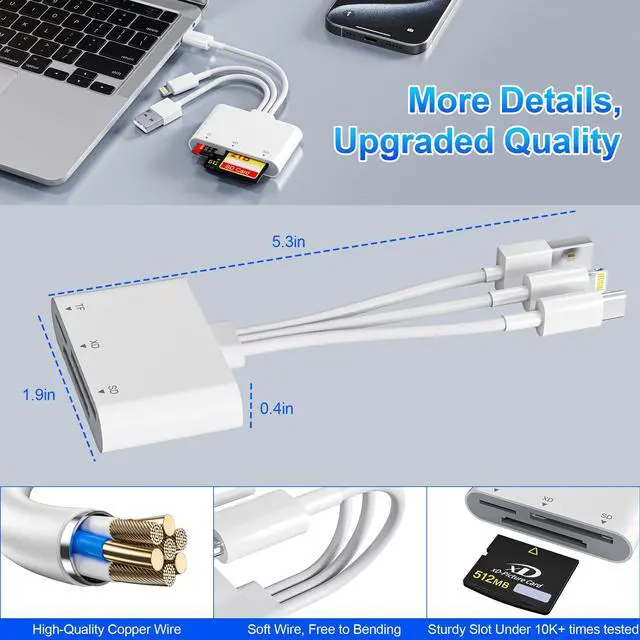
- This versatile memory card reader features three dedicated slots: XD, SD, and TF, supporting a wide range of cards including SD, SDHC, SDXC, MicroSD, MicroSDHC, MicroSDXC, and XD.
- It’s perfect for transferring files from devices like smartphones, cameras, GoPros, dash cams, drones, and more—making it an essential everyday tool.
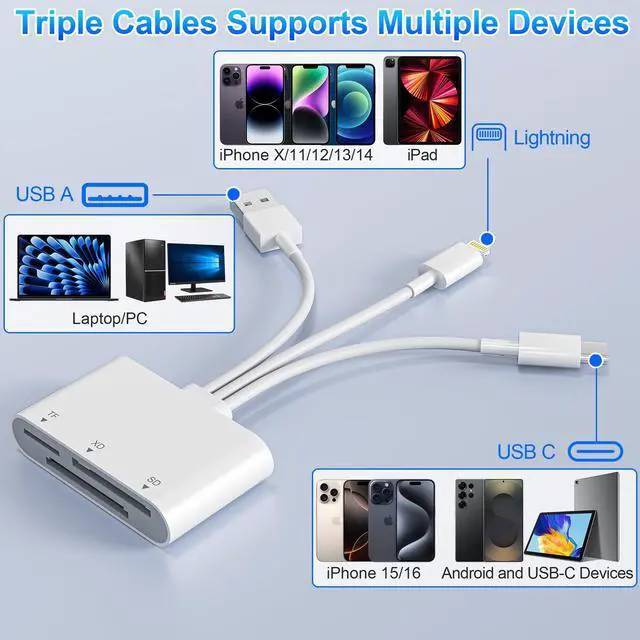
- Equipped with three output ports—USB-C, Lightning, and USB-A—this reader offers seamless connectivity with iPhones, iPads, Android devices, and computers.
- Enjoy fast, flexible, and hassle-free file transfers across all your gadgets.


Important Notes Before Use:
OTG Functionality Required for USB-C/Android Devices
- Please ensure your USB-C device supports OTG before purchase.
- For Android users: Go to Settings ? Other Settings ? Enable "OTG Connection" before use.
Using with Android Devices
- Insert the memory card into the card reader first.
- Then connect the reader to your device.
- When switching cards: Always disconnect the reader first, replace the card, then reconnect.
Single-Slot Reading
- This compact reader includes SD, TF, and XD slots.
- Note: Only one card can be read at a time. Do not insert two cards simultaneously.
iOS Compatibility
- iOS 9.2 to 12.4: Supports import of photos/videos from card to iPhone/iPad only.
- iOS 13 and above: Supports bidirectional transfer and file exchange across Windows, Android, and iOS.
Troubleshooting Recognition Issues
- If your card isn’t detected, check that it’s formatted in a compatible system (e.g., exFAT).


3-in-1 Card Reader — Lightning, USB-A, and USB-C
- Plug and play for instant access.
- Supports bidirectional file transfer, allowing you to easily batch upload photos and videos from XD/SD/TF cards to your phone or computer—or save content directly from your devices onto the memory cards.
- Streamline your workflow with fast, flexible, and reliable storage expansion.
3-in-1 Card Reader with Triple Slot & Triple Port
- This versatile memory card reader features three dedicated slots: XD, SD, and TF, supporting a wide range of cards including SD, SDHC, SDXC, MicroSD, MicroSDHC, MicroSDXC, and XD.
- It’s perfect for transferring files from devices like smartphones, cameras, GoPros, dash cams, drones, and more—making it an essential everyday tool.
- Equipped with three output ports—USB-C, Lightning, and USB-A—this reader offers seamless connectivity with iPhones, iPads, Android devices, and computers.
- Enjoy fast, flexible, and hassle-free file transfers across all your gadgets.
Important Notes Before Use:
OTG Functionality Required for USB-C/Android Devices
- Please ensure your USB-C device supports OTG before purchase.
- For Android users: Go to Settings ? Other Settings ? Enable "OTG Connection" before use.
Using with Android Devices
- Insert the memory card into the card reader first.
- Then connect the reader to your device.
- When switching cards: Always disconnect the reader first, replace the card, then reconnect.
Single-Slot Reading
- This compact reader includes SD, TF, and XD slots.
- Note: Only one card can be read at a time. Do not insert two cards simultaneously.
iOS Compatibility
- iOS 9.2 to 12.4: Supports import of photos/videos from card to iPhone/iPad only.
- iOS 13 and above: Supports bidirectional transfer and file exchange across Windows, Android, and iOS.
Troubleshooting Recognition Issues
- If your card isn’t detected, check that it’s formatted in a compatible system (e.g., exFAT).