


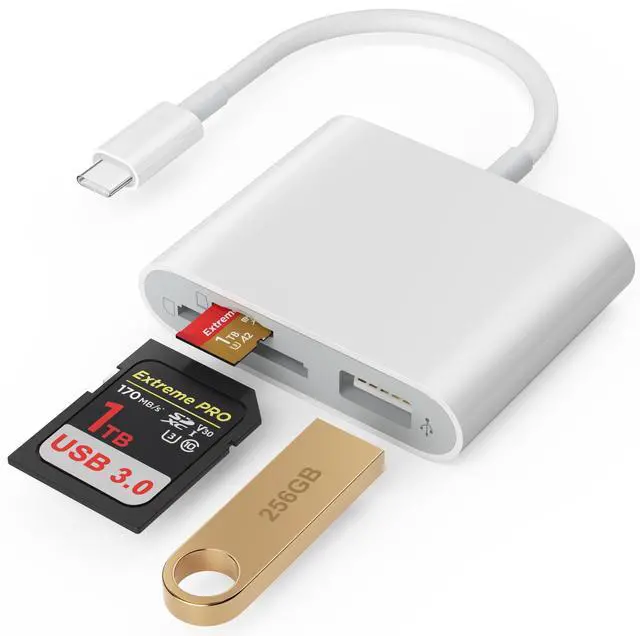
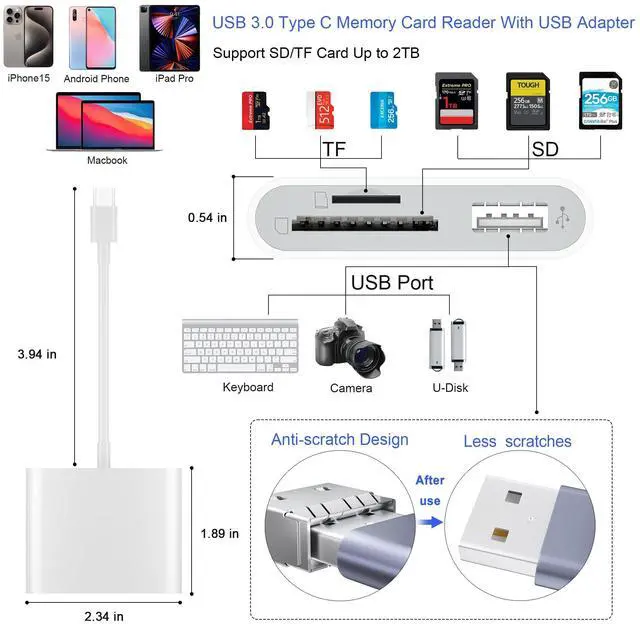


3 IN 1 USB 3.0 Type C SD/Micro SD Card Reader With USB Adapter

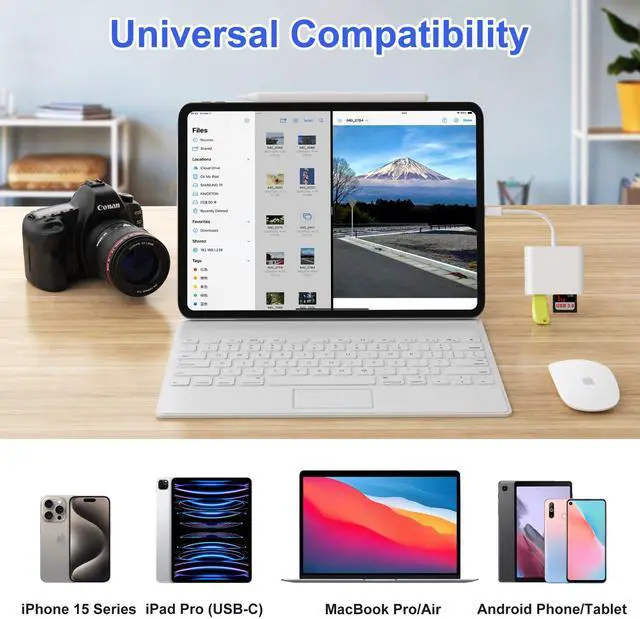
Universal Compatibility:
USB Type C Laptop:
- Compatible with MacBook Air 2018/2019/2020, MacBook Pro 2017/2018/2019/2020, MacBook 2017/2016, iMac M1 2021.
- Compatible with DELL XPS 13, XPS 15; Asus: Zenbook Flip S UX370UA, ZenBook3, ZenBook Pro;
- Compatible with HP Envy 13, Spectre x360, HP EliteBook Folio G1, HP Elite X2 1012 G1, HP Elite x3;
- Compatible with Microsoft Surface Book 2, Surface Go, Surface Studio 2, Surface Pro 7, Surface Pro X, Surface Laptop 3,
- Compatible with Lenovo: Yoga 920, 910, 900S, 900, 720, ThinkPad X1, Ideapad Air 12, Miix 630
USB Type C Tablet:
- Compatible with iPad Pro 2018/2020, iPad Air 4th (2020);
USB Type C Smartphone:
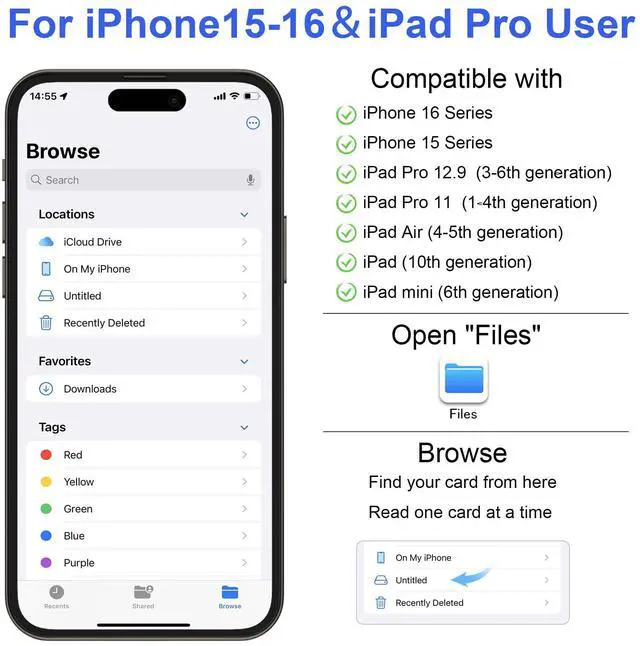
- Compatible with iPhone 15-17/15-17Pro/15-17 Pro Max
- Compatible with Google pixel 5A/5/4A/4
- Compatible with Moto edge s /edge s pro/G8, G7, G7 Play, G7 Power;
- Compatible with OnePlus 9/9Pro/8/8 Pro/7T/ 7T Pro/7/ Pro/ 6T
Tips: Not compatible with iPhone or iPad, this card reader uses a USB-C connector ( NOT lightning port ).


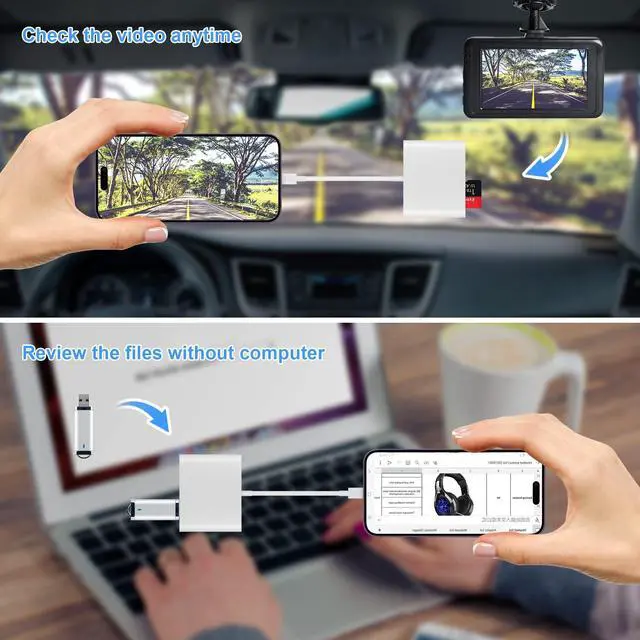
USB-C to SD/MicroSD Card Reader + USB Adapter

Compatible with USB-C smartphones
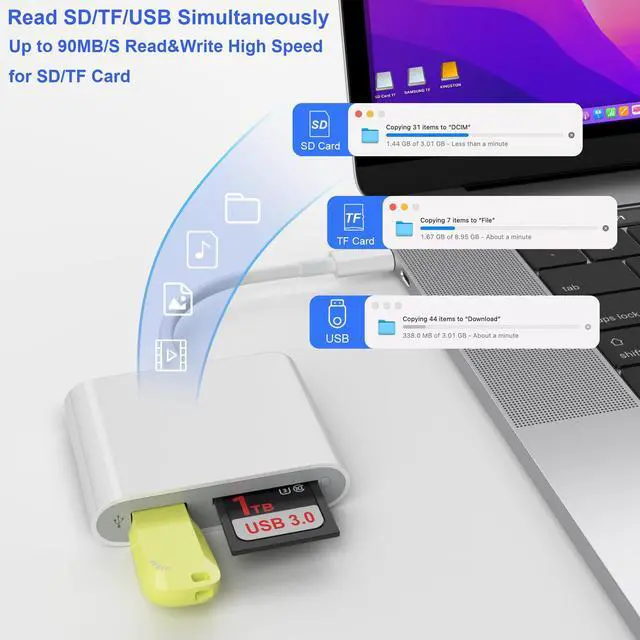
SD card and TF card can be read and write simultaneously.
USB Port can work with SD and TF card simultaneously.

Compatible with USB-C laptops/computers
USB 3.0 High speed to SD/MicroSD Card Adapter.
SD card (or TF card) work with USB headphone/microphone.

Computer with USB-C tablets
SD card (or TF card) work with USB wireless/wire keyboard/mouse.
Important Note:
- SD card ,TF card and USB 3 Ports can reading and writing simultaneously.
- Please enabled your OTG function on your USB-C smartphone before plugging in.
- All smartphones only support FAT32 or exFat format. It CANNOT recognize NTFS format, so please backup the files on your memory card and format the NTFS memory card into FAT32 or exFAT format.
Download photos from Memory Card to iPhone 15/ iPad Pro for User with iOS 13 or later
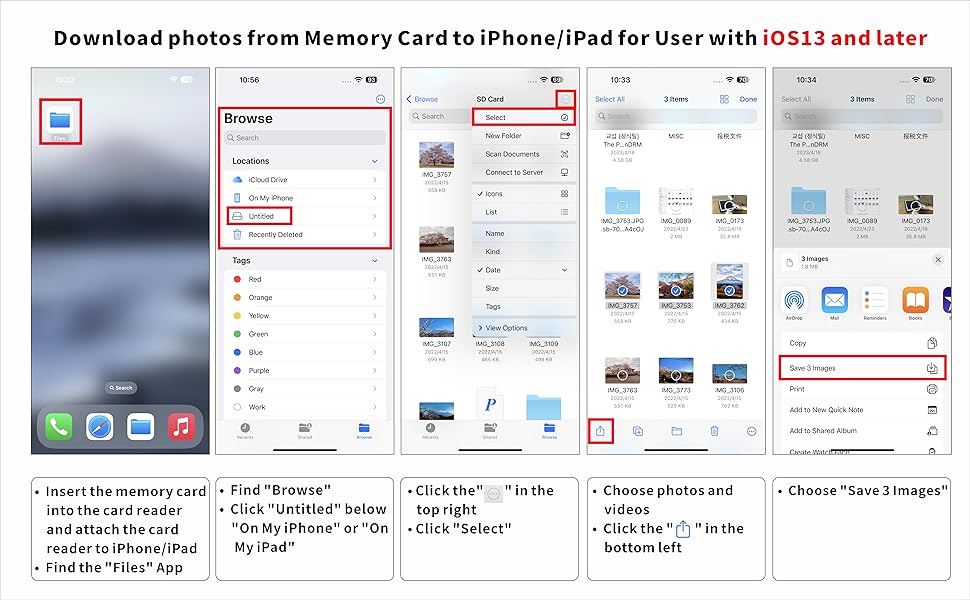
Two-way transfer for iOS user with iOS 13.0 or later
Files App ( iOS 13 or later)
- Files app is an important app which can transfer files between your memory card to your iPhone & iPad.
- Data from your iPhone is “on my iPhone” and data of memory card is on “Untiled” (or "NONAME", which is the name of your memory card)
- You can view data and transfer the data between memory card and iPhone.
- Files app not only manager can videos and photos, but also manage music, PDF, word, or Excel, etc.
- 1. Insert a memory card into the reader. Turn on iPhone & iPad and attach the reader to the Lightning port.
- 2. On iPhone & iPad, open “Files” app. You can view the files in your memory card. You can view most files like jpg, MP3, word, excel, ppt and so on. If you can view the files but can’t open it, you may need to download a third-party app to read this file.
- 3. You can delete files or copy and paste files from memory card to your iPhone or iPad. Or coy files from iPhone or iPad to memory card.
- 4. If you can see the data, but not able to open it, you need to download a third-party App to open it.
3 IN 1 USB 3.0 Type C SD/Micro SD Card Reader With USB Adapter
Universal Compatibility:
USB Type C Laptop:
- Compatible with MacBook Air 2018/2019/2020, MacBook Pro 2017/2018/2019/2020, MacBook 2017/2016, iMac M1 2021.
- Compatible with DELL XPS 13, XPS 15; Asus: Zenbook Flip S UX370UA, ZenBook3, ZenBook Pro;
- Compatible with HP Envy 13, Spectre x360, HP EliteBook Folio G1, HP Elite X2 1012 G1, HP Elite x3;
- Compatible with Microsoft Surface Book 2, Surface Go, Surface Studio 2, Surface Pro 7, Surface Pro X, Surface Laptop 3,
- Compatible with Lenovo: Yoga 920, 910, 900S, 900, 720, ThinkPad X1, Ideapad Air 12, Miix 630
USB Type C Tablet:
- Compatible with iPad Pro 2018/2020, iPad Air 4th (2020);
USB Type C Smartphone:
- Compatible with iPhone 15-17/15-17Pro/15-17 Pro Max
- Compatible with Google pixel 5A/5/4A/4
- Compatible with Moto edge s /edge s pro/G8, G7, G7 Play, G7 Power;
- Compatible with OnePlus 9/9Pro/8/8 Pro/7T/ 7T Pro/7/ Pro/ 6T
Tips: Not compatible with iPhone or iPad, this card reader uses a USB-C connector ( NOT lightning port ).
USB-C to SD/MicroSD Card Reader + USB Adapter
Compatible with USB-C smartphones
SD card and TF card can be read and write simultaneously.
USB Port can work with SD and TF card simultaneously.
Compatible with USB-C laptops/computers
USB 3.0 High speed to SD/MicroSD Card Adapter.
SD card (or TF card) work with USB headphone/microphone.
Computer with USB-C tablets
SD card (or TF card) work with USB wireless/wire keyboard/mouse.
Important Note:
- SD card ,TF card and USB 3 Ports can reading and writing simultaneously.
- Please enabled your OTG function on your USB-C smartphone before plugging in.
- All smartphones only support FAT32 or exFat format. It CANNOT recognize NTFS format, so please backup the files on your memory card and format the NTFS memory card into FAT32 or exFAT format.
Download photos from Memory Card to iPhone 15/ iPad Pro for User with iOS 13 or later
Two-way transfer for iOS user with iOS 13.0 or later
Files App ( iOS 13 or later)
- Files app is an important app which can transfer files between your memory card to your iPhone & iPad.
- Data from your iPhone is “on my iPhone” and data of memory card is on “Untiled” (or "NONAME", which is the name of your memory card)
- You can view data and transfer the data between memory card and iPhone.
- Files app not only manager can videos and photos, but also manage music, PDF, word, or Excel, etc.
- 1. Insert a memory card into the reader. Turn on iPhone & iPad and attach the reader to the Lightning port.
- 2. On iPhone & iPad, open “Files” app. You can view the files in your memory card. You can view most files like jpg, MP3, word, excel, ppt and so on. If you can view the files but can’t open it, you may need to download a third-party app to read this file.
- 3. You can delete files or copy and paste files from memory card to your iPhone or iPad. Or coy files from iPhone or iPad to memory card.
- 4. If you can see the data, but not able to open it, you need to download a third-party App to open it.