• $19.97
  • Price alert
    Shop it at NeweggBusiness.

    Meet Your Seller

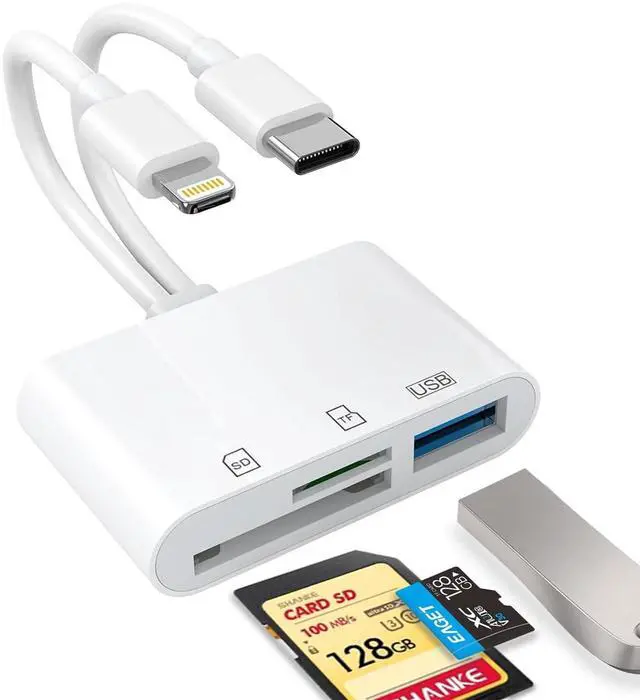
    USB C SD Card Reader for iPhone, iPad, Lightning Dual Port SD Card Adapter, Memory Card Reader for Camera Adapter, Support SD, Micro SD, USB 3.0, Plug and Play

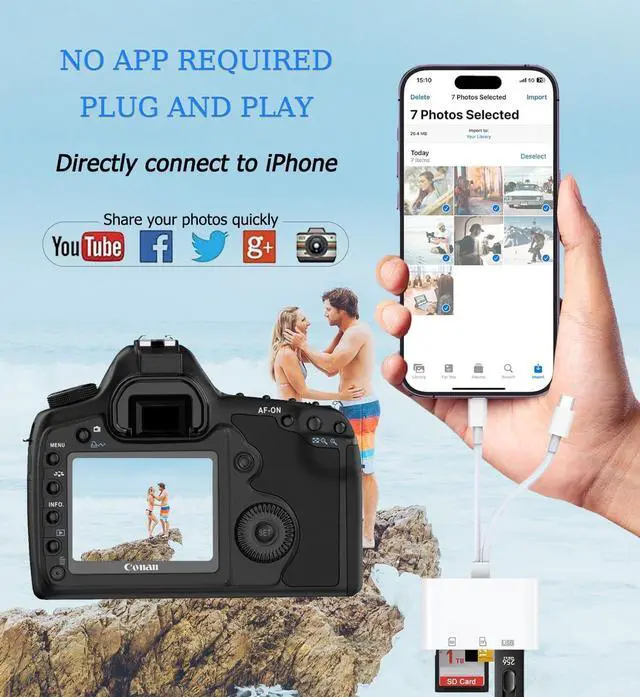
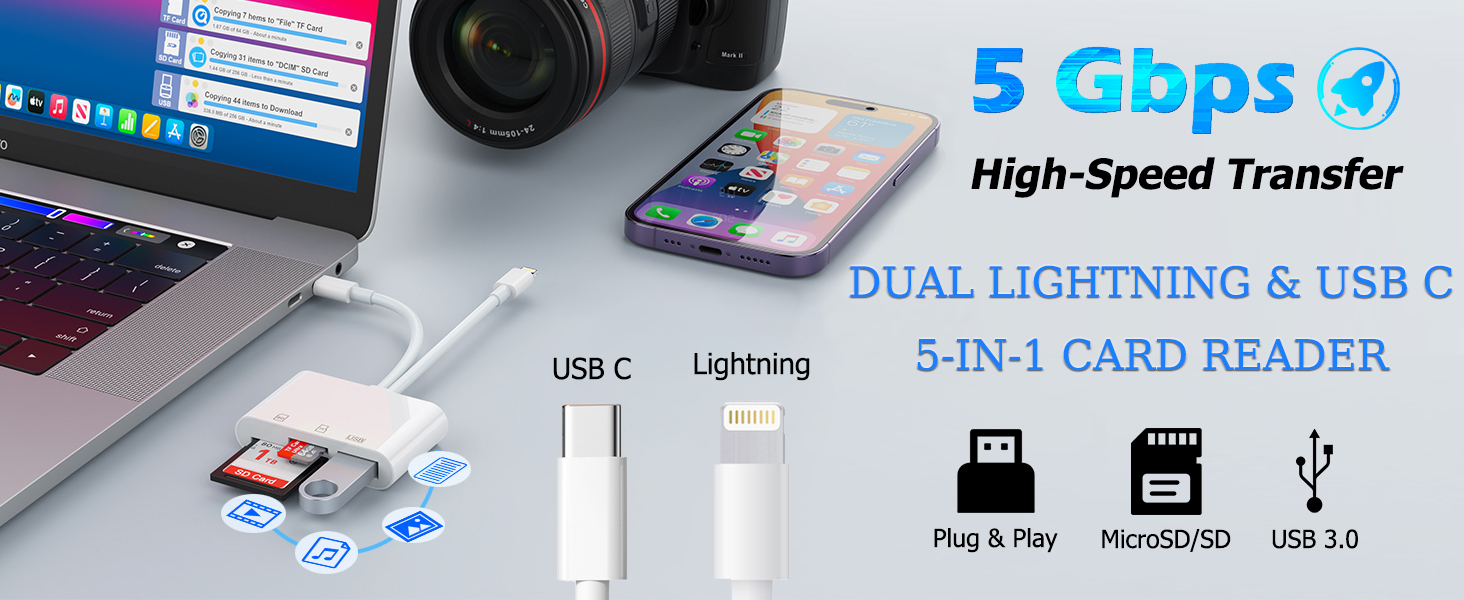
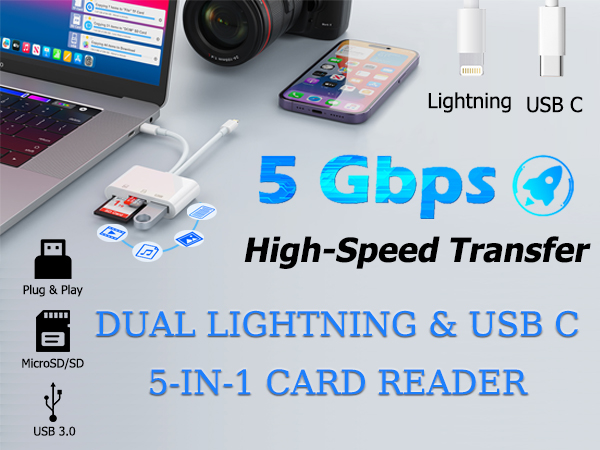
    • USB C+iOS interface card reader: Storage accessories for digital photography equipment such as Canon/Nikon/Sony/Samsung/Kodak, memory storage converter for iPhone, iPad pro/air/mini, Macbook, Mac
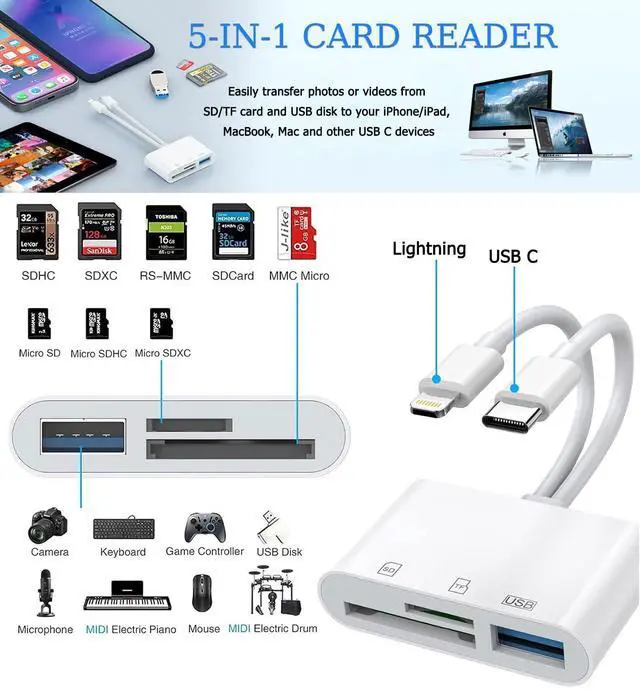
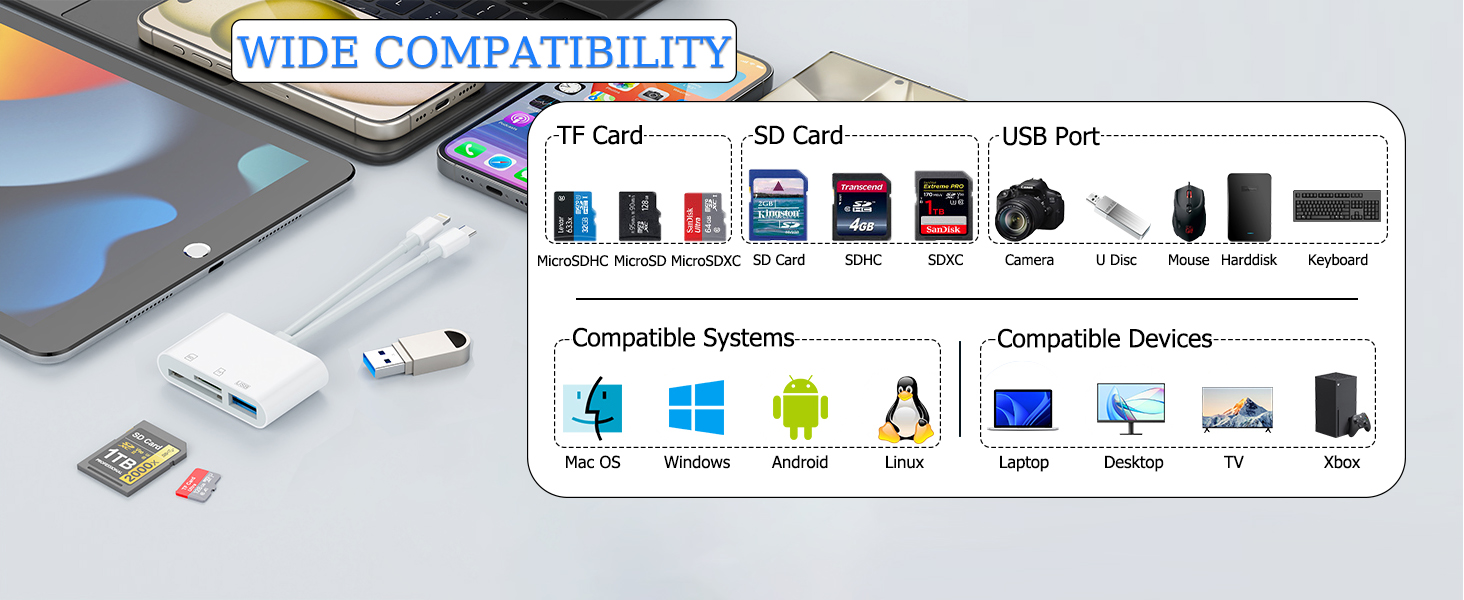
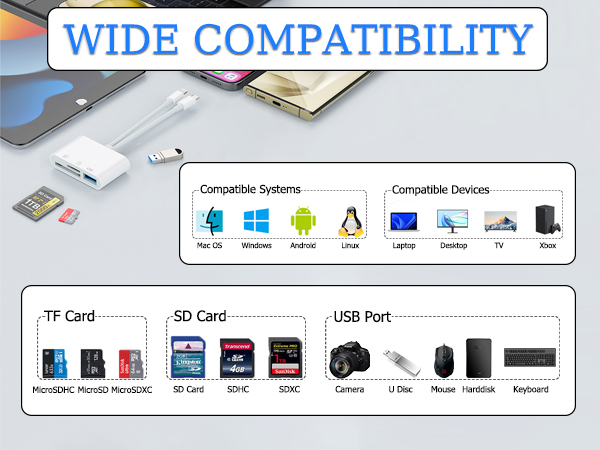
    • SD/TF and USB: CULGC memory card reader supports SD and TF cards, Secure Digital (standard SD/SDHC) and Micro SD (TF) cardsAlso supports plugging in USB flash drives, game controllers, USB headphones, electric guitars, MIDI keyboards, etc
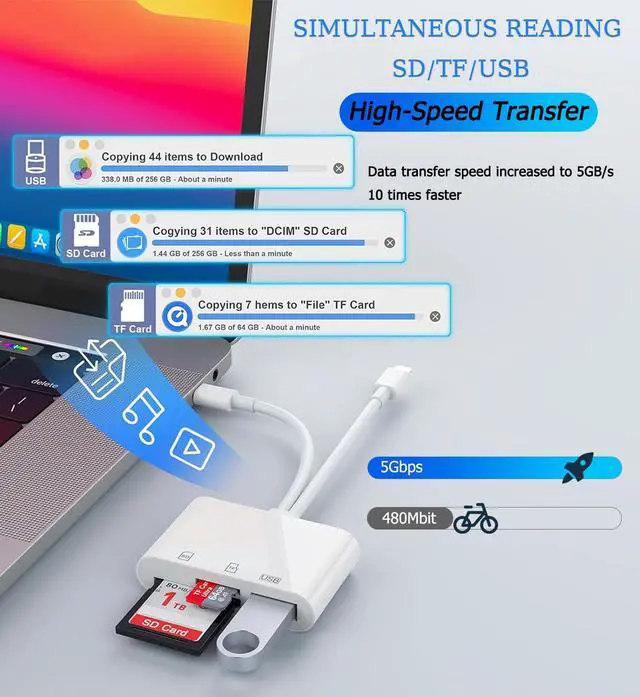
    • High data transfer speed: Supports high-speed data transfer up to 5 Gbps, reads and writes on two cards and USB flash drives at the same time, quickly transfers photos/videos to devices, eliminating the trouble of constantly plugging and unplugging
    • Two-way transfer: Two-way transfer is suitable for iOS 13 -16 devices. Import data from SD/TF card and USB disk to iPhone/iPad, or export files from iPhone/iPad to SD/TF card and USB disk. Including movies, music, Word, PowerPoint, Excel, PDF, etc
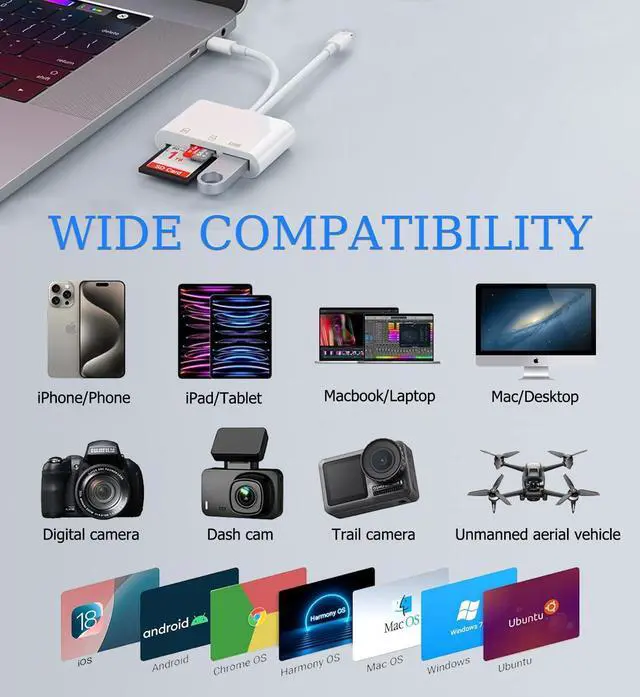
    • Wide compatibility: Compatible with iOS/Windows/Mac OS/Linux/Android and other systems, no driver required, enjoy plug-and-play experience; no additional power charger required
    +
    +
    Overview
    Specs
    Reviews
    avatar

    Any questions? Our AI beta will help you find out quickly.

    Widely compatible
    5-in-1 card reader
    EnJoy the thrll of the game

    Connect with Game controller,enJoy the thrll of the game
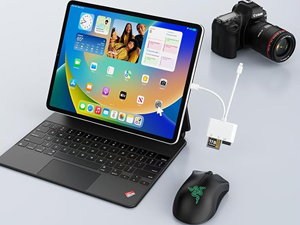
    Compatiole with USb mouse and keyboarc
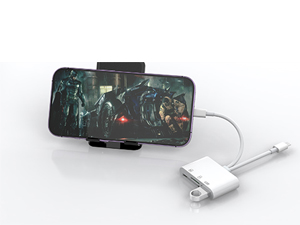
    Compatiole with USb mouse and keyboarc

    Watch movies or photos from a USB disc
    Watch movies or photos from a USB disc

    Direct import of photos from camera
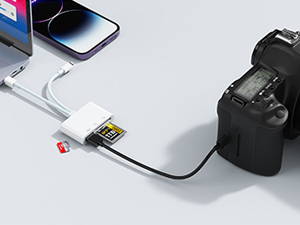
    Direct import of photos from camera

    iOS

    Two-way transfer for iOS users with iOS 13.0 or later

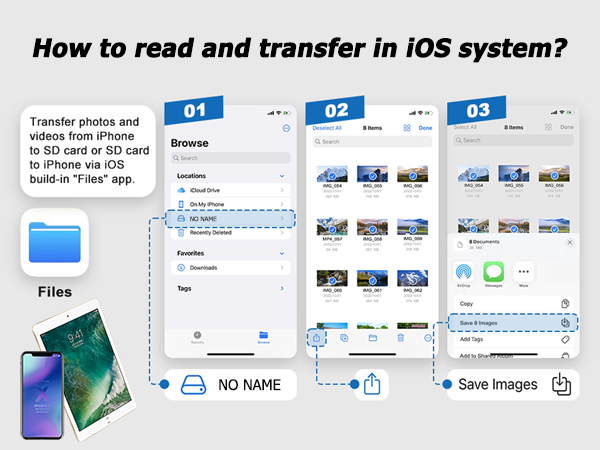
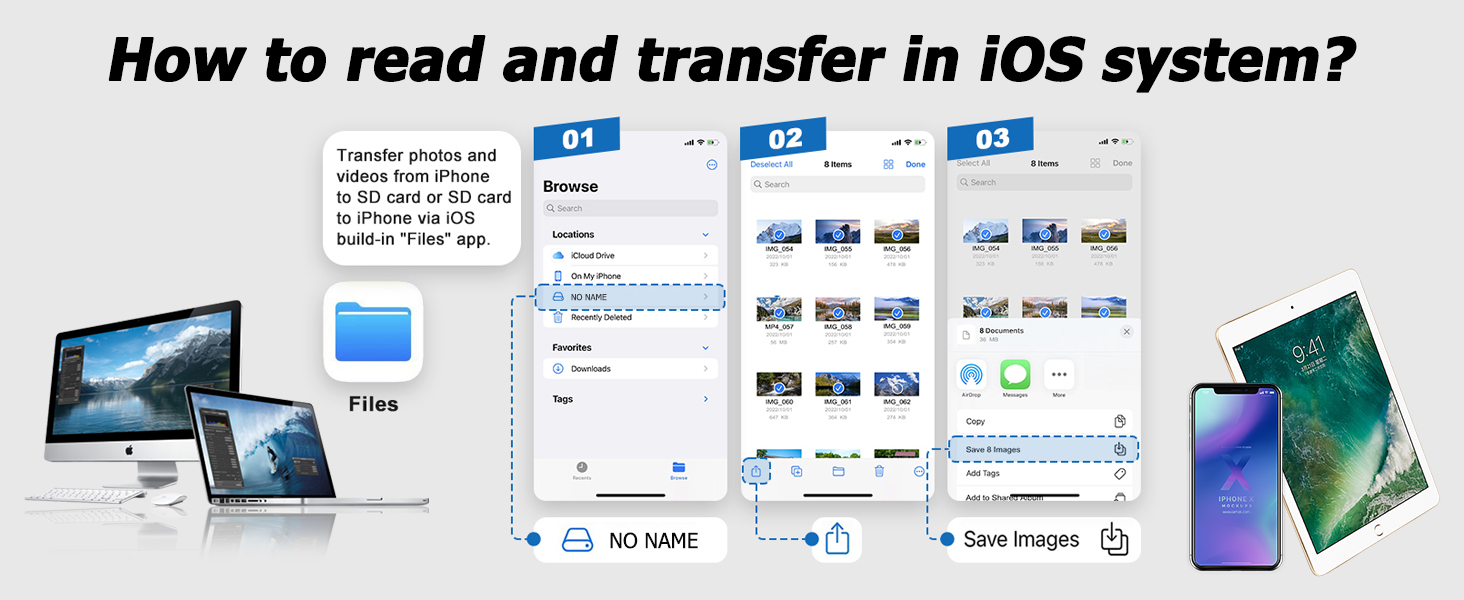
    Files app is an important app that can transfer files from your memory card or USB disc to your iPhone and iPad.

    Data from iPhone is on "On My iPhone", data from memory card is on "Untiled" (or "No Name", which is the name of your memory card), and USB disc is directly displayed by name.

    You can view data and transfer data between memory card, USB disc and iPhone.

    Files app can manage not only videos and photos, but also music, PDF, word or Excel, etc.

    1. Insert the memory card or USB disc into the card reader. Turn on iPhone or iPad and connect the card reader to the Lightning port.

    2. On iPhone or iPad, open the "Files" app. You can view files in the memory card or USB disc. You can view most files such as jpg, MP3, word, excel, ppt, etc. If you can view the file data but cannot open it, you will need to download a third-party app to read it.

    3. You can delete the file or copy and paste the file from the memory card or USB disc to your iPhone or iPad. Or copy the file from iPhone or iPad to the memory card or USB disc.
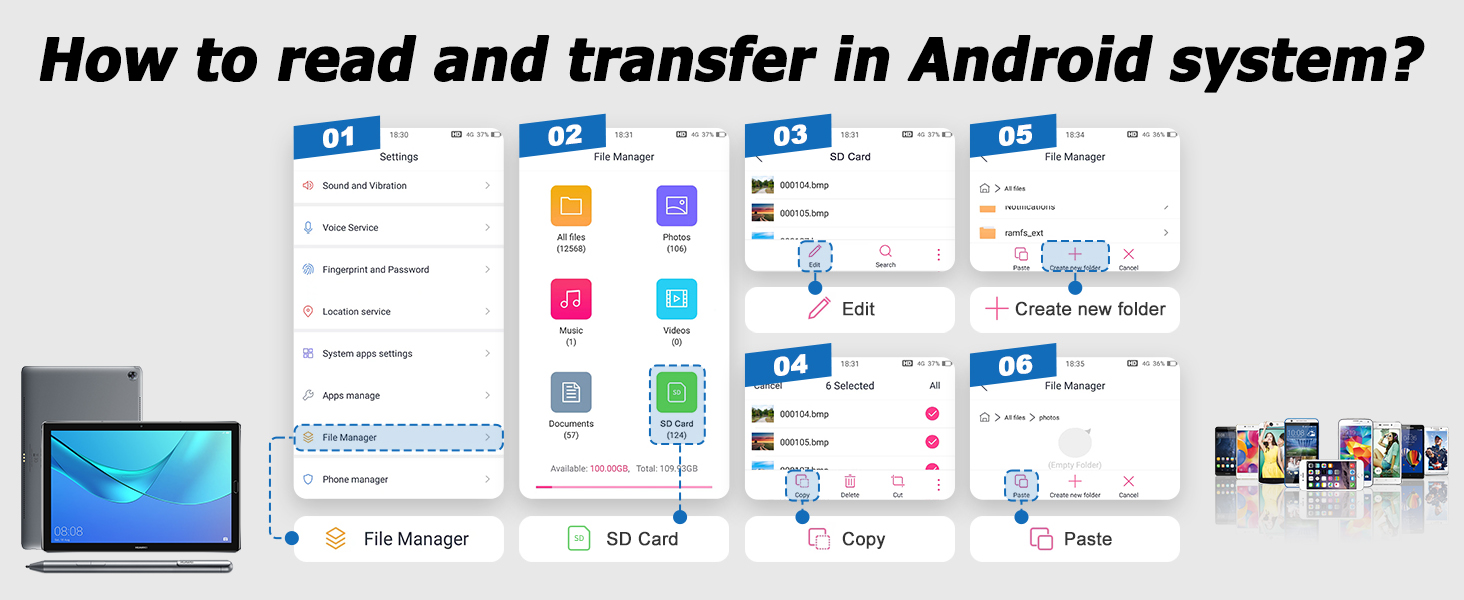
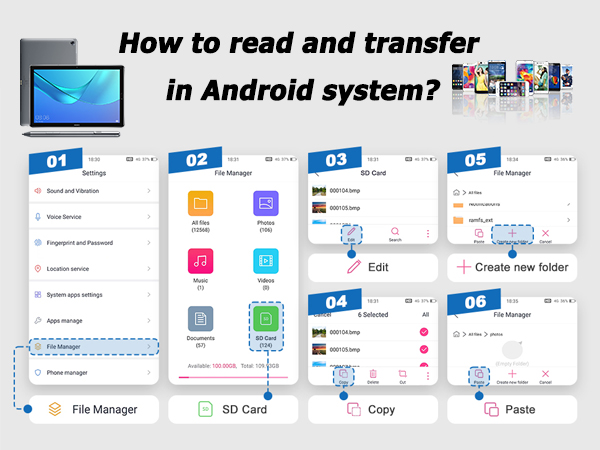
    Android
    Widely compatible
    5-in-1 card reader
    EnJoy the thrll of the game

    Connect with Game controller,enJoy the thrll of the game

    Compatiole with USb mouse and keyboarc

    Compatiole with USb mouse and keyboarc

    Watch movies or photos from a USB disc

    Watch movies or photos from a USB disc

    Direct import of photos from camera

    Direct import of photos from camera

    iOS

    Two-way transfer for iOS users with iOS 13.0 or later

    Files app is an important app that can transfer files from your memory card or USB disc to your iPhone and iPad.

    Data from iPhone is on "On My iPhone", data from memory card is on "Untiled" (or "No Name", which is the name of your memory card), and USB disc is directly displayed by name.

    You can view data and transfer data between memory card, USB disc and iPhone.

    Files app can manage not only videos and photos, but also music, PDF, word or Excel, etc.

    1. Insert the memory card or USB disc into the card reader. Turn on iPhone or iPad and connect the card reader to the Lightning port.

    2. On iPhone or iPad, open the "Files" app. You can view files in the memory card or USB disc. You can view most files such as jpg, MP3, word, excel, ppt, etc. If you can view the file data but cannot open it, you will need to download a third-party app to read it.

    3. You can delete the file or copy and paste the file from the memory card or USB disc to your iPhone or iPad. Or copy the file from iPhone or iPad to the memory card or USB disc.
    Android

    Product information

    Brand CULGC
    Media Type SD Card, USB 3.0 (media formats supported), microSD
    Connectivity Technology USB Type C, iOS
    Special Feature Plug & Play
    Color White
    Additional Features Plug & Play
    Compatible Devices Camcorder, Camera, Gaming Console, Laptop, Smartphone
    Data Transfer Rate 5 Gigabits Per Second
    Operating System iOSAndroid, Mac operating systems, Chrome operating systems, Windows 10/8.1/8/7/XP, and Linux systems
    Hardware Interface Lightning, MicroSD, SDHC, USB 3.0 Type A, USB Type C
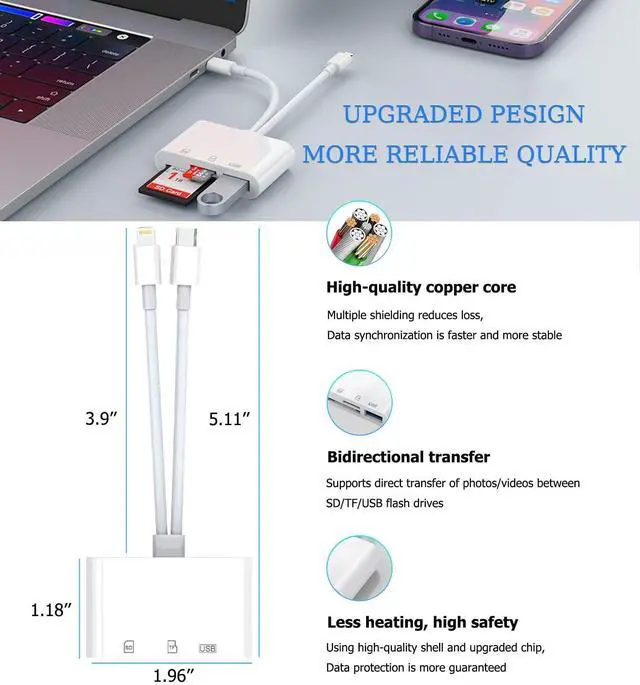
    Item Dimensions L x W x H 1.96"L x 0.47"W x 5.11"H
    Model Name HZX-116
    Manufacturer CULGC
    Warranty Description 1 year manufacturer

    Warranty & Returns

    Warranty, Returns, And Additional Information

    Warranty

    • Please contact the Seller directly for warranty information. Warranty information may also be found on the Manufacturer's website.
    • CONTACT

    Return Policies

    Manufacturer Contact Info

    LOADING...