




Your Essential Photography Companion
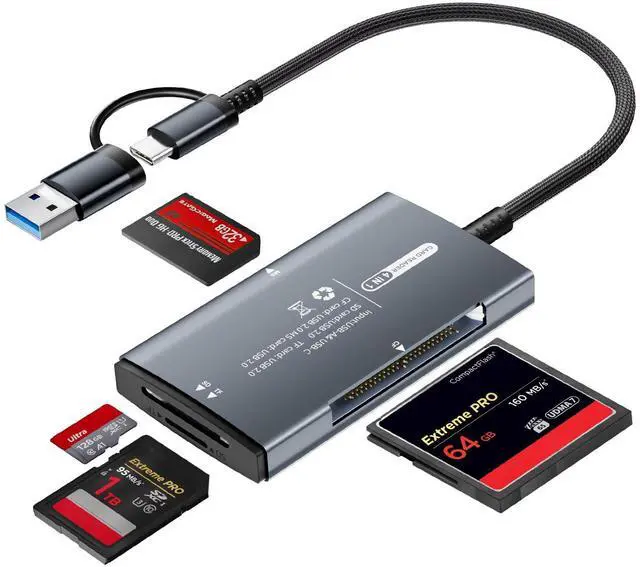
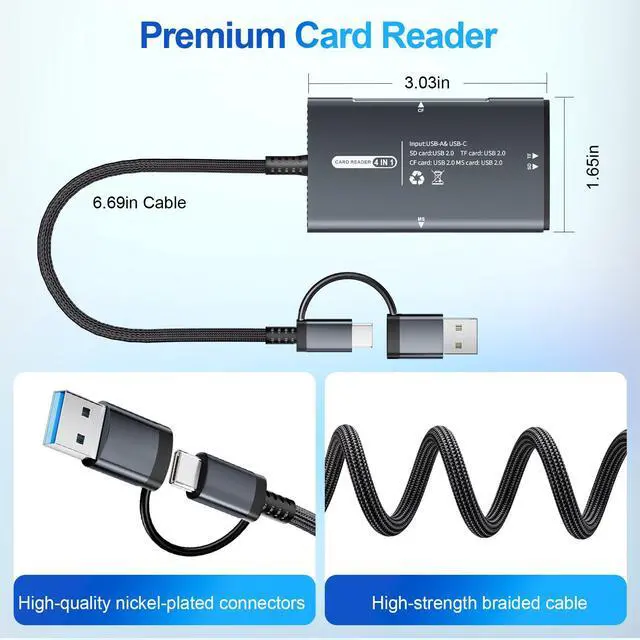
The memory card reader is the perfect camera adapter to streamline your creative process. More than just a classic MircoSD/SD card reader, the usb card reader also a CF card reader, and a Memory Stick Pro Duo adapter. This compact tool support major card type, such as Canon/Nikon/Sony and other digital cameras.

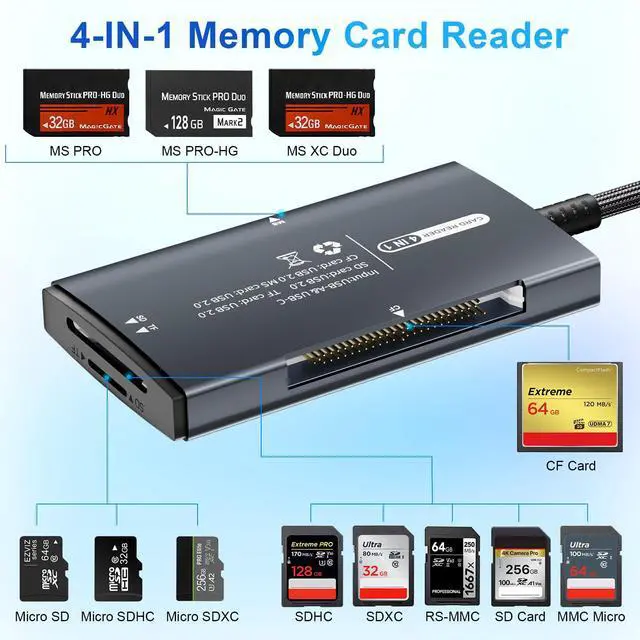
4-IN-1 Memory Card Adapter
- SD to USB & USB C Adapter
- Mirco SD/TF to USB & USB C
- Memory Stick Pro Duo Adapter
- Compact Flash Card Adapter

Design for Broader Device, Simplify Your Accessories
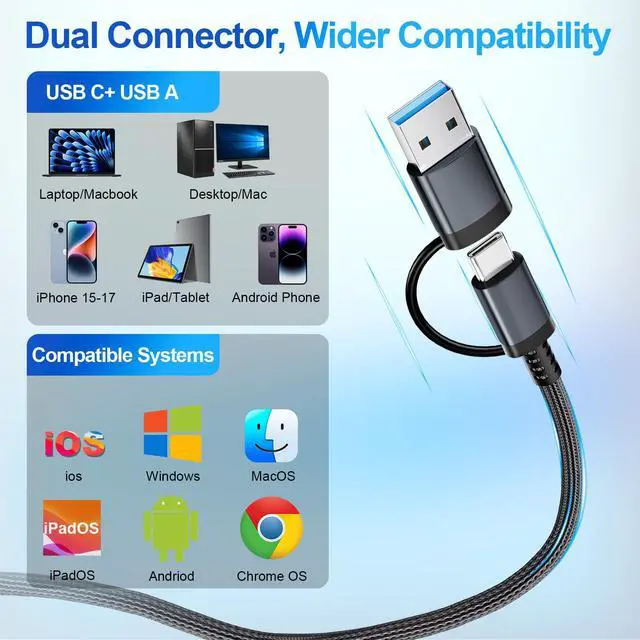
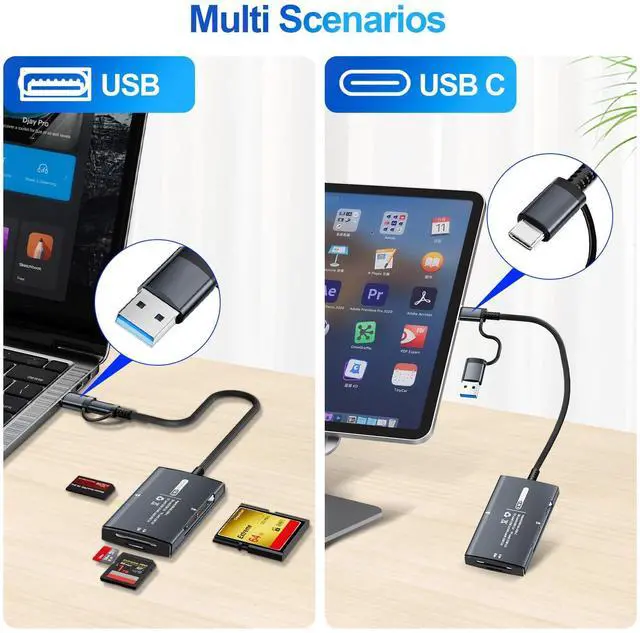
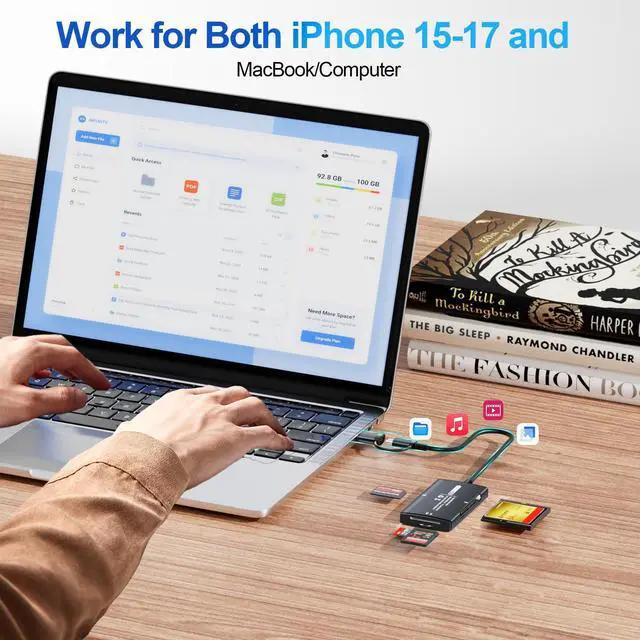
Featuring Denlane latest upgraded usb c adapter, the card reader now functions seamlessly for iPhone 15-17 or samsung/Android smartphone, and usb type c tablet.
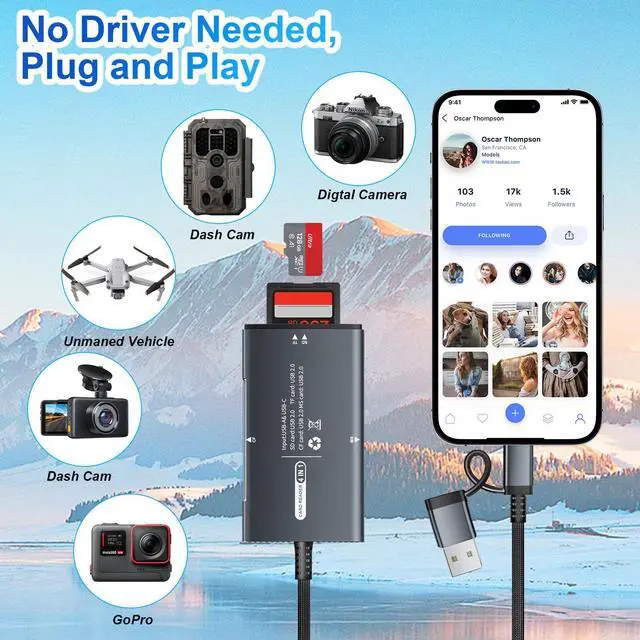
Simply plug it directly into your mobile device or computer—no extra apps or power required—to instantly view, transfer, and share your high-resolution photos and videos.


Plug & Play

USB SD Card Reader for Computer

Two-way transmission

For additional device transfer solutions, please refer to the user guide included with your package.
Wide Compatibility
Your Essential Photography Companion
The memory card reader is the perfect camera adapter to streamline your creative process. More than just a classic MircoSD/SD card reader, the usb card reader also a CF card reader, and a Memory Stick Pro Duo adapter. This compact tool support major card type, such as Canon/Nikon/Sony and other digital cameras.
4-IN-1 Memory Card Adapter
- SD to USB & USB C Adapter
- Mirco SD/TF to USB & USB C
- Memory Stick Pro Duo Adapter
- Compact Flash Card Adapter
Design for Broader Device, Simplify Your Accessories
Featuring Denlane latest upgraded usb c adapter, the card reader now functions seamlessly for iPhone 15-17 or samsung/Android smartphone, and usb type c tablet.
Simply plug it directly into your mobile device or computer—no extra apps or power required—to instantly view, transfer, and share your high-resolution photos and videos.
Plug & Play
USB SD Card Reader for Computer
Two-way transmission
For additional device transfer solutions, please refer to the user guide included with your package.
Wide Compatibility
| ? Phones | Compatible with iphone15-17 Series (Plus / Pro / Pro Max), Samsung Galaxy S23, S22 Ultra, S22+, S22, S21, S21 Ultra, S20, S20 Plus, S20 Ultra, S10e / S10 / S10 Plus / S8 / S9 / S8 Plus / S9 Plus / Note 10 / Note 9 / Note 8 Pixel, Pixel 2, Pixel C, Nexus 5X / 6P, HTC 10 / U11 / U12, OnePlus 3 / 5t / 6 / 7 / 8 / 9, Lumia 950 / 950XL, LG G5, V20, Samsung Galaxy Tab S3 Tablet (and more) |
| ?Tablets | Compatible with iPhone 15/16/17 series with & their Plus Version; with iPad Pro 12.9"(3rd-6th) / iPad Pro 11"(1st-4th) / iPad 10.9-inch 10th Gen and other system usb c tablet |
| ? Laptops | Compatible with MacBook Pro (After 2016), MacBook Air M3 / M2 / M1, MacBook 2017/2016/2015, iMac Pro, iMac (After 2017), Mac mini 2018 Dell XPS 15 / 13, Surface Book 2, Surface Go, Pixelbook, Pixelbook Go (and more) |
| ? Card Compatibility | SD, SDHC, SDXC, RS-MMC, MicroSD, MicroSDHC, MicroSDXC from Camera/ Gopro/ Dash Cam/ Surveillance camera/ Baby Monitor/ Digital Camera |
| ? Imcompatible | (?) Not Compatible With lightning old iPad/iPhone(LIGHTNING) |
| Find your SD card via "FILES" | Insert the SD card into the reader > plug the device card reader into the iPhone(TYPE-C) > click on the “FILES” app > click on iCloud Drive’s “Browse” > click on Browse’s “Your SD card name” > Now you can view your files from your SD card on “Your SD card name” |