



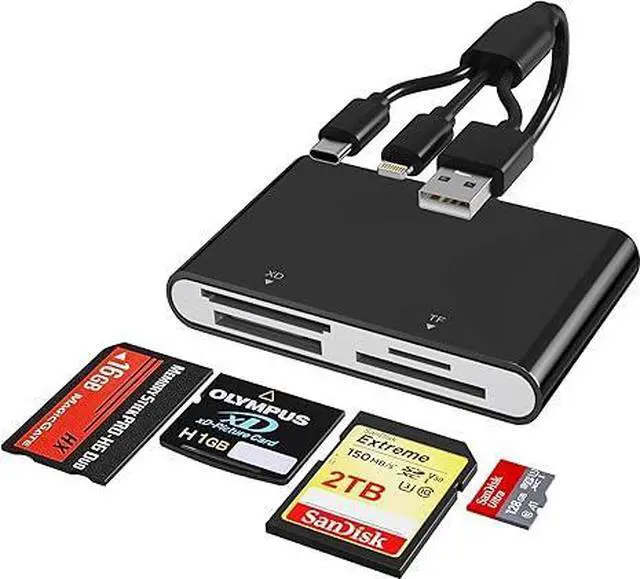


Multi memory card reader for iphone/ android smartphones/ ipad/ tablet/ macbook/ PC/ laptop

7 in 1 Multi-ports Card Reader
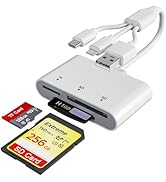
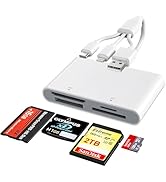
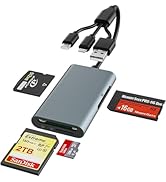
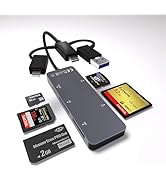
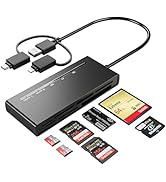
- This compact flash card reader with 2x SD/ 2x TF/ MS/ CF/ XD card slots, supports a wide range of memory card formats, including XD, SDXC, SDHC, SD, CF, MS, Micro SDXC, Micro SDHC, and Micro SD cards.
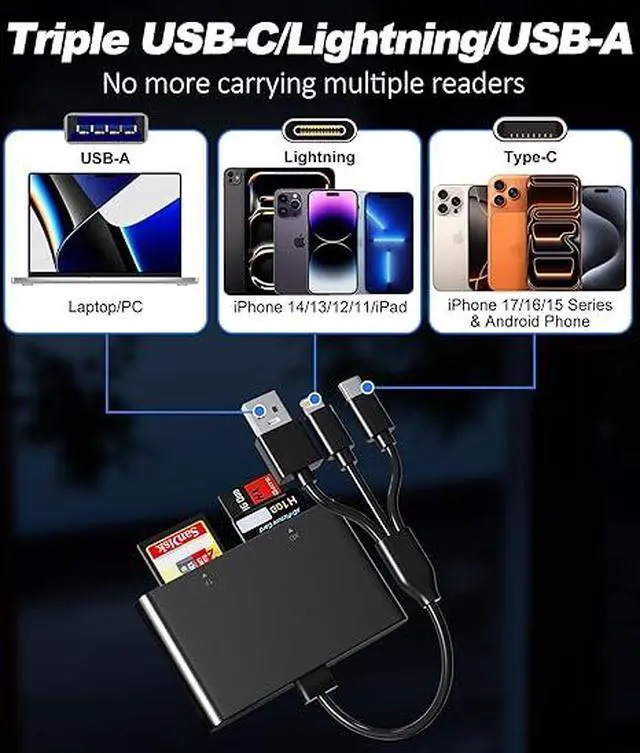
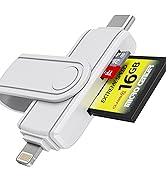
- The memory stick pro duo adapter with Lightning, USB C and USB 3.0 3-in-1 plug, compatible with more devices, allowing you to quickly view photos and videos on your phone and computer. The most popular 3-in-1 design this year!
- Memory stick pro duo reader support simultaneously read and write on five cards, eliminating the effort of plugging in and out.

SD Card Reader to USB C

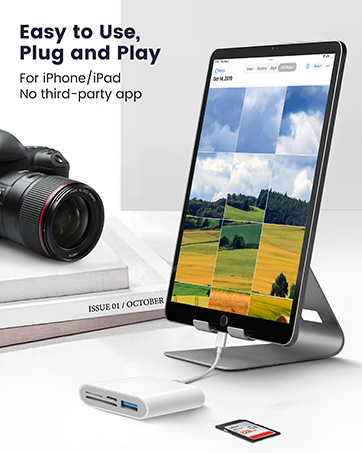
SD Card Reader to Lightning

SD Card Reader to USB 3.0

Work with most devices you have
iPhone Models
iPhone 15/ 15 Pro/ 15 Pro Max/ 14/ 14 Pro/ 14 Pro Max/ 13/ 13 Pro/ 13 Pro Max/ 12/ 12 Pro/ 12 Pro Max/ 11/ 11 Pro/ 11 Pro Max/ SE/ Xs/ Xr/ X/ 8/ 8 Plus/ 7/ 7 Plus/ 6/ 6S/ 6 Plus
iPad Models
iPad/ iPad Mini/ Mini 2/ Air/ Air 2/ Air 3/ Air 4/ Air 5/ iPad Pro
USB C Android Phone and Computer Equipment
MacBook Air/Pro
Samsung Galaxy S8/S8+/Note 8/S9/S9+/Note 9/S10
Google Pixel XL/2/2 XL/Nexus 5X/Nexus 6P/LG V20/V30/G5/G6
Moto Z/Microsoft Lumia 950 XL/950/OnePlus 5/3T/3
Huawei P10/Mate10/Mate 10 Plus
Surface Pro 9/8/7
PC
desktop computer

Memory Stick Pro Duo Adapter to iPhone/ USB C Android Smartphones
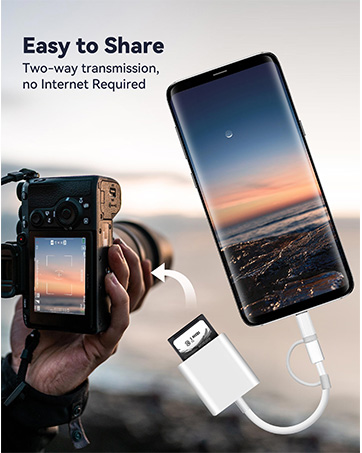
Memory stick pro duo adapter with ligthning and usb c port, you can quickly view pictures on iPhone and Android phones, easily transfer your photo or video from your card to phone

Memory stick pro duo reader support simultaneously read and write on 5 cards, eliminating the effort of plugging in and out.
Note:
2 slots for TF and SD cards respectively, if you insert the TF card into the top slot, you must insert the SD card into the bottom slot to read both TF and SD cards at the same time. Of course, 2 TF cards and 2 SD cards can be read simultaneously.


How to store from iphone to memory card?
- 1.Insert the memory card into the card reader
- 2.Then insert the caard reader into the iPhone find the "photos" app
- 3.Select the picture or video you want to save to the memory card
- 4.Click the button in the lower left corner Click on "save to files"
- 5.Find the card reader file and select Save File to complete the operation.(generally data of memory card is on “Untiled” or "NONAME", which is the name of your memory card)
How to save data from memory card to iPhone?
- 1.Insert the memory card into the card reader,
- 2.Then insert tthe card reader into the iPhone,
- 3.Find the "files" app, Click"Untitled",
- 4.Selsct the photo or video you want to import into your iPhhone
- 5.Select "Save Items" to complete the ooperation.


Multi memory card reader for iphone/ android smartphones/ ipad/ tablet/ macbook/ PC/ laptop
7 in 1 Multi-ports Card Reader
- This compact flash card reader with 2x SD/ 2x TF/ MS/ CF/ XD card slots, supports a wide range of memory card formats, including XD, SDXC, SDHC, SD, CF, MS, Micro SDXC, Micro SDHC, and Micro SD cards.
- The memory stick pro duo adapter with Lightning, USB C and USB 3.0 3-in-1 plug, compatible with more devices, allowing you to quickly view photos and videos on your phone and computer. The most popular 3-in-1 design this year!
- Memory stick pro duo reader support simultaneously read and write on five cards, eliminating the effort of plugging in and out.
SD Card Reader to USB C
SD Card Reader to Lightning
SD Card Reader to USB 3.0
Work with most devices you have
iPhone Models
iPhone 15/ 15 Pro/ 15 Pro Max/ 14/ 14 Pro/ 14 Pro Max/ 13/ 13 Pro/ 13 Pro Max/ 12/ 12 Pro/ 12 Pro Max/ 11/ 11 Pro/ 11 Pro Max/ SE/ Xs/ Xr/ X/ 8/ 8 Plus/ 7/ 7 Plus/ 6/ 6S/ 6 Plus
iPad Models
iPad/ iPad Mini/ Mini 2/ Air/ Air 2/ Air 3/ Air 4/ Air 5/ iPad Pro
USB C Android Phone and Computer Equipment
MacBook Air/Pro
Samsung Galaxy S8/S8+/Note 8/S9/S9+/Note 9/S10
Google Pixel XL/2/2 XL/Nexus 5X/Nexus 6P/LG V20/V30/G5/G6
Moto Z/Microsoft Lumia 950 XL/950/OnePlus 5/3T/3
Huawei P10/Mate10/Mate 10 Plus
Surface Pro 9/8/7
PC
desktop computer
Memory Stick Pro Duo Adapter to iPhone/ USB C Android Smartphones
Memory stick pro duo adapter with ligthning and usb c port, you can quickly view pictures on iPhone and Android phones, easily transfer your photo or video from your card to phone
Memory stick pro duo reader support simultaneously read and write on 5 cards, eliminating the effort of plugging in and out.
Note:
2 slots for TF and SD cards respectively, if you insert the TF card into the top slot, you must insert the SD card into the bottom slot to read both TF and SD cards at the same time. Of course, 2 TF cards and 2 SD cards can be read simultaneously.
How to store from iphone to memory card?
- 1.Insert the memory card into the card reader
- 2.Then insert the caard reader into the iPhone find the "photos" app
- 3.Select the picture or video you want to save to the memory card
- 4.Click the button in the lower left corner Click on "save to files"
- 5.Find the card reader file and select Save File to complete the operation.(generally data of memory card is on “Untiled” or "NONAME", which is the name of your memory card)
How to save data from memory card to iPhone?
- 1.Insert the memory card into the card reader,
- 2.Then insert tthe card reader into the iPhone,
- 3.Find the "files" app, Click"Untitled",
- 4.Selsct the photo or video you want to import into your iPhhone
- 5.Select "Save Items" to complete the ooperation.
Bawanfa Plus
Triple Lightning/USB-C/USB-A
Different Ways to Connect
