

Your Browsing History

Meet Your Seller


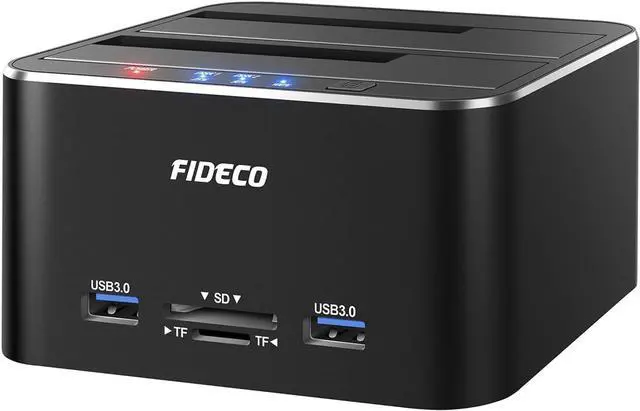


FIDECO Hard Drive Docking Station, USB 3.0 Aluminum Hard Drive Docking Stations 2.5"/3.5" SATA HDD SSD, TF Card Reader and SD Card Reader, Offline Clone Support
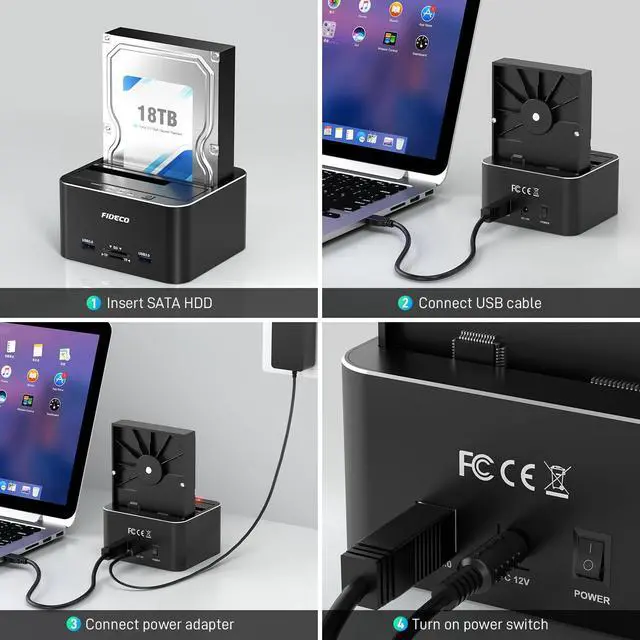
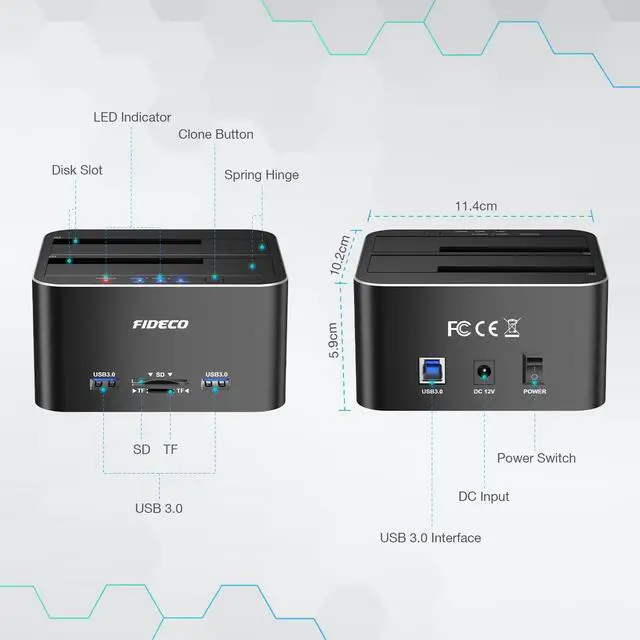
- Useful Type-C PortFIDECO hard drive dock is engineered with type-C port, and we offer one USB C to USB C cable and one USB C to USB A cable, so you can use the 2 USB cables to utilize the full performance of your HDD. Access your files directly with desktops or laptops.
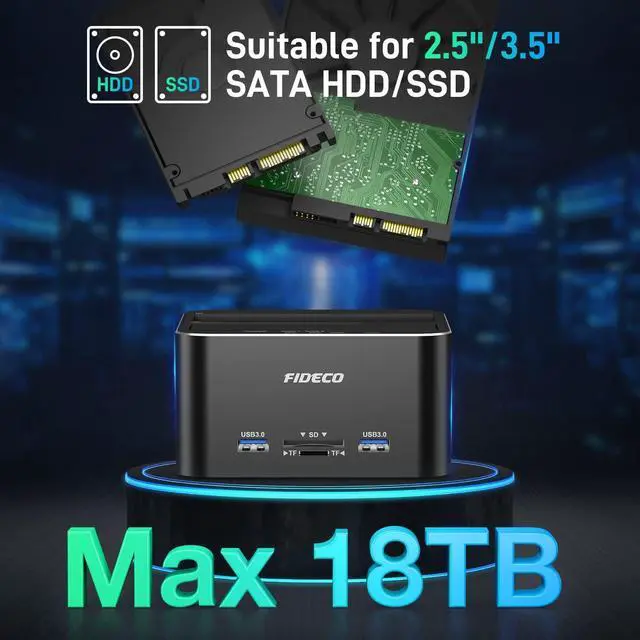
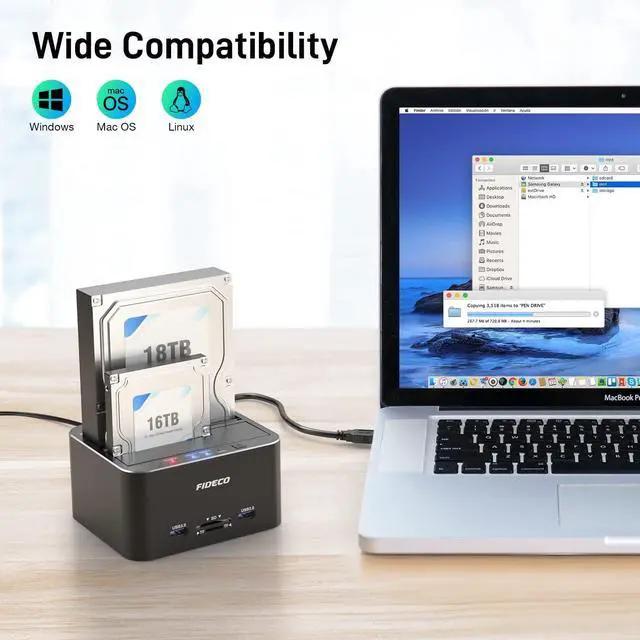
- Universal CompatibilityFIDECO hard drive docking station is widely compatible with Windows, Mac OS and Linux. Please note that it can only support 2.5" or 3.5" SATA HDD/SSD. Just plug and play! No driver is needed!
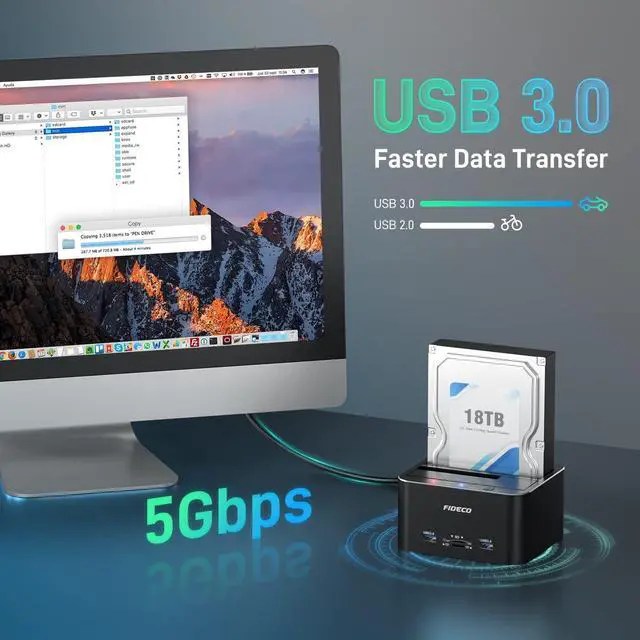
- UASP USB 3.2 Gen 1 Super SpeedFIDECO hard disk docking station can support UASP USB 3.2 Gen 1 fast data transfer speed with rates up to 5Gbps. It can be also downward compatible with USB 2.0 to meet your more needs.
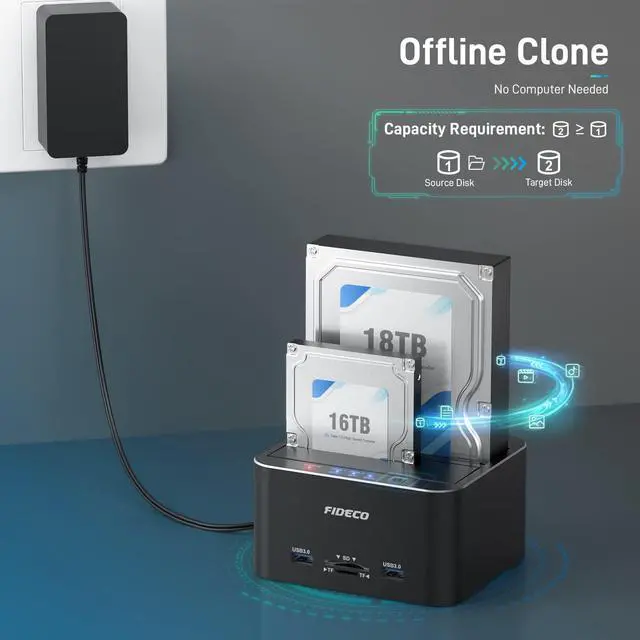
- Offline CloneFIDECO HDD docking station can support offline clone. No computer is needed! Just insert 2 HDDs into the respective slots (Slot 1: Source Disk; Slot 2: Target Disk). Please note that the capacity of the target HDD needs to be equal to or larger than that of the source HDD.
+
+
Overview
Specs
Reviews

Any questions? Our AI mode will help you find out quickly.
Try me now
- Useful Type-C PortFIDECO hard drive dock is engineered with type-C port, and we offer one USB C to USB C cable and one USB C to USB A cable, so you can use the 2 USB cables to utilize the full performance of your HDD. Access your files directly with desktops or laptops.
- Universal CompatibilityFIDECO hard drive docking station is widely compatible with Windows, Mac OS and Linux. Please note that it can only support 2.5" or 3.5" SATA HDD/SSD. Just plug and play! No driver is needed!
- UASP USB 3.2 Gen 1 Super SpeedFIDECO hard disk docking station can support UASP USB 3.2 Gen 1 fast data transfer speed with rates up to 5Gbps. It can be also downward compatible with USB 2.0 to meet your more needs.
- Offline CloneFIDECO HDD docking station can support offline clone. No computer is needed! Just insert 2 HDDs into the respective slots (Slot 1: Source Disk; Slot 2: Target Disk). Please note that the capacity of the target HDD needs to be equal to or larger than that of the source HDD.
Warranty & Returns
Warranty, Returns, And Additional Information
Warranty
- Please contact the Seller directly for warranty information. Warranty information may also be found on the Manufacturer's website.
- CONTACT
Return Policies
- Return for refund within: 30 days
- Return for replacement within: non-replaceable
- This item is covered by Zyngear Return Policy
Manufacturer Contact Info
- For a directory of all our manufacturers, please click below.
- Manufacturers Directory
LOADING...