

Your Browsing History

Meet Your Seller


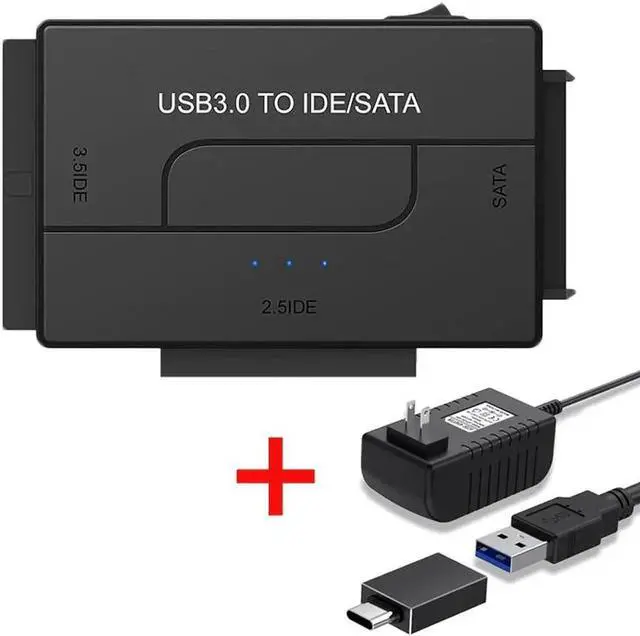
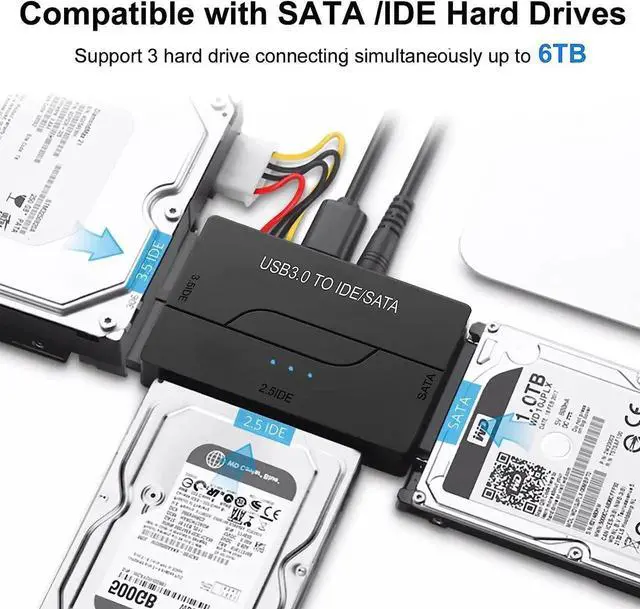


JAENFONG SATA/IDE USB 3.0 Adapter, Hard Drive Reader with USB A and USB C for Universal 2.5"/3.5" Inch External HDD/SSD with 12V 2A Adapter, Support 6TB for Windows and Mac OS
- USB 3.0 to SATA IDE Hard Drive Reader for 2.5/3.5 HDD/SSD Hard Drive Disk, Include 12V/2A Power Adapter
- All in One Solution to Connect to Different Types of Interface's Hard Drive
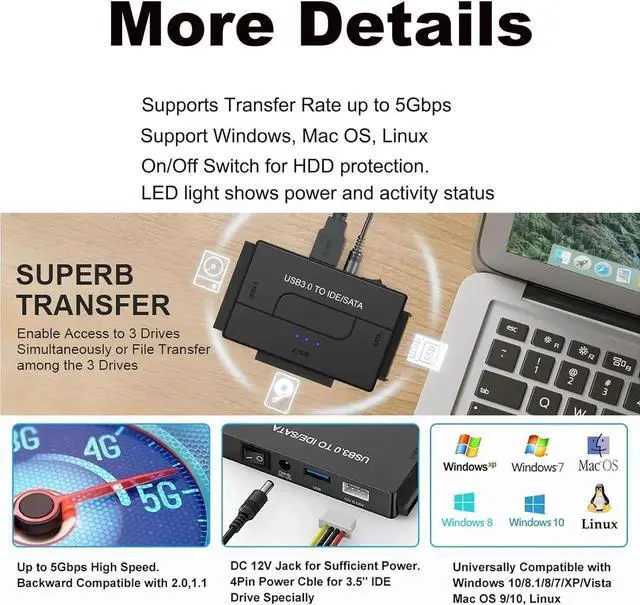
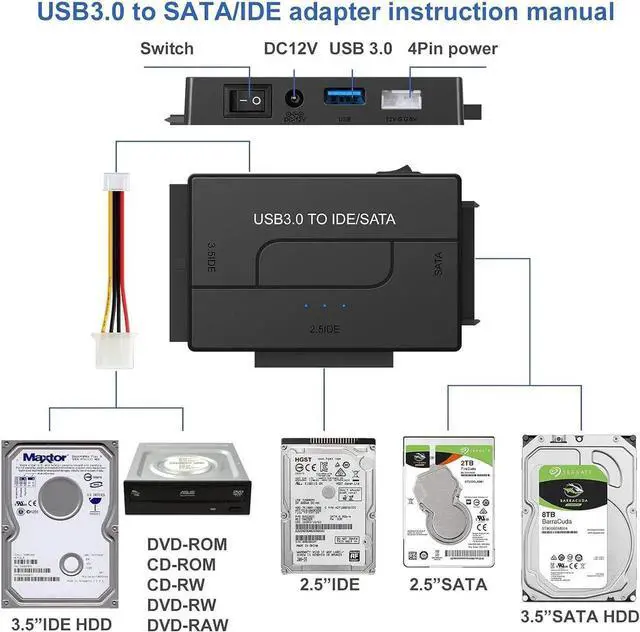
- This USB 3.0 to SATA IDE Adapter connects any standard 2.5in or 3.5in SATA or IDE hard drive to a computer through an available USB 3.0 port, also supported DVD-ROM, CD-ROM, CD-RW, DVD-RW, DVD+RW; Backward compatible with USB 2.0/1.1.
- No Drive Needed for Windows, Mac and Linux, Chrome
- the included external power adapter will allow you to power your drives outside without opening your case. the plug and play function with no driving need, features works wonder with Windows and OSX saving your time and trouble, this compact and lightweight design make for easy storage and portability.
- What We Offer
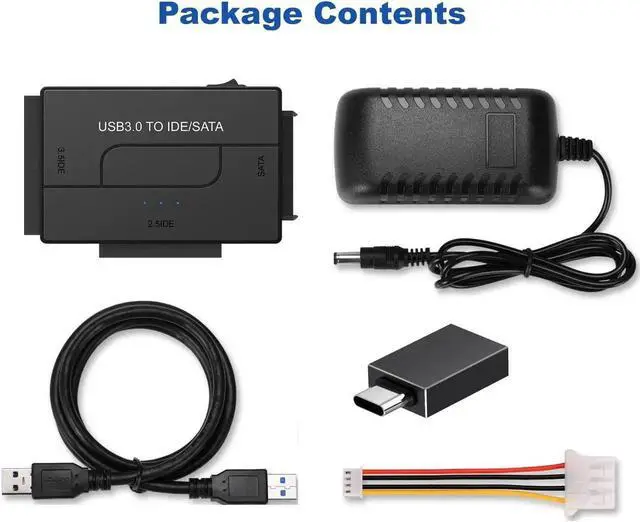
- SATA/IDE to USB 3.0 Adapter Hard Drive Cable x1, 12V 2A Power Adapter x1, 4PIN Power Cable x1;
+
+
Overview
Specs
Reviews

Any questions? Our AI mode will help you find out quickly.
Try me now
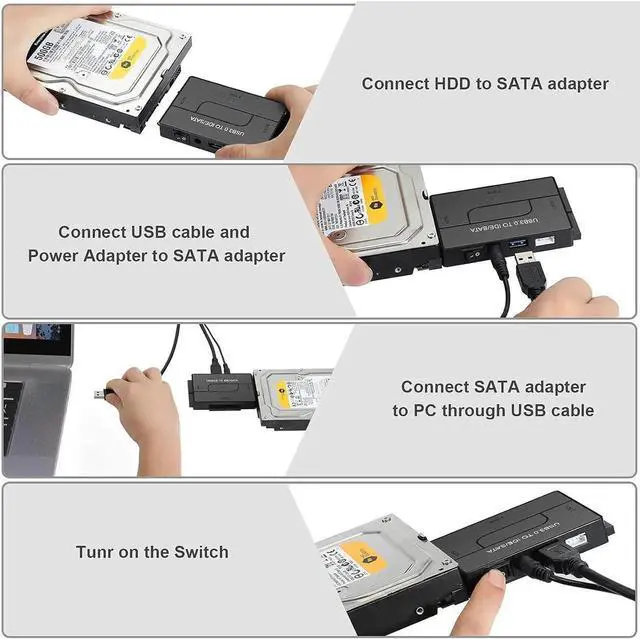
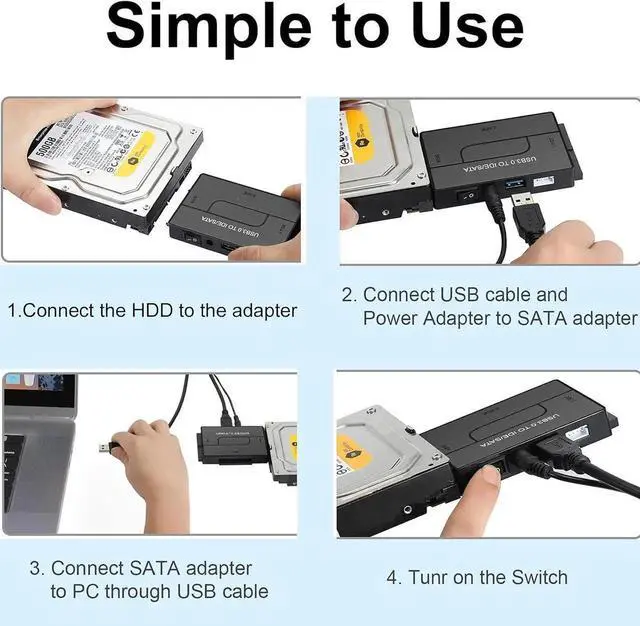
- Step: 1
After plugging in your 12V 2A power cord to the wall outlet, plug in your IDE hard drive to the designated 2.5" or 3.5" IDE port.
- Step: 2
Insert your new hard drive to the SATA port. It doesn't matter if it's a hard drive or a solid-state drive. As long as its connection port is 2.5" or 3.5".
- Step: 3
After connecting your USB 3.0 to the converter box to your computer, flip the ON/OFF switch to ON. Your computer will read the converter like any other USB. Transfer your files.
USB 3.0 to SATA IDE Hard Drive Reader for 2.5 / 3.5 HDD/SSD Hard Drive Disk, Include 12V/2A Power Adapter
All in One Solution to Connect to Different Types of Interface's Hard Drive
This USB 3.0 to SATA IDE Adapter connects any standard 2.5 in or 3.5 in SATA or IDE hard drive to a computer through an available USB 3.0 port, also supported DVD-ROM, CD-ROM, CD-RW, DVD-RW, DVD+RW; Backward compatible with USB 2.0 / 1.1.
No Drive Needed for Windows, Mac and Linux, Chrome
the included external power adapter will allow you to power your drives outside without opening your case. the plug and play function with no driving need, features works wonder with Windows and OSX saving your time and trouble, this compact and lightweight design make for easy storage and portability.
What We Offer
SATA/IDE to USB 3.0 Adapter Hard Drive Cable x1, 12V 2A Power Adapter x1, 4PIN Power Cable x1;
Warranty & Returns
Warranty, Returns, And Additional Information
Warranty
- Please contact the Seller directly for warranty information. Warranty information may also be found on the Manufacturer's website.
- CONTACT
Return Policies
- Return for refund within: 45 days
- Return for replacement within: 30 days
- This item is covered by LumiNova Tech Return Policy
Manufacturer Contact Info
- For a directory of all our manufacturers, please click below.
- Manufacturers Directory
LOADING...