• $57.99
  • Free 30-day Returns
  • Sold by Roillnekyer

    Shipped by Roillnekyer

    Price alert
    Shop it at NeweggBusiness.

    Meet Your Seller

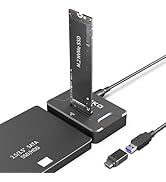
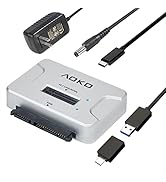
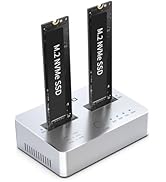
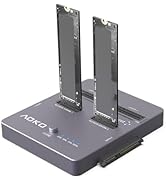
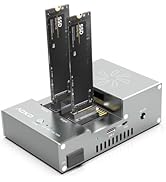
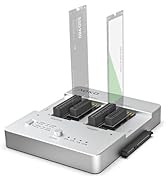
    NVMe to USB 3.2(10Gbps) SSD Reader Docking Station Portable M.2 SSD to USB Adapter External NVMe SSD Enclosure for M.2 PCIe NVMe and M.2 SATA SSD, Compatible with 2.5'' SATA Dirve

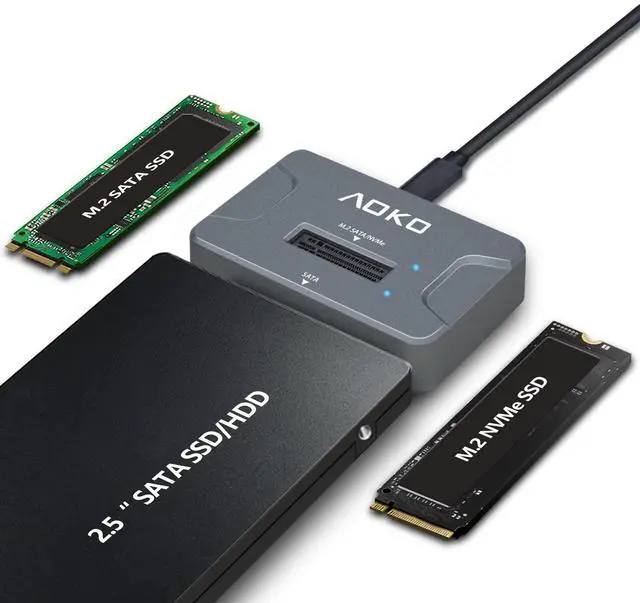
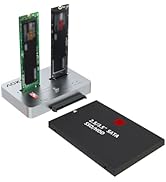
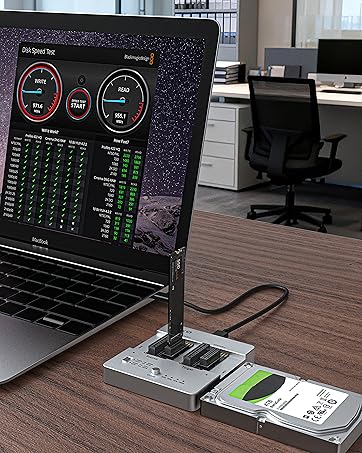
    • The AOKO NVMe M.2 to USB Adapter is not only works as an NVMe to USB Adapter or M.2 SSD Reader , it's also works with 2.5" SATA Drive, Ideal for users who have multiple SSD/HDD and need to switch frequently
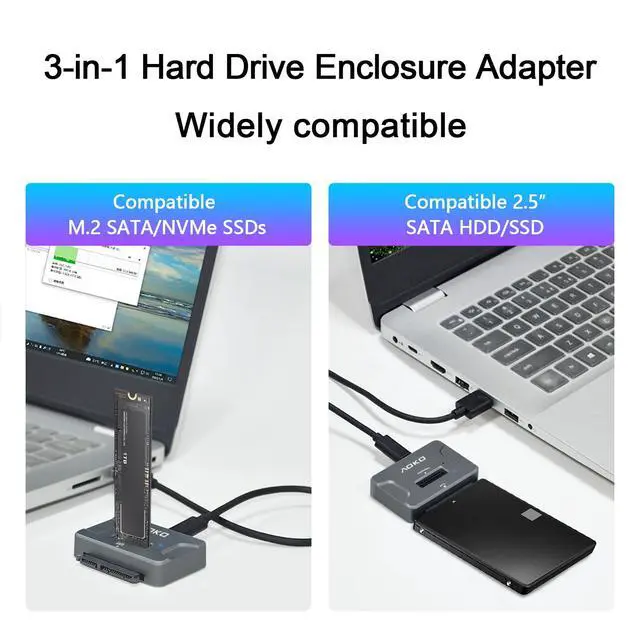
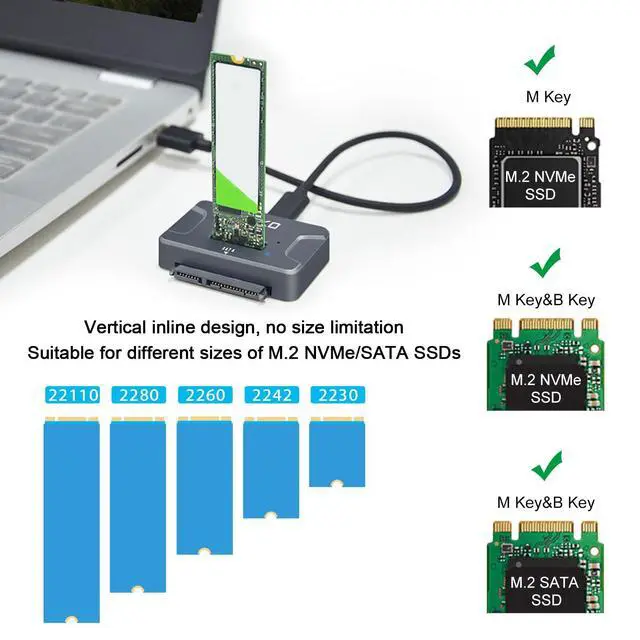
    • This AOKO M.2 NVMe SSD Reader Compatible with M.2 PCIe/NVMe SSD and SATANGFFSSDs in sizes 2242/2260/2280. And also compatible with 2.5 SATA SSD & HDDs (Note: This M.2 Reader can only read one hard disk at a time)
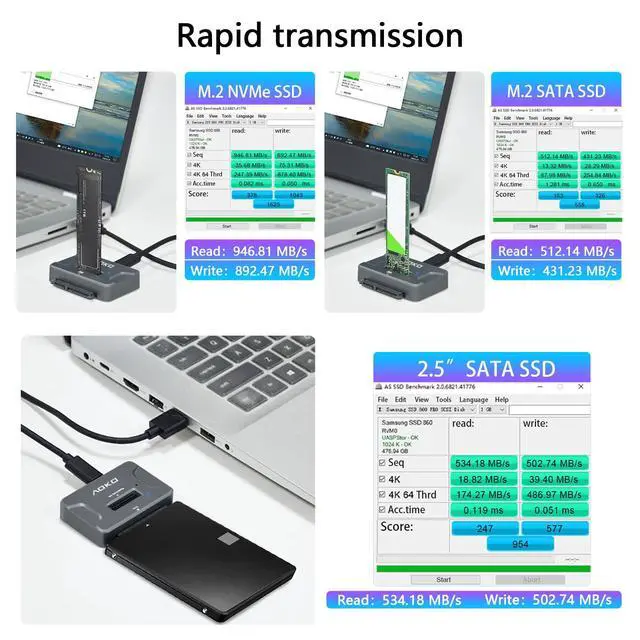
    • This 3-in-1 ssd hard drive reader NVMe M.2 Adapter adopts USB- C interface, steady and efficient data transfer transmission,the theoretical value can reach 10Gbps NVMe & 6Gbps SATA,Backward compatible with USB 3.0 and USB 2.0 within their respective speed limits
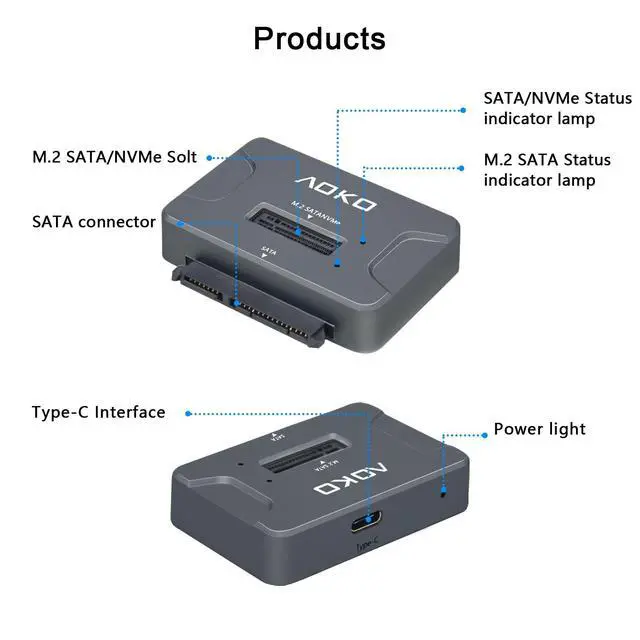
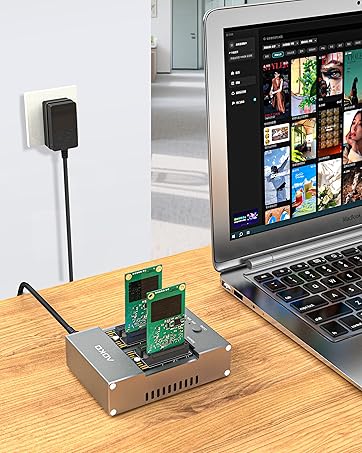
    • The AOKO NVMe M.2 SSD Enclosure Adapter dapter is easy to use, just plug in an M.2 SSD or 2.5 SATA SSD and Connect USB Cable to use as an Portable External M.2 SSD Enclosure (the LED will light up to indicate that it can be read)
    • This M.2 Docking Station adopts a vertical design to dissipate the heat in time when running at high speed (Note: Please do not touch the hard disk with your hands when it is working) ,With silicone feet for easy fixing and preventing movement
    • AOKO M.2 Enclosure USB C Adapter is equipped with a 60cm Y-cable for auxiliary power supply to meet the stable operation of large-capacity SSDs, and comes with a USB A to USB C Adapter to run on USB-C connected devices
    +
    +
    Overview
    Specs
    Reviews
    avatar

    Any questions? Our AI beta will help you find out quickly.

    M.2 NVMe SSD to USB Adapter/Reader

    Universal Hard Drive Reader Adapter

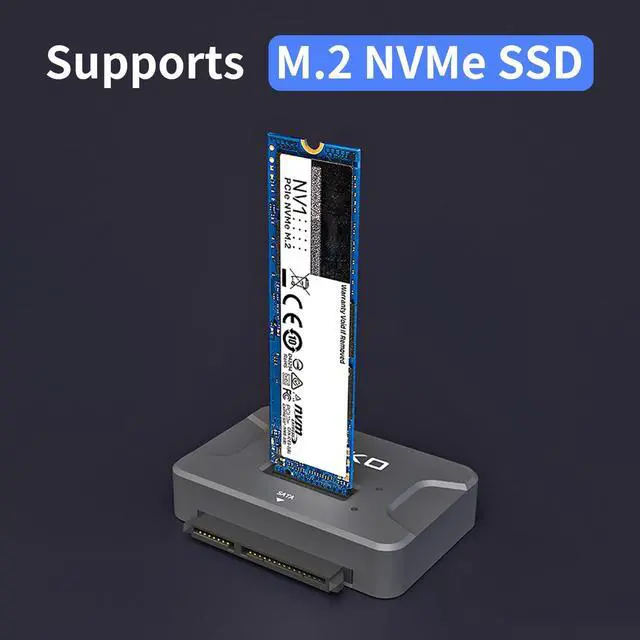
    Supports M.2 NVMe/M.2 SATA/2.5"SATA SSD/HDD

    High-Speed Transmission

    USB 3.2 10Gbps transmission speed
    How to USB

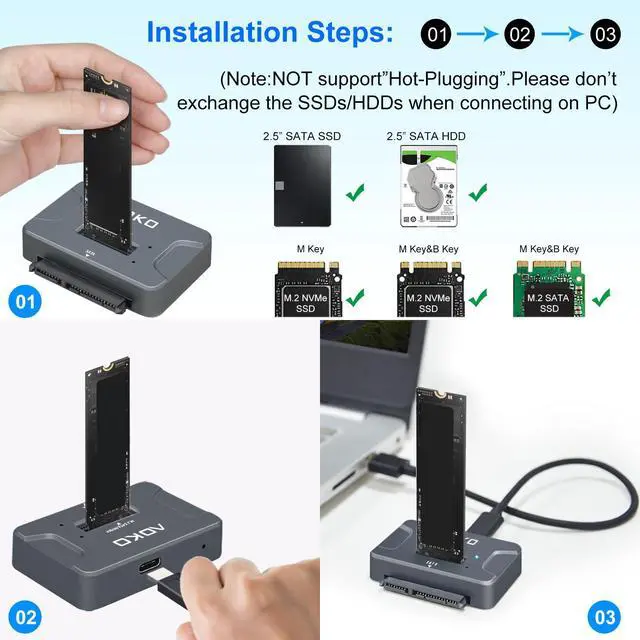
    1. Insert M.2 SSD or 2.5'' SATA SSD/HDD into Slot.(Note: Does not support 3.5-inch SATA hard drives!)

    2.Connect the USB cable to the computer and recognize it, the LED lights up to indicate that it can be read.

    Compatible With Multiple Mystems

    Wide Compatibility

    Product Features

    • Support M.2 SATA/ NVMe & 2.5-inch SATA HDD/SSD (Hard disk not included),Note: 3.5-inch SATA hard drives are not supported.
    • 3-in-1 Design ( This is M.2 SATA + NVMe Docking Station is also 2.5-inch SATA HDD/SSD Reader Adapter) to support multi-scene use for convenience. Meet your daily needs.
    • USB 3.2 Gen 2 standard (USB-C port), supporting data transfer rates of up to 10 Gbps (theoretical), delivers the best experience when connected to a USB 3.1, USB 3.2 Gen 2, or Thunderbolt 3 port. (Actual transfer speeds depend on the drive itself and the hardware.)
    • Important Notes
    • When using M.2 SSD for the first time, you need to format the disk (you must plug and unplug the SSD when the power is off to avoid damaging the data)
    • Please confirm the direction of the SSD before inserting the card slot to avoid damaging your Hard Disk.
    • The actual transfer speed depends on your hardware device, such as the transfer speed of your solid state drive, the type of USB port, and the performance of your computer.
    • NVMe SSD may be running at speeds up to 60°, please do not touch
    • This device can only read one hard disk at a time, if it is plugged into both M.2 NVMe/M.2 SATA and SATA interface, it will only read the hard disk of SATA interface

    More Choices

    https://m.media-amazon.com/images/I/41V8nUg50oL.__AC_SR200,225___.jpg

    M.2/2.5"SATA SSD Reader

    https://m.media-amazon.com/images/I/41i2vfT-U7L.__AC_SR200,225___.jpg

    M.2/SATA to USB Adapter

    https://m.media-amazon.com/images/I/41spThMr44L.__AC_SR200,225___.jpg

    NVMe/SATA to USB Adapter

    https://m.media-amazon.com/images/I/312H8CdE4KL.__AC_SR200,225___.jpg

    SATA to NVMe Cloner/Dock

    https://m.media-amazon.com/images/I/410YZoWbbxL.__AC_SR200,225___.jpg

    M.2/mSATA Cloner/Reader

    Customer Reviews
    Price
    Color
    Gray Silver Black Silver Gray
    Compatibility
    M.2 SATA/NVMe&2.5"SATA M.2 SATA/NVMe&2.5"/3.5" SATA M.2 NVMe&2.5"/3.5" SATA M.2 SATA/NVMe&2.5"/3.5" SATA M.2 SATA/NVMe&mSATA
    Transmission Speed
    10Gbps 10Gbps 10Gbps 10Gbps 10Gbps
    Power Supply
    USB USB+12V2A USB+12V3A USB+12V3A USB+12V2A
    Function
    Reading and writing Reading and writing Reading and writing Read, Write, and Clone Read, Write, and Clone
    Dual-Bay
    ? ? ? ? ?
    Material
    Plastic Plastic Plastic Aluminum Aluminum
    Max HDD Capacity
    M.2 8T &SATA 8T M.2 8T &SATA 22T M.2 8T &SATA 22T M.2 8T &SATA 22T M.2 8T &SATA 22T &mSATA 8T
    M.2 NVMe SSD to USB Adapter/Reader

    Universal Hard Drive Reader Adapter

    How to USB

    High-Speed Transmission

    USB 3.2 10Gbps transmission speed
    How to USB

    1. Insert M.2 SSD or 2.5'' SATA SSD/HDD into Slot.(Note: Does not support 3.5-inch SATA hard drives!)

    2.Connect the USB cable to the computer and recognize it, the LED lights up to indicate that it can be read.

    Compatible With Multiple Mystems

    Wide compatibility

    Product Features

    • Support M.2 SATA/ NVMe & 2.5-inch SATA HDD/SSD (Hard disk not included),Note: 3.5-inch SATA hard drives are not supported.
    • 3-in-1 Design ( This is M.2 SATA + NVMe Docking Station is also 2.5-inch SATA HDD/SSD Reader Adapter) to support multi-scene use for convenience. Meet your daily needs.
    • USB 3.2 Gen 2 standard (USB-C port), supporting data transfer rates of up to 10 Gbps (theoretical), delivers the best experience when connected to a USB 3.1, USB 3.2 Gen 2, or Thunderbolt 3 port. (Actual transfer speeds depend on the drive itself and the hardware.)
    • Important Notes
    • When using M.2 SSD for the first time, you need to format the disk (you must plug and unplug the SSD when the power is off to avoid damaging the data)
    • Please confirm the direction of the SSD before inserting the card slot to avoid damaging your Hard Disk.
    • The actual transfer speed depends on your hardware device, such as the transfer speed of your solid state drive, the type of USB port, and the performance of your computer.
    • NVMe SSD may be running at speeds up to 60°, please do not touch
    • This device can only read one hard disk at a time, if it is plugged into both M.2 NVMe/M.2 SATA and SATA interface, it will only read the hard disk of SATA interface

    More Choices

    https://m.media-amazon.com/images/I/41V8nUg50oL.__AC_SR200,225___.jpg

    M.2/2.5"SATA SSD Reader

    https://m.media-amazon.com/images/I/41i2vfT-U7L.__AC_SR200,225___.jpg

    M.2/SATA to USB Adapter

    https://m.media-amazon.com/images/I/41spThMr44L.__AC_SR200,225___.jpg

    NVMe/SATA to USB Adapter

    https://m.media-amazon.com/images/I/312H8CdE4KL.__AC_SR200,225___.jpg

    SATA to NVMe Cloner/Dock

    https://m.media-amazon.com/images/I/410YZoWbbxL.__AC_SR200,225___.jpg

    M.2/mSATA Cloner/Reader

    Customer Reviews
    Price
    Color
    Gray Silver Black Silver Gray
    Compatibility
    M.2 SATA/NVMe&2.5"SATA M.2 SATA/NVMe&2.5"/3.5" SATA M.2 NVMe&2.5"/3.5" SATA M.2 SATA/NVMe&2.5"/3.5" SATA M.2 SATA/NVMe&mSATA
    Transmission Speed
    10Gbps 10Gbps 10Gbps 10Gbps 10Gbps
    Power Supply
    USB USB+12V2A USB+12V3A USB+12V3A USB+12V2A
    Function
    Reading and writing Reading and writing Reading and writing Read, Write, and Clone Read, Write, and Clone
    Dual-Bay
    ? ? ? ? ?
    Material
    Plastic Plastic Plastic Aluminum Aluminum
    Max HDD Capacity
    M.2 8T &SATA 8T M.2 8T &SATA 22T M.2 8T &SATA 22T M.2 8T &SATA 22T M.2 8T &SATA 22T &mSATA 8T
    NVMe to USB 3.2 (10Gbps) SSD Reader Docking Station Portable M. 2 SSD to USB Adapter External NVMe SSD Enclosure for M. 2 PCIe NVMe and M. 2 SATA SSD, Compatible with 2.5 '' SATA Dirve

    Warranty & Returns

    Warranty, Returns, And Additional Information

    Warranty

    • Please contact the Seller directly for warranty information. Warranty information may also be found on the Manufacturer's website.
    • CONTACT

    Return Policies

    Manufacturer Contact Info

    LOADING...