• $17.89
  • Free 30-day Returns
  • Ships from China.
    Sold by GeekSpace

    Shipped by GeekSpace

    Price alert
    Shop it at NeweggBusiness.

    Meet Your Seller

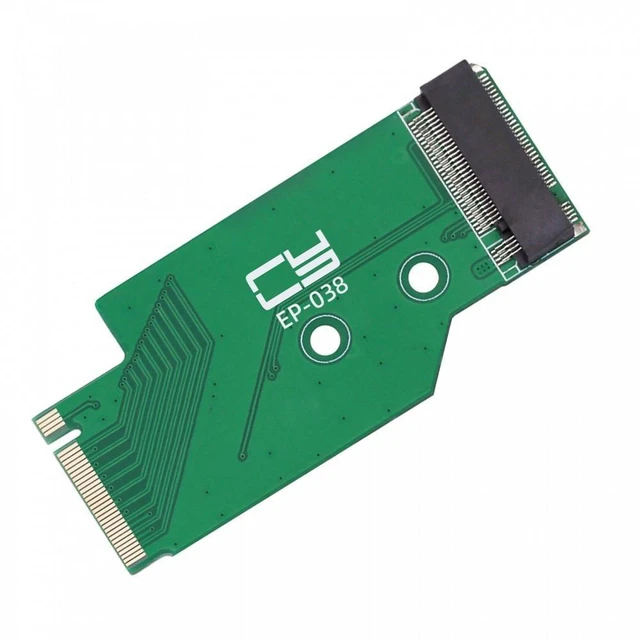
    NGFF NVMe M-Key 2242 to 2280 M.2 SSD Extension Adapter 22x42mm to 22x80mm Male to Female PCI-Express4.0 x4 2280 Drive Storage Upgrade 2mm Maximum SSD Height Compatible with Legion Go Game Boy

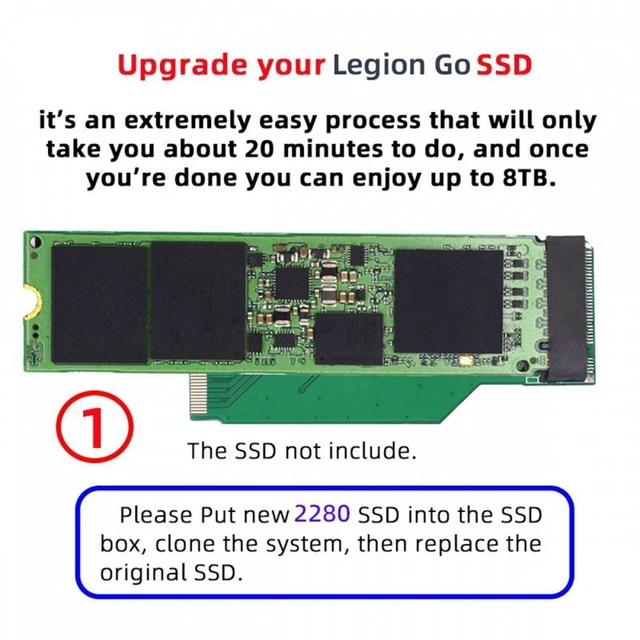
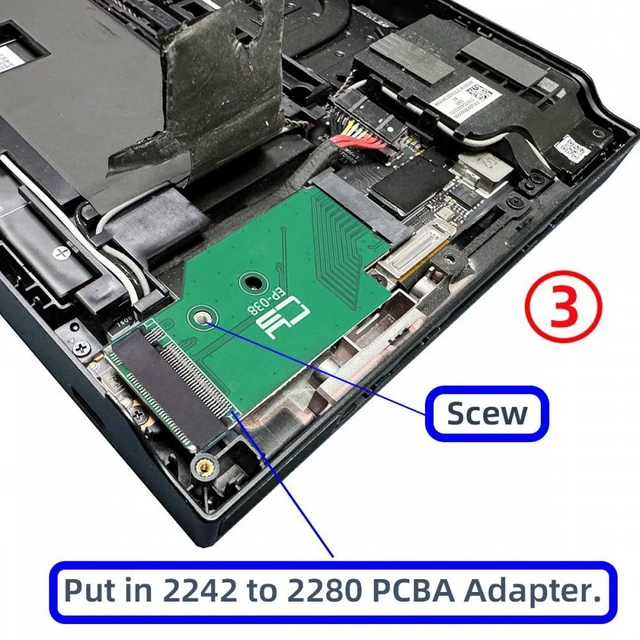
    • NGFF NVME M-Key adapter extends a 2242 NVME connection for use with a 2280 NVME SSD.
    • The adapter uses a 22x42mm to 22x80mm layout with a male-to-female connection design.
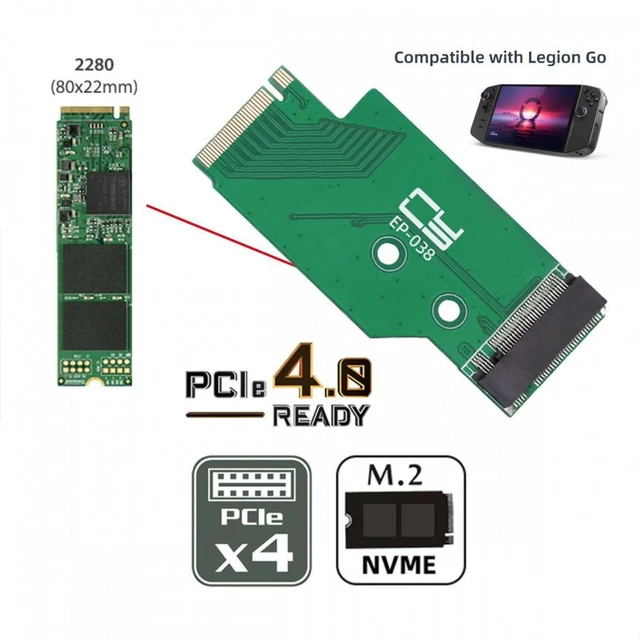
    • Built with a PCI-Express4.0 x4 adapter interface for the described NVME extension configuration.
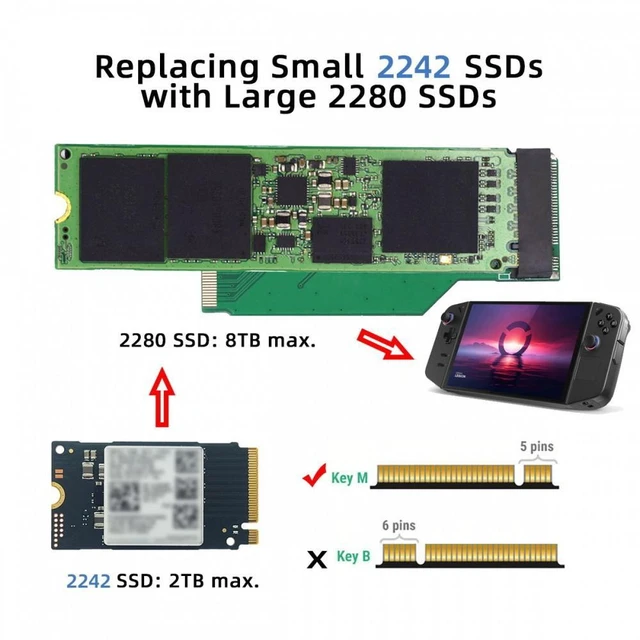
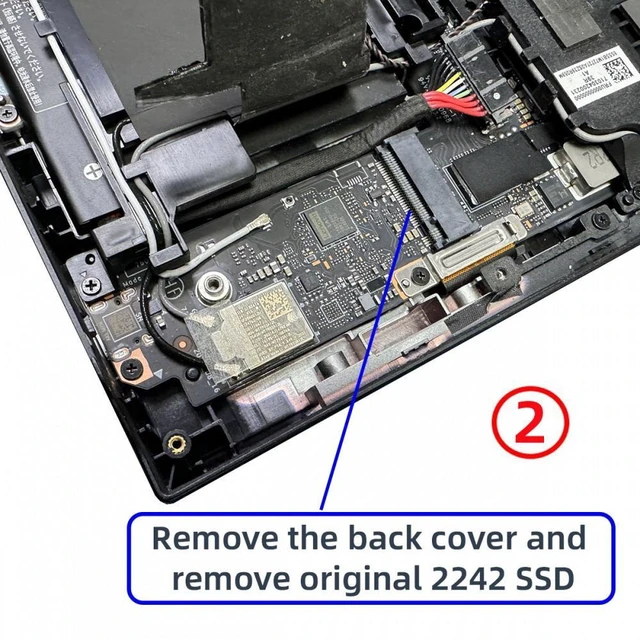
    • 2280 M.2 SSD after the original 2242 SSD is replaced.
    • The described setup supports storage capacity of up to 8TB when paired with a suitable 2280 SSD.
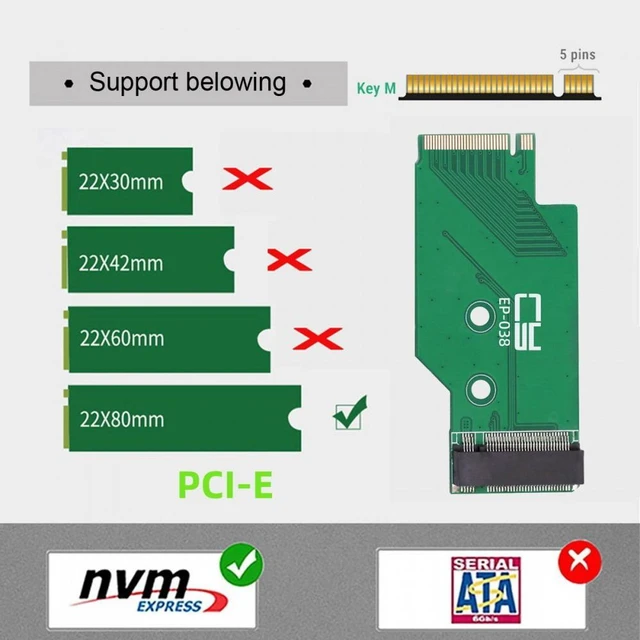
    • This adapter does not convert NVME to SATA or SATA to NVME; both drives must use the stated NVME format.
    • Installation involves placing the new 2280 SSD in the SSD box, cloning the system, and replacing the original drive.
    • Keep the replacement SSD height at 2mm or lower so the back cover can close properly; the SSD cannot be secured by screw.
    +
    +
    Overview
    Specs
    Reviews
    avatar

    Any questions? Our AI mode will help you find out quickly.

    Product Description:

    An NGFF NVME M-Key male-to-female extension adapter for connecting a 22x42mm SSD to a 22x80mm configuration in a Legion Go handheld console.

    Core Selling Points:

    Extends the SSD connection to accommodate a 2280 M.2 SSD. The adapter uses a PCI-Express 4.0 x4 interface and supports storage expansion up to 8TB, as stated in the source.

    Technical Specifications:

    SSD interface: NGFF NVME M-Key. Adapter dimensions: 22x42mm to 22x80mm. Connection: male to female. Interface: PCI-Express 4.0 x4.

    Before Purchase:

    For the Legion Go. Supports NVME-to-NVME extension only; it does not convert NVME to SATA or SATA to NVME. The replacement SSD height must be 2mm or lower to allow the back cover to close. The source notes that the replacement SSD cannot be secured with a screw.

    Warranty & Returns

    Warranty, Returns, And Additional Information

    Warranty

    • Please contact the Seller directly for warranty information. Warranty information may also be found on the Manufacturer's website.
    • CONTACT

    Return Policies

    • Return for refund within: 30 days
    • Return for replacement within: non-replaceable
    • This item is covered by GeekSpace Return Policy

    Manufacturer Contact Info

    LOADING...