

Your Browsing History





Any questions? Our AI beta will help you find out quickly.
Specification
Compliant with PCI Express specification Revision 4.0(16GT/s)
Supporting transfer rate of 2.5Gb,5Gb, 8Gb or 16Gb per lane
Bus width: PCIe4.0 x8
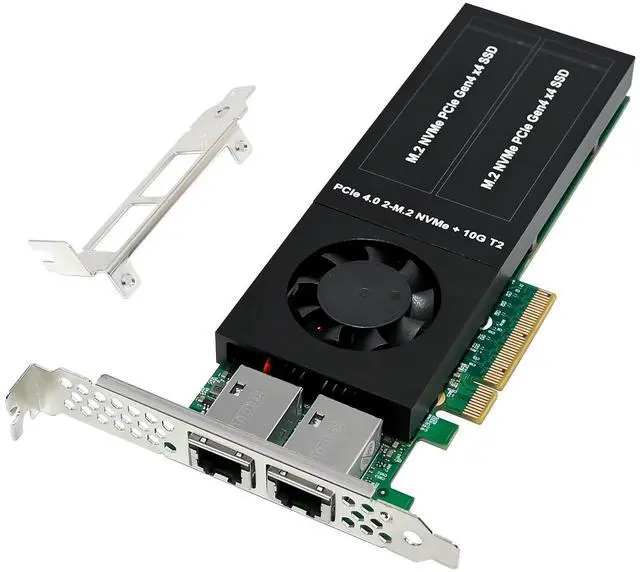
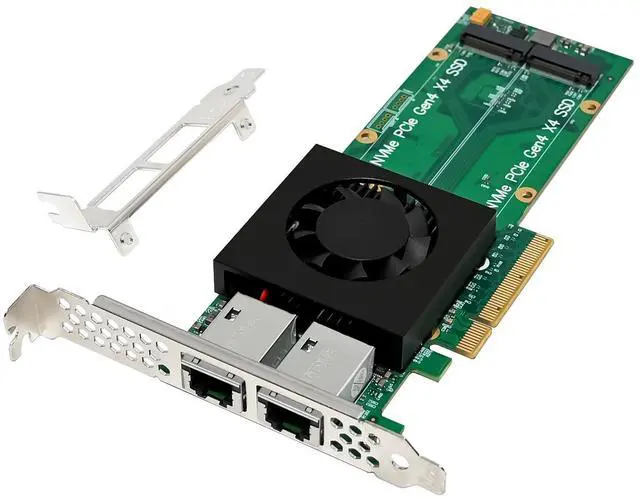
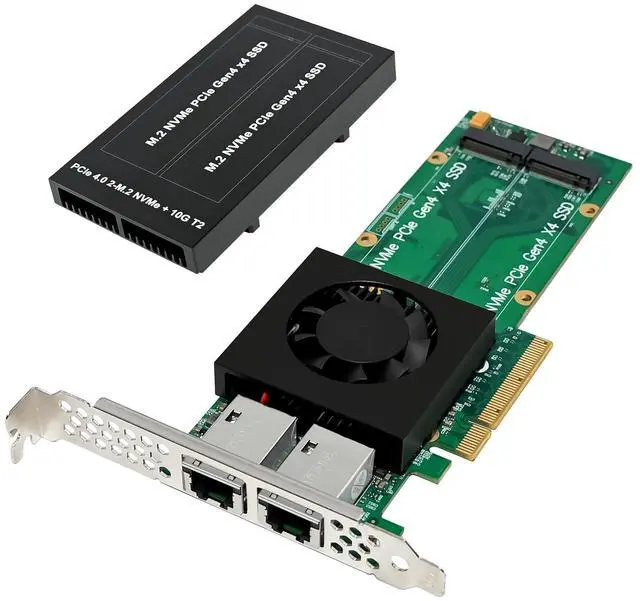
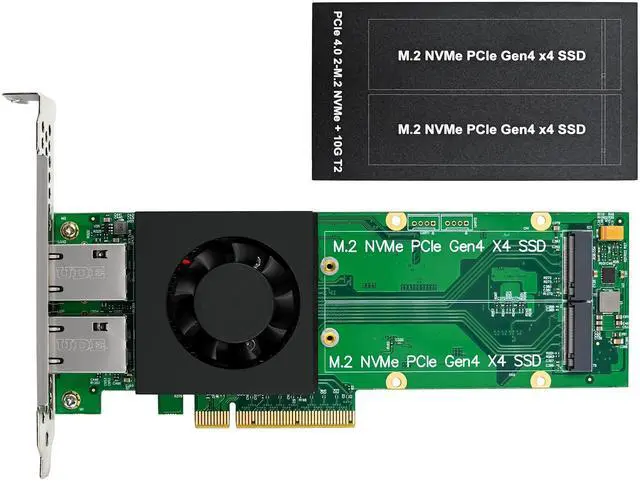
Support 2x M.2 2280 NVMe with PCI Express (Gen4 x4) protocol
Support 2x 10G multi-Gigabit network
MDI(Copper) standard IEEE802.3 Ethernet interface up to 10Gb/s
Integrated Marvell Alaska PHY featuring NBASE-T technology
6-speed support of 10G/5G/2.5G/1G/100M/10M
Energy Efficient Ethernet (EEE) support
Advanced cable diagnostics
Audio Video Bridging (AVB) and PTP/1588 v2 support
LSO, RSS, DCA and header checksum
Wake-on-LAN power management
Jumbo Frames up to 16Kbytes
IPv4/IPv6, IPv6/TCP, and IPv6/UDP checksum offload
Address Resolution Protocol (ARP)
Transmission Control Protocol (TCP) keepalives support link checking between devices
Feature Table
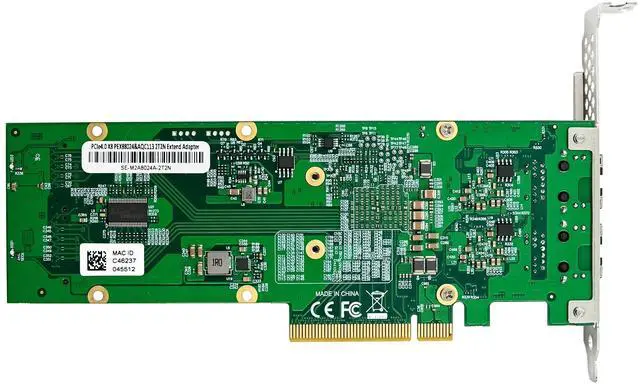
Product Name PCIe4.0 x8 PEX88024&AQC113C 2N2T Adapter card
Chipsets PEX88024&AQC113C x2
PCIe bus width PCIe Gen4 x8
Downstream port 2x M.2 2280 NVMe and 2x 10G network Port
Size (DxWxH) 187 × 19.35 × 68.9 mm
Form factor Low-profile/High-profile
Transmitting Media RJ45; 10G through CAT-6a Copper or better
5G/2.5G/1000/100/10BASE-Te: Over 100 meters of CAT5e or better
Network Speed 10G/5G/2.5G/1G/100/10M
Network Protocol IEEE802.3an, IEEE802.3bz, IEEE802.3ab, IEEE802.3u and IEEE802.3, IEEE802.3x, IEEE802.3z, IEEE 1588-2008, 802.1as-2011, IEEE802.3az, IEEE802.1Q-2014
Network LED inductor Support
Jumbo Frame 16KB
Heat Dissipation Method Active Fan
Other functions PXE, WoL
Operating Temperature 0~70
Storage Temperature -40~85
Chip Power Consumption 11.5W max
Application Platform NAS, PC, Server
Relative Humidity 0-90% non-condensing
Operating systems Windows: Win10 and Win11 32/64bit
Linux: Linux Kernel 3.10/5.X or later,
Package content
1 x PCIe4.0 x8 PEX88024&AQC113C 2N2T Adapter card
1 x Users Manual
1 x CD
1 x Low profile bracket
Accessories
System Requirements
Microsoft Windows10 and Windows11 32 or 64bit
Linux3.10/5.x or later
Available PCI Express x8/x16 slot
Hardware installation
1. Turn off the computer and unplug the power cord
2. Remove the computer cover and adapter slot cover from the adapter slot.
3. Use a screw driver to open the adapter's heat sink and install two adapted M.2 SSDs into the M.2 slots and lock them in place with screws
3. Insert the adapter edge connector to the slot and secure the bracket to the chassis
4. 4. Recover the computer cover, and then plug in the power cord
5. Power on the computer
Install Drivers
Windows Operating Systems
You must have administrative rights to the operating system to install the drivers.
1.insert the CD driver bound with PCIe4.0 x8 PEX88024&AQC113C 2N2T Adapter card driver into your CD-ROM drive:
2.if the Found New Hardware Wizard screen is displayed, click Cancel
3.Open the location of the driver file and select the driver file according to the system type.
For Windows 32bit
Type AQC113C\AQC113\DRIVER\v3.1.3\Marvell_FastLinQ_Edge_Win_3.1.3\Installer\Marvell_FastLinQ_Edge_x32_ver3.1.3.0
For Windows 64bit
4.Type AQC113C\AQC113\DRIVER\v3.1.3\Marvell_FastLinQ_Edge_Win_3.1.3\Installer\Marvell_FastLinQ_Edge_x64_ver3.1.3.0
5.Double click it
6.Follow the instructions in the install wizard to finish it
Installing Linux Drivers from Source Code
1.Download and expand the base driver tar file.
2.Compile the driver module
3.Install the module using the modprobe command
4.Assign an IP address using the ifconfig command
Support
More information and settings, please refer to the Adapter User Guides or you can contact us.