




 here!
here!
I’m your shopping assistant for PC builds, upgrades, and everything tech.
Got questions? Ask away!
Start a conversation
here!
I’m your shopping assistant for PC builds, upgrades, and everything tech.
Got questions? Ask away!
Start a conversation





Any questions? Ask CelesteSM will help you find out quickly.
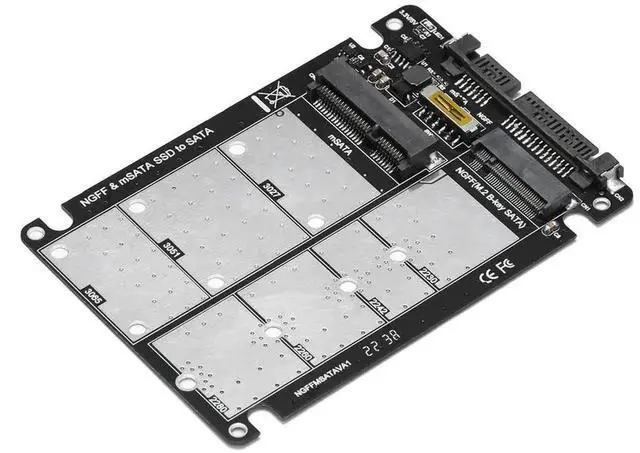
This all-in-one mSATA + M.2 SATA combo adapter enclosure integrates two mainstream small-form-factor SSD slots into a single 2.5-inch SATA module. It allows users to reuse spare mSATA or NGFF SATA M.2 solid state drives on laptops, desktops and external storage devices with standard SATA ports, greatly improving hardware utilization rate.
Built with stable SATA conversion circuit, the adapter maintains full 6Gbps bandwidth to deliver fast read and write speeds for daily media storage, disk cloning and archived data sorting. The integrated shell provides physical protection for SSDs while optimizing internal heat dissipation inside narrow drive compartments.
Adjustable positioning screws support all common M.2 lengths (2230/2242/2260/2280) and standard-size mSATA SSDs. High-precision gold-plated terminals effectively resist wear and oxidation from frequent assembly and disassembly. No complicated setup required; install your mSATA or M.2 SATA SSD into the matching slot, connect SATA data and power cables, and the operating system will automatically detect the storage module for immediate data access.


