• $92.98
  • Free 30-day Returns
  • Ships from China.
    Price alert
    Shop it at NeweggBusiness.

    AJMRTC OCuLink SFF-8612 SFF-8611 to M.2 NGFF M-Key NVMe SSD Enclosure Adapter, PCIe 4.0 x4 64Gbps 2280 SSD Converter for Motherboard External Storage Expansion

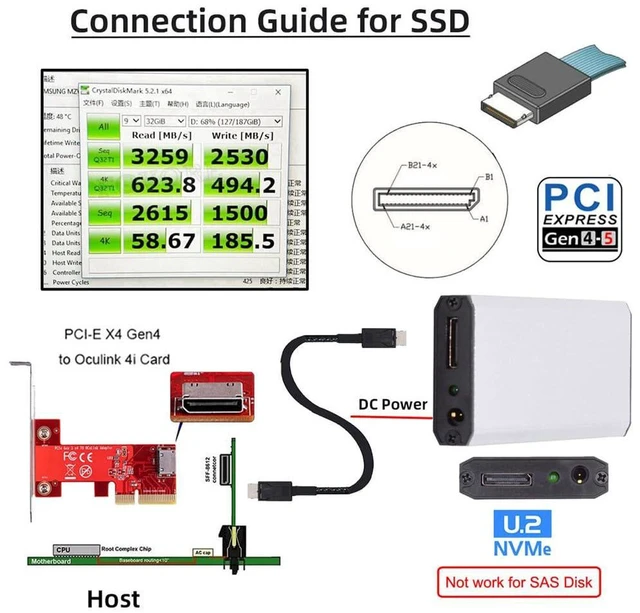
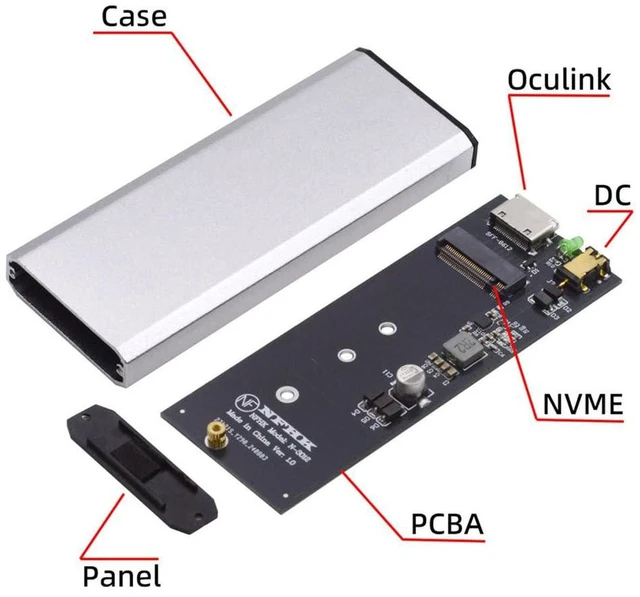
    • 1. Dual OCuLink Interface Compatibility: Works with both SFF-8612 and SFF-8611 OCuLink cables for flexible host connection
    • 2. PCIe 4.0 x4 64Gbps Full Bandwidth: Native Gen4 signal pass-through, backward compatible with PCIe 3.0
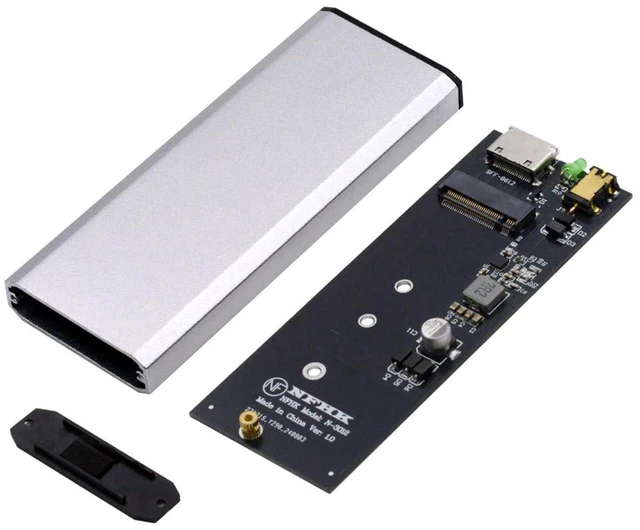
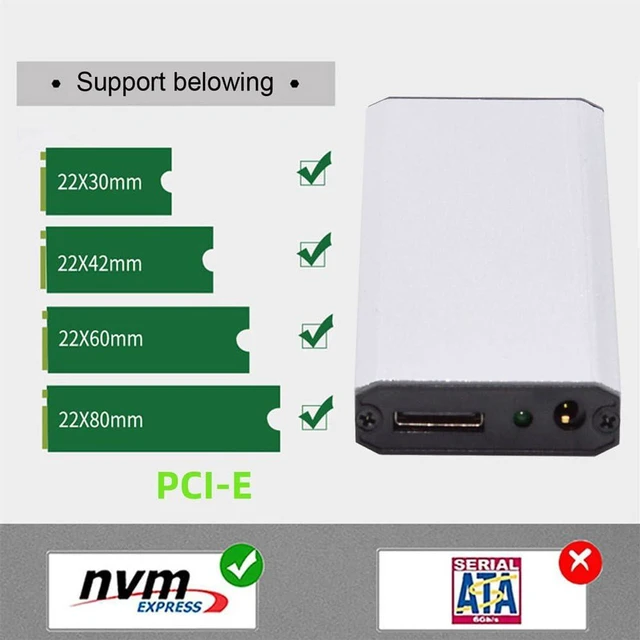
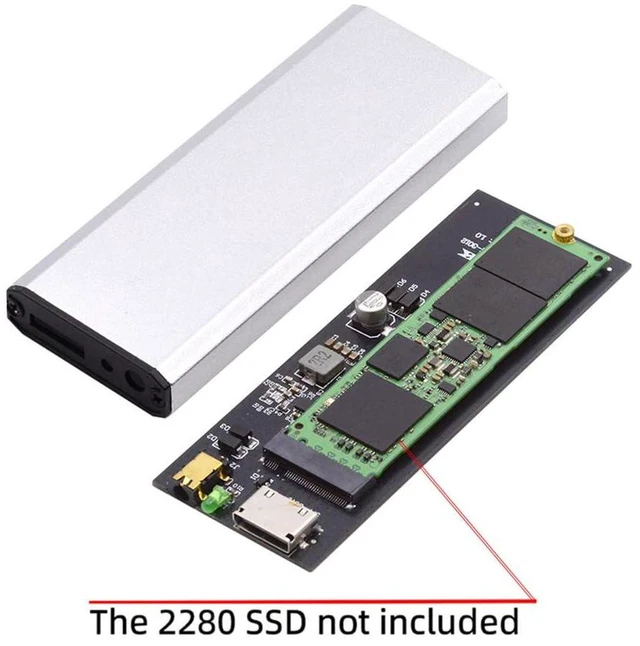
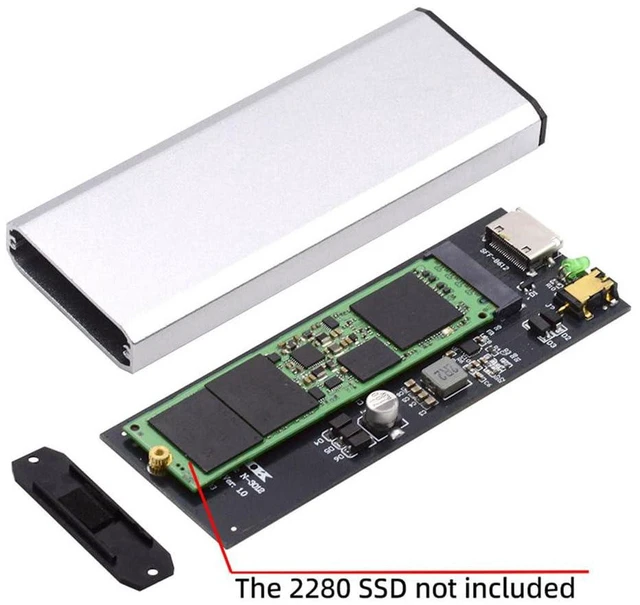
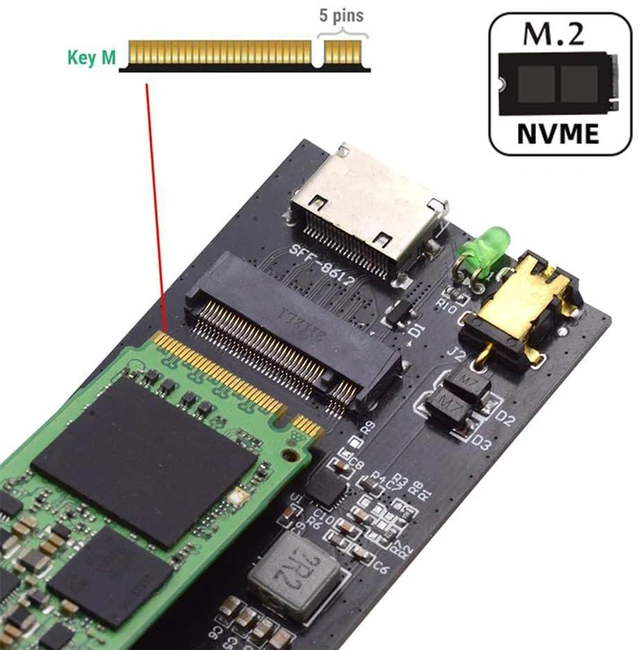
    • 3. M-Key M.2 Slot for 2280 NVMe SSD: Exclusive for M-Key 2280 PCIe NVMe SSD, simple screw mounting
    • 4. NVMe Protocol Direct Transmission: No extra driver needed, maintains low latency for large file editing and backup
    • 5. Compact Enclosure Design: Built-in heat dissipation, ideal for workstation, mini PC and server storage expansion
    +
    +
    Overview
    Specs
    Reviews

    Any questions? Ask CelesteSM will help you find out quickly.

    AJMRTC OCuLink SSD enclosure adapter converts OCuLink SFF-8612 / SFF-8611 port to M.2 M-Key slot for 2280 NVMe PCIe SSD. It supports PCIe 4.0 x4 up to 64Gbps bandwidth and keeps native NVMe signal integrity without protocol conversion. The metal housing helps dissipate heat under continuous heavy read-write workloads. It is widely used for motherboard external NVMe storage expansion, video editing cache, hardware testing and small-form-factor DIY builds. This adapter only supports M-Key PCIe NVMe 2280 SSD; SATA M.2, B key and B+M key SSD are not supported. SSD and OCuLink cable are sold separately.


    Specifications

    1. Input Interface: OCuLink SFF-8612 / SFF-8611
    2. Output Slot: M.2 NGFF M-Key
    3. Supported SSD Size: 2280
    4. Supported SSD Type: PCIe NVMe SSD only
    5. PCIe Standard: PCIe 4.0 x4, backward compatible PCIe 3.0
    6. Max Bandwidth: 64Gbps
    7. Protocol: NVMe
    8. Cooling: Passive heat dissipation housing
    9. Supported OS: Windows, Linux, macOS
    10. Application: Motherboard external storage, Workstation, Mini PC, Hardware test
    11. Note: SATA SSD incompatible; SSD and OCuLink cable not included


    Warranty & Returns

    Warranty, Returns, And Additional Information

    Warranty

    • Please contact the Seller directly for warranty information. Warranty information may also be found on the Manufacturer's website.
    • CONTACT

    Return Policies

    Manufacturer Contact Info

    LOADING...