• $16.98
  • Free 30-day Returns
  • Ships from China.
    Price alert
    Shop it at NeweggBusiness.

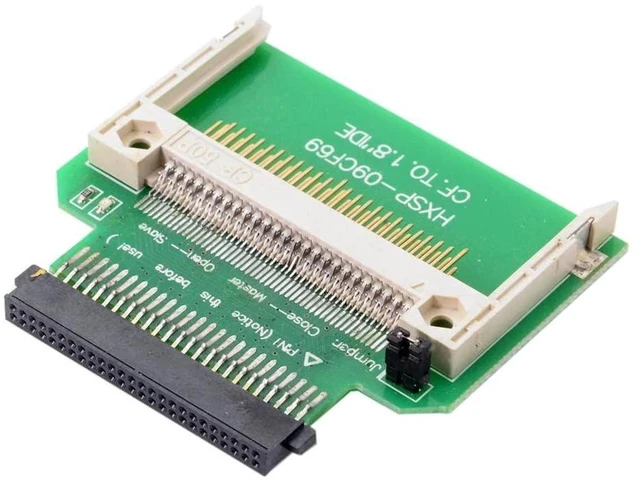
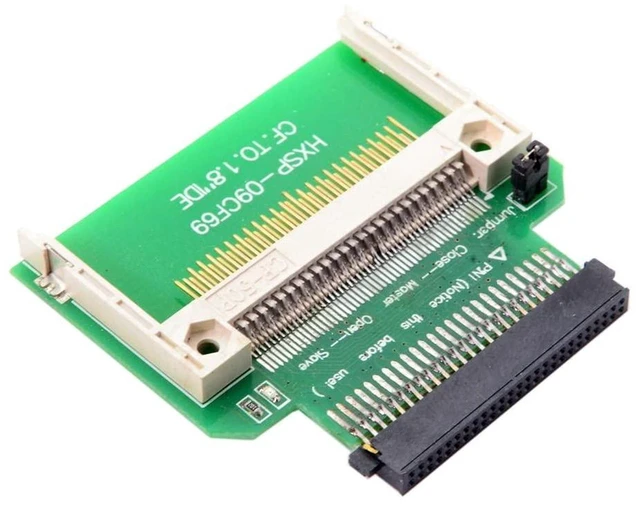
    AJMRTC Compact Flash CF Memory Card to 50Pin 1.8 Inch IDE PATA Converter Adapter, CF Card to 1.8" IDE HDD SSD Replacement, Bootable, Master Slave Jumper, Compatible with Vintage Mini Notebook, Industr

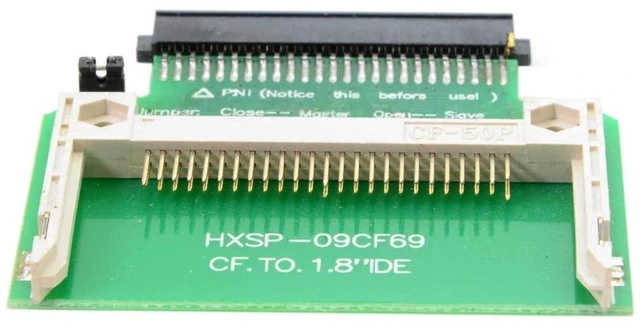
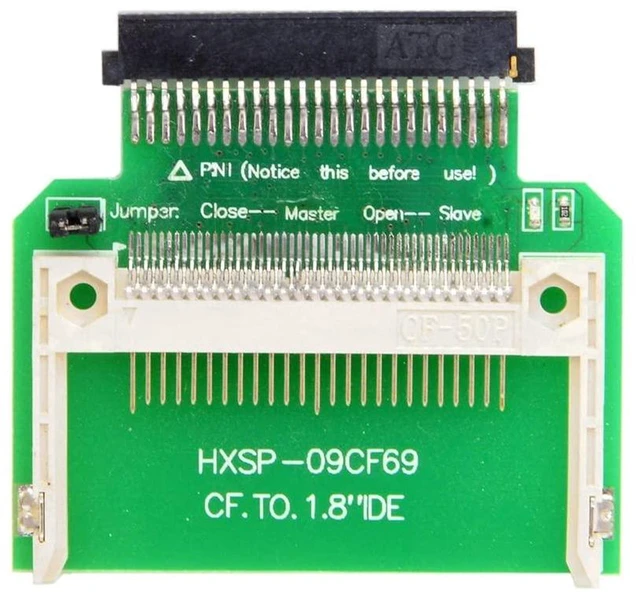
    • 1. Converts CF Type I/II card and MicroDrive to replace original 1.8-inch 50-pin IDE PATA hard drive
    • 2. Supports bootable function, works as system storage for retro laptops and legacy embedded devices
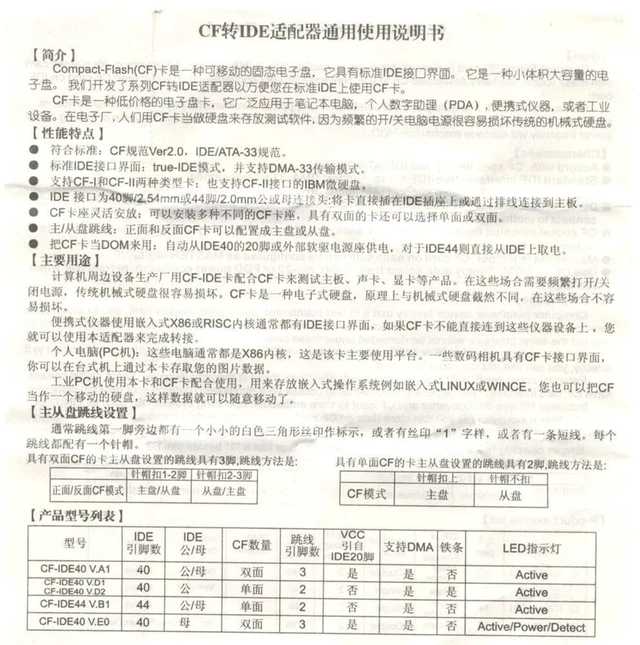
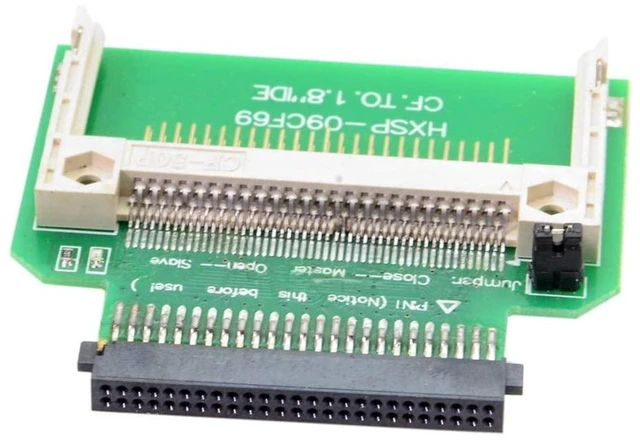
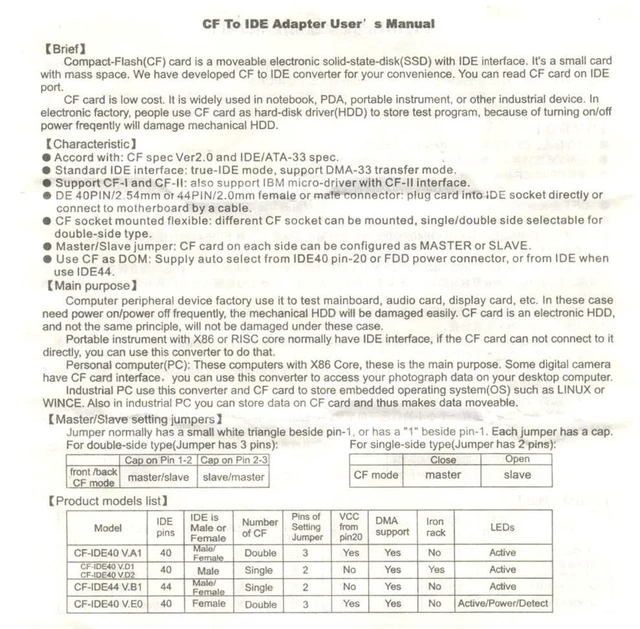
    • 3. Onboard jumper for Master / Slave mode selection to match IDE bus configuration
    • 4. Shockproof, silent and low power, no moving parts compared to aging mechanical IDE hard drives
    • 5. Supports PIO, MWDMA and Ultra DMA transfer modes, plug and play, no extra driver required
    +
    +
    Overview
    Specs
    Reviews

    Any questions? Ask CelesteSM will help you find out quickly.

    AJMRTC CF to 1.8 inch 50Pin IDE adapter converts standard CompactFlash memory card into a 1.8" IDE PATA hard disk. It fits directly into the 1.8-inch IDE hard drive bay of vintage small notebooks, industrial controllers and old media equipment. It supports CF Type I, Type II and MicroDrive. The onboard jumper allows switching between Master and Slave for IDE compatibility. Flash storage brings quieter operation, lower power consumption and better anti-vibration performance than traditional mechanical hard drives. It is widely used for retro laptop restoration, embedded systems, industrial control equipment and legacy storage upgrade.


    Specifications

    1. Interface: CF Card Socket to 1.8" 50Pin Male IDE PATA
    2. Supported Media: CompactFlash Type I / Type II, IBM MicroDrive
    3. Transfer Mode: PIO, MWDMA, Ultra DMA
    4. Mode Setting: Master / Slave via jumper
    5. Boot Support: Bootable as IDE hard drive
    6. Operating Voltage: 3.3V
    7. Board Material: PCB board without shell
    8. Applicable Devices: Vintage mini laptop, industrial controller, embedded equipment, legacy IDE media device


    Warranty & Returns

    Warranty, Returns, And Additional Information

    Warranty

    • Please contact the Seller directly for warranty information. Warranty information may also be found on the Manufacturer's website.
    • CONTACT

    Return Policies

    Manufacturer Contact Info

    LOADING...