here!
here!
I’m your shopping assistant for PC builds, upgrades, and everything tech.
Got questions? Ask away!
Start a conversation
here!
I’m your shopping assistant for PC builds, upgrades, and everything tech.
Got questions? Ask away!
Start a conversation

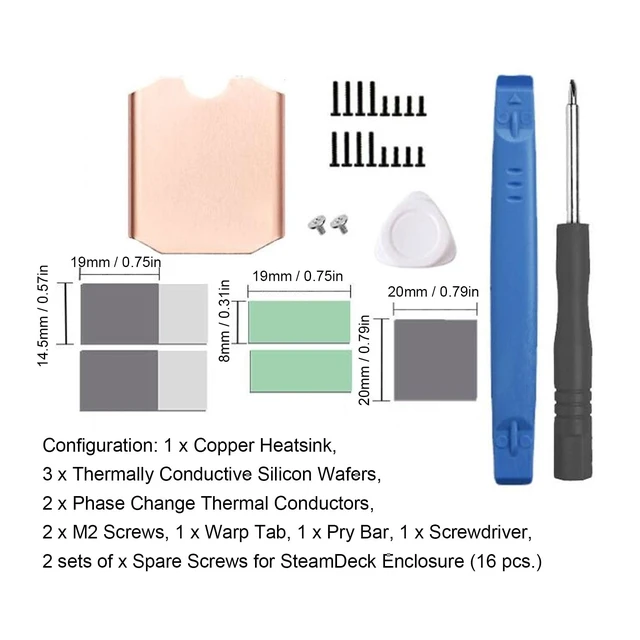
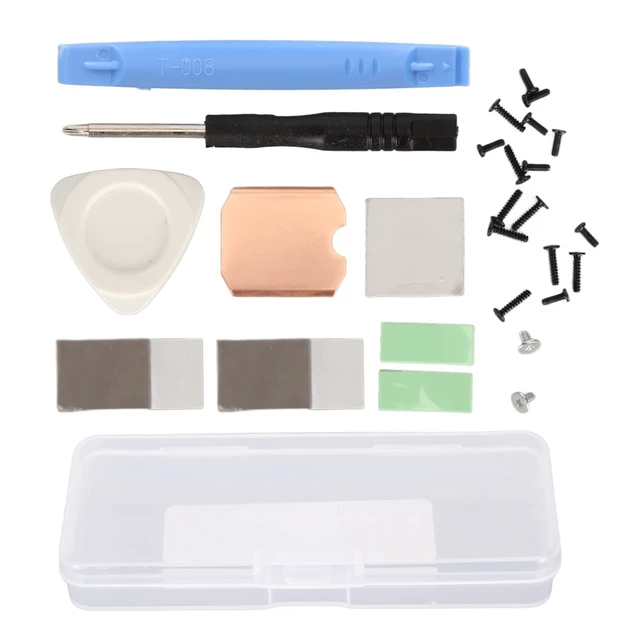



Any questions? Ask CelesteSM will help you find out quickly.
Spec:
Item Type: For Steam Deck SSD Heatsink Thermal Pad
Material: Copper, Silicone
Heat Dissipation Copper Sheet Size: Approx. 26 x 23 x 0.5mm / 1.02 x 0.91 x 0.02in
Compatible Brands: For Steam Deck, For ROG ALL
Applicable Hard Disk: M.2 2230 NVME SSD
How to Use:
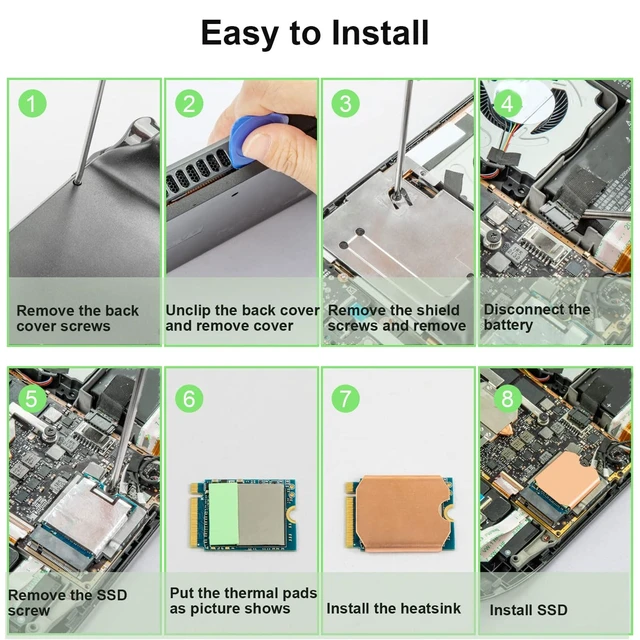
Hard Disk Cooling Installation Tutorial:
1. Turn off the for STEAM DECK.
2. Remove the eight screws on the back of the for STEAM DECK.
3. Pry off the rear cover. (1) Insert a tab along the of the righthand handle into the gap between the back cover and the front housing.
4. Remove the protective plate. (1) Use a screwdriver to unscrew the three screws securing the , one 3.4mm / 0.13in screw and two 3.7mm / 0.15in screws. (2) Remove the screws and detach the .
5. Remove the SSD. (1) Use a screwdriver to unscrew the screws securing the SSD. (2) Remove the fixing screws and pull out the hard disk.
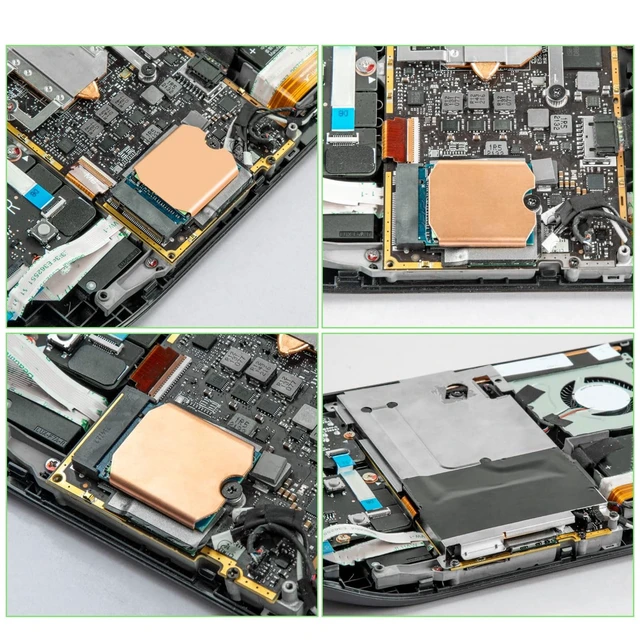
6. Install the heat sink (1) Peel off the heat sink protective film. (2) Tear off the protective film of the thermal paste and stick the thermal paste on the of the hard disk particles as shown in the picture. (3) Align the heat sink with the hard disk and press it into the thermal slot.
7. Install the SSD. Reinsert the SSD with the heat sink installed into the slot and tighten the screws
PackageList:
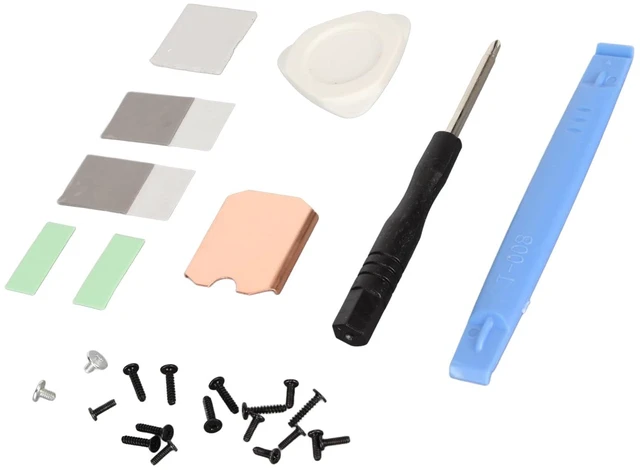
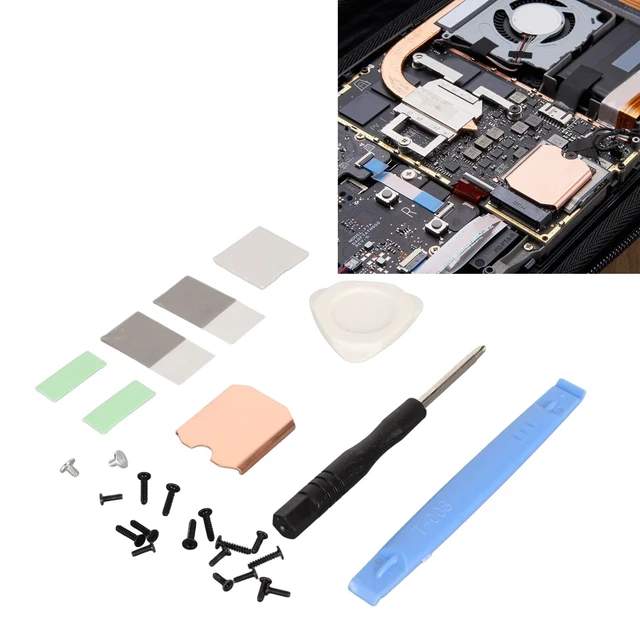
1 x Copper Heat Sink
2 x Phase Change Thermal Pad
3 x Silicon Thermal Pad
1 x Screwdriver
1 x Open Pry Bar
1 x Triangle Pry Tool
18 x Screw
1 x Storage Box