Your Browsing History
- Free 30-day Returns
$17.98
Ships from China.
Meet Your Seller
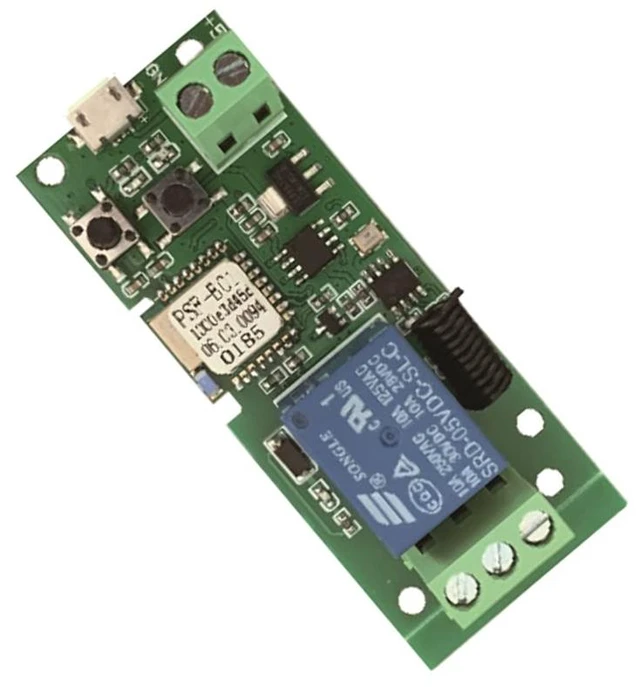
Updated WiFi Wireless Smart Switch Inching Self-Locking Relay Module,Set Inching Time from 0.5 Second to 1 Hour,be Applied to Access Control,DIY WiFi Garage Door Opener (5V)
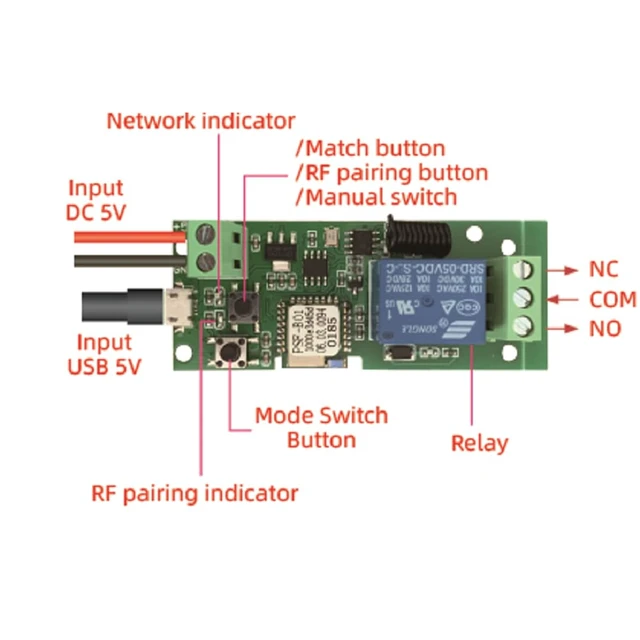
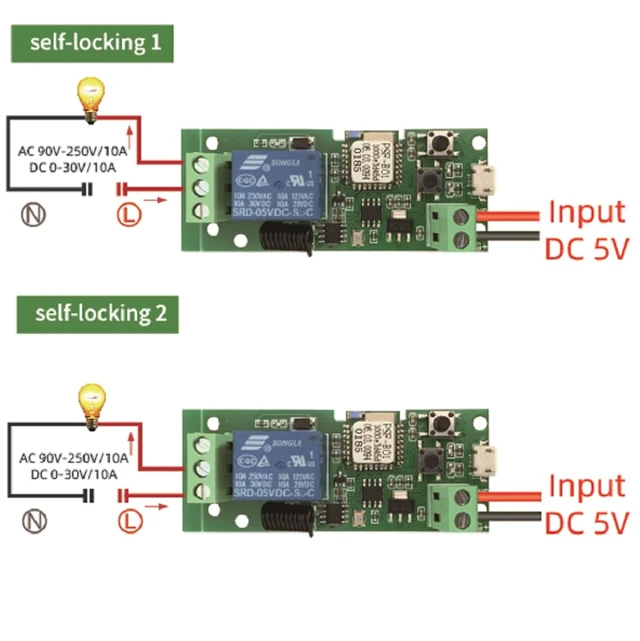
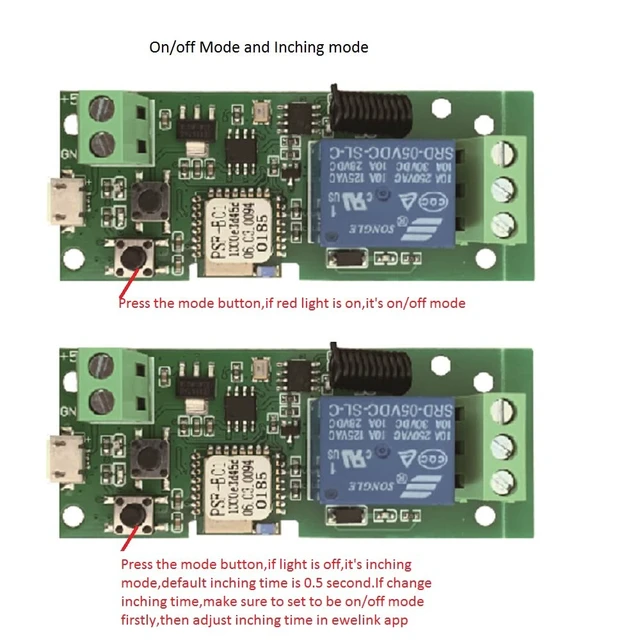
- DC 5V WIFI Relay Module,working model Inching or Self-locking ,change work mode by pressing the mode button on board. default inching time is 0.5 second,if need to change inching time,you have to set it to self-lock mode firstly by pressing mode button,then adjust inching time in ewelink app.
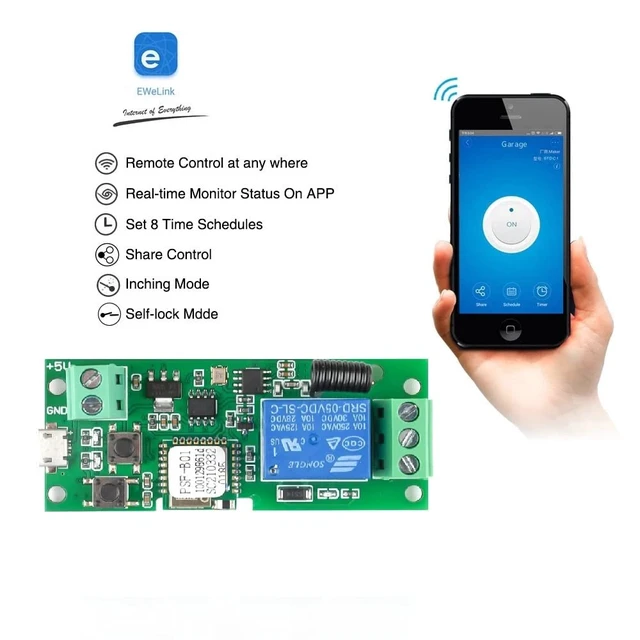
- WIDELY Usage,The WiFi Smart Switch Module can be applied to 97% home appliances,add wifi to your garage door opener lights fireplace computer.Support 2.4G WIFI only,if your router with dual bands and same SSID,please change to different SSID or close 5G firstly.When pairing,please be sure to put the relay close to your router.if can't configure with quick mode,please try to use compatible mode
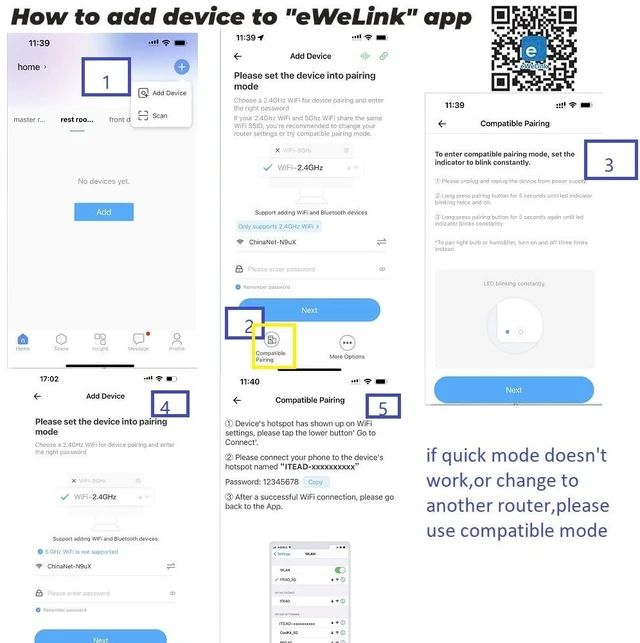
- Two pairing method,quick mode and compatilbe mode.Once it's power on,red light will flash 2 short 1 long,it is in quick mode, no need to press pair button,open ewelink app,it will find your SSID automatically,enter your correct wifi password.If quick mode doesn't work,please use compatible mode.press the pairing button about 8 second until red light quickly blink,open ewelink app and scroll down to find compatible mode,there is instruction step in app
- Voice control,once configured with ewelink app,link it to Alexa Google assistant,use your voice comand to control your home when busy.And you can use Siri by creating shortcut
- Timing and share with family,you can creat 8 group count down/up schedule timer at most,share with others to use phone wifi control lights garage etc
+
+
Overview
Specs
Reviews
Any questions? Ask CelesteSM will help you find out quickly.
Try me now
DC 5V WIFI Relay Module, working model Inching or Self-locking, change work mode by pressing the mode button on board. default inching time is 0.5 second, if need to change inching time, you have to set it to self-lock mode firstly by pressing mode button, then adjust inching time in ewelink app.. WIDELY Usage, The WiFi Smart Switch Module can be applied to 97% home appliances, add wifi to your garage door opener lights fireplace computer. Support 2.4G WIFI only, if your router with dual bands and same SSID, please change to different SSID or close 5G firstly.
When pairing, please be sure to put the relay close to your router. if can't configure with quick mode, please try to use compatible mode. Two pairing method, quick mode and compatilbe mode. Once it's power on, red light will flash 2 short 1 long, it is in quick mode, no need to press pair button, open ewelink app, it will find your SSID automatically, enter your correct wifi password. If quick mode doesn't work, please use compatible mode. press the pairing button about 8 second until red light quickly blink, open ewelink app and scroll down to find compatible mode, there is instruction step in app.
Voice control, once configured with ewelink app, link it to Alexa Google assistant, use your voice comand to control your home when busy. And you can use Siri by creating shortcut. Timing and share with family, you can creat 8 group count down/up schedule timer at most, share with others to use phone wifi control lights garage etc
When pairing, please be sure to put the relay close to your router. if can't configure with quick mode, please try to use compatible mode. Two pairing method, quick mode and compatilbe mode. Once it's power on, red light will flash 2 short 1 long, it is in quick mode, no need to press pair button, open ewelink app, it will find your SSID automatically, enter your correct wifi password. If quick mode doesn't work, please use compatible mode. press the pairing button about 8 second until red light quickly blink, open ewelink app and scroll down to find compatible mode, there is instruction step in app.
Voice control, once configured with ewelink app, link it to Alexa Google assistant, use your voice comand to control your home when busy. And you can use Siri by creating shortcut. Timing and share with family, you can creat 8 group count down/up schedule timer at most, share with others to use phone wifi control lights garage etc
Warranty & Returns
Warranty, Returns, And Additional Information
Warranty
- Please contact the Seller directly for warranty information. Warranty information may also be found on the Manufacturer's website.
- CONTACT
Return Policies
- Return for refund within: 30 days
- Return for replacement within: 30 days
- This item is covered by Zhiyi Technology Return Policy
Manufacturer Contact Info
- For a directory of all our manufacturers, please click below.
- Manufacturers Directory
LOADING...