Your Browsing History
Meet Your Seller
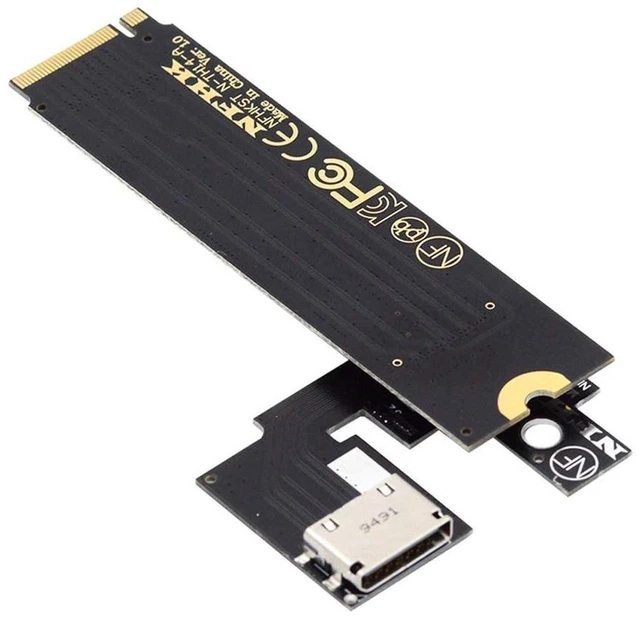
AJMRTC M.2 M-Key PCIe 3.0 to OCuLink SFF-8611 SFF-8612 Host Adapter, for ThinkBook 14+, Support External eGPU Dock and NVMe SSD Expansion
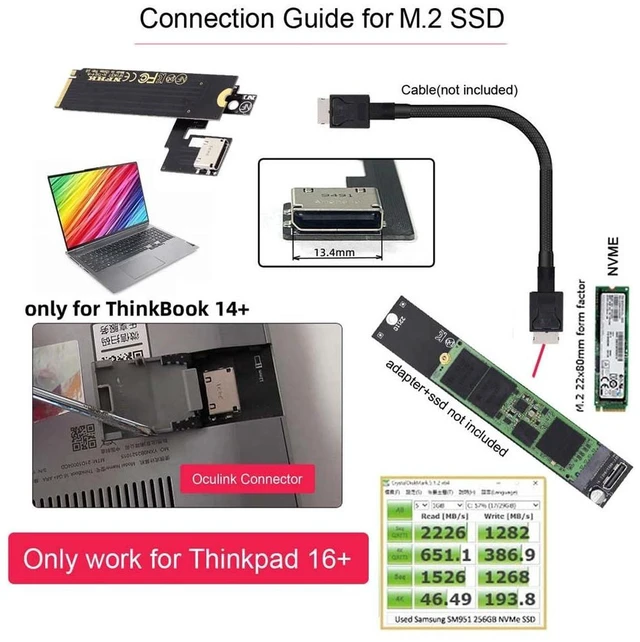
- - Designed for ThinkBook 14+ laptop M.2 M-key slot, PCIe 3.0 x4 32Gbps bandwidth
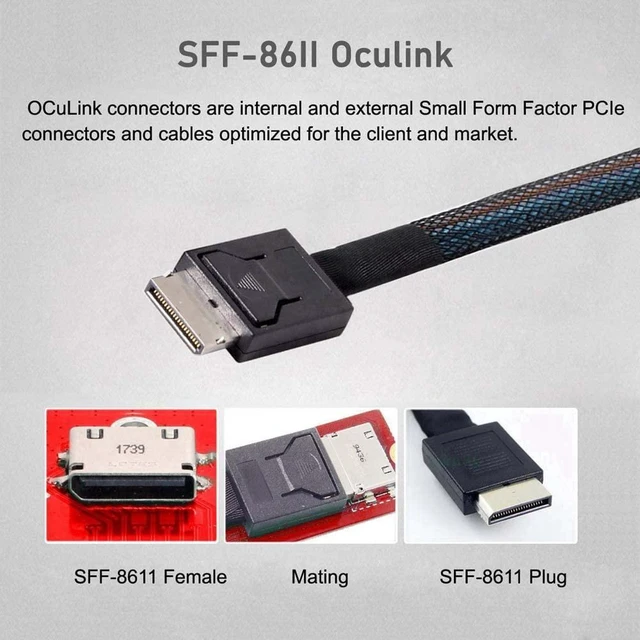
- - OCuLink port works with both SFF-8611 and SFF-8612 cables for flexible connection
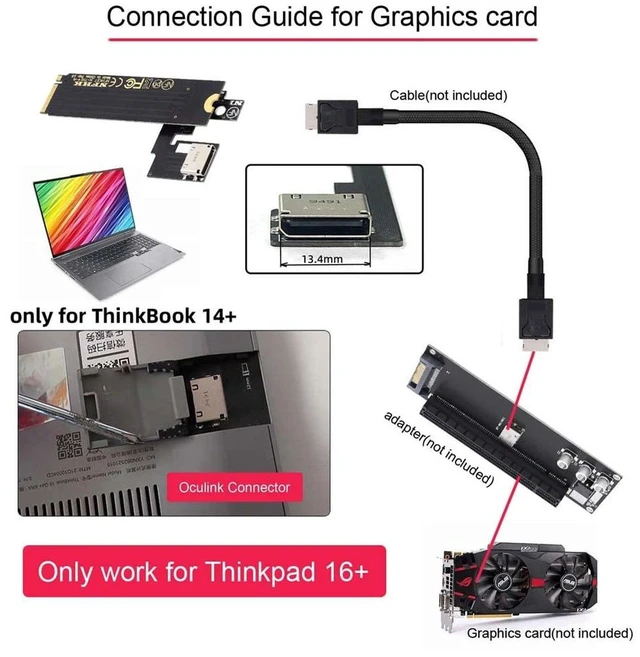
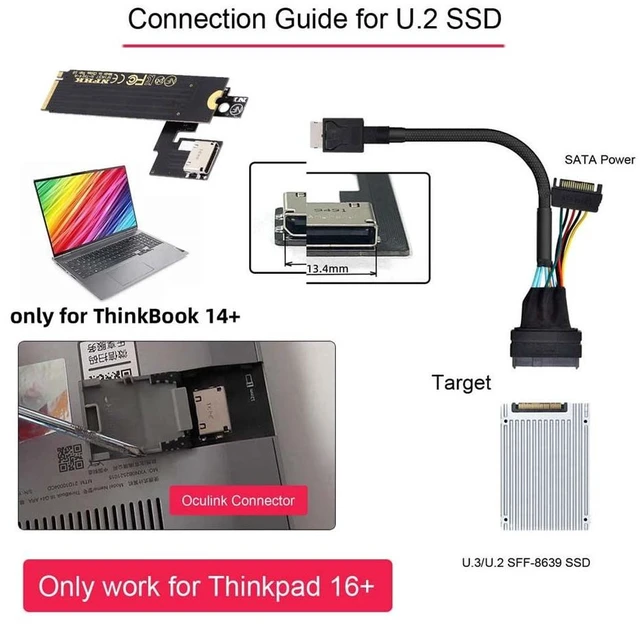
- - Dual usage: connect external graphics dock (eGPU) or U.2 / NVMe SSD storage
- - Low-latency native PCIe transmission, better performance than Thunderbolt / USB4 eGPU
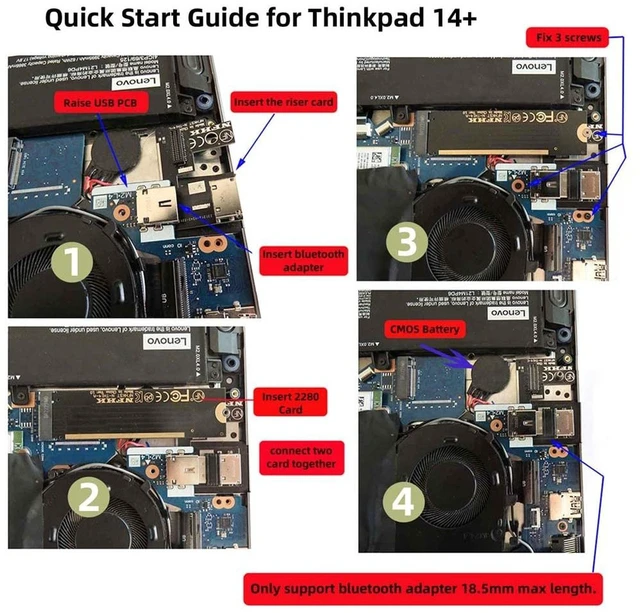
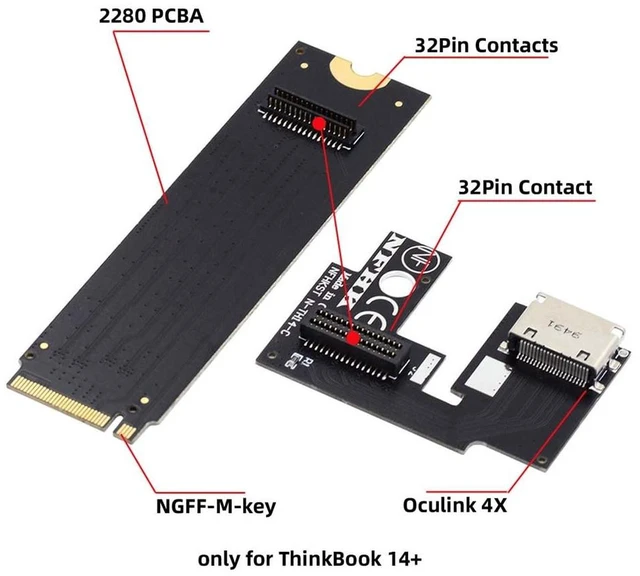
- - Compact onboard layout, easy internal installation inside ThinkBook 14+
+
+
Overview
Specs
Reviews
Any questions? Ask CelesteSM will help you find out quickly.
Try me now
AJMRTC M.2 M-key to OCuLink host adapter turns the spare M.2 NVMe slot of ThinkBook 14+ into an OCuLink interface. It runs on PCIe 3.0 x4, reaching up to 32Gbps transfer speed. You can hook up an external GPU dock for gaming and rendering, or attach U.2 NVMe SSD for high-speed storage expansion. Native PCIe signal brings lower latency and less performance loss. Please confirm your laptop has available M.2 M-key slot before purchase. Not hot-plug supported.
Specifications
- Brand: AJMRTC
- Host Interface: M.2 M-Key
- Output Interface: OCuLink SFF-8611 / SFF-8612
- PCIe Standard: PCIe 3.0 x4
- Bandwidth: Up to 32Gbps
- Compatible Laptop: ThinkBook 14+
- Supported Devices: eGPU Dock, U.2 NVMe SSD
- Protocol: NVMe / PCIe
- Hot Swap: Not Supported
- Compatible OS: Windows, Linux
Warranty & Returns
Warranty, Returns, And Additional Information
Warranty
- Please contact the Seller directly for warranty information. Warranty information may also be found on the Manufacturer's website.
- CONTACT
Return Policies
- Return for refund within: 30 days
- Return for replacement within: non-replaceable
- This item is covered by ConnectFlow USA Return Policy
Manufacturer Contact Info
- For a directory of all our manufacturers, please click below.
- Manufacturers Directory
LOADING...