







Migrate Pre-condition:
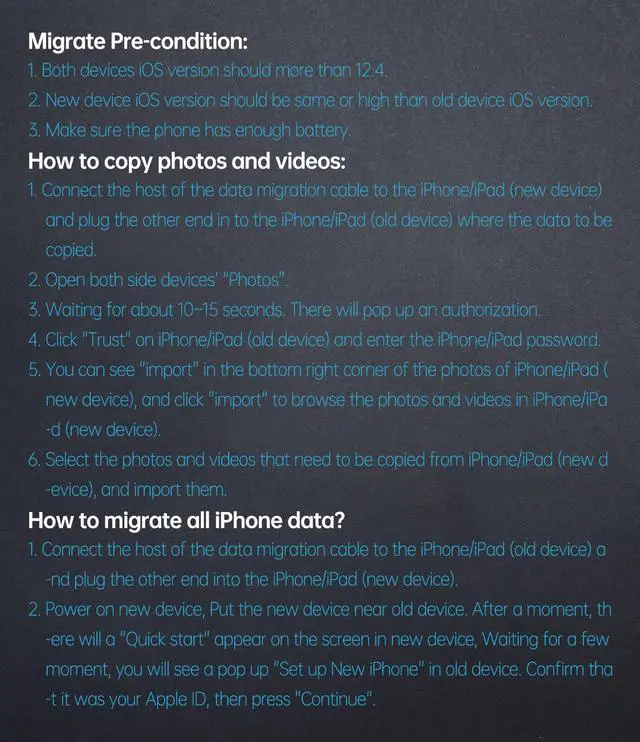
- both devices iOS version should more than 12.4.
- New devices iOS version should be same or high than old devices iOS version.
- Make sure the phone has enough battery.
Package
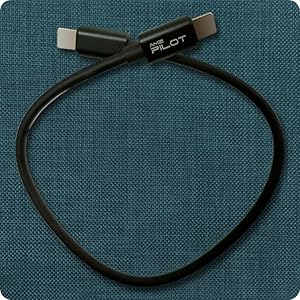
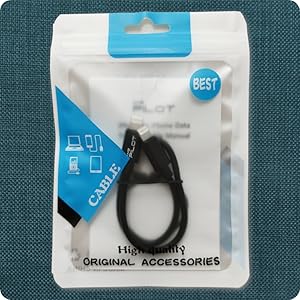
iOS OTG Cable
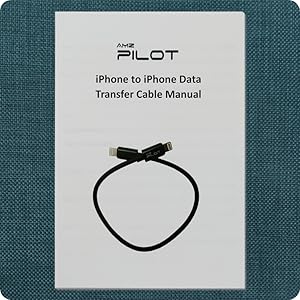
Instruction Manual
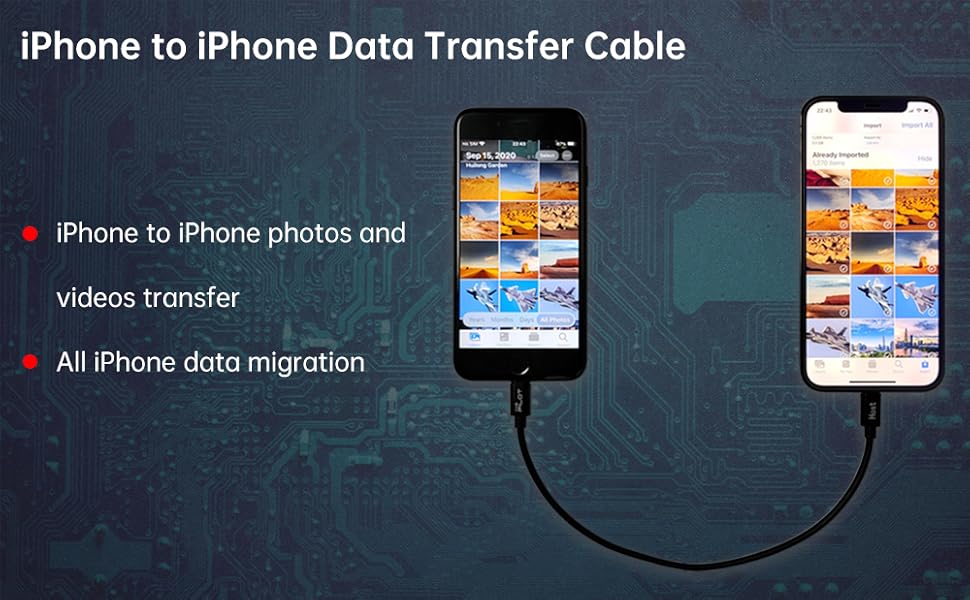
How to copy photos and videos:
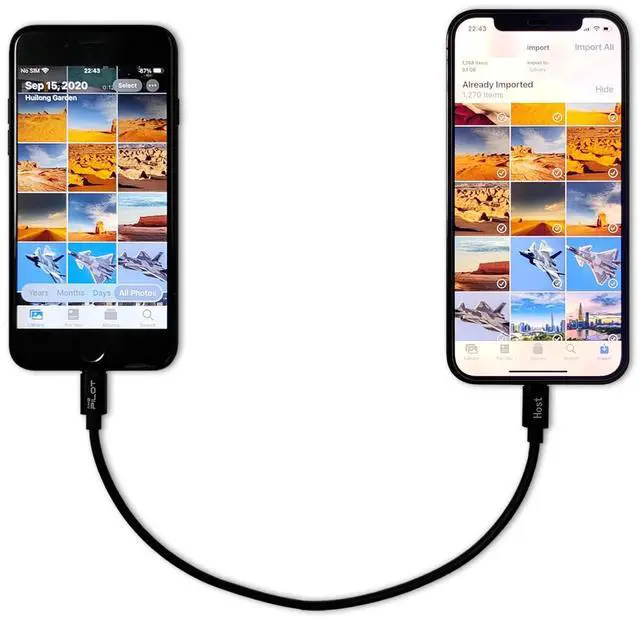
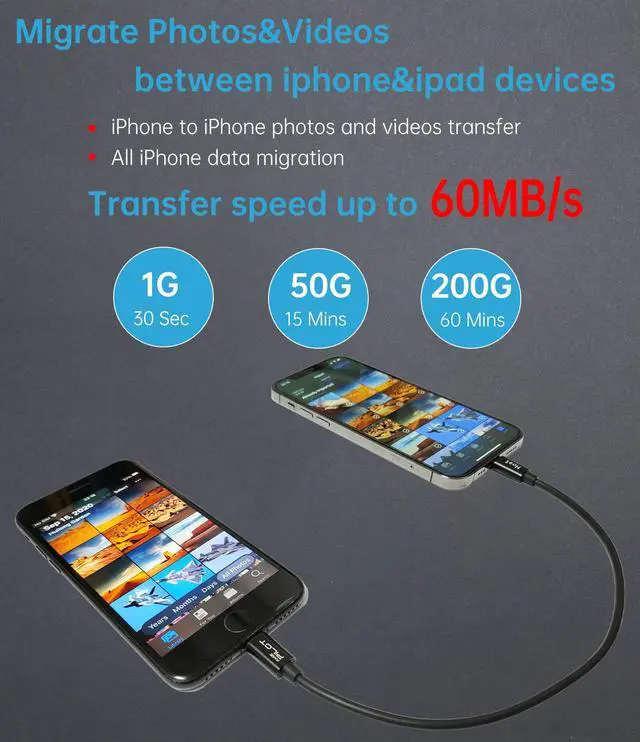
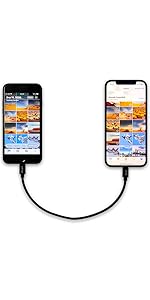
1. Connect the host of the data migration cable to the iPhone/iPad (new device) and plug the other end in to the iPhone/iPad (old device) where the data to be copied.
2. Open both side devices’ "Photos".
3. Waiting for about 10~15 seconds. There will pop up an authorization.
4. Click "Trust" on iPhone/iPad (old device) and enter the iPhone/iPad password.
5. You can see "import" in the bottom right corner of the photos of iPhone/iPad (new device), and click "import" to browse the photos and videos in iPhone/iPad (new device).
6. Select the photos and videos that need to be copied from iPhone/iPad (new device), and import them.
How to migrate all iPhone data?
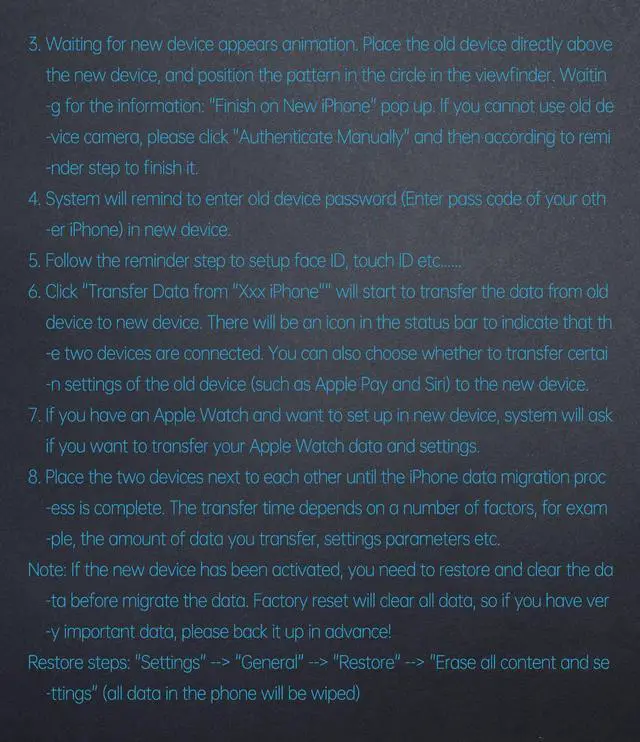
1. Connect the host of the data migration cable to the iPhone/iPad (old device) and plug the other end into the iPhone/iPad (new device).
2. Power on new device, Put the new device near old device. After a moment, there will a "Quick start" appear on the screen in new device, Waiting for a few moment, you will see a pop up "Set up New iPhone" in old device. Confirm that it was your Apple ID, then press "Continue".
3. Waiting for new device appears animation. Place the old device directly above the new device, and position the pattern in the circle in the viewfinder. Waiting for the information: "Finish on New iPhone" pop up. If you cannot use old device camera, please click "Authenticate Manually" and then according to reminder step to finish it.
4. System will remind to enter old device password (Enter pass code of your other iPhone) in new device.
5. Follow the reminder step to setup face ID, touch ID etc......
6. Click "Transfer Data from "Xxx iPhone"" will start to transfer the data from old device to new device. There will be an icon in the status bar to indicate that the two devices are connected. You can also choose whether to transfer certain settings of the old device (such as Apple Pay and Siri) to the new device.
7. If you have an Apple Watch and want to set up in new device, system will ask if you want to transfer your Apple Watch data and settings.
8. Place the two devices next to each other until the iPhone data migration process is complete. The transfer time depends on a number of factors, for example, the amount of data you transfer, settings parameters etc.
Note: If the new device has been activated, you need to restore and clear the data before migrate the data. Factory reset will clear all data, so if you have very important data, please back it up in advance!
Restore steps: "Settings" --> "General" --> "Restore" --> "Erase all content and settings" (all data in the phone will be wiped)
Q&A:
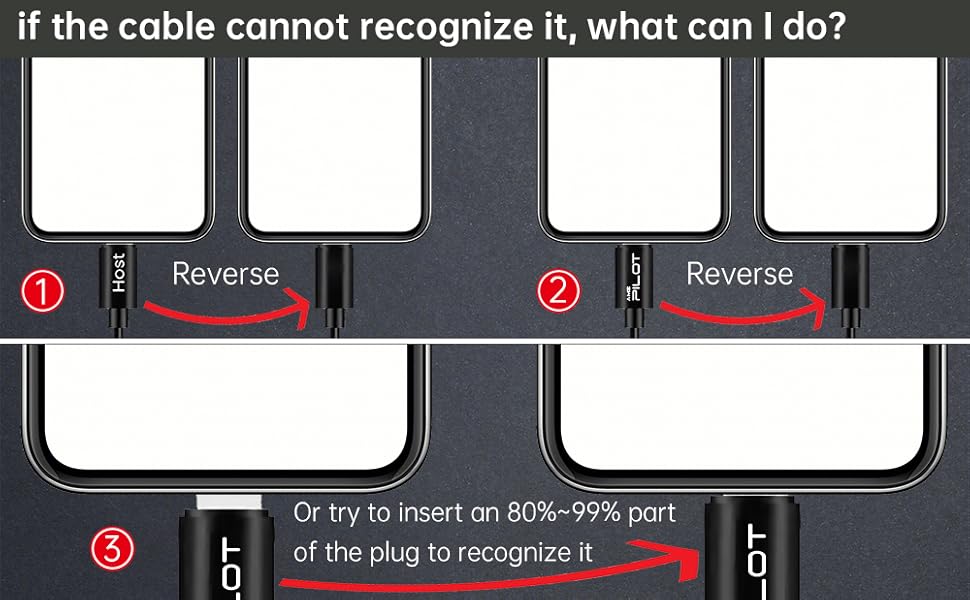
Q: if the cable cannot recognize it, what can I do?
A: Insert the data cable if can not recognize it, please try to reverse the plug. Or try to insert an 80%~99% part of the plug to let the devices try to recognize it (Since the phone has been used for a long time, the jack may be slightly damaged, slightly deformed, or loose, so sometimes it is not easy to recognize).
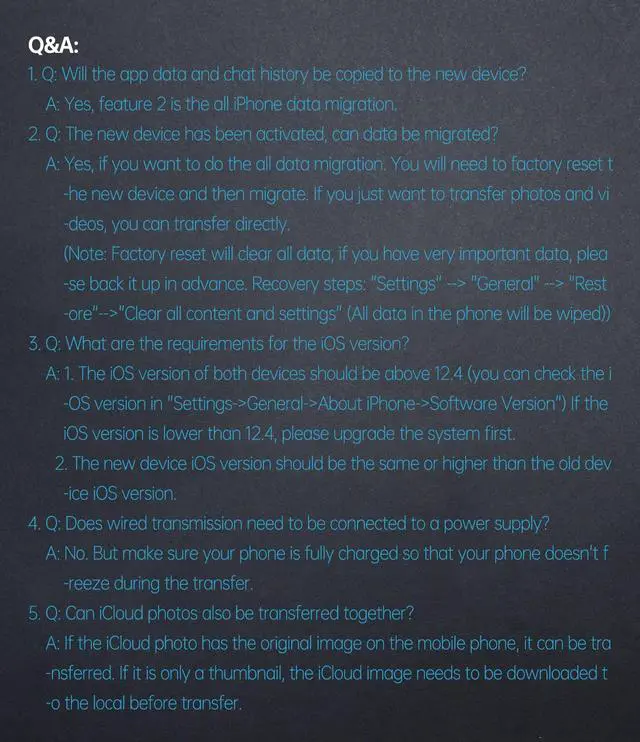
Q: Will the app data and chat history be copied to the new device?
A: Yes, feature 2 is the all-iPhone data migration.
Q: The new device has been activated, can data be migrated?
A: Yes, if you want to do the all data migration. You will need to factory reset the new device and then migrate. If you just want to transfer photos and videos, you can transfer them directly.
(Note: A factory reset will clear all data, if you have very important data, please back it up in advance. Recovery steps: "Settings" --> "General" --> "Restore" --> "Clear all content and settings" (All data in the phone will be wiped))
Q: What are the requirements for the iOS version?
A: 1. The iOS version of both devices should be above 12.4 (you can check the iOS version in "Settings->General->About iPhone->Software Version") If the iOS version is lower than 12.4, please upgrade the system first.
2. The new device's iOS version should be the same or higher than the old device's iOS version.
Q: Does wired transmission need to be connected to a power supply?
A: No. But make sure your phone is fully charged so that your phone doesn't freeze during the transfer.
Q: Can icloud photos also be transferred together?
A: If the iCloud photo has the original image on the mobile phone, it can be transferred. If it is only a thumbnail, the iCloud image needs to be downloaded locally before transfer.
 For Old iPhones Photos Videos All Data Migrate Cable 0.8ft | 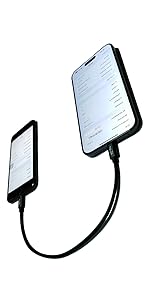 For Old iPhones to iPhone 15 Series All Data Migrate Cable | 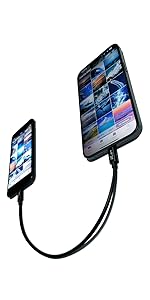 For Old iPhones to iPhone 15 Series Photos and Videos Transfer Cable | For Old iPhones Photos Videos All Data Migrate Cable 1.5ft | |
|---|---|---|---|---|
| Customer Reviews | — | — | — | — |
| Price | — | — no data | — no data | — no data |
| Features: | This cable for old iPhones to old iPhones photos/Videos/All data migrate cable. | This cable only for old iPhones to iPhone 15 series all data migrate cable. | This cable for old iPhones to iPhone 15 series photos & videos transfer cable. | This cable for old iPhones to old iPhones photos/Videos/All data migrate cable. |
| Transmission rate | USB 2.0 480Mb/s | USB 2.0 480Mb/s | USB 2.0 480Mb/s | USB 2.0 480Mb/s |
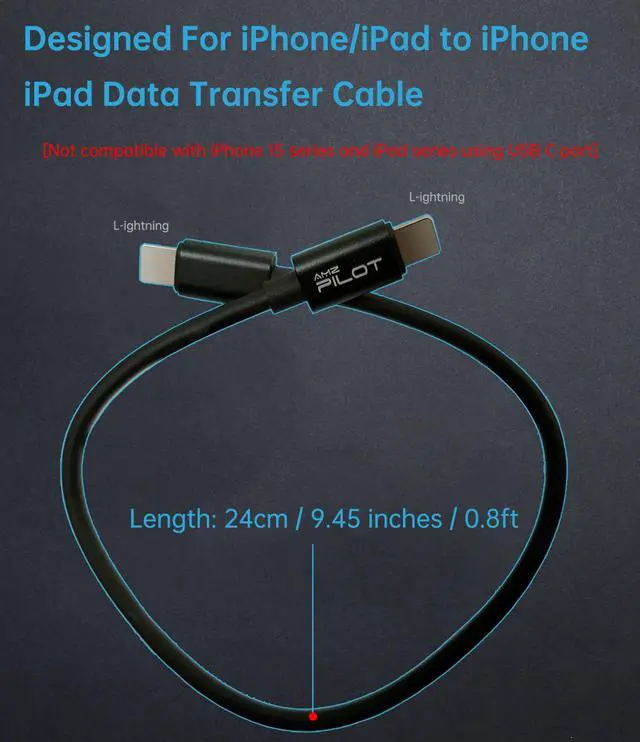
| Length: | 0.8ft | 0.8ft | 0.8ft | 1.5ft |
| Additional features: | No | No | Also an short USB C charge cable for old iPhones (14/13/12... Pro/Max/Plus/Mini) | No |









Migrate Pre-condition:
- both devices iOS version should more than 12.4.
- New devices iOS version should be same or high than old devices iOS version.
- Make sure the phone has enough battery.
Package
iOS OTG Cable
Instruction Manual
How to copy photos and videos:
1. Connect the host of the data migration cable to the iPhone/iPad (new device) and plug the other end in to the iPhone/iPad (old device) where the data to be copied.
2. Open both side devices’ "Photos".
3. Waiting for about 10~15 seconds. There will pop up an authorization.
4. Click "Trust" on iPhone/iPad (old device) and enter the iPhone/iPad password.
5. You can see "import" in the bottom right corner of the photos of iPhone/iPad (new device), and click "import" to browse the photos and videos in iPhone/iPad (new device).
6. Select the photos and videos that need to be copied from iPhone/iPad (new device), and import them.
How to migrate all iPhone data?
1. Connect the host of the data migration cable to the iPhone/iPad (old device) and plug the other end into the iPhone/iPad (new device).
2. Power on new device, Put the new device near old device. After a moment, there will a "Quick start" appear on the screen in new device, Waiting for a few moment, you will see a pop up "Set up New iPhone" in old device. Confirm that it was your Apple ID, then press "Continue".
3. Waiting for new device appears animation. Place the old device directly above the new device, and position the pattern in the circle in the viewfinder. Waiting for the information: "Finish on New iPhone" pop up. If you cannot use old device camera, please click "Authenticate Manually" and then according to reminder step to finish it.
4. System will remind to enter old device password (Enter pass code of your other iPhone) in new device.
5. Follow the reminder step to setup face ID, touch ID etc......
6. Click "Transfer Data from "Xxx iPhone"" will start to transfer the data from old device to new device. There will be an icon in the status bar to indicate that the two devices are connected. You can also choose whether to transfer certain settings of the old device (such as Apple Pay and Siri) to the new device.
7. If you have an Apple Watch and want to set up in new device, system will ask if you want to transfer your Apple Watch data and settings.
8. Place the two devices next to each other until the iPhone data migration process is complete. The transfer time depends on a number of factors, for example, the amount of data you transfer, settings parameters etc.
Note: If the new device has been activated, you need to restore and clear the data before migrate the data. Factory reset will clear all data, so if you have very important data, please back it up in advance!
Restore steps: "Settings" --> "General" --> "Restore" --> "Erase all content and settings" (all data in the phone will be wiped)
Q&A:
Q: if the cable cannot recognize it, what can I do?
A: Insert the data cable if can not recognize it, please try to reverse the plug. Or try to insert an 80%~99% part of the plug to let the devices try to recognize it (Since the phone has been used for a long time, the jack may be slightly damaged, slightly deformed, or loose, so sometimes it is not easy to recognize).
Q: Will the app data and chat history be copied to the new device?
A: Yes, feature 2 is the all-iPhone data migration.
Q: The new device has been activated, can data be migrated?
A: Yes, if you want to do the all data migration. You will need to factory reset the new device and then migrate. If you just want to transfer photos and videos, you can transfer them directly.
(Note: A factory reset will clear all data, if you have very important data, please back it up in advance. Recovery steps: "Settings" --> "General" --> "Restore" --> "Clear all content and settings" (All data in the phone will be wiped))
Q: What are the requirements for the iOS version?
A: 1. The iOS version of both devices should be above 12.4 (you can check the iOS version in "Settings->General->About iPhone->Software Version") If the iOS version is lower than 12.4, please upgrade the system first.
2. The new device's iOS version should be the same or higher than the old device's iOS version.
Q: Does wired transmission need to be connected to a power supply?
A: No. But make sure your phone is fully charged so that your phone doesn't freeze during the transfer.
Q: Can icloud photos also be transferred together?
A: If the iCloud photo has the original image on the mobile phone, it can be transferred. If it is only a thumbnail, the iCloud image needs to be downloaded locally before transfer.
For Old iPhones Photos Videos All Data Migrate Cable 0.8ft | For Old iPhones to iPhone 15 Series All Data Migrate Cable | For Old iPhones to iPhone 15 Series Photos and Videos Transfer Cable | For Old iPhones Photos Videos All Data Migrate Cable 1.5ft | |
|---|---|---|---|---|
| Customer Reviews | — | — | — | — |
| Price | — | — no data | — no data | — no data |
| Features: | This cable for old iPhones to old iPhones photos/Videos/All data migrate cable. | This cable only for old iPhones to iPhone 15 series all data migrate cable. | This cable for old iPhones to iPhone 15 series photos & videos transfer cable. | This cable for old iPhones to old iPhones photos/Videos/All data migrate cable. |
| Transmission rate | USB 2.0 480Mb/s | USB 2.0 480Mb/s | USB 2.0 480Mb/s | USB 2.0 480Mb/s |
| Length: | 0.8ft | 0.8ft | 0.8ft | 1.5ft |
| Additional features: | No | No | Also an short USB C charge cable for old iPhones (14/13/12... Pro/Max/Plus/Mini) | No |
Visit the Store
Visit the Store
