
• $25.99
  • Free 30-day Returns
  • Sold by Denikyyer

    Shipped by Denikyyer

    Price alert
    Shop it at NeweggBusiness.

    Meet Your Seller

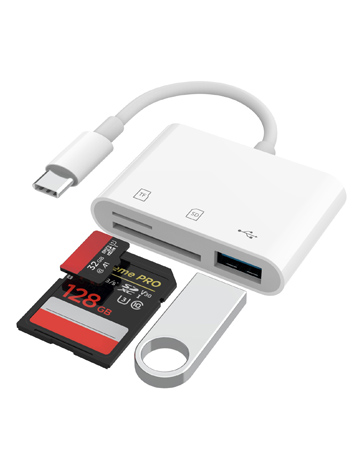
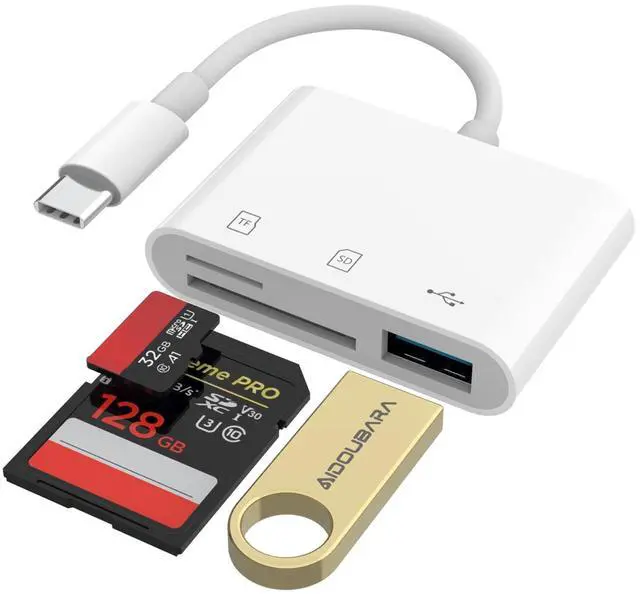
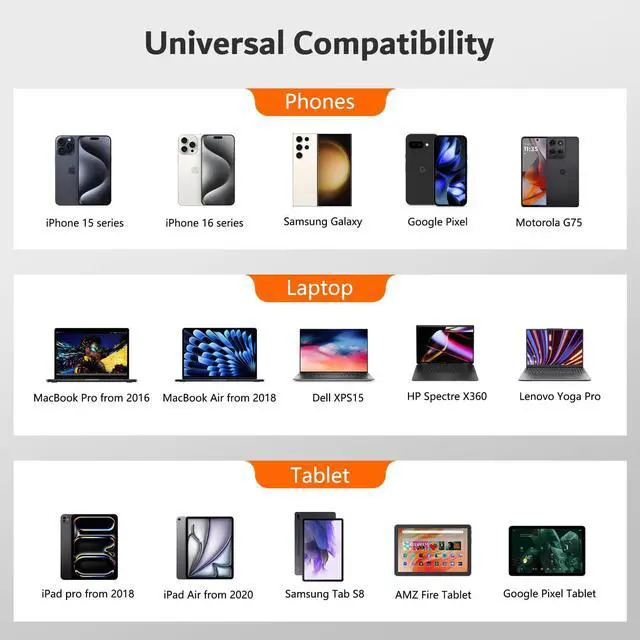
    USB C SD Card Reader for iPhone 17/16/15, Memory Card Reader with SD Micro SD and USB Port, Digital Camera Adapter Compatible with iPad, Mac, MacBook, Kodak Pixpro and More Type C Devices

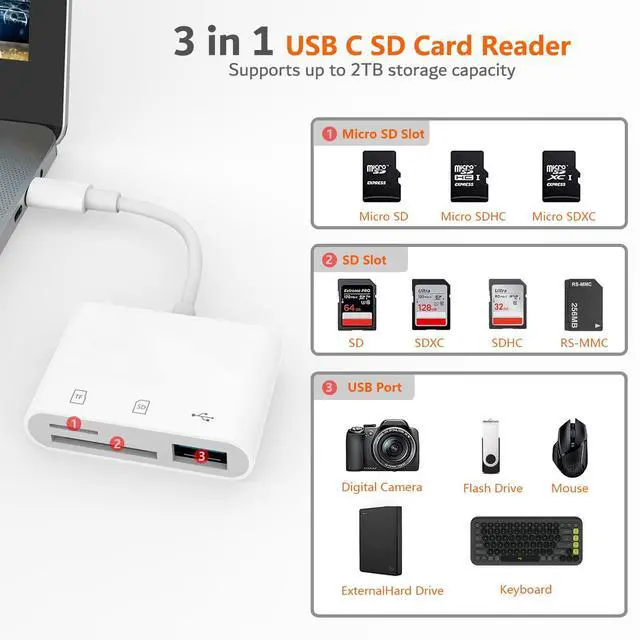
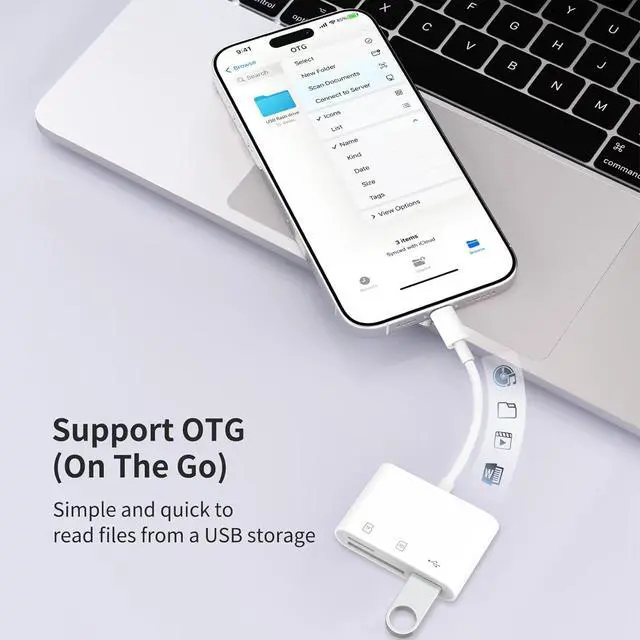
    • 3-in-1 USB C SD Card ReaderThis versatile SD card reader supports SD card, Micro SD card (TF), and USB-A devices, making it the perfect content creator essentials for photographers and videographers. With over-current and short-circuit protection, safety is ensured for your important files.
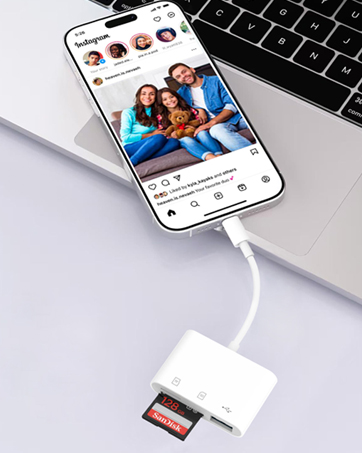
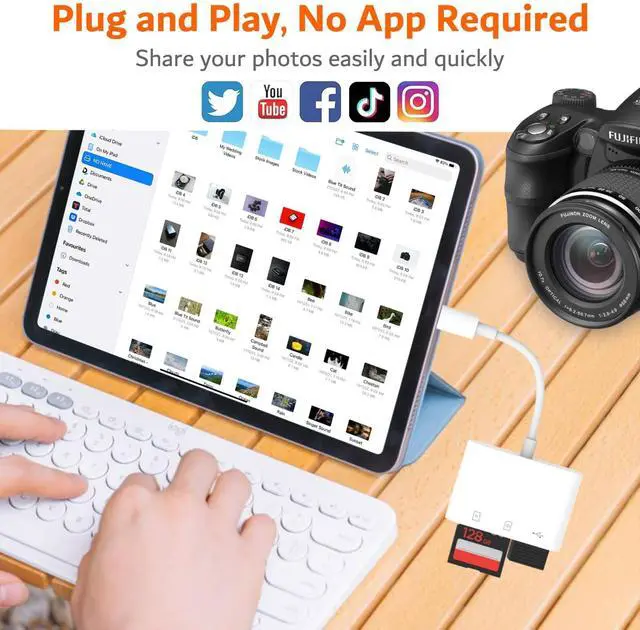
    • Dual-Slot Memory Card ReaderThe digital camera adapter adopts dual card slot design,compatible with SD/SDHC/SDXC/RS-MMC/MicroSD/MicroSDXC/MicroSDHC memory cards. It is a essential photography accessories for Kodak PixPro FZ55/ FZ45 Canon Nikon Sony Digital Camera. No apps, No drivers, plug and play, you only need to use the iOS built-in "Files" app to import and export photos and videos.
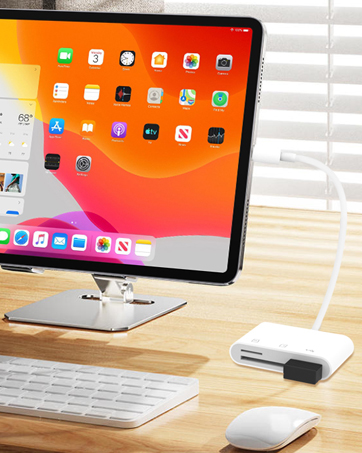
    • USB-A Port for More ConnectivityThe SD card adapter is also designed with a USB A female port, which can flexible connect USB peripheral device directly such as USB Flash drivers, cameras, hard disks, game controllers, mouse, keyboard and more. The SD or Micro SD card can be recognized simultaneously with USB peripheral. But the SD card and Micro SD card cannot be reading simultaneously.
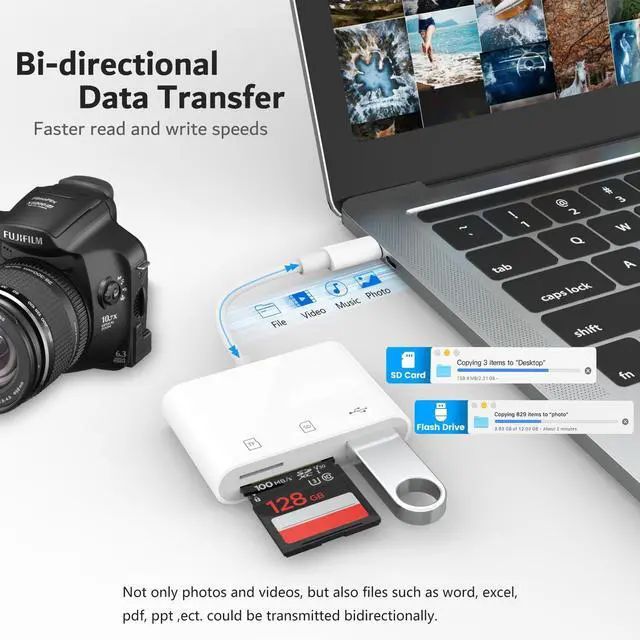
    • Experience blazing-fast two-way transfers This micro sd card reader support transfer files/photos/music/video from SD/ Micro SD card to iPhone/iPad/Mac or your other usbc device in seconds, enables bi-directional transfer and helps free up storage space.It's ideal SD card reader for iphone, sync your happiness with family and friends in real-time.
    +
    +
    Overview
    Specs
    Reviews
    avatar

    Any questions? Our AI beta will help you find out quickly.

    sd card reader
    micro sd card reader
    memory card reader
    kodak pixpro fz45
    memory cards for cameras

    Q&A

    Q1 Plug and play, but no response on iPhone or iPad?
    - IOS13 and later versions, after inserting the memory card reader on iPhone, the window will not pop up automatically, you need to open the Files APP manually to read the memory card.
    Q2 Why is my device not compatible?
    - 1. The USB C Card Reader that do not support the "Lightning" and "USB-A"interface.
    - 2. Some SD/TF cards with encryption or special formats (such as camera-specific formats)
    - 3. Android phones and tablets that do not support OTG function (OTG support can be checked in settings or official specifications)
    Q3 What to do if the card reader does not work?
    - 1. Make sure the card is inserted in the correct orientation.
    - 2. Devices that support the OTG function, enable OTG on your device and find the SD card in the settings.
    - 3. If it still does not work, you can always ask us and we will help you solve it as soon as possible.
    Q4 How to find files on SD Card on iPhone?
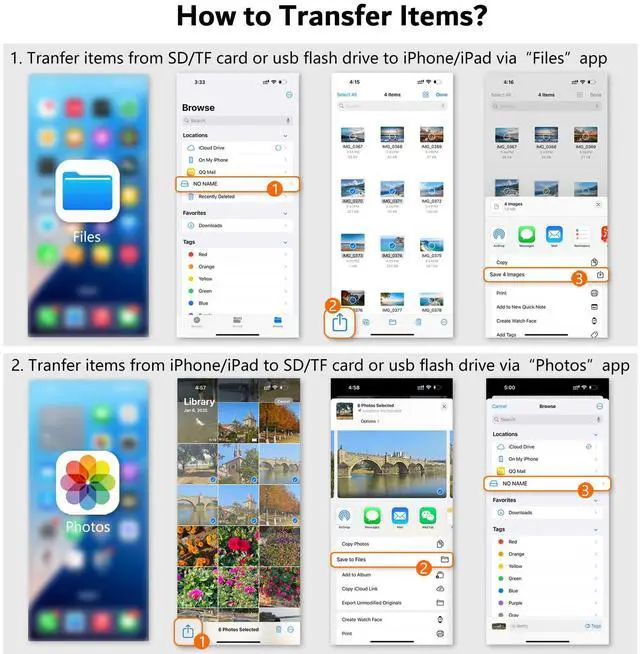
    - Insert the SD card into the card reader > plug the card reader into thhe iPhone(TYPE-C) > click on the "FILES" app > click on the "Browse" > click on Browse's SD card name> Now you can view your files from your SD card on "SD card name"
    Q5 Error message when transferring files?
    - (1)If you fail to transfer large files, please try to format the SD/MicroSD cards to the right format for your devices. Recommend using MS-DOS (FAT) for 32GB or smaller cards, and exFAT for 64GB cards; (2)macOS system devices can only read NTFS by default, but not write.
    apple card
    card reader
    digital camera adapter iphone
    kodak pixpro fz45
    sd card for camera

    Q&A

    Q1 Plug and play, but no response on iPhone or iPad?
    - IOS13 and later versions, after inserting the memory card reader on iPhone, the window will not pop up automatically, you need to open the Files APP manually to read the memory card.
    Q2 Why is my device not compatible?
    - 1. The USB C Card Reader that do not support the "Lightning" and "USB-A"interface.
    - 2. Some SD/TF cards with encryption or special formats (such as camera-specific formats)
    - 3. Android phones and tablets that do not support OTG function (OTG support can be checked in settings or official specifications)
    Q3 What to do if the card reader does not work?
    - 1. Make sure the card is inserted in the correct orientation.
    - 2. Devices that support the OTG function, enable OTG on your device and find the SD card in the settings.
    - 3. If it still does not work, you can always ask us and we will help you solve it as soon as possible.
    Q4 How to find files on SD Card on iPhone?
    - Insert the SD card into the card reader > plug the card reader into thhe iPhone(TYPE-C) > click on the "FILES" app > click on the "Browse" > click on Browse's SD card name> Now you can view your files from your SD card on "SD card name"
    Q5 Error message when transferring files?
    - (1)If you fail to transfer large files, please try to format the SD/MicroSD cards to the right format for your devices. Recommend using MS-DOS (FAT) for 32GB or smaller cards, and exFAT for 64GB cards; (2)macOS system devices can only read NTFS by default, but not write.
    USB C SD Card Reader for iPhone 17/16/15, Memory Card Reader with SD Micro SD and USB Port, Digital Camera Adapter Compatible with iPad, Mac, MacBook, Kodak Pixpro and More Type C Devices

    Warranty & Returns

    Warranty, Returns, And Additional Information

    Warranty

    • Please contact the Seller directly for warranty information. Warranty information may also be found on the Manufacturer's website.
    • CONTACT

    Return Policies

    • Return for refund within: 30 days
    • Return for replacement within: 30 days
    • This item is covered by Denikyyer Return Policy

    Manufacturer Contact Info

    LOADING...