





What makes our products unique?
The technical and design team has more than 8 years of experience in the field of computer accessories. Through the research of various chip solutions, all of our computer accessories use more stable chips and circuit design solutions to bring professional products and services to our customers!
Is our product quality high?
Our products are strictly quality controlled and inspected before leaving the factory. If you encounter any problems, let me know - there is no need to rush to return the product. We will solve the problem to your satisfaction!
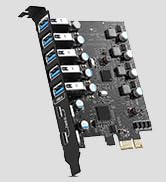
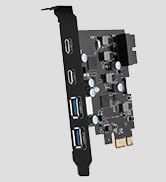
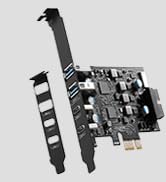
PCIE to USB Card
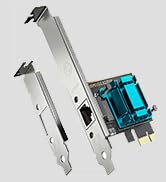
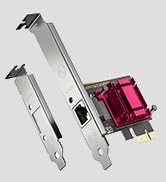
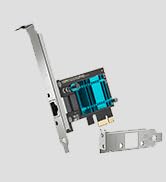
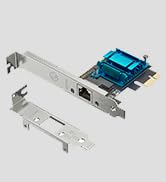
Gigabit Network Card
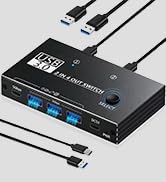
KVM USB Switch

Product advantages:
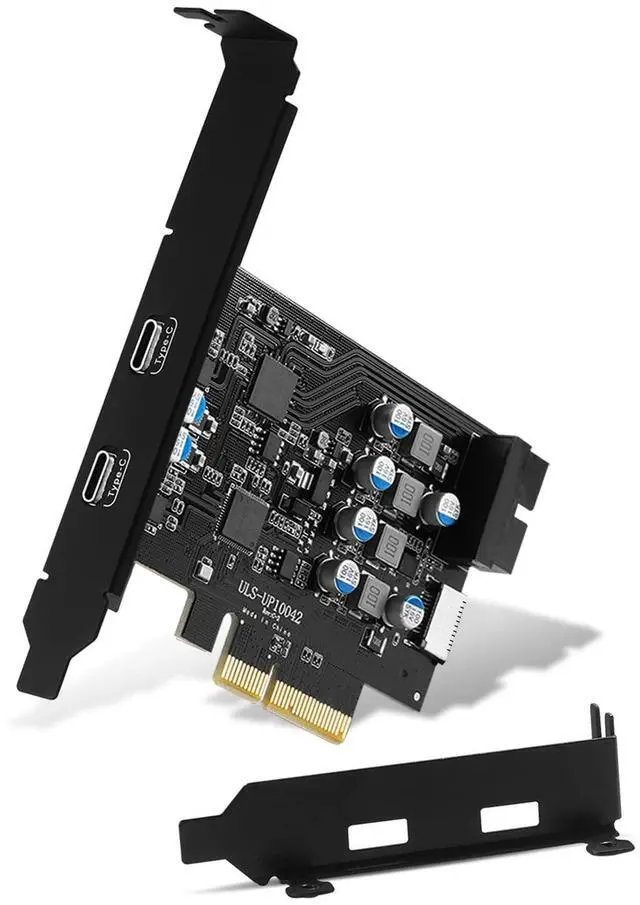
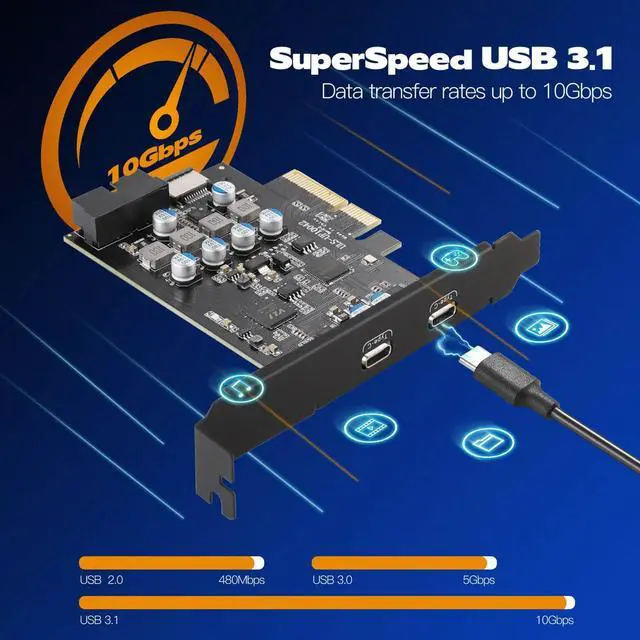
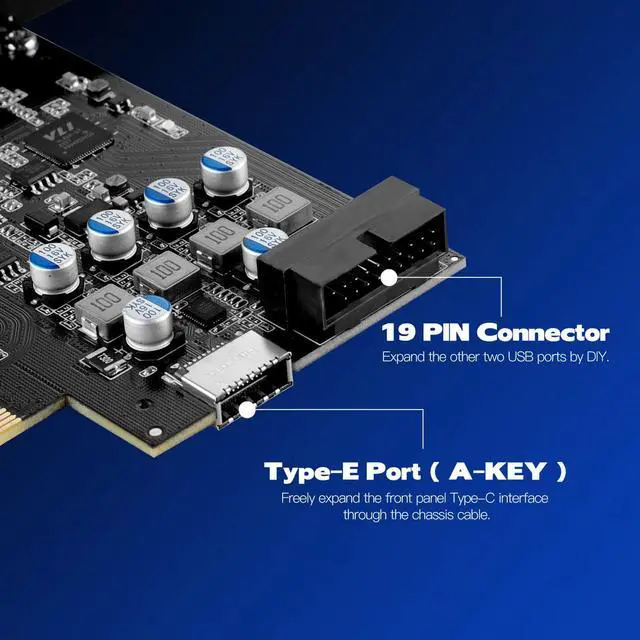
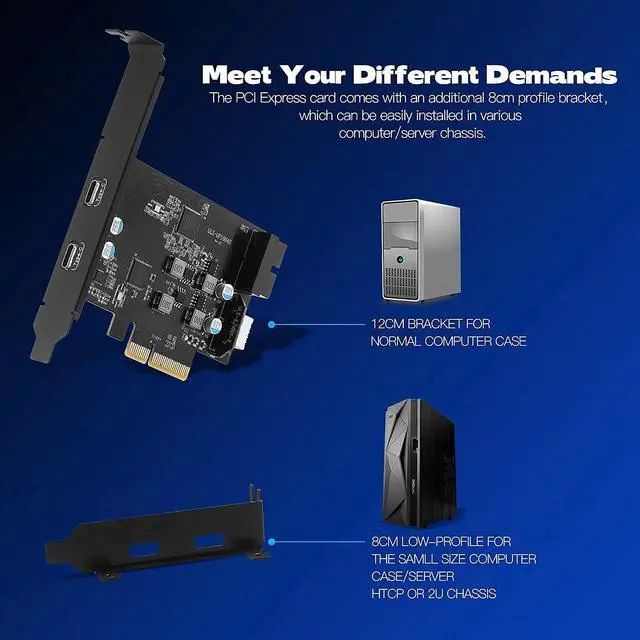
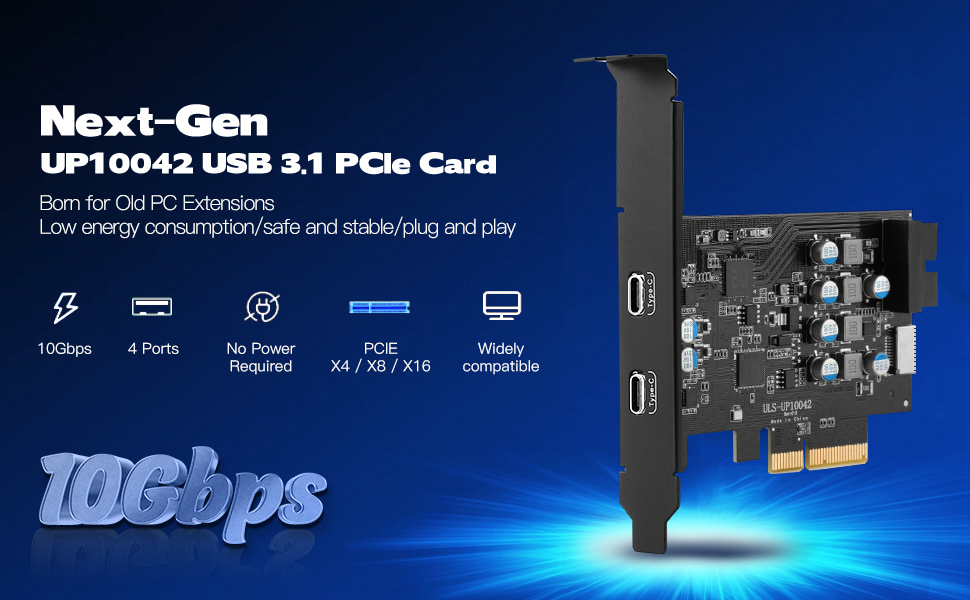
1. Add 2 USB 3.1 Gen 2 Type C port on the desktop computer through the PCIe slot. The data transmission speed of each USB-C port can reach up to 10Gbps bandwidth. In addition, the pcie expansion card internal 19-pin USB 3.0 connector and USB Type-E can be extended to the front panel of your computer as you need.
2. The usb c port can draw power from the PCI Express slot, eliminating the need to plug in any additional power cables from the power supply.
3.Each interface has an independent voltage stabilizing capacitor to protect the computer from over-current and short-circuit damage, ensuring the safety and longer reliability of the usb c card.
Note: This expansion card only supports data transmission, not video signal transmission (DP, HDMI, VGA display conversion), you must pay attention before choosing.

SuperSpeed USB 3.1 Gen 2
The USB 3.1 card with a bandwidth of 10Gbps can transfer data in a few seconds, which is half the speed of the previous generation USB 3.0 specification expansion card.
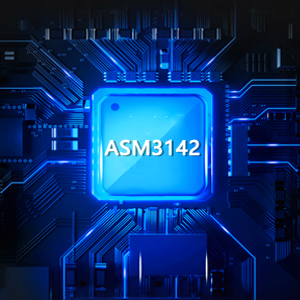
High Performance Master Chip
It adopts ASM3142 main control intelligent chip, which does not occupy computer CPU resources and can work independently with low power consumption. The card can easily handle some large files and enhance your work efficiency in all aspects.

System is compatible widely
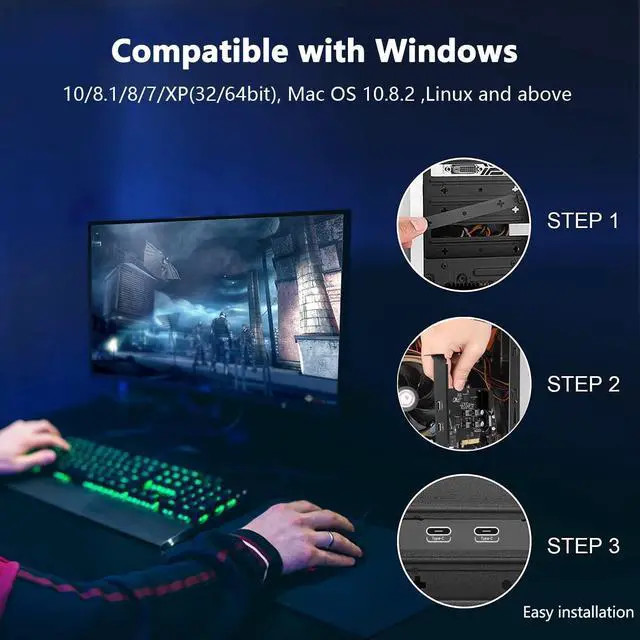
USB C card is compatible with a variety of mainstream Windows/Linux/Mac OS operating systems, and can be used after Win 8/10/Mac OS X or above without driver installation.
Installation Steps
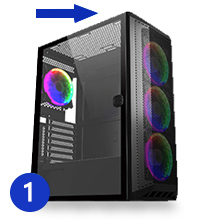
Step 1
Turn off the computer, unplug it from the power source, and remove the host outside case.
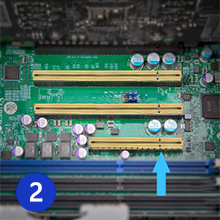
Step 2
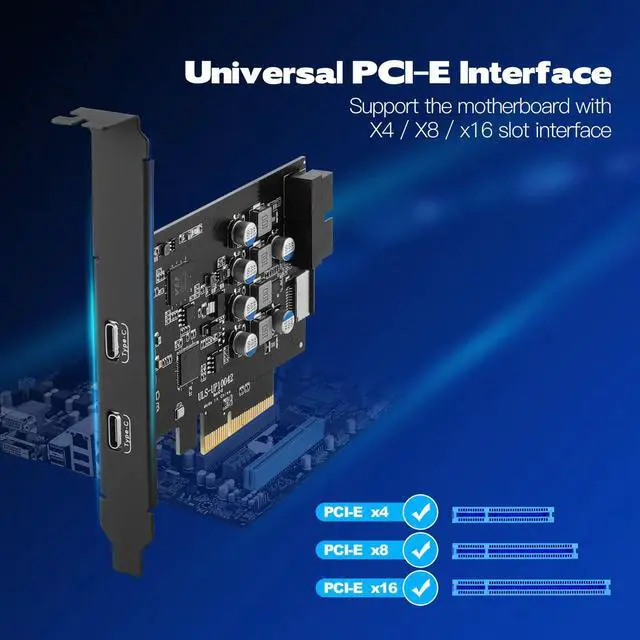
Find a PCI Express X4 or higher specification slot that fits the card.
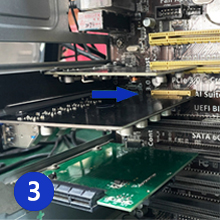
Step 3
Insert the card down into the PCI-E slot.
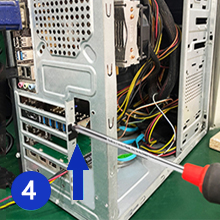
Step 4
Tighten the screws on the side of the bracket with a screwdriver, put the host outside case back on the computer, and then insert the plug into the socket.
Tips:
1. An available PCIe x4, x8 or x16 slot is required inside the host.
2. The system requirements are Windows XP/7/8/10 operating system and Mac OS 10.8.2(above), 4GB DDR RAM or above.(MSI/Dell Win 11 systems aren't supported.)
3. Win XP/7 system needs to install the driver from the attached CD.
4. If you need to expand the front panel port, you need to insert the USB Type-E cable and 19-Pin connector data cable into the end port of this card. (Not included in this product)
5.The 19 Pin connector inside the USB C card can only connect to two USB 3.0 A ports, and the Type-E can only connect to 1 USB C port. In addition, the tail ports don't support Thunderbolt protocol data cables.
Notes:
1. Not compatible with the old PCI Express X1 slot.
2. The usb c pcie card only supports data transmission, not video signal transmission (DP, HDMI).
3. Install the driver before inserting the card.
4. Do not install this PCIe card when the computer is turned on.
5. If the card does not work, first check whether there is a problem with the PCI Express slot on the motherboard.
6. In order to obtain USB 3.1 Super Speed+ performance, please use PCI Express 3.0 or higher version slot for card installation.
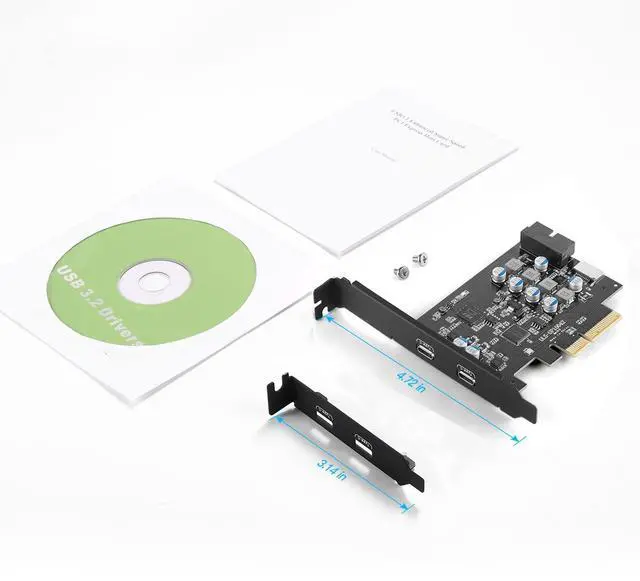
Package Contents:
1 * usb 3.1 pcie card
1 * Small case metal bracket
2 * Screw
1 * CD drive
1 *User Manual
Specification
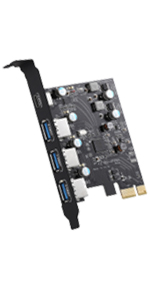 PCIe USB 3.0 Card Type C USB Card Superspeed(5Gbps) with (3) USB A & (1) | 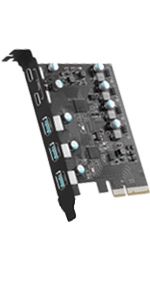 PCIe to USB 3.2 Gen 2 Expansion Card with 10Gbps SuperSpeed 5-Port | 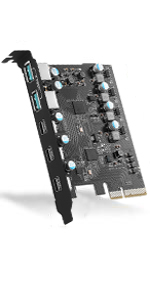 PCIe to USB 3.2 Gen 2 Adapter Card with 20 Gbps Bandwidth 5-Port |  PCI-E to USB 3.0 7-Port(2x USB-C - 5x USB-A ) | |
|---|---|---|---|---|
| Customer Reviews | — | — | — | — |
| Price | — no data | — no data | — | — |
| USB Ports | 4 Ports | 5 Ports | 5 Ports | 7 Ports |
| USB Max Speed | 5Gbps | 10Gbps | Total 20Gbps Bandwidth | 5Gbps |
| USB Standard | USB 3.0 | USB 3.2 | USB 3.2 | USB 3.0 |
| Compatible Device | Industrial/USB Device | Industrial/USB Device | Industrial/USB Device | Industrial/USB Device |
| Low Profile Bracket | NO | NO | NO | NO |
| Power Supply Type | Self-Powered | Self-Powered | Self-Powered | Self-Powered |
| Compatible System | Windows XP/Vista/2008 Server/7/8/10,Mac 0s (10.8.2 above) | Windows XP/Vista/2008 Server/7/8/10,Mac 0s (10.8.2 above) | Windows XP/Vista/2008 Server/7/8/10,Mac 0s (10.8.2 above) | Windows XP/Vista/2008 Server/7/8/10,Mac 0s (10.8.2 above) |
Product advantages:
1. Add 2 USB 3.1 Gen 2 Type C port on the desktop computer through the PCIe slot. The data transmission speed of each USB-C port can reach up to 10Gbps bandwidth. In addition, the pcie expansion card internal 19-pin USB 3.0 connector and USB Type-E can be extended to the front panel of your computer as you need.
2. The usb c port can draw power from the PCI Express slot, eliminating the need to plug in any additional power cables from the power supply.
3.Each interface has an independent voltage stabilizing capacitor to protect the computer from over-current and short-circuit damage, ensuring the safety and longer reliability of the usb c card.
Note: This expansion card only supports data transmission, not video signal transmission (DP, HDMI, VGA display conversion), you must pay attention before choosing.
SuperSpeed USB 3.1 Gen 2
The USB 3.1 card with a bandwidth of 10Gbps can transfer data in a few seconds, which is half the speed of the previous generation USB 3.0 specification expansion card.
High Performance Master Chip
It adopts ASM3142 main control intelligent chip, which does not occupy computer CPU resources and can work independently with low power consumption. The card can easily handle some large files and enhance your work efficiency in all aspects.
System is compatible widely
USB C card is compatible with a variety of mainstream Windows/Linux/Mac OS operating systems, and can be used after Win 8/10/Mac OS X or above without driver installation.
Installation Steps
Step 1
Turn off the computer, unplug it from the power source, and remove the host outside case.
Step 2
Find a PCI Express X4 or higher specification slot that fits the card.
Step 3
Insert the card down into the PCI-E slot.
Step 4
Tighten the screws on the side of the bracket with a screwdriver, put the host outside case back on the computer, and then insert the plug into the socket.
Tips:
1. An available PCIe x4, x8 or x16 slot is required inside the host.
2. The system requirements are Windows XP/7/8/10 operating system and Mac OS 10.8.2(above), 4GB DDR RAM or above.(MSI/Dell Win 11 systems aren't supported.)
3. Win XP/7 system needs to install the driver from the attached CD.
4. If you need to expand the front panel port, you need to insert the USB Type-E cable and 19-Pin connector data cable into the end port of this card. (Not included in this product)
5.The 19 Pin connector inside the USB C card can only connect to two USB 3.0 A ports, and the Type-E can only connect to 1 USB C port. In addition, the tail ports don't support Thunderbolt protocol data cables.
Notes:
1. Not compatible with the old PCI Express X1 slot.
2. The usb c pcie card only supports data transmission, not video signal transmission (DP, HDMI).
3. Install the driver before inserting the card.
4. Do not install this PCIe card when the computer is turned on.
5. If the card does not work, first check whether there is a problem with the PCI Express slot on the motherboard.
6. In order to obtain USB 3.1 Super Speed+ performance, please use PCI Express 3.0 or higher version slot for card installation.
Package Contents:
1 * usb 3.1 pcie card
1 * Small case metal bracket
2 * Screw
1 * CD drive
1 *User Manual
Specification
| Brand | YEELIYA |
| Model: | ULS-UP10042 |
| Description: | PCIE to USB C Card |
| Colour: | Black |
| Material : | PCB+metal |
| USB-C Port Power: | 5V, 3A |
| Input Interface : | PCI-E host interface |
| Output Interface : | USB 3.1 gen 2 Type-C *2;19-pin connector*1;USB-E*1 |
| Accessories : | 2 screws;1 bracket |
| Advantages : | Tool-freehot swap / support UASP protocol |
| Supported Systems : | Desktop computer with an available PCIe 3.0 x4 slot-Win 10/8/7 / Vista / XP; Linux; Mac os |
| Usefulness | Solve the problem that the front panel/back slot of the host does not have a USB port |
PCIe USB 3.0 Card Type C USB Card Superspeed(5Gbps) with (3) USB A & (1) | PCIe to USB 3.2 Gen 2 Expansion Card with 10Gbps SuperSpeed 5-Port | PCIe to USB 3.2 Gen 2 Adapter Card with 20 Gbps Bandwidth 5-Port | PCI-E to USB 3.0 7-Port(2x USB-C - 5x USB-A ) | |
|---|---|---|---|---|
| Customer Reviews | — | — | — | — |
| Price | — no data | — no data | — | — |
| USB Ports | 4 Ports | 5 Ports | 5 Ports | 7 Ports |
| USB Max Speed | 5Gbps | 10Gbps | Total 20Gbps Bandwidth | 5Gbps |
| USB Standard | USB 3.0 | USB 3.2 | USB 3.2 | USB 3.0 |
| Compatible Device | Industrial/USB Device | Industrial/USB Device | Industrial/USB Device | Industrial/USB Device |
| Low Profile Bracket | NO | NO | NO | NO |
| Power Supply Type | Self-Powered | Self-Powered | Self-Powered | Self-Powered |
| Compatible System | Windows XP/Vista/2008 Server/7/8/10,Mac 0s (10.8.2 above) | Windows XP/Vista/2008 Server/7/8/10,Mac 0s (10.8.2 above) | Windows XP/Vista/2008 Server/7/8/10,Mac 0s (10.8.2 above) | Windows XP/Vista/2008 Server/7/8/10,Mac 0s (10.8.2 above) |
What makes our products unique?
The technical and design team has more than 8 years of experience in the field of computer accessories. Through the research of various chip solutions, all of our computer accessories use more stable chips and circuit design solutions to bring professional products and services to our customers!
Is our product quality high?
Our products are strictly quality controlled and inspected before leaving the factory. If you encounter any problems, let me know - there is no need to rush to return the product. We will solve the problem to your satisfaction!
PCIE to USB Card
Gigabit Network Card
KVM USB Switch