



• $36.99
  • Free 30-day Returns
  • Sold by Firentioner

    Shipped by Firentioner

    Price alert
    Shop it at NeweggBusiness.

    Meet Your Seller

    SIM Card Adapter Reader - Sim Card Adapter Kit, Micro, Nano, Standard Sim Card Readers with Eject Pin - USB to S im Card Reader Edit and Read Messages/Contacts, Plug & Play for Windows Computer Laptop

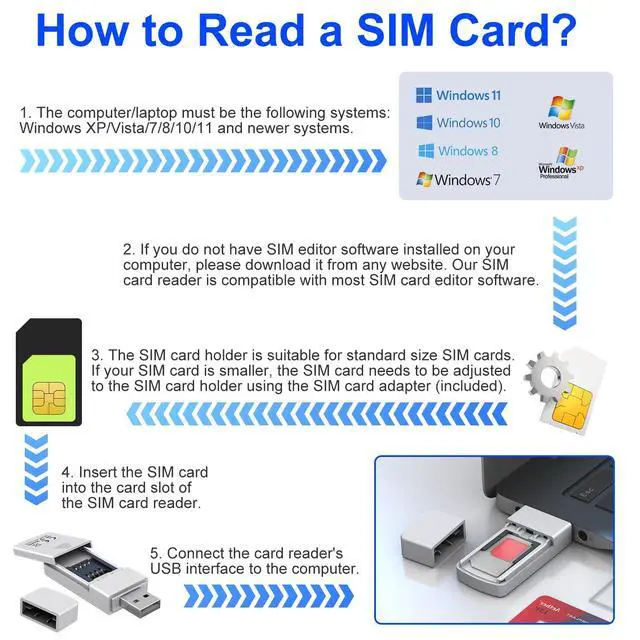
    • Notice: This SIM card reader is plug-and-play. However, you will need to download a SIM editor to your computer. You can download a SIM editor via the link in image 4, or you can search for one on Google or other websites. Our reader is widely compatible with various SIM editors. If you still cannot obtain an editor, you can contact the seller's customer service to obtain the installation package.
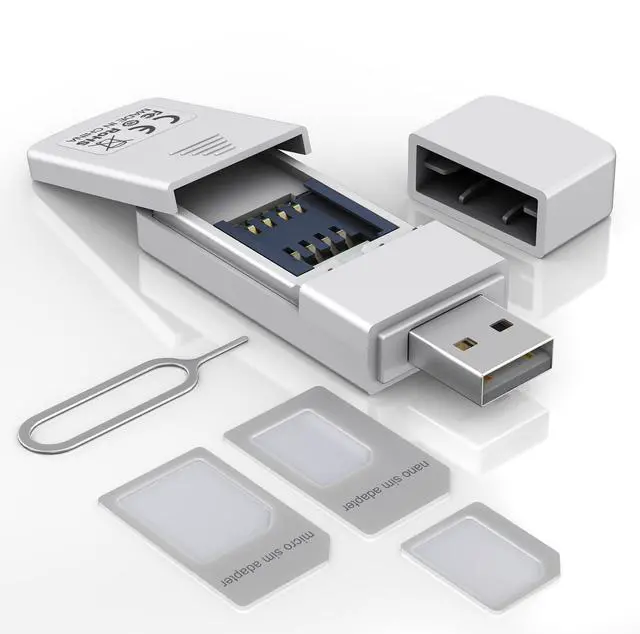
    • [SIM Card Adapter Reader] This USB SIM Card Reader features a discreet, covered SIM slot and enables direct interaction with SIM card data via compatible editing software on a Windows PC/Laptop. Users can read, view, modify, and write SIM card content conveniently from their computer, offering greater flexibility beyond typical mobile device restrictions.
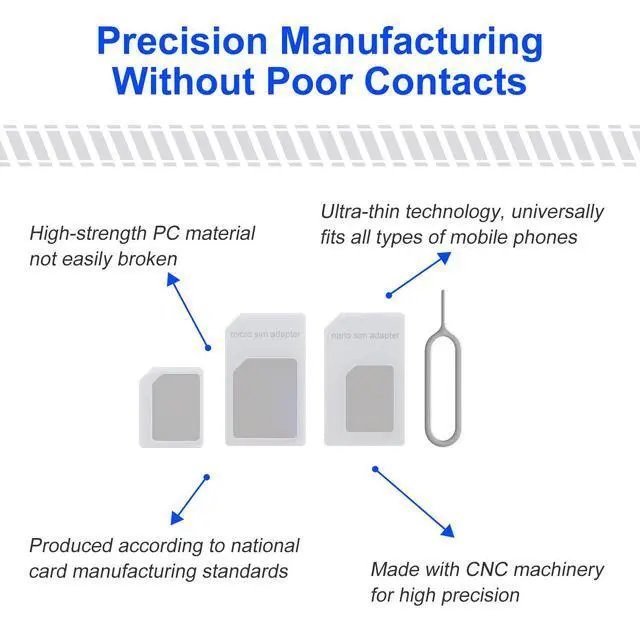
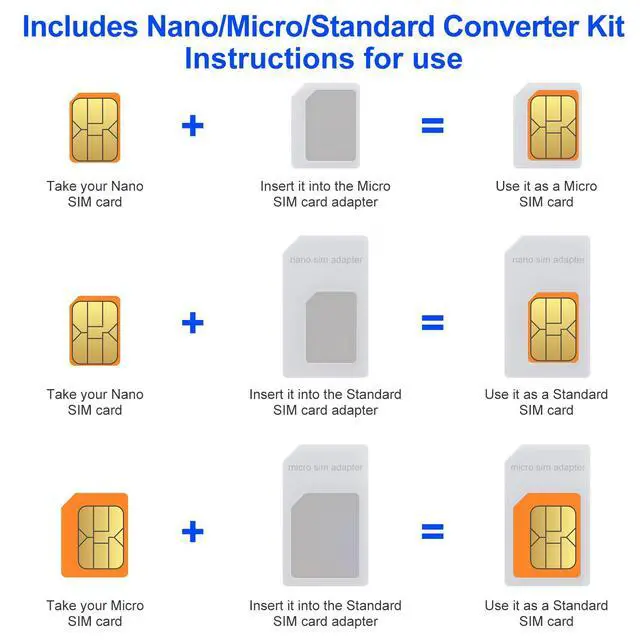
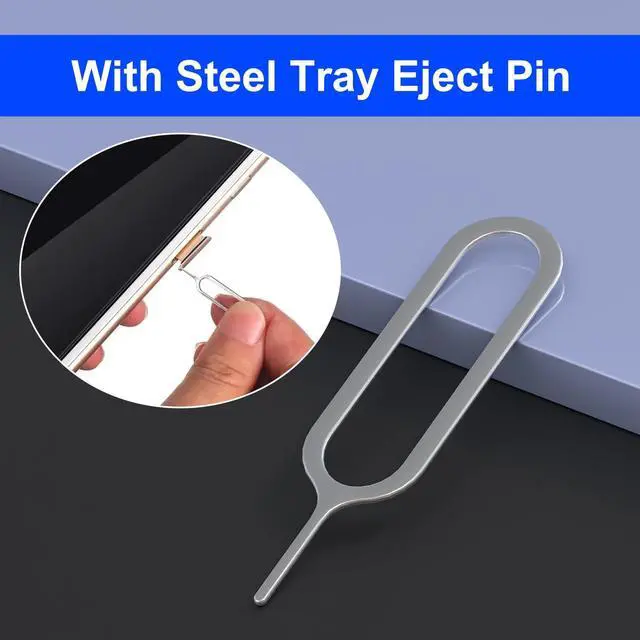
    • [SIM Adapter Kit Included] The package includes a SIM card adapter set and eject pin, allowing conversion between Nano SIM, Micro SIM, and Standard SIM card form factors. This ensures broad compatibility with various mobile phones, tablets, and other SIM-based devices.
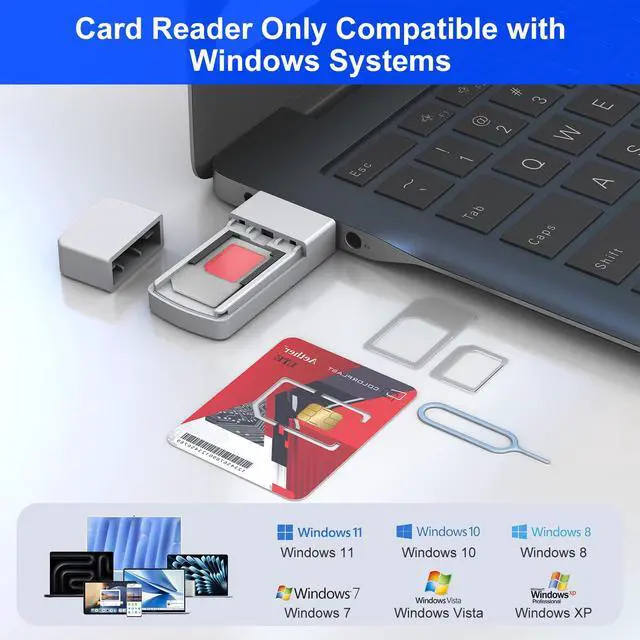
    • [Technical Compatibility] Designed in accordance with the ISO 7816 standard, this SIM card adapter supports plug-and-play operation exclusively on Windows systems. It is compatible with Windows XP, Vista, 7, 8, 10, and 11. Note: Use of this device requires installation of third-party SIM editing software, which is widely available online.
    +
    +
    Overview
    Specs
    Reviews
    avatar

    Any questions? Our AI beta will help you find out quickly.

    SIM Card Adapter Reader with Converter Kit & Steel Tray Eject Pin

    phone sim card reader

    Supports batch editing, sorting, and deduplication of contact lists, viewing text messages, managing travel SIM cards, and backing up information such as APNs and customer ser vice numbers of SIM cards in travel destinations.

    sim card adapter

    Compatible with Windows systems, including Windows XP through Windows 11.

    sim reader for computer
    sim card reader

    The kit includes a full set of adapters

    sim card adapter

    Easily convert between Nano, Micro, and Standard SIM sizes.

    sim card reader

    Simple Setup Process

    1 Insert the SIM card into the reader's slot.
    2 Connect to a Windows PC/Laptop
    3 Install your preferred SIM editor software, which is widely available online(Or You can download a SIM editor via the link in image 4); Select SIM editing software; Right click mouse; Select Run as administrator
    4 SIM card page; Select the contacts to be copied; Click the right navigation symbol will copy the selected contacts to the PC page; Select the contacts to be copied on the PC page; Click Change
    5 Copy the bottom file saving path
    6 Open the file manager; Paste the save path of the file you just copied; Press Enter; The page that opens is the mobile phone address book that has been copied to the PC/Laptop.

    SIM Card Adapter Reader with Converter Kit & Steel Tray Eject Pin

    sims card adapter for computer

    Supports batch editing, sorting, and deduplication of contact lists, viewing text messages, managing travel SIM cards, and backing up information such as APNs and customer ser vice numbers of SIM cards in travel destinations.

    sim card reader

    Compatible with Windows systems, including Windows XP through Windows 11.

    sim card reader
    sim card adapter

    The kit includes a full set of adapters

    usb sim

    Easily convert between Nano, Micro, and Standard SIM sizes.

    sim card adapter

    Simple Setup Process

    1 Insert the SIM card into the reader's slot.
    2 Connect to a Windows PC/Laptop
    3 Install your preferred SIM editor software, which is widely available online(Or You can download a SIM editor via the link in image 4); Select SIM editing software; Right click mouse; Select Run as administrator
    4 SIM card page; Select the contacts to be copied; Click the right navigation symbol will copy the selected contacts to the PC page; Select the contacts to be copied on the PC page; Click Change
    5 Copy the bottom file saving path
    6 Open the file manager; Paste the save path of the file you just copied; Press Enter; The page that opens is the mobile phone address book that has been copied to the PC/Laptop.
    SIM Card Adapter Reader - Sim Card Adapter Kit, Micro, Nano, Standard Sim Card Readers with Eject Pin - USB to S im Card Reader Edit and Read Messages/Contacts, Plug & Play for Windows Computer Laptop

    Warranty & Returns

    Warranty, Returns, And Additional Information

    Warranty

    • Please contact the Seller directly for warranty information. Warranty information may also be found on the Manufacturer's website.
    • CONTACT

    Return Policies

    Manufacturer Contact Info

    LOADING...