



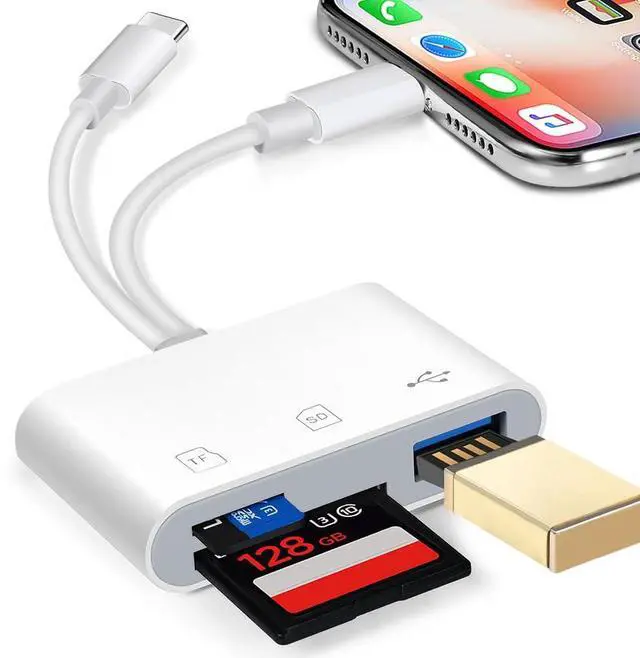


hua xun yuan 3 in 1 SD Card Reader with Dual Card Slots and USB-A Slot
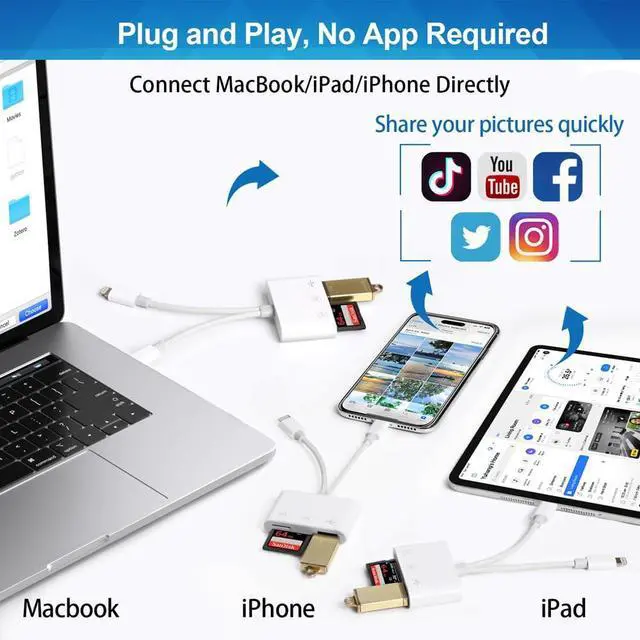
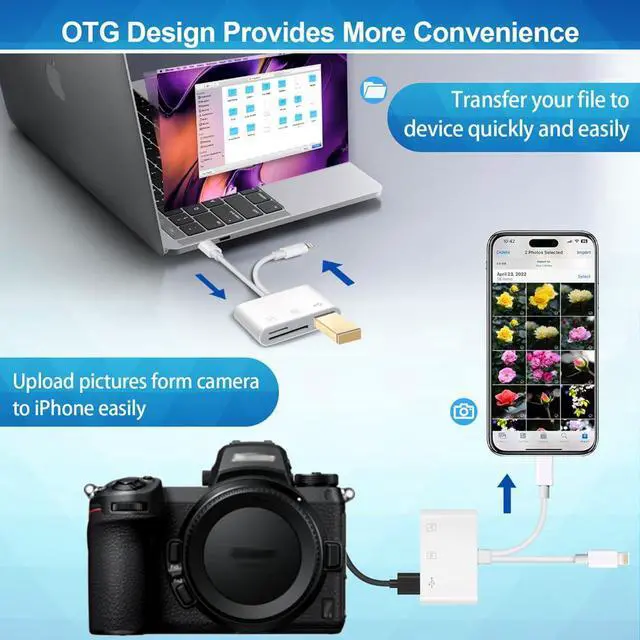
hua xun yuan SD card adapter support fast transfers standard photo formats, included JPEG, PNG, GIF, M, MG, comes with SD and HD video formats, including H.264 and MPEG-4. Transfer your photos/videos to device quickly and easily. Share images/videos of your camera to social media anywhere. Suitable for vlogger, photographers.
SD/Micro Card Slots:
Support SD (Secure digital), SDHC, SDXC cards.
Support Micro SD, Micro SDHC, Micro SDXC cards.
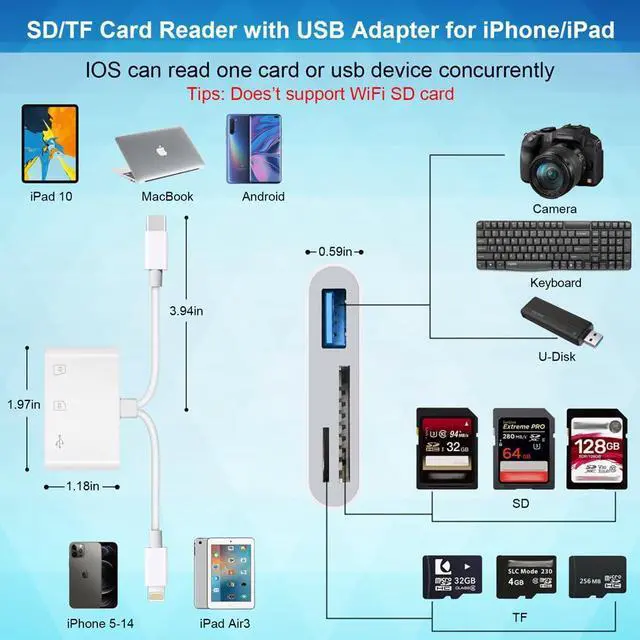
Warm tips: SD&TF card cannot be reading simultaneously, but the SD or TF card and USB peripheral can be recognized simultaneously.

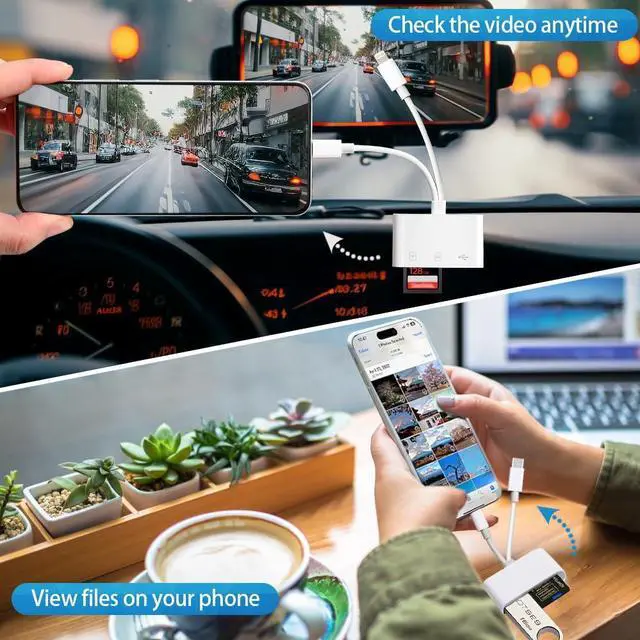
This USB camera SD card adapter does not require an application or remove the camera's memory card when reading data.
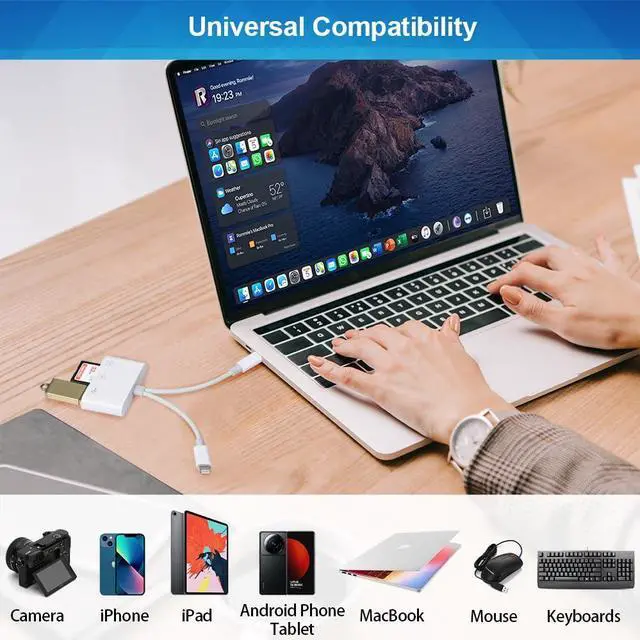
It is an OTG Camera Adapter for iPhone/iPad, supports DSLR cameras, digital cameras, card readers, USB flash drives, MIDI keyboards, keyboards, mice, USB headphones and Electric Guitar. Not Support the Printer.
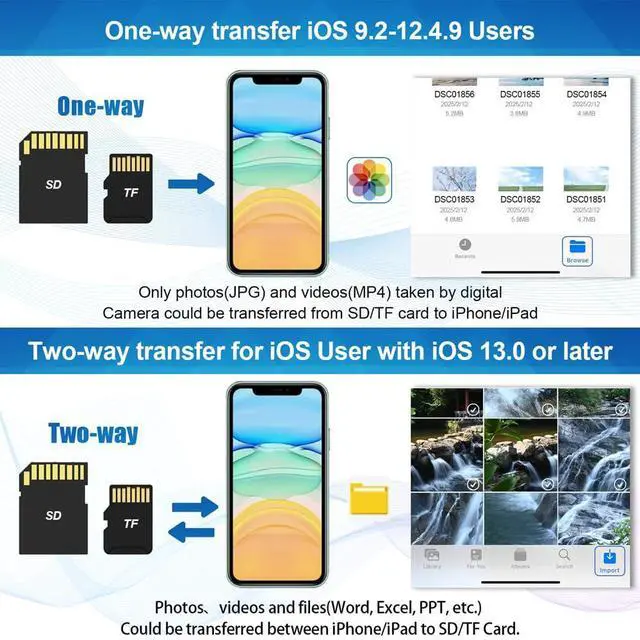
Transferred photos from Memory Card to iPhone/iPad for User's iOS between 9.2 to 12.5.7

One-way transfer of iOS user from iOS9.2 to iOS12.5.7
It is a one-way to transfer which only allowed photos from card to iPhone.
Photos app only manage photos and videos, not include data.
- Insert a Memory Card into the Card Reader. Turn on iPhone or iPad and attach the reader to iOS port.
- Select the photos or videos that you want to import, on iPhone or iPad. View the photos from Album and share it.
- It only can read photos or videos that were taken by digital camera at “Photo” APP. If photos or videos were not taken by digital camera, it will show nothing. If you want to read other photos or videos and files were not taken by digital camera, please upgrade your iOS to 13 or later and follow the instruction of next page.
Transferred photos from Memory Card to iPhone/iPad for User with iOS 13 and later

Two-way transfer for iOS user with iOS 13.0 or later
You can transfer files between your memory card to your iPhone & iPad by Files App.
Import data from SD/TF card to iPhone/iPad, or export the file from iPhone/iPad to SD/TF card. Easy to import or export a variety of file types including music, videos, photos and documents.
- Insert a Memory Card into the Card Reader. Turn on iPhone or iPad and attach the reader to iOS port.
- Open “Files” app on iPhone & iPad. You can view the files in memory card, most files like word, excel, ppt, jpg, MP3, and so on. If you can view the files but can’t open it, you need to download a third-party app to read it.
- You can delete/copy/paste files from memory card to iPhone or iPad. Or copy files from iPhone or iPad to memory card.
This SD Card Reader designed for iPhone between 5 to 14, no including iPhone 15 and 16. It compatible with iPhone SE / SE2/ 6/ 6 Plus/ 6s/ 6s Plus/ 7/ 7 Plus/ 8/ 8 Plus/ X/ XR/ XS/ 11/ 11 Pro/ 12/ 12 mini/ 12 Pro/ 12 Pro Max/ 13/ 13 Pro/ 13 Pro Max/ 14/ 14 Plus/ 14 Pro/ 14 Pro Max and iPad Mini/ Air/ Pro with iOS Port and so on.
hua xun yuan 3 in 1 SD Card Reader with Dual Card Slots and USB-A Slot
hua xun yuan SD card adapter support fast transfers standard photo formats, included JPEG, PNG, GIF, M, MG, comes with SD and HD video formats, including H.264 and MPEG-4. Transfer your photos/videos to device quickly and easily. Share images/videos of your camera to social media anywhere. Suitable for vlogger, photographers.
SD/Micro Card Slots:
Support SD (Secure digital), SDHC, SDXC cards.
Support Micro SD, Micro SDHC, Micro SDXC cards.
Warm tips: SD&TF card cannot be reading simultaneously, but the SD or TF card and USB peripheral can be recognized simultaneously.
This USB camera SD card adapter does not require an application or remove the camera's memory card when reading data.
It is an OTG Camera Adapter for iPhone/iPad, supports DSLR cameras, digital cameras, card readers, USB flash drives, MIDI keyboards, keyboards, mice, USB headphones and Electric Guitar. Not Support the Printer.
Transferred photos from Memory Card to iPhone/iPad for User's iOS between 9.2 to 12.5.7
One-way transfer of iOS user from iOS9.2 to iOS12.5.7
It is a one-way to transfer which only allowed photos from card to iPhone.
Photos app only manage photos and videos, not include data.
- Insert a Memory Card into the Card Reader. Turn on iPhone or iPad and attach the reader to iOS port.
- Select the photos or videos that you want to import, on iPhone or iPad. View the photos from Album and share it.
- It only can read photos or videos that were taken by digital camera at “Photo” APP. If photos or videos were not taken by digital camera, it will show nothing. If you want to read other photos or videos and files were not taken by digital camera, please upgrade your iOS to 13 or later and follow the instruction of next page.
Transferred photos from Memory Card to iPhone/iPad for User with iOS 13 and later
Two-way transfer for iOS user with iOS 13.0 or later
You can transfer files between your memory card to your iPhone & iPad by Files App.
Import data from SD/TF card to iPhone/iPad, or export the file from iPhone/iPad to SD/TF card. Easy to import or export a variety of file types including music, videos, photos and documents.
- Insert a Memory Card into the Card Reader. Turn on iPhone or iPad and attach the reader to iOS port.
- Open “Files” app on iPhone & iPad. You can view the files in memory card, most files like word, excel, ppt, jpg, MP3, and so on. If you can view the files but can’t open it, you need to download a third-party app to read it.
- You can delete/copy/paste files from memory card to iPhone or iPad. Or copy files from iPhone or iPad to memory card.
This SD Card Reader designed for iPhone between 5 to 14, no including iPhone 15 and 16. It compatible with iPhone SE / SE2/ 6/ 6 Plus/ 6s/ 6s Plus/ 7/ 7 Plus/ 8/ 8 Plus/ X/ XR/ XS/ 11/ 11 Pro/ 12/ 12 mini/ 12 Pro/ 12 Pro Max/ 13/ 13 Pro/ 13 Pro Max/ 14/ 14 Plus/ 14 Pro/ 14 Pro Max and iPad Mini/ Air/ Pro with iOS Port and so on.