

Your Browsing History
- Free 30-day Returns
$123.49
Ships from Hong Kong.


Meet Your Seller


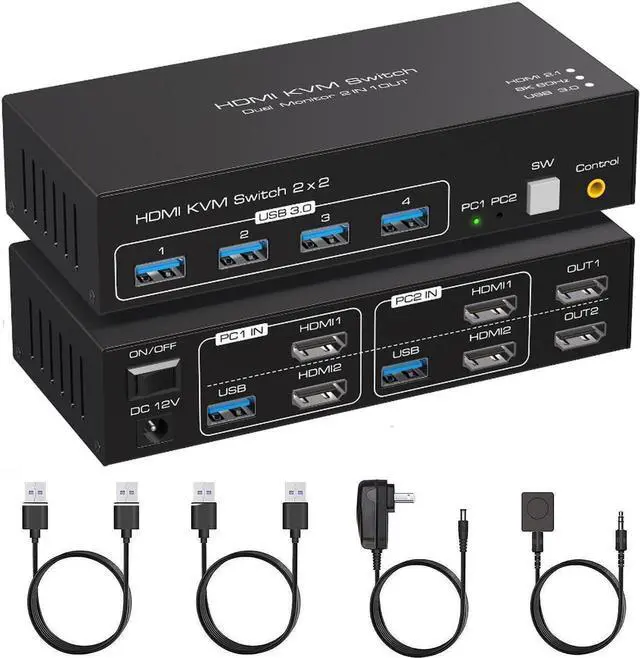
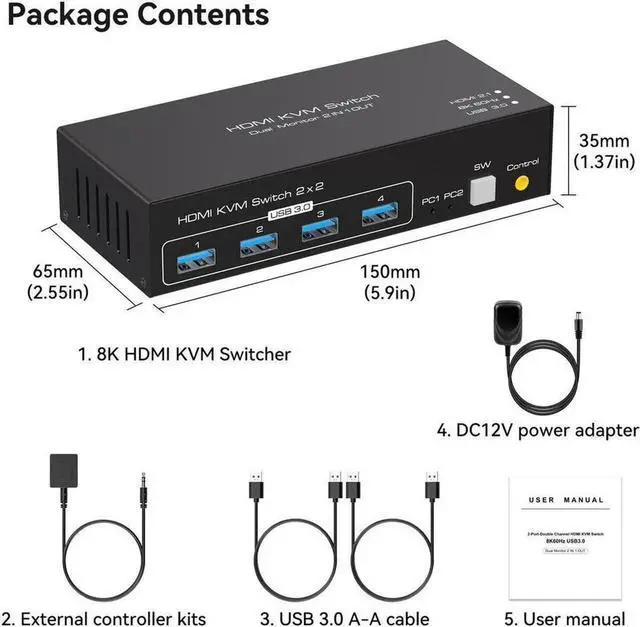
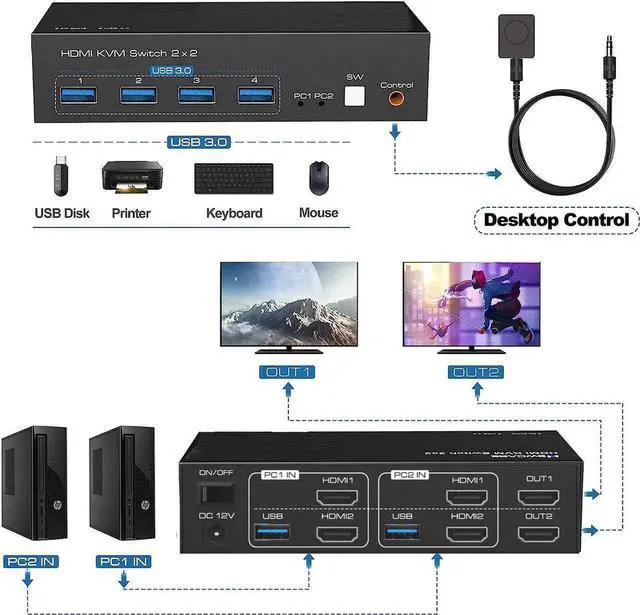
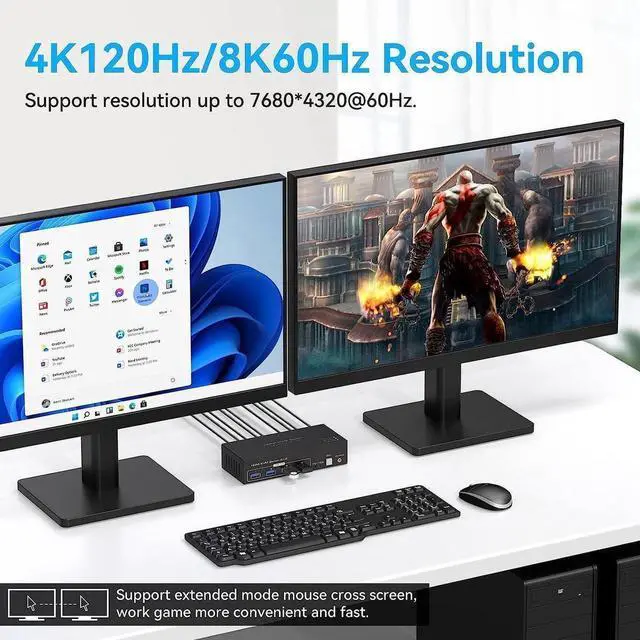


HDMI KVM Switch Monitors 2 Computers, 8K60HZ/4K120Hz KVM Switch Dual Monitors 2 Computers with 4 USB 3.0 Port, HDMI KVM Switch 2 Port Support Button and Remote Switch, 2 PC Sharing 4 USB Devices
- [HDMI KVM Switch Dual Monitor] HDMI KVM Switch 2 in 2 out support 2 PCs sharing 4 set USB devices like mouse, keyboard, printers etc, and 2 PCs could be control by one sets USB devices.
- [2 Quick Ways to Switch PCs] USB 3.0 HDMI KVM Switcher support manual button and wired remote to select HDMI input source. The related LED indicator will show which PC is active.
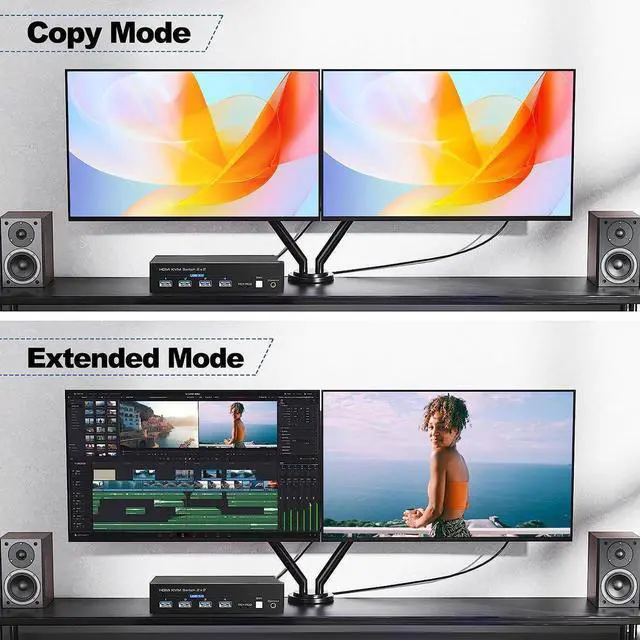
- [KVM Switches support Extended Mode] Support extended display modes. The 2 monitors can display the same screen, but it cant support 2 monitors screen totally same as input source, that is to say, not support mirror mode.
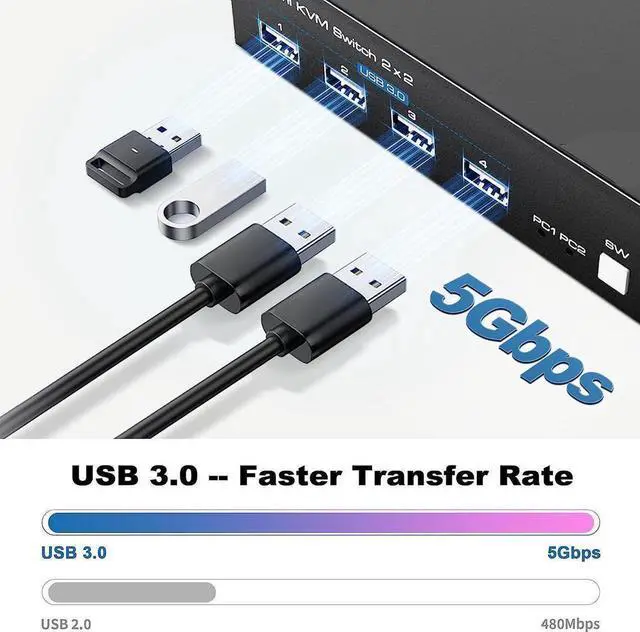
- [2 Computers sharing 4 ports USB 3.0 Hub] has 4 USB 3.0 ports, so you only need connect one set keyboard, mouse, printer to control 2 computers. The USB 3.0 port's transfer data rates max up to 5.0 Gbps per second, which it's faster 10 times than USB 2.0 port.
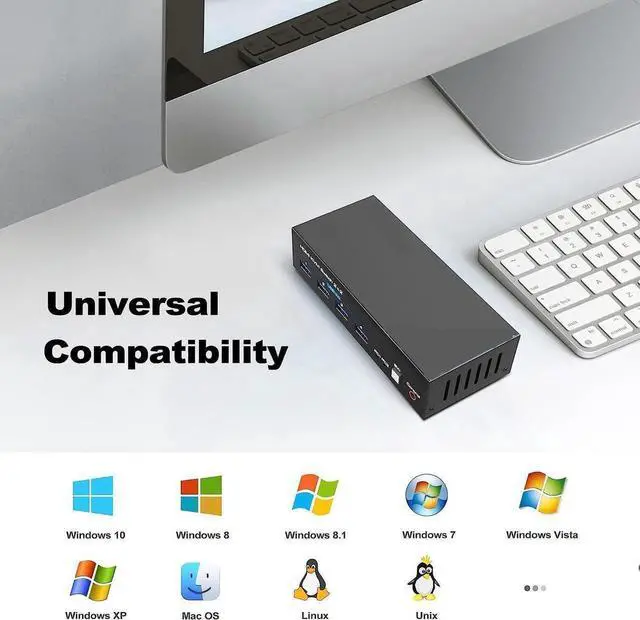
- [Widely compatible with Various system] Widely compatible with various operating system, such as Windows/Vista/XP/ and Mac OS, Linux and Unix.
+
+
Overview
Specs
Reviews

Any questions? Our AI mode will help you find out quickly.
Try me now
HDMI KVM Switch Monitors 2 Computers, 8K60HZ/4K120Hz KVM Switch Dual Monitors 2 Computers with 4 USB 3.0 Port, HDMI KVM Switch 2 Port Support Button and Remote Switch, 2 PC Sharing 4 USB Devices
Warranty & Returns
Warranty, Returns, And Additional Information
Warranty
- Please contact the Seller directly for warranty information. Warranty information may also be found on the Manufacturer's website.
- CONTACT
Return Policies
- Return for refund within: 30 days
- Return for replacement within: non-replaceable
- This item is covered by E-tech Return Policy
Manufacturer Contact Info
- For a directory of all our manufacturers, please click below.
- Manufacturers Directory
LOADING...