




 here!
here!
I’m your shopping assistant for PC builds, upgrades, and everything tech.
Got questions? Ask away!
Start a conversation
here!
I’m your shopping assistant for PC builds, upgrades, and everything tech.
Got questions? Ask away!
Start a conversation



Any questions? Ask CelesteSM will help you find out quickly.


thermal label printer Does Bluetooth connectivity support?
Bluetooth connection for windows system/ios system/tablet computer/android system
Does label printer provide technical support?
Label printer provides free 1 year of technical support
Why can a thermal printer only print half of the content (paper skipping)?
You need to set the correct paper size. For example, if your paper is 4*4 inches, but the printer is set to 4*6 inches, your print will not be complete. You need to set the print size to 4*4 inches.
How to reset the label printer?
Connect the printer to a power source, find the power off button on the back of the printer and turn it off, press and hold the feed button, then turn on the power and release it after hearing a beep.
Why can't the content be printed?
1. The printing paper is incorrect. 2. The print head is damaged.

Please note that MAC system does not support Bluetooth direct connection, please use USB to install the driver and connect the printer
Simply insert the USB drive to install the driver and print
Simply use your phone to control the printer
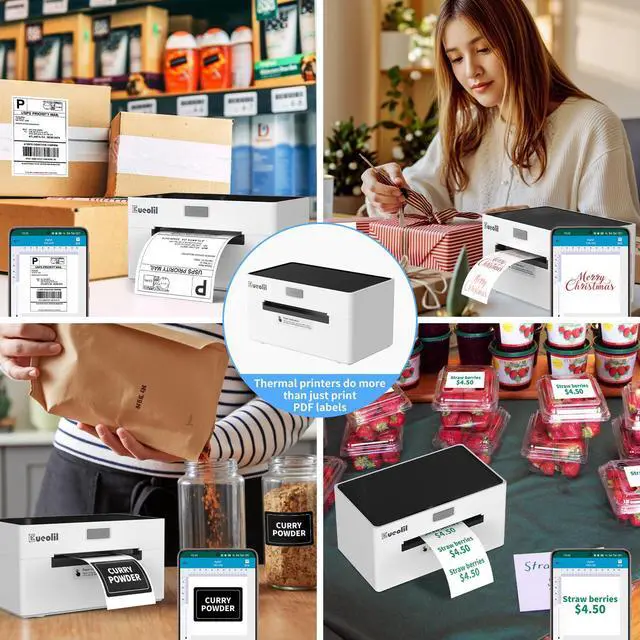
Let your printer not only help you with your work, but also be a good assistant for your family.


| Print mode | Bluetooth and USB printing |
|---|---|
| Compatible devices | Smartphones, PC, Tablets, Laptops, Windows, Mac |
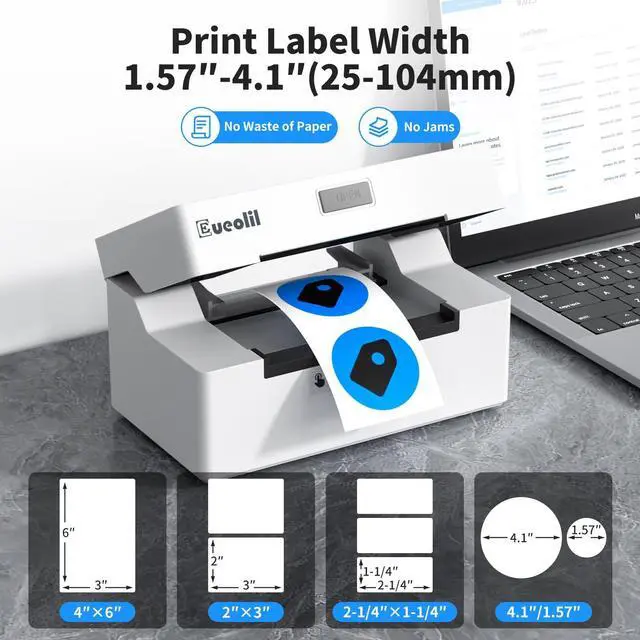
| Sheet Size | Paper Width: 1.54"-4.1"; 4"x6", 3"x2", 3"x1", 2"x1", 2-5/16" x 4" inches |
| Control method | App |
| Paper Width Range | 1.18‘’~4‘’ |
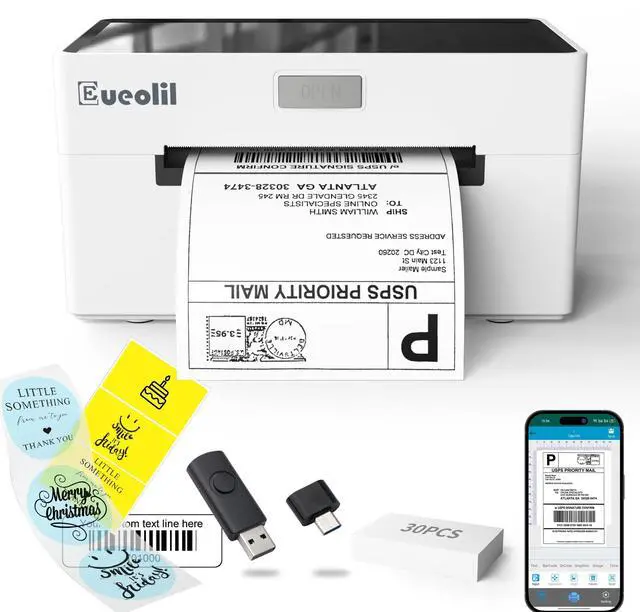
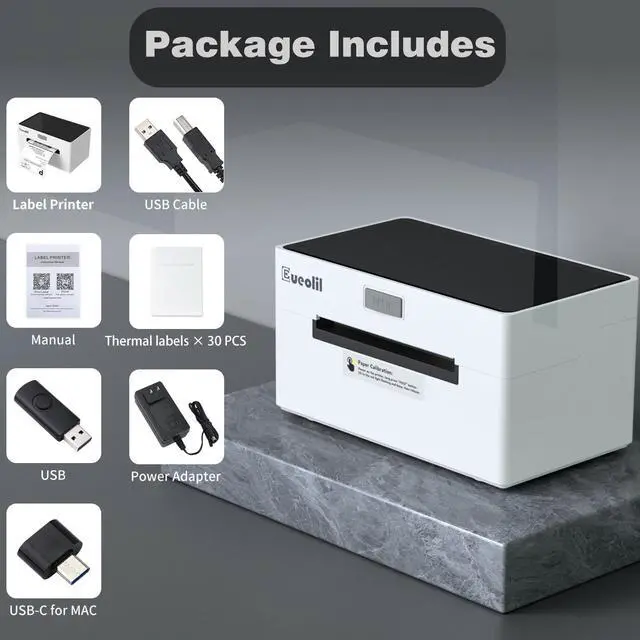
| Accessories | Power adapter, USB cable , Type-C Connector, USB Drive, 30 sheets of 4x6 shipping labels |
| Please note! ! | It's not compatible with Chromebook and Linux! |
| Please note! ! | Wifi connection is not supported |
| Please note! ! | MAC does not support Bluetooth connection, USB connection only |
| Please note! ! | Please read the instruction manual carefully before use |
thermal label printer Does Bluetooth connectivity support?
Bluetooth connection for windows system/ios system/tablet computer/android system
Does label printer provide technical support?
Label printer provides free 1 year of technical support
Why can a thermal printer only print half of the content (paper skipping)?
You need to set the correct paper size. For example, if your paper is 4*4 inches, but the printer is set to 4*6 inches, your print will not be complete. You need to set the print size to 4*4 inches.
How to reset the label printer?
Connect the printer to a power source, find the power off button on the back of the printer and turn it off, press and hold the feed button, then turn on the power and release it after hearing a beep.
Why can't the content be printed?
1. The printing paper is incorrect. 2. The print head is damaged.
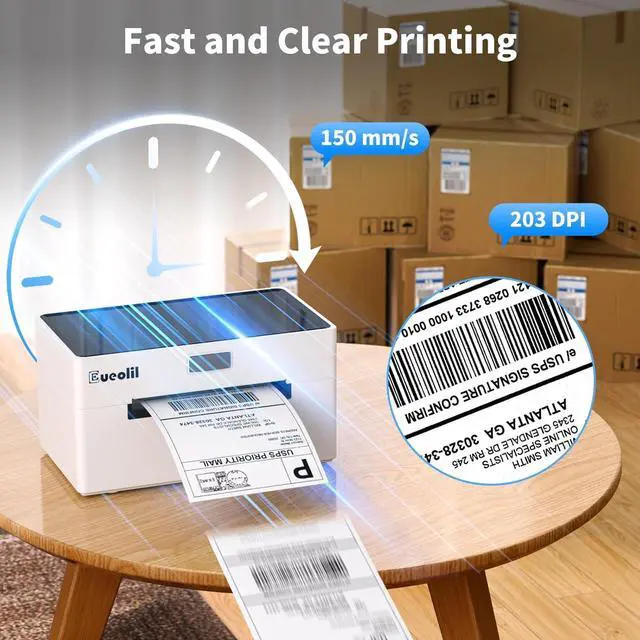
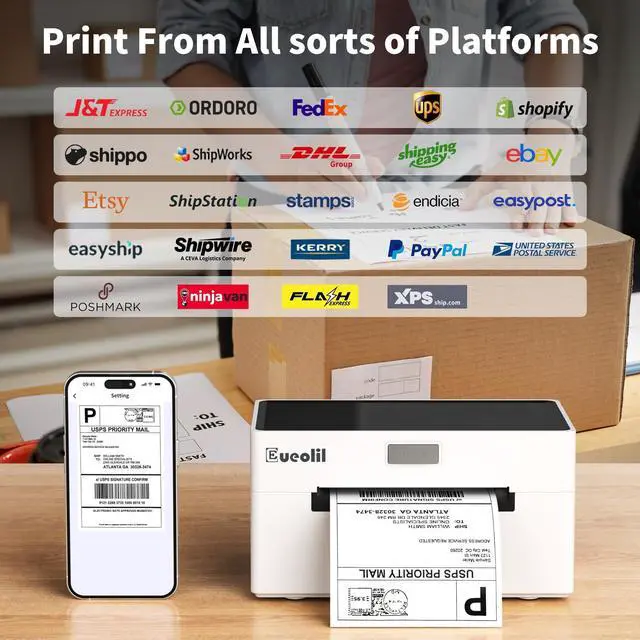
Package includes:1xThermal printer,1xUser Manual,1xPower Adapter ,1x Power Cable,1x USB, 1x Type-C Cable,30x Test labels; Dual Connectivity:Our shipping label printer equipped with both bluetooth and USB connection, Compatible with Android/iOS and MAC/Windows /Chrome. Note: Wi Fi connection is not supported. Wide Compatibility nbsp;Mvgges shipping label printer is compatible with major shipping platforms like FedEx, UPS, USPS and more, as well as marketplaces including Amazon, Shopify, Etsy, and eBay. High-Speed Efficiency: Our thermal label printer supports label widths from 1.57 to 4.3 inches (40-110mm) and prints at an impressive 160mm/sec speed, creating up to 72 A6 4"x6" labels per minute.High speed brings high efficiency and helps your business grow faster. More Cost Effective: The upgraded thermal printing technology allows the 4x6 thermal label printer no need for ink or toner, making your work more cost-effective. 203DPI high-definition printing, easy to scan and read. Automatic adjustment of label position function to prevent paper waste.
| Brand | EueoLil |
| Connectivity Technology | Bluetooth, USB |
| Printing Technology | Thermal |
| Special Feature | Bluetooth and USB Connection, Portable |
| Color | White01 |
| Model Name | thermal printer |
| Printer Output | Monochrome |
| Max Printspeed Monochrome | 72 ppm |
| Item Weight | 1.43 Kilograms |
| Product Dimensions | 4.13"D x 7.87"W x 4.13"H |
| Controller Type | IOS & Android Phone, Pad, Mac OS, Windows system |
| Maximum Media Size | 4 x 6 inches |
| Included Components | Labels ×30, USB, Use Instructions, adapter, printer |
| Print media | Thermal Paper |
| Max Input Sheet Capacity | 500 |
| Max Copy Speed (Black & White) | 72 ppm |
| Compatible Devices | Laptops, PC, Smartphones, Tablets |
| Sheet Size | 4 ×6 Inches |
| Maximum Black and White Print Resolution | 203 Dots Per Inch |
| Warranty Type | Limited |
| Dual-sided printing | No |
| Wattage | 60 watts |
| Max copy resolution black-white | 203 |
| Duplex | simplex |
| Hardware Interface | USB |
| Ink Color | Black |
| Additional Printer functions | Print Only |
| Control Method | App |
| Processor Count | 1 |
| Number of USB 2 Ports | 1 |
| Total USB Ports | 1 |
| Model Series | thermal printer |
| Specific Uses For Product | Home, Office, Shipping Label Printer |
| Printer Ink Type | Thermal |
| Supported Media Sizes | 4 x 6 inches |
| Assembly Instructions Description | Please read the instructions in the manual before use. If you encounter any problems, please contact customer service immediately. |
| Smart Home Compatibility | Smart Home Compatible |


