





Tattoo Stencil Transfer Copier Printer With 20 Pcs Transfer paper
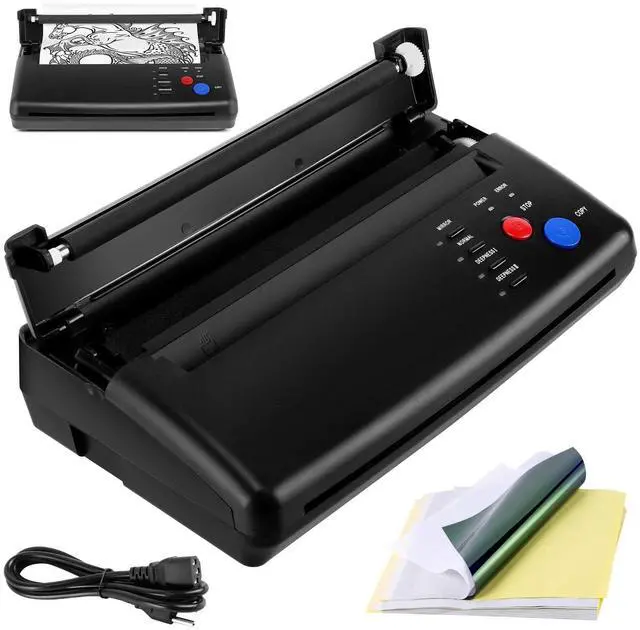
Tattoo Transfer Stencil Machine is a machine for professional tattooing as well as tattoo enthusiasts, it allows you to convert your designs directly from original drawings to stencil paper in a very short time, making it easy to transfer to the skin, it is a reliable copier !

Why Choose PMOTPKOM Machine?
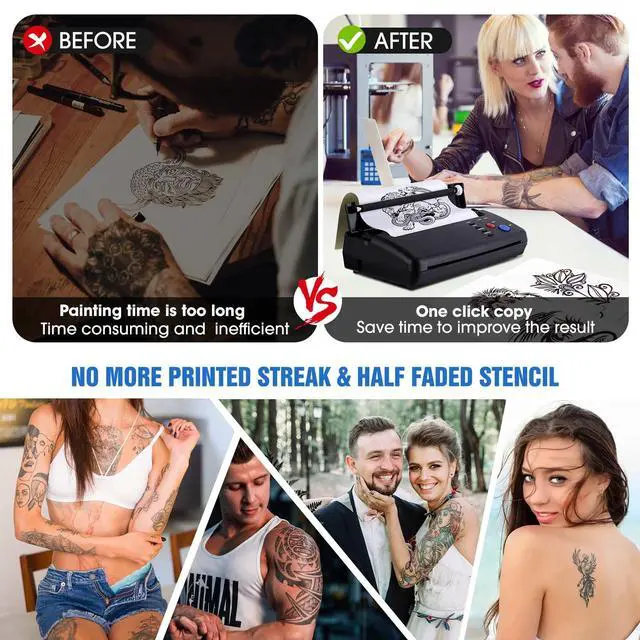
- Perfect transfer effect with clear lines and distinct layers. No more printed streak & half faded stencil.
- Thermal copier tattoo stencil adding lubricating oil and special processes, reducing friction, not easy to jam, save your time and energy.
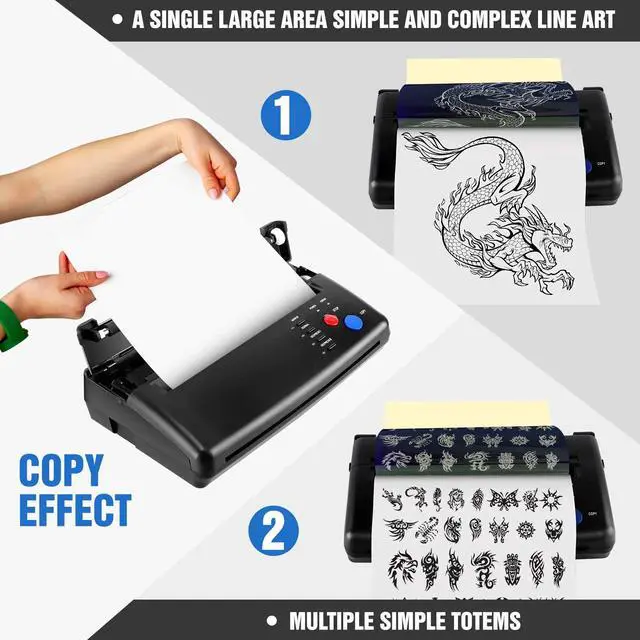
- Can choose different modes,the copy methods, deepness etc.Even if a single large area simple or complex line art,can ensure the art copy effect

About Tattoo machine
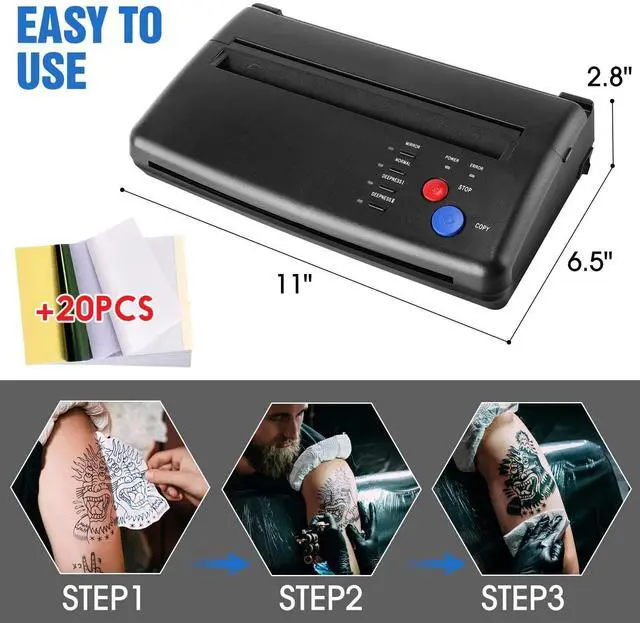
Size:11"" x 6.5"" x 2.8"" (L x W x H)
Weight:1.17Kg/2.57lb
Power: AC 110V-220V(Used globally)
Effective Scanning Width: 210 mm/8.3in
Document size: A5~A4
Document Thickness: 0.06mm-0.15mm
Document Type: Fine/Photo
50Hz/0.46A
Power Consumption: 5W
Recording Mode: TPH

NOTE: Attention before purchasing the transfer machine!!
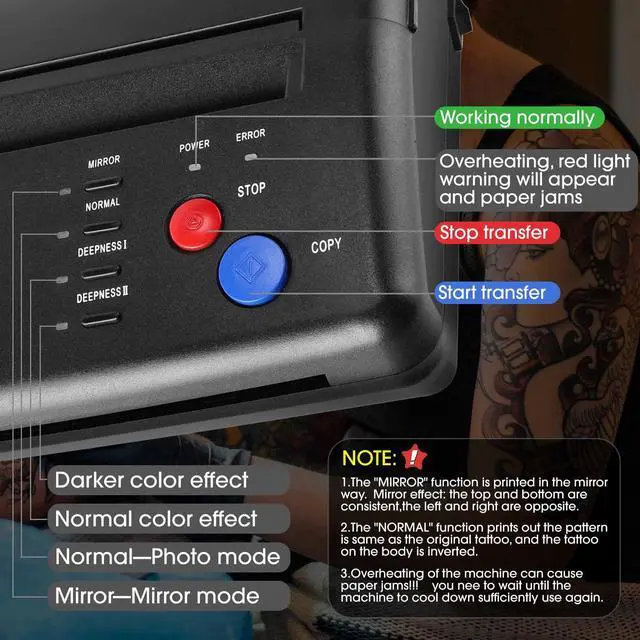
1:Over heating of the machine can cause paper jams!!! you need to wait until the machine to cool down sufficiently use again
2:Don’t transfer complex patterns continuously,and matte map. you need to wait until the cover is opened to allow the machine to cool down sufficiently use again
3:Please To use stencil transfer paper that can be used by the machine, too thick hand-painted paper will cause paper jams.
4:Transfer machine is not a printer and has no printing function.
FQA:
--Why is there a paper jam?
Solution: The machine is overheated and will jam, let the machine cool down for a few minutes and then use it without jamming.
--Why does the machine print messy lines or black lines?
Solution: Please restore the default settings, and regularly clean the roller, will reduce the possibility of the above problems, you can try this solution.
1. Press the "stop" button for 3 seconds, then you will hear a beep;
2. press the "mirror" button;
3. press the "copy" button.

YES
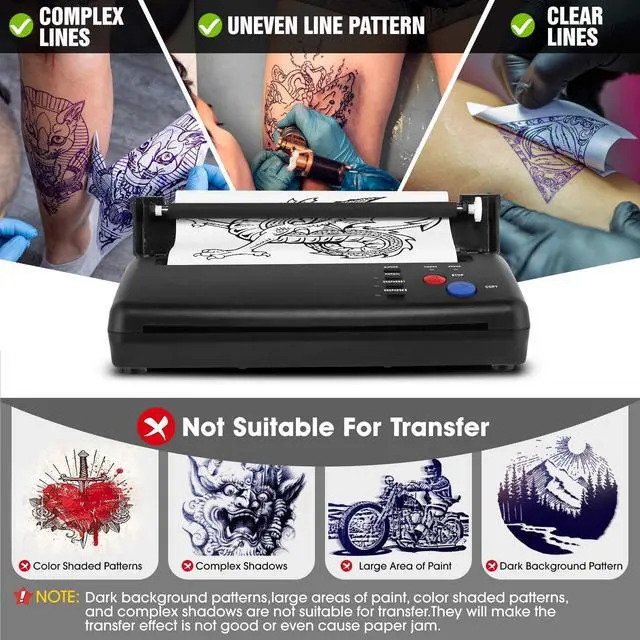
Uneven Line Pattern:

YES
Clear Lines

YES
Complex Lines

NO
Not Suitable For Transfer


Tattoo Stencil Transfer Copier Printer With 20 Pcs Transfer paper
Tattoo Transfer Stencil Machine is a machine for professional tattooing as well as tattoo enthusiasts, it allows you to convert your designs directly from original drawings to stencil paper in a very short time, making it easy to transfer to the skin, it is a reliable copier !
Why Choose PMOTPKOM Machine?
- Perfect transfer effect with clear lines and distinct layers. No more printed streak & half faded stencil.
- Thermal copier tattoo stencil adding lubricating oil and special processes, reducing friction, not easy to jam, save your time and energy.
- Can choose different modes,the copy methods, deepness etc.Even if a single large area simple or complex line art,can ensure the art copy effect
About Tattoo machine
Size:11"" x 6.5"" x 2.8"" (L x W x H)
Weight:1.17Kg/2.57lb
Power: AC 110V-220V(Used globally)
Effective Scanning Width: 210 mm/8.3in
Document size: A5~A4
Document Thickness: 0.06mm-0.15mm
Document Type: Fine/Photo
50Hz/0.46A
Power Consumption: 5W
Recording Mode: TPH
NOTE: Attention before purchasing the transfer machine!!
1:Over heating of the machine can cause paper jams!!! you need to wait until the machine to cool down sufficiently use again
2:Don’t transfer complex patterns continuously,and matte map. you need to wait until the cover is opened to allow the machine to cool down sufficiently use again
3:Please To use stencil transfer paper that can be used by the machine, too thick hand-painted paper will cause paper jams.
4:Transfer machine is not a printer and has no printing function.
FQA:
--Why is there a paper jam?
Solution: The machine is overheated and will jam, let the machine cool down for a few minutes and then use it without jamming.
--Why does the machine print messy lines or black lines?
Solution: Please restore the default settings, and regularly clean the roller, will reduce the possibility of the above problems, you can try this solution.
1. Press the "stop" button for 3 seconds, then you will hear a beep;
2. press the "mirror" button;
3. press the "copy" button.
YES
Uneven Line Pattern:
YES
Clear Lines
YES
Complex Lines
NO
Not Suitable For Transfer