




 here!
here!
I’m your shopping assistant for PC builds, upgrades, and everything tech.
Got questions? Ask away!
Start a conversation
here!
I’m your shopping assistant for PC builds, upgrades, and everything tech.
Got questions? Ask away!
Start a conversation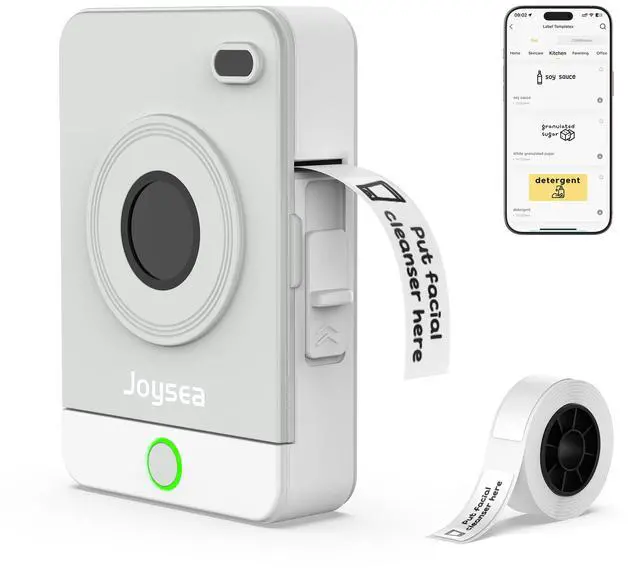



Any questions? Ask CelesteSM will help you find out quickly.

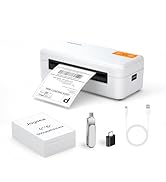
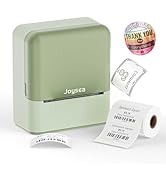
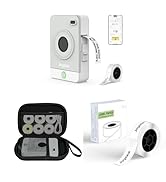

Founded with a passion for innovation and efficiency, Joysea has emerged as a leading brand in thermal label printing solutions.
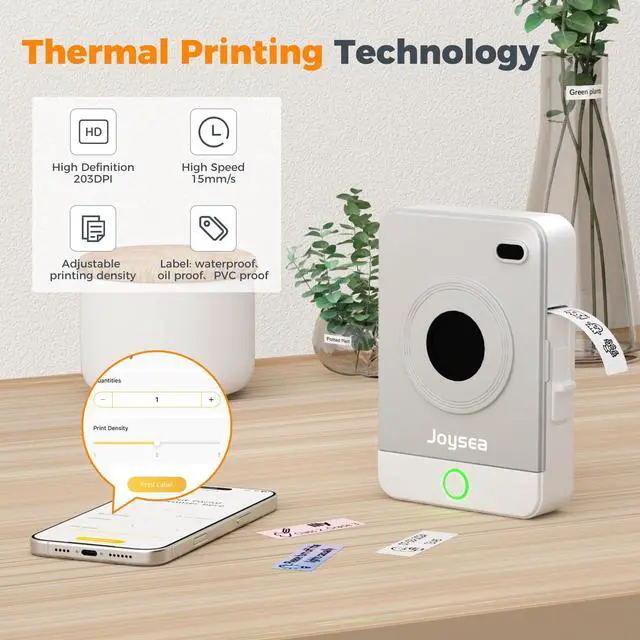
At Joysea, we combine cutting-edge technology with user-centric design. Our printers deliver crisp, smudge-proof prints at lightning speed. Backed by rigorous quality control, we stand by our promise of durability and precision.


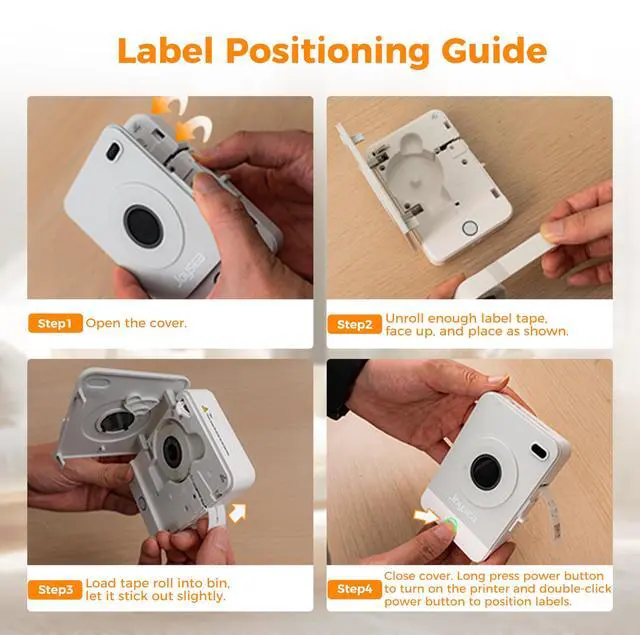
Label Positioning Guide: Long press power button to turn on the printer and double-click power button to position labels.

 Joysea OP1 Label Maker |  Shipping Label Printer |  Shipping Label Printer |  OP1 Label Maker Tape |  Joysea BX1 Label Maker |  OP1 Label Maker Tape |  JoyseaE41 4x6 Inch Labels | |
|---|---|---|---|---|---|---|---|
Customer Reviews | — | — | — | — | — | — | — |
Price | — | — | — | — | — | — | — |
Pack | 1 | 1 | 1 | 480 Labels | 1 | 160 Labels | 500 Labels |
Color | Grey | White | Black | White | Green | White | White |
Compatible Printer | Joysea OP1 Label Maker | Joysea E41 Label Printer | Joysea Y43 Label Printer | Joysea OP1 Label Maker | Joysea BX1 Label Maker | Joysea OP1 Label Maker | Joysea E41 Label Maker |
Indoor/Outdoor | Indoor | Indoor | Indoor | Indoor | Indoor | Indoor | Indoor |
Features | Small, Portable | For Small Businesses | For Small Businesses | Waterproof, Oilproof | Small, Portable | Waterproof, Oilproof | Waterproof, Oilproof |


Label Positioning Guide: Long press power button to turn on the printer and double-click power button to position labels.


 Joysea OP1 Label Maker | Shipping Label Printer |  Shipping Label Printer | OP1 Label Maker Tape |  Joysea BX1 Label Maker | OP1 Label Maker Tape | JoyseaE41 4x6 Inch Labels |
|---|---|---|---|---|---|---|
| Customer Reviews | ||||||
| — | — | — | — | — | — | — |
| Price | ||||||
| — | — | — | — | — | — | — |
| Pack | ||||||
| 1 | 1 | 1 | 480 Labels | 1 | 160 Labels | 500 Labels |
| Color | ||||||
| Grey | White | Black | White | Green | White | White |
| Compatible Printer | ||||||
| Joysea OP1 Label Maker | Joysea E41 Label Printer | Joysea Y43 Label Printer | Joysea OP1 Label Maker | Joysea BX1 Label Maker | Joysea OP1 Label Maker | Joysea E41 Label Maker |
| Indoor/Outdoor | ||||||
| Indoor | Indoor | Indoor | Indoor | Indoor | Indoor | Indoor |
| Features | ||||||
| Small, Portable | For Small Businesses | For Small Businesses | Waterproof, Oilproof | Small, Portable | Waterproof, Oilproof | Waterproof, Oilproof |


Founded with a passion for innovation and efficiency, Joysea has emerged as a leading brand in thermal label printing solutions.
At Joysea, we combine cutting-edge technology with user-centric design. Our printers deliver crisp, smudge-proof prints at lightning speed. Backed by rigorous quality control, we stand by our promise of durability and precision.





