




 here!
here!
I’m your shopping assistant for PC builds, upgrades, and everything tech.
Got questions? Ask away!
Start a conversation
here!
I’m your shopping assistant for PC builds, upgrades, and everything tech.
Got questions? Ask away!
Start a conversation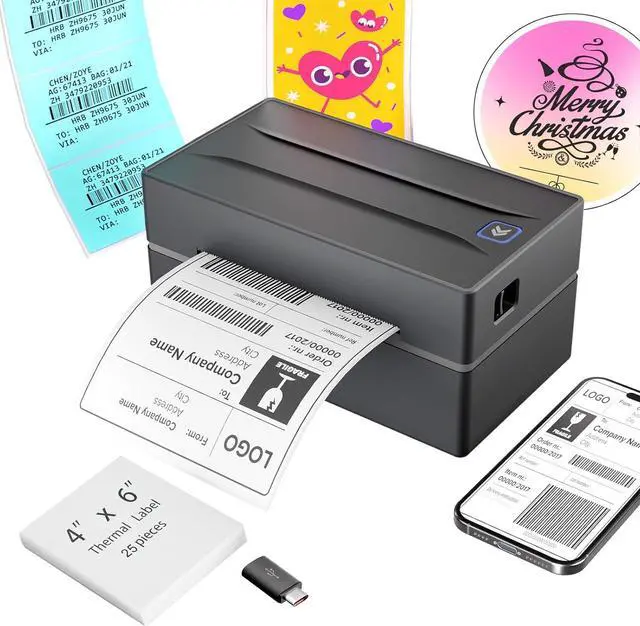





Any questions? Ask CelesteSM will help you find out quickly.


Why am I printing blank labels?
1.Use thermal labels.
2.Ensure labels are placed with the printed side facing up.
Why is the label print faint/unscannable?
For light barcodes: Print as PDF (avoid PNG/JPG).
If text is unclear: Increase density and reduce speed.
If issues persist: Clean the printhead with alcohol wipes.
Why isn't the printer working after I installed the driver?
For USB printing: Make sure the printer is turned on and connected to your computer before installing the driver. If it wasn’t, try uninstalling the driver and reinstalling it with the printer properly connected.
Why can't I connect via Bluetooth?
For mobile phones: Download the latest Flashlabel Pro application from the app store and connect to Bluetooth. For PC: Connect to Bluetooth through downloaded drivers.Note:Bluetooth must be connected through an app or application!
Why does Bluetooth show "Driver Unavailable" on Windows?
This normal notification occurs because USB/Bluetooth handle print jobs differently. No action required.
 Shipping Label Printer |  Shipping Label Printer |  Shipping Label Printer |  Shipping Label Printer |  Tattoo Stencil Printer |  Thermal Shipping Labels | |
|---|---|---|---|---|---|---|
Customer Reviews | — | — | — | — | — | — |
Price | — | — | — | — | — | — |
Connectivity | Bluetooth & USB | Bluetooth & USB | Bluetooth & USB | Bluetooth & USB | Bluetooth & USB | / |
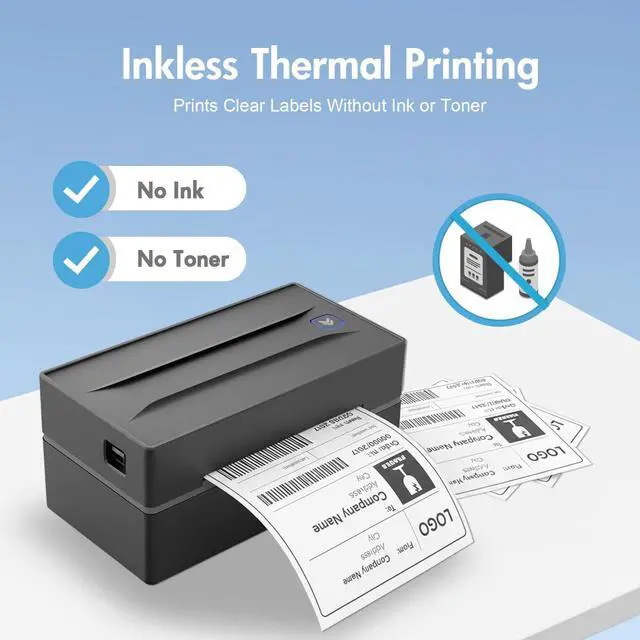
Printing Technology | Thermal Printing | Thermal Printing | Thermal Printing | Thermal Printing | Thermal Printing | Thermal Printing |
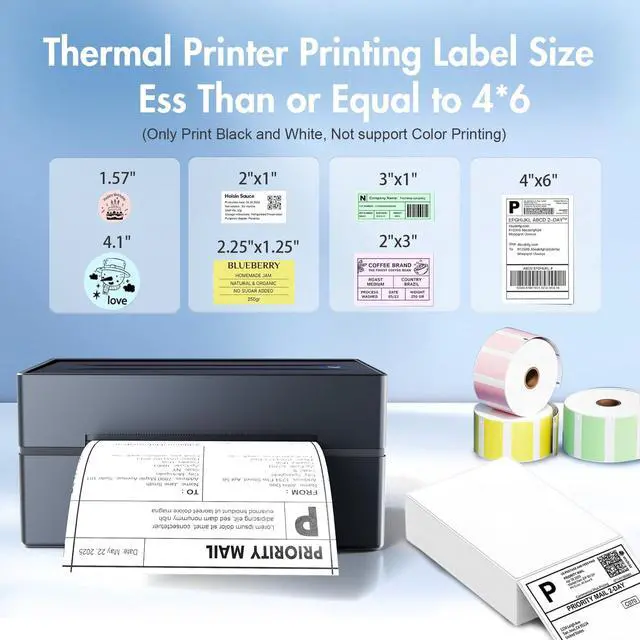
Paper Wide Compatibility | 1.57 to 4.3 inch wide | 1.57 to 4.3 inch wide | 1.57 to 4.3 inch wide | 1.57 to 4.3 inch wide | 8.5 x 11 US Letter, A4 and A5 | 4x6 inch Shipping Labels |
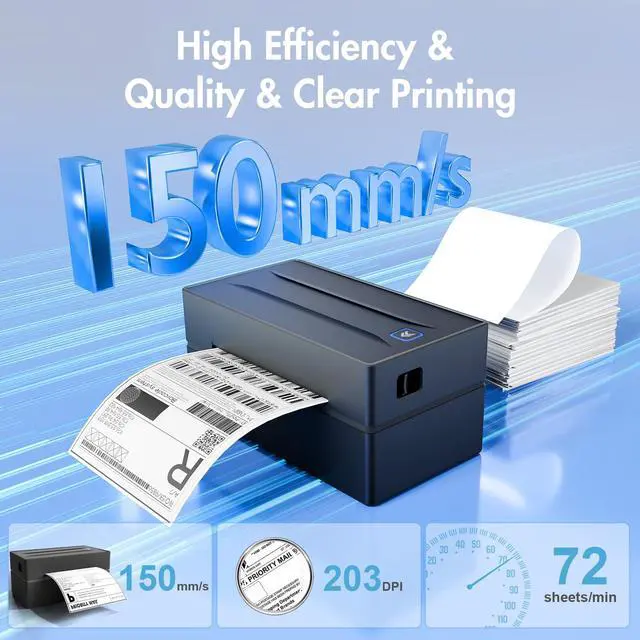
Print Speed | 72 labels/min | 72 labels/min | 72 labels/min | 72 labels/min | 2 pages/min | / |
Color | Black | Green | Pink | White | Black | / |


Why am I printing blank labels?
1.Use thermal labels.
2.Ensure labels are placed with the printed side facing up.
Why is the label print faint/unscannable?
For light barcodes: Print as PDF (avoid PNG/JPG).
If text is unclear: Increase density and reduce speed.
If issues persist: Clean the printhead with alcohol wipes.
Why isn't the printer working after I installed the driver?
For USB printing: Make sure the printer is turned on and connected to your computer before installing the driver. If it wasn’t, try uninstalling the driver and reinstalling it with the printer properly connected.
Why can't I connect via Bluetooth?
For mobile phones: Download the latest Flashlabel Pro application from the app store and connect to Bluetooth. For PC: Connect to Bluetooth through downloaded drivers.Note:Bluetooth must be connected through an app or application!
Why does Bluetooth show "Driver Unavailable" on Windows?
This normal notification occurs because USB/Bluetooth handle print jobs differently. No action required.
Shipping Label Printer | Shipping Label Printer | Shipping Label Printer | Shipping Label Printer | Tattoo Stencil Printer | Thermal Shipping Labels |
|---|---|---|---|---|---|
| Customer Reviews | |||||
| — | — | — | — | — | — |
| Price | |||||
| — | — | — | — | — | — |
| Connectivity | |||||
| Bluetooth & USB | Bluetooth & USB | Bluetooth & USB | Bluetooth & USB | Bluetooth & USB | / |
| Printing Technology | |||||
| Thermal Printing | Thermal Printing | Thermal Printing | Thermal Printing | Thermal Printing | Thermal Printing |
| Paper Wide Compatibility | |||||
| 1.57 to 4.3 inch wide | 1.57 to 4.3 inch wide | 1.57 to 4.3 inch wide | 1.57 to 4.3 inch wide | 8.5 x 11 US Letter, A4 and A5 | 4x6 inch Shipping Labels |
| Print Speed | |||||
| 72 labels/min | 72 labels/min | 72 labels/min | 72 labels/min | 2 pages/min | / |
| Color | |||||
| Black | Green | Pink | White | Black | / |





