

Your Browsing History
- Free 30-day Returns
$276.35

Meet Your Seller


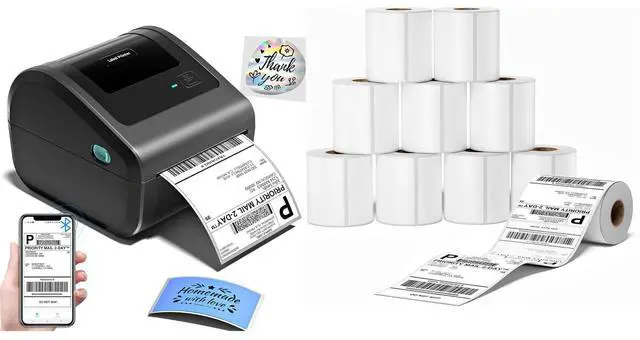
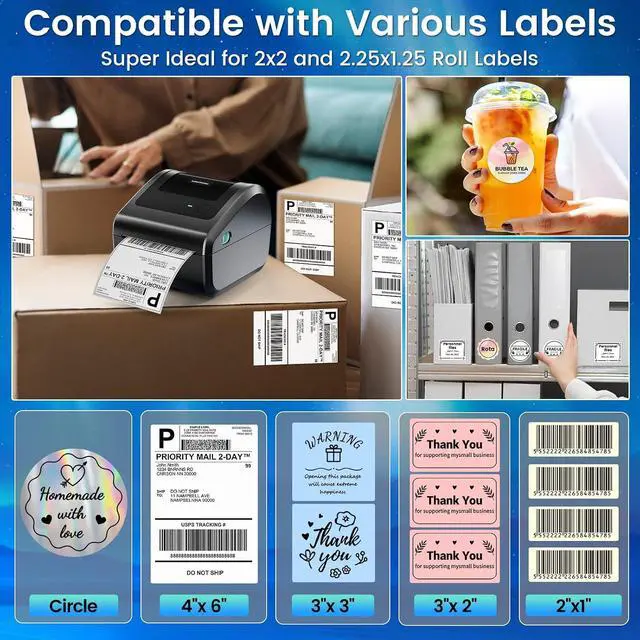
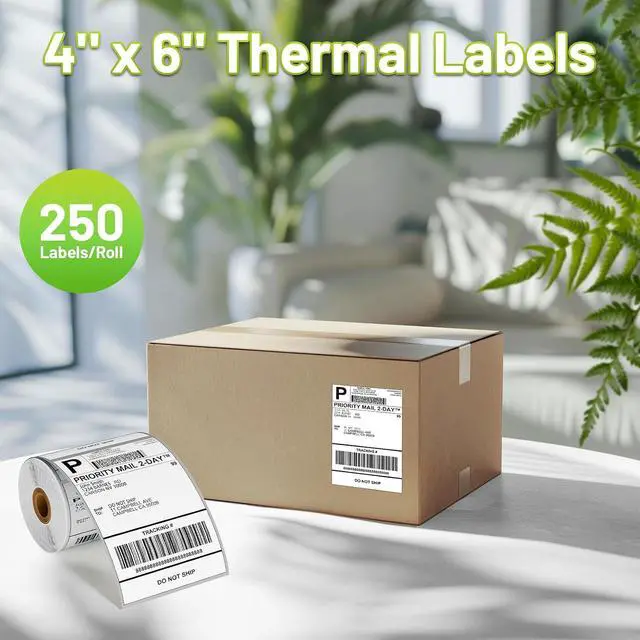



D450BT Thermal Label Printer for Shipping Packages&2500Pcs 4x6 Thermal Labels,Thermal Printers for Small Business, Compatible with Android, iPhone, macOS, Windows, Tiktok, UPS
Limited time offer, ends 10/07 By Dazan Technology
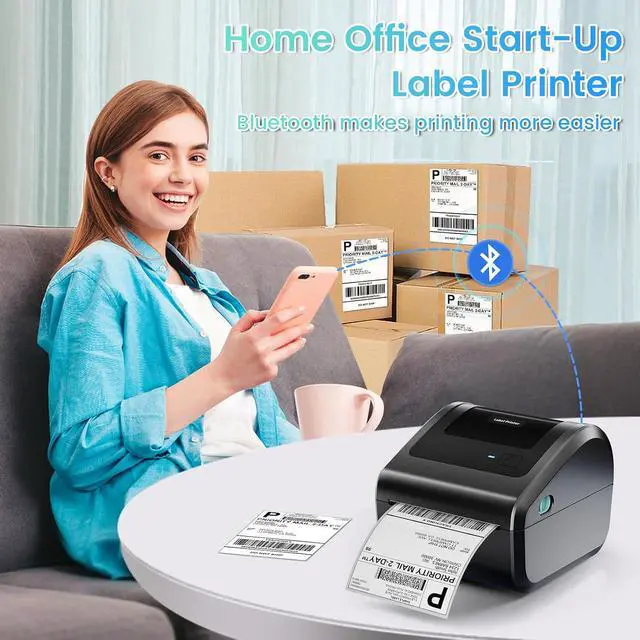
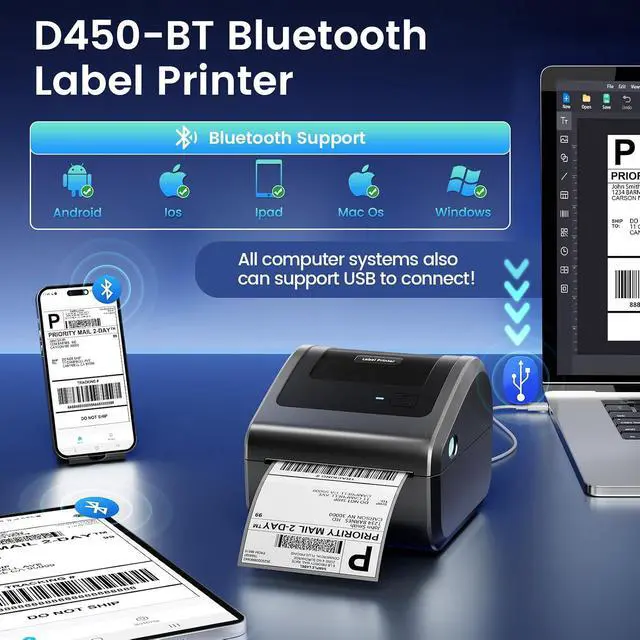
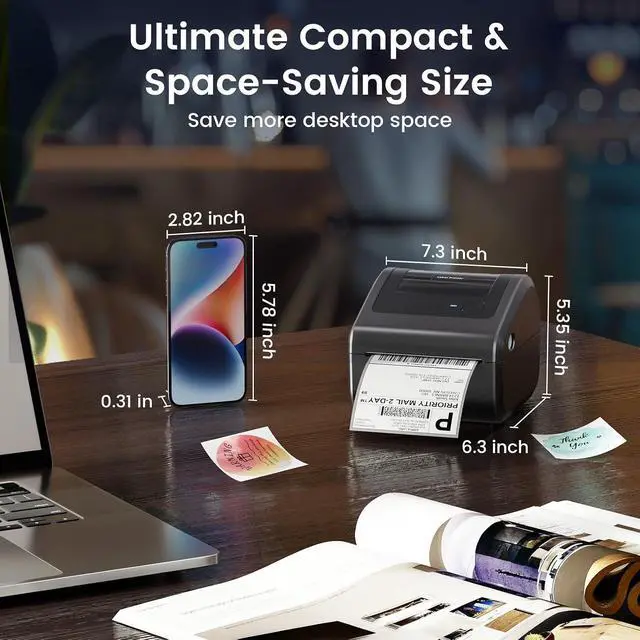
- [Incredible Compact Thermal Printer] - What a win! The D450BT shipping label printers clever built-in compartment holds internal roll paper (up to 250 4x6 labels) and rear-loaded folded paperno extra holders needed. Measuring 7.2x6.3x5.3 inches, this thermal label printer cuts space usage in half vs. other thermal shipping label printer, boosting workspace efficiency and letting you organize packing gear neatly; [Embrace Wireless Printing via Bluetooth] - The D450BT bluetooth shipping label printer comes with steady advanced Bluetooth, connecting seamlessly to Android/iOS, Windows/macOS/Linux, ChromeOS. Print labels anytime, anywhereno location binds! This label printer also supports stable USB for all major systems, simplifying shipping label printing to streamline your daily workflows; [More Cost-Effective & Time-Saving Option] - Upgraded thermal printing lets the 4x6 thermal label printer run without ink/toneronly budget-friendly thermal labels. Equipped with the newest AF chip and Japanese thermal print head, it delivers sharp 203DPI prints, 72 labels/min speed, and auto-alignment to minimize waste, boosting your business profits steadily; [4x6 Thermal Labels] - Size: 4x6 inches, 10 rolls and 250 sheets per pack. The shipping labels are packed in a nice box to prevent damage. It is only suitable for thermal printers and NOT for laser or inkjet printers; Widely Uses - The shipping labels is great for shipping labels, address labels, nutrition labels, FBA labels, mai...
+
+
Overview
Specs
Reviews

Any questions? Our AI mode will help you find out quickly.
Try me now
Product description Omezizy D450-BT Label Printer Strong Helper for Your Business Truely Bluetooth Connection, Make Work more Wireless and Simple Click to play video Support both Bluetooth and USB connection, use our APP to print with Bluetooth to make running a business only with a smartphone or tablet possible. Now, Windows & Mac also support printing via Bluetooth More Powerful Features to Help to Simplifies Your Work 1 Easy Connection 2 Keep Office Tidy 3 Save Desktop Space 4 Not Only Roll Labels How to Connect the D450-BT Label Printer with Your Phone or Computer? Connecting Your Phone to the D450-BT via
Bluetooth Step 1: Download the app mentioned in the guide from Google Play or the
App Store Step 2: Turn on your smartphone's Bluetooth and search for the printer in the app
Step 3: Import the printed PDF into the app and start your printing
Please Note: Do not connect via your phone's Bluetooth settings, must connect directly in the app Click to play video ''Labelife'' Bluetooth Connection for
Computer Step 1: Download the software mentioned in the guide from the
Official Website Step 2: Go to "Wireless Connections" in the software, select your printer, and click "Connect"
Step 3: Edit labels in the software & start printing Click to play video D450-BT USB Connection for
Windows Step 1: Download the driver and run the driver installerSelect the printer model -
D450-BT Step 2: Select USB Connection, Complete the installation of the driver
Step 3: Enjoy your printing journey! Click to play video D450-BT USB Connection for macOS
Step 1: Download the driver and run the driver installerSelect the printer model -
D450-BT Step 2: Select USB Connection, Complete the installation of the driver
Step 3: Enjoy your printing journey! Click to play video D450-BT Pre-Operation Guide for Paper
Loading Step1: Adjust paper guide
Step2: Insert label, ensure it is straight and smooth
Step3: The label printer will move the label back and forth to learn the gap size and other properties of your label Click to play video D450-BT Pre-Operation Guide for
Feed Button Automatic Label Recognition: D450BT label printer can automatically detect and identify the type and dimensions of the label as soon as it is inserted into the thermal printer
Restore Factory Setting: Turn off the printer, press and hold the Feed Button, and turn on the printer at the same time. Then the red light flashes 5 times, release the Feed Button Pause & Resume Printing: When the printer is printing, press the Feed Button once. After stopping, click the button again to resume printing Click to play video More Options for D450BT Shipping Label Printer D520BT Label Printer Add to Cart D520BT & 500pcs Labels Add to Cart D550Pro Label Printer Add to Cart 4x6 Roll Thermal Labels Buying Options 4x6 Thermal Label 2500pcs Add to Cart Clear Thermal Labels 4x6 Add to Cart 4x6 Fold Thermal Labels Add to Cart Customer Reviews 4.4 out of 5 stars 1, 068 4.4 out of 5 stars 1, 068 4.3 out of 5 stars 74 4.8 out of 5 stars 524 4.8 out of 5 stars 524 4.8 out of 5 stars 524 4.8 out of 5 stars 524 Price $ 74.98 $74. 98 $ 99.99 $99. 99 $ 89.99 $89. 99 $ 14.39 $14. 39 $ 49.99 $49. 99 $ 17.99 $17. 99 $ 17.99 $17. 99 Color Grey Grey Grey White White Transparent White Support Bluetooth & USB Connection Bluetooth & USB Connection Ethernet & Bluetooth & USB Thermal Label Printers Thermal Label Printers Thermal Label Printers Thermal Label Printers Features Compact & Built-in Label Bin Compact & Built-in Label Bin Compact & Built-in Label Bin Small Businesses & Home Use Small Businesses & Home Use Small Businesses & Home Use Small Businesses & Home Use Pack 1 Printer 1 Printer + 500pcs Labels 1 Printer 250 Labels 2500 Labels 100 Labels 500 Labels High Quality
Bluetooth Step 1: Download the app mentioned in the guide from Google Play or the
App Store Step 2: Turn on your smartphone's Bluetooth and search for the printer in the app
Step 3: Import the printed PDF into the app and start your printing
Please Note: Do not connect via your phone's Bluetooth settings, must connect directly in the app Click to play video ''Labelife'' Bluetooth Connection for
Computer Step 1: Download the software mentioned in the guide from the
Official Website Step 2: Go to "Wireless Connections" in the software, select your printer, and click "Connect"
Step 3: Edit labels in the software & start printing Click to play video D450-BT USB Connection for
Windows Step 1: Download the driver and run the driver installerSelect the printer model -
D450-BT Step 2: Select USB Connection, Complete the installation of the driver
Step 3: Enjoy your printing journey! Click to play video D450-BT USB Connection for macOS
Step 1: Download the driver and run the driver installerSelect the printer model -
D450-BT Step 2: Select USB Connection, Complete the installation of the driver
Step 3: Enjoy your printing journey! Click to play video D450-BT Pre-Operation Guide for Paper
Loading Step1: Adjust paper guide
Step2: Insert label, ensure it is straight and smooth
Step3: The label printer will move the label back and forth to learn the gap size and other properties of your label Click to play video D450-BT Pre-Operation Guide for
Feed Button Automatic Label Recognition: D450BT label printer can automatically detect and identify the type and dimensions of the label as soon as it is inserted into the thermal printer
Restore Factory Setting: Turn off the printer, press and hold the Feed Button, and turn on the printer at the same time. Then the red light flashes 5 times, release the Feed Button Pause & Resume Printing: When the printer is printing, press the Feed Button once. After stopping, click the button again to resume printing Click to play video More Options for D450BT Shipping Label Printer D520BT Label Printer Add to Cart D520BT & 500pcs Labels Add to Cart D550Pro Label Printer Add to Cart 4x6 Roll Thermal Labels Buying Options 4x6 Thermal Label 2500pcs Add to Cart Clear Thermal Labels 4x6 Add to Cart 4x6 Fold Thermal Labels Add to Cart Customer Reviews 4.4 out of 5 stars 1, 068 4.4 out of 5 stars 1, 068 4.3 out of 5 stars 74 4.8 out of 5 stars 524 4.8 out of 5 stars 524 4.8 out of 5 stars 524 4.8 out of 5 stars 524 Price $ 74.98 $74. 98 $ 99.99 $99. 99 $ 89.99 $89. 99 $ 14.39 $14. 39 $ 49.99 $49. 99 $ 17.99 $17. 99 $ 17.99 $17. 99 Color Grey Grey Grey White White Transparent White Support Bluetooth & USB Connection Bluetooth & USB Connection Ethernet & Bluetooth & USB Thermal Label Printers Thermal Label Printers Thermal Label Printers Thermal Label Printers Features Compact & Built-in Label Bin Compact & Built-in Label Bin Compact & Built-in Label Bin Small Businesses & Home Use Small Businesses & Home Use Small Businesses & Home Use Small Businesses & Home Use Pack 1 Printer 1 Printer + 500pcs Labels 1 Printer 250 Labels 2500 Labels 100 Labels 500 Labels High Quality
Warranty & Returns
Warranty, Returns, And Additional Information
Warranty
- Please contact the Seller directly for warranty information. Warranty information may also be found on the Manufacturer's website.
- CONTACT
Return Policies
- Return for refund within: 30 days
- Return for replacement within: 30 days
- This item is covered by Dazan Technology Return Policy
Manufacturer Contact Info
- For a directory of all our manufacturers, please click below.
- Manufacturers Directory
LOADING...