About this item
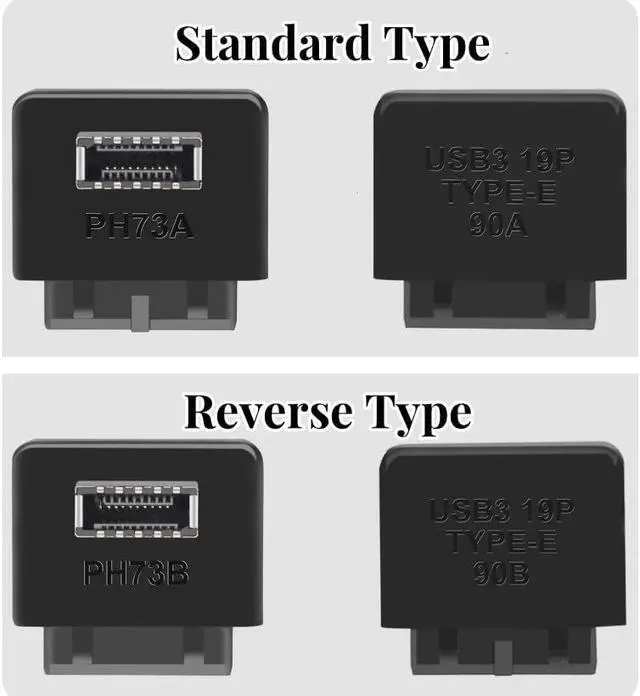
- TYPE B HEADER NOTCH FACES INWARD | VERIFY BEFORE ORDERING This is the Type B version, designed for motherboards where the USB 3.0 20-pin headers key/notch faces toward the inside of the motherboard (toward the CPU/board center). Type A and Type B look identical externally they are distinguished only by the internal anti-reverse tab position. Check your header orientation before ordering. If the notch faces outward, you need Type A instead.
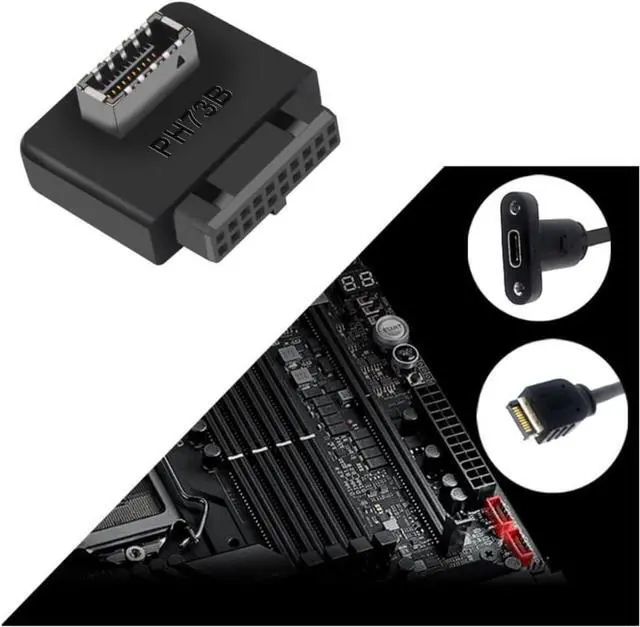
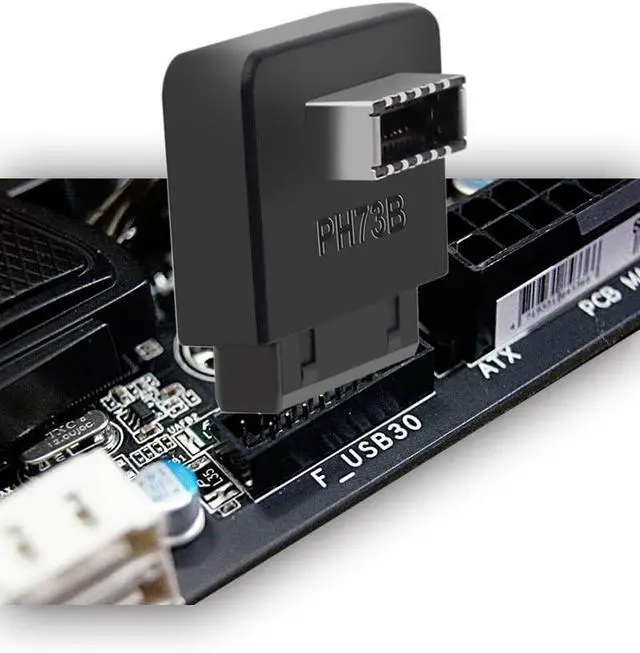
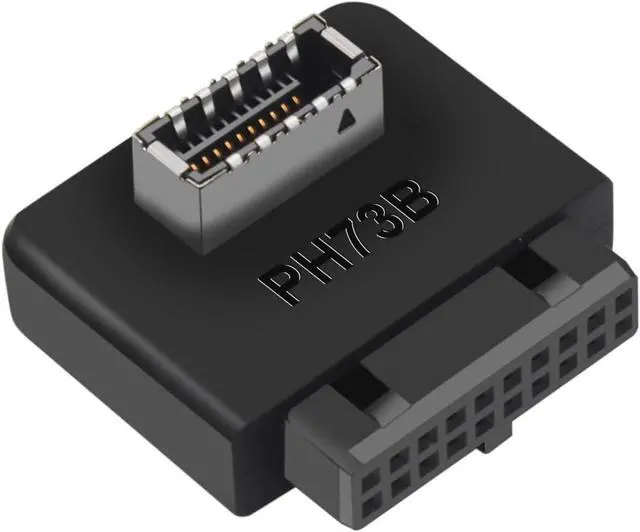
- CONVERTS 20-PIN HEADER TO TYPE-E KEY-A ADD FRONT USB-C SUPPORT Turns an available USB 3.0 19/20-pin internal header into a USB 3.2 Type-E (Key-A) 20-pin female port. Perfect for adding front panel USB-C functionality to older motherboards that lack a native Type-E header. Plug and play, no drivers needed.
- 5Gbps USB 3.0 SPEED DATA TRANSFER ONLY Supports USB 3.0 SuperSpeed up to 5Gbps and is backward compatible with USB 2.0/1.1. This adapter uses the motherboards USB 3.0 header, which provides 4.5W (0.9A x 5V) maximum. It does NOT support PD fast charging, DisplayPort Alt Mode, Thunderbolt, or any audio/video output.
- REVERSE TYPE DESIGN FOR SPECIFIC BOARD LAYOUTS The reverse-type orientation routes the Type-E connector in the opposite direction compared to standard adapters, solving clearance issues with CPU coolers, RAM modules, or case side panels. Ideal for compact builds where a standard-direction adapter blocks nearby components.
- WIDE COMPATIBILITY STANDARD 19/20-PIN HEADER REQUIRED Compatible with motherboards that have a standard USB 3.0 19/20-pin internal header (not USB 2.0 IDC). Works with Type-E front panel cables from most modern cases. Does NOT work with USB 2.0 headers or Type-E Key-B (2x USB-A) connections.
Product descriptionUSB 3.2 Gen 1 to USB 3.2 Gen 2 Header Adapter USB 3.1 Type-E Key-A to USB 3.0 20 Pin Header Converter (Type B, Notch Facing Inward)
Add front panel USB-C support to your motherboard. If your case has a USB-C front panel cable but your motherboard only has a USB 3.0 19/20-pin header (no native Type-E port), this adapter bridges the gap converting your available 20-pin header into a Type-E Key-A female port.
Whats in the Box:
- 1x USB 3.2 Gen 1 to Gen 2 Header Adapter (Type B)
- 1x User Guide
Not Included:
- Motherboard, PC case, or front panel cable
IMPORTANT READ BEFORE ORDERING
Type Verification (Critical): This is the Type B version, for motherboards where the 20-pin headers notch/key faces inward (toward the CPU/board center). Type A and Type B adapters look identical externally the difference is the internal anti-reverse tab position. Please check your motherboard before ordering.
How to Check Your Type:
- Locate your motherboards USB 3.0 19/20-pin header.
- Find the notch (the small gap/slot on one side of the connector).
- If the notch faces toward the inside of the board (toward the CPU) Type B (this product).
- If the notch faces toward the outside edge of the board Type A.
Speed & Power Limitations (Critical):
- Speed: This adapter carries USB 3.0 signal at up to 5Gbps. It does NOT convert 5Gbps to 10Gbps. The USB 3.2 Gen 1 to Gen 2 in the title refers to the physical connector conversion (20-pin header Type-E port), not a speed upgrade.
- Power: The motherboards USB 3.0 header provides a maximum of 4.5W (0.9A x 5V) . USB-C devices that require higher power (PD charging, laptops, etc.) will not charge at full speed or may not charge at all.
- No Alt Mode: Does NOT support DisplayPort Alt Mode, Thunderbolt, or any audio/video output. Data transfer only.
Why choose this adapter?
- Type B Notch faces inward, clearly labeled to prevent wrong purchase
- Converts 19/20-pin header to Type-E Key-A adds front USB-C capability
- Reverse Type for board layouts where standard-direction adapters cause clearance issues
- Plug & Play no drivers, tool-free installation
- 5Gbps USB 3.0 backward compatible with USB 2.0/1.1
echnical Specifications:| Type | Type B (Notch Facing Inward) |
| Connector A | USB 3.0 19/20-Pin Male (Motherboard Header) |
| Connector B | Learn more about the Detailed SpecificationsAdditional Information| First Listed on Newegg | July 18, 2026 |
|---|
Warranty & ReturnsWarranty, Returns, And Additional InformationWarranty- Please contact the Seller directly for warranty information. Warranty information may also be found on the Manufacturer's website.
- CONTACT
Manufacturer Contact Info |





 here!
here!