




 here!
I’m your shopping assistant for PC builds, upgrades, and everything tech.
Got questions? Ask away!
Start a conversation
here!
I’m your shopping assistant for PC builds, upgrades, and everything tech.
Got questions? Ask away!
Start a conversationShipped by Hebei XG Technology Co., Ltd.





Any questions? Ask CelesteSM will help you find out quickly.
1. Customizable Configuration:Allows users to build a tailored server setup as it comes without CPU, memory, disk, card, and power supply, fitting various business needs precisely.
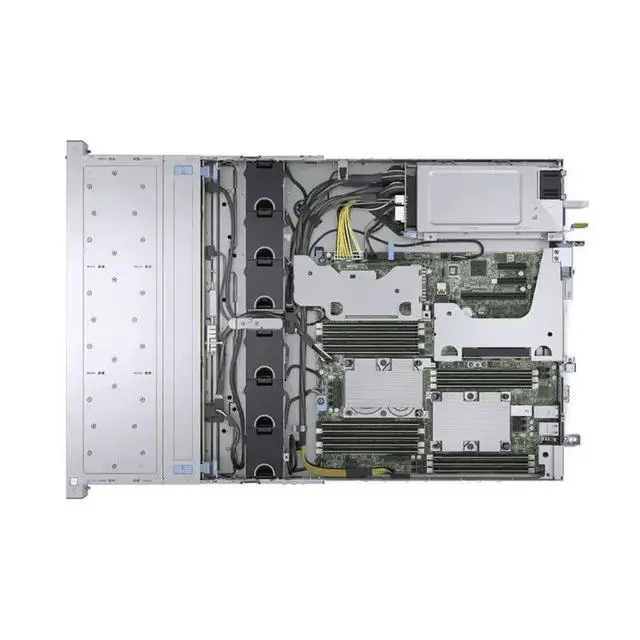
2. Single Heat Sink Provision:Comes with 1 heat sink, ready for CPU installation and efficient heat dissipation once the CPU is added.
3. 2U Compact Design:The 2U form - factor saves valuable rack space in data centers, optimizing space utilization.
4. Brand - New Quality:Being brand - new ensures top - notch performance and reliability right out of the box.
5. 3 - Year Warranty Assurance:The 3 - year warranty offers peace of mind, protecting your investment with comprehensive after - sales service.
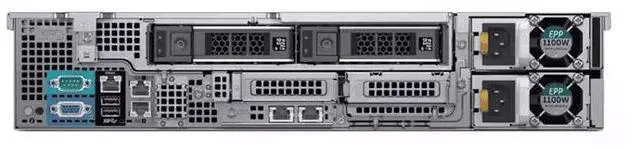
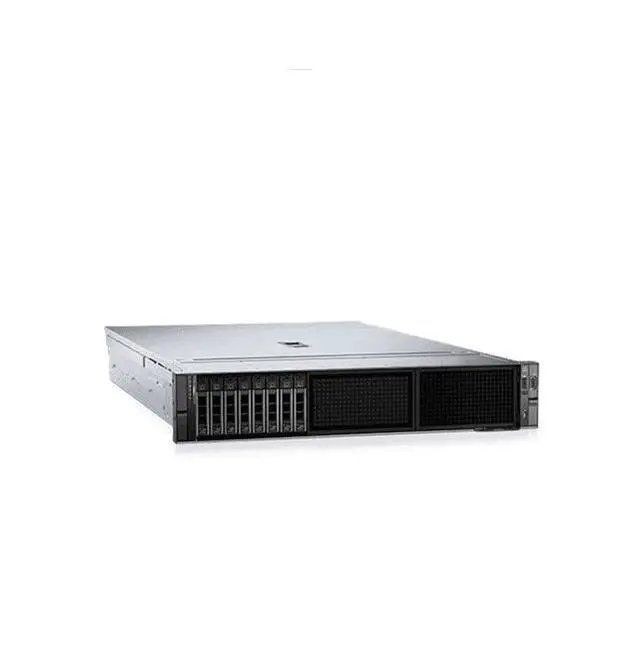
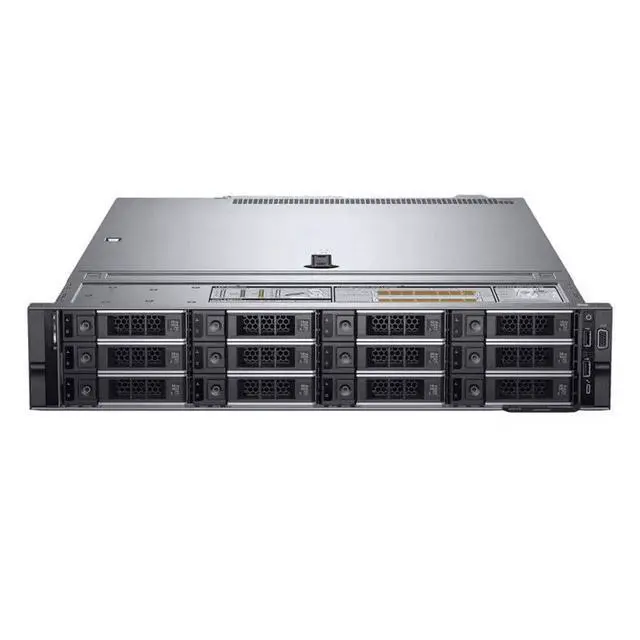
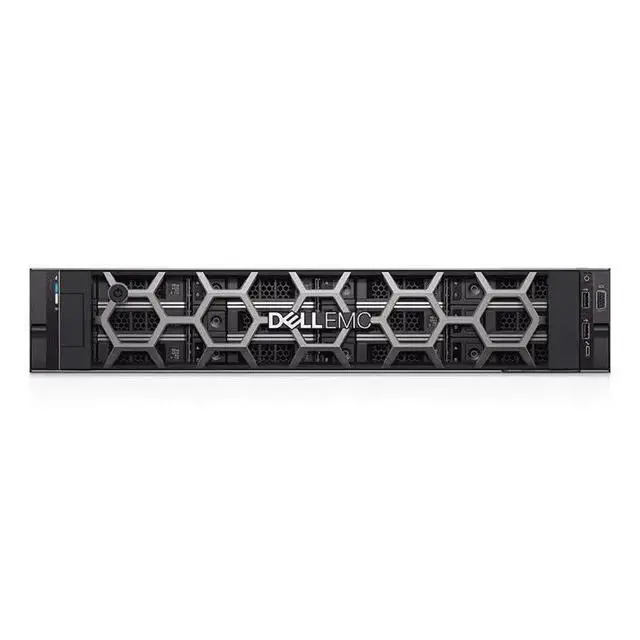
The Dell R540 is a brand-new 2U barebones server chassis for IT teams, system integrators, and businesses that want to build a custom rack server by adding their own CPU, memory, storage, expansion cards, and power supply.
| Attribute | Value |
|---|---|
| Best For | System builders and IT teams who want a 2U barebones rack server chassis for custom configurations—ideal for data-center rack deployments where CPUs, memory, storage, power supplies, and expansion cards will be added by the buyer |
| Chassis And Form Factor | 2U rackmount barebones chassis designed to save rack space and accept customer-supplied components |
| Barebones Configuration | Ships without CPU, system memory, storage drives, expansion cards, or power supply to support custom hardware selection and staging |
| Included Components And Condition | Includes 1 heat sink; product is sold brand new and otherwise diskless and cardless |
| Warranty And Service | 3-year warranty included for after-sales coverage |
| Model Identifiers | Dell R540 Server (barebones configuration) |
Q: Should I choose the Dell PowerEdge R540 or the Dell PowerEdge R440?
A: Choose the PowerEdge R540 if you want a 2U platform built around storage capacity and expansion flexibility. Dell positions the R540 as a balanced, adaptable server for workloads such as mail, messaging, and virtualization, while the R440 is positioned more for dense scale-out and space-efficient deployments. The R540 supports more 3.5-inch drive capacity and more PCIe expansion, so it fits buyers planning to add large local storage or more cards over time. The R440 is the better fit when rack density matters more than drive count.
Q: Is the Dell PowerEdge R540 a better choice than the Dell PowerEdge R640?
A: Choose the PowerEdge R540 when you value larger-capacity 3.5-inch storage and a more storage-oriented 2U layout. Choose the PowerEdge R640 when you need higher rack density, more memory ceiling, and a platform commonly used for dense virtualization or software-defined infrastructure. Dell positions the R640 for performance and density, while the R540 is positioned as a balanced server with stronger emphasis on adaptable storage. In practice, the R540 is the better choice for mixed business workloads with lots of local disks, while the R640 fits compute-dense deployments.
Q: Is this barebones Dell R540 better than buying a pre-configured R540?
A: Choose this barebones R540 if you already have compatible Xeon Scalable CPUs, DDR4 ECC memory, storage, controllers, and power supplies, or if you want to control the exact build. A pre-configured R540 is the better choice when you want faster deployment and less compatibility planning. The main trade-off is flexibility versus time: this listing gives a clean starting point for a custom build, while a populated system reduces parts sourcing and validation work.
Q: Should I upgrade from an older Dell PowerEdge R730 to the R540?
A: The R540 is a sensible upgrade if you want a newer Intel Xeon Scalable platform, updated Dell management and firmware support, and a server design that keeps the same general 2U storage-oriented role. It is a practical move for buyers refreshing older infrastructure without shifting to a denser 1U design. Keeping an older R730 can still make sense if your current system already meets your performance and expansion needs, but the R540 is the more current platform for long-term parts and lifecycle planning.
Q: Is the Dell R540 a better fit for storage-heavy use or for space-efficient deployments?
A: The R540 is the better fit for storage-heavy use. Its 2U chassis and support for large 3.5-inch drive configurations make it better aligned with file storage, backup, and general-purpose business workloads that benefit from more local capacity. For space-efficient deployments, a 1U model such as the R440 or R640 is usually the better fit because those systems are designed for higher rack density with a smaller footprint per node.
Q: Is this a complete, ready-to-run server?
A: No. This listing is for a barebones Dell R540 chassis, not a complete working server. Based on the product data, it ships without CPU, memory, storage, add-in cards, or power supply, so buyers should expect to add the core components before deployment.
Q: Who is this server suitable for?
A: This server is mainly suitable for IT teams, system integrators, and experienced buyers who already know which CPU, memory, storage, and power configuration they need. It is a practical fit for custom rack deployments, lab builds, or replacement projects, but it is not ideal for buyers who want a turnkey server with all parts included.
Q: What do I still need to buy before I can use it?
A: At minimum, buyers should plan for a compatible processor, system memory, storage drives, and a power supply, because those items are not included in this listing. Depending on the intended deployment, buyers may also need additional cooling, controller or network cards, rails, and an operating system.
Q: Is this a good choice if I want maximum configuration flexibility?
A: Yes, if your priority is building to a specific requirement rather than buying a fixed prebuilt server. This barebones format gives flexibility because you are not paying for unwanted CPU, RAM, storage, or power components up front. The trade-off is that setup is slower and compatibility planning matters more than with a preconfigured system.
Q: Is this a good fit for buyers who need fast deployment with minimal setup?
A: Usually no. Because this unit is missing multiple essential components, it is better suited to planned custom builds than to quick, plug-and-go deployment. Buyers who need a server running immediately may find the assembly, parts sourcing, and validation steps less convenient than a fully configured system.
Q: Who is this barebones Dell R540 a good fit for?
A: This barebones R540 is best for buyers who specifically want a 2U Dell enterprise chassis and already plan to add their own CPU, ECC memory, storage, power supplies, and cards. It is more suitable for an experienced IT, lab, or infrastructure buyer than for someone who wants a ready-to-run server, because the listing starts with no CPU, no RAM, no disks, no add-in cards, and no power supply.
Q: Is this worth buying if I need a complete server right away?
A: Usually no. This listing is a chassis-level starting point, not a complete server. If you need something deployable now, the missing CPU, memory, storage, power supplies, and expansion components add cost, setup time, and compatibility work. It makes more sense if you already own compatible parts or want to build a custom Dell platform from scratch.
Q: What are the main trade-offs of buying a barebones R540 instead of a preconfigured server?
A: The main advantage is flexibility: you can choose your own processors, RAM capacity, storage layout, and expansion path. The main trade-offs are higher total build effort, more compatibility checking, and the risk that a low-cost starting chassis still needs expensive missing parts before it is usable. For many buyers, the decision depends on whether customization matters more than fast deployment.
Q: Is this a good choice for a homelab or storage-focused build?
A: It can be, but mainly for buyers who want enterprise-server features and are comfortable sourcing the rest of the build. Reddit discussions around the R540 often focus on homelab, NAS, and virtualization use, but they also show that smaller or cheaper systems may be enough for lighter file-serving needs. This R540 makes more sense when you want rackmount enterprise hardware rather than the simplest low-cost NAS.
Q: Should I buy this if I want strong CPU performance for game servers or other clock-speed-sensitive workloads?
A: Only if you plan the CPU configuration carefully. Community discussion around the R540 shows that workload fit depends heavily on processor choice, and that some users view lower-clock Xeon setups as less ideal for single-thread-sensitive tasks. Since this listing includes no CPU and only one heatsink, it is better treated as a platform to build correctly than as a guaranteed high-performance setup out of the box.


