




 here!
here!
I’m your shopping assistant for PC builds, upgrades, and everything tech.
Got questions? Ask away!
Start a conversation
here!
I’m your shopping assistant for PC builds, upgrades, and everything tech.
Got questions? Ask away!
Start a conversationShipped by Hebei XG Technology Co., Ltd.


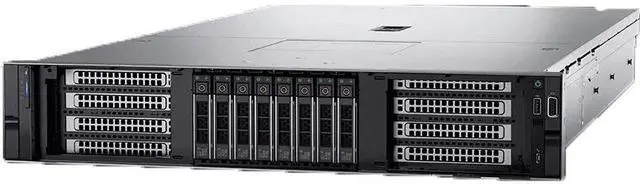
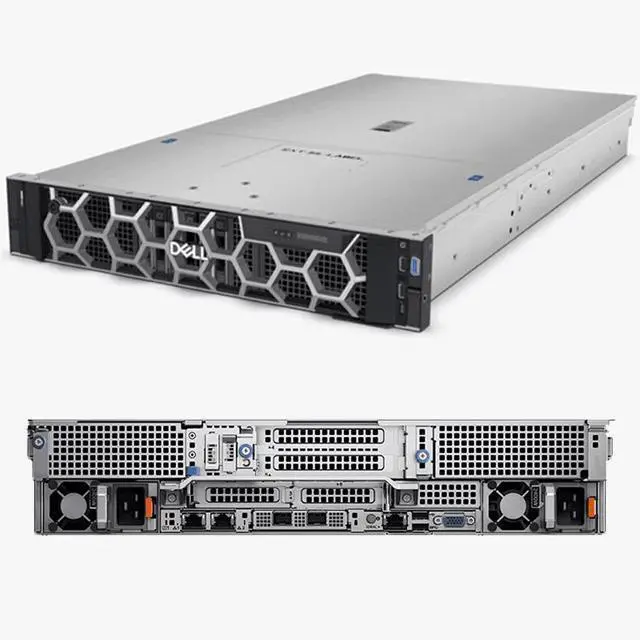
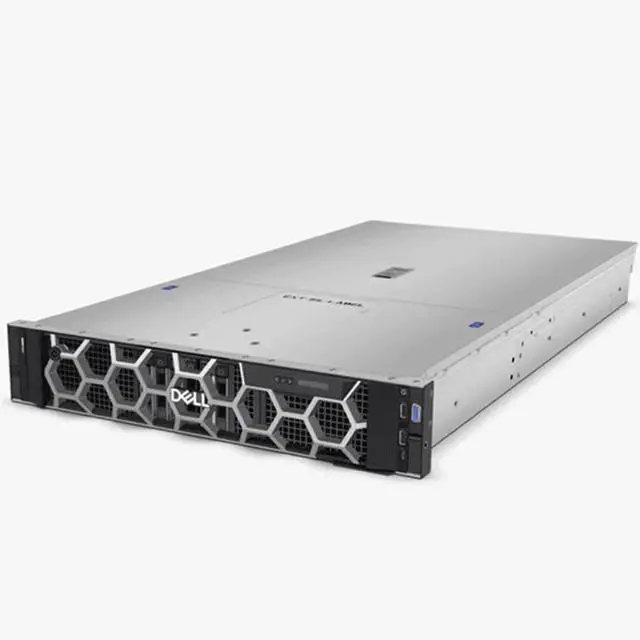
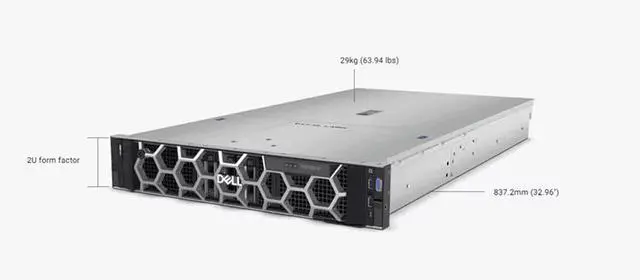
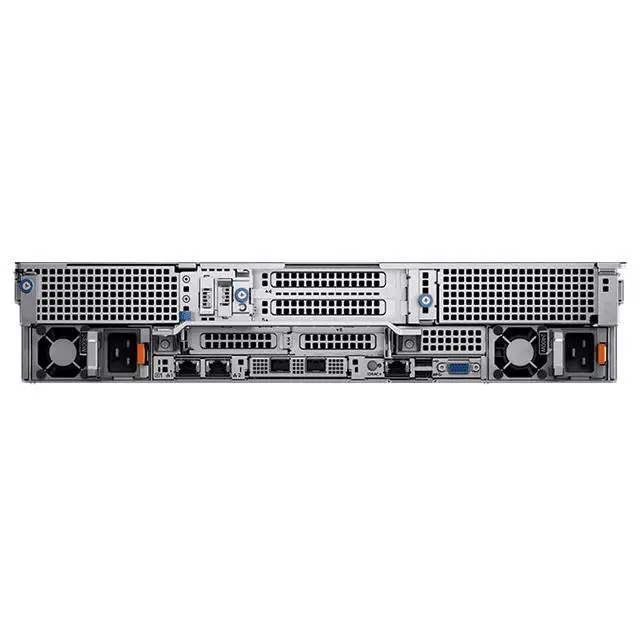
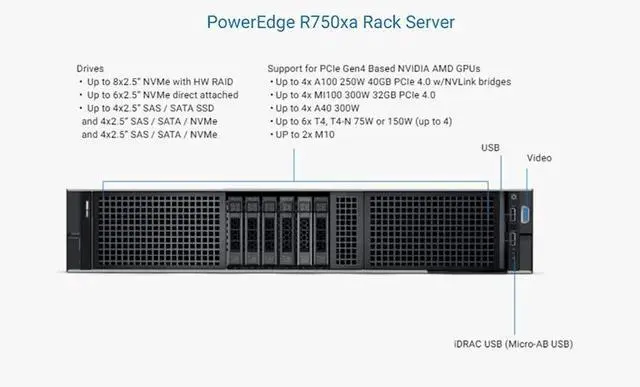



Any questions? Ask CelesteSM will help you find out quickly.
1. High - end Computing Potential:Supports up to two 3rd Gen Intel Xeon Scalable processors, with up to 40 cores per processor, offering powerful computing performance for complex tasks like AI and HPC.
2. Flexible Memory Configuration:Equipped with 32 DDR4 DIMM slots, supporting RDIMM, LRDIMM, and Intel Persistent Memory 200 series. The maximum RAM can reach 2TB (RDIMM), 4TB (LRDIMM), or 8TB (Intel Persistent Memory 200 series), and the memory speed can be up to 3200MT/s.
3. Diverse Storage Options:The front bays can hold up to 8 2.5 - inch SAS/SATA/NVMe drives, with a maximum capacity of 122.88TB. It also supports up to 6 direct - attach 2.5 - inch NVMe drives, with a maximum capacity of 92.16TB. There are 4 storage configurations, including RAID of SAS/SATA SSDs, RAID of NVMe drives, direct - attach NVMe, and a combination of SAS/SATA SSDs and direct - attach NVMe.
4. Powerful I/O Expansion:Features up to 8 PCIe Gen 4 slots (up to 6 x16 and 2 x8), which can meet the needs of high - speed data transmission and device expansion, and is suitable for connecting high - performance GPUs, network cards and other devices.
5. Accelerator Support:Can accommodate up to four single - width 150W or four double - width 300W accelerators in the front, and two single - width 75W accelerators at the rear, which is ideal for GPU - intensive workloads.
6. Reliable Security Features:Includes security functions such as cryptographically signed firmware secure boot, secure erase, and silicon root of trust. It also supports TPM 1.2/2.0, providing a secure operating environment.
7. Convenient Management:With iDRAC9 and other management tools, functions like remote management, BIOS updates, and system monitoring can be realized. It also supports OpenManage Enterprise and other console management, which is convenient for IT operation and maintenance.
The Dell R750XA is a 2U barebones GPU-ready server chassis for organizations building AI, HPC, or accelerator-heavy infrastructure, especially teams that want to choose their own 3rd Gen Intel Xeon CPUs, memory, storage, RAID, and power configuration.
| Attribute | Value |
|---|---|
| Best For | System integrators and datacenter teams assembling a 2U Dell R750XA barebones server chassis with eight 2.5-inch front drive bays; ships diskless and without CPUs, heatsinks, RAID card, or power supplies, so processors, heatsinks, storage, RAID controller, and power supplies must be provided separately |
Q: Should I choose the Dell PowerEdge R750xa or the standard PowerEdge R750?
A: Choose the PowerEdge R750xa when GPU density is the priority. Dell positions the R750xa as the accelerator-optimized model for highly intensive GPU workloads, with support for up to four double-width 300W accelerators, while the standard R750 is positioned as a more general-purpose 2U platform for demanding but broader workloads. If the deployment is focused on AI inference, model training, VDI with GPU acceleration, or other PCIe accelerator-heavy jobs, the R750xa is the more appropriate fit. If the goal is virtualization, mixed infrastructure, or storage and expansion flexibility without needing a GPU-first chassis, the R750 is usually the more practical choice. ([i.dell.com](https://i.dell.com/sites/csdocuments/Product_Docs/en/poweredge-R750xa-spec-sheet.pdf?utm_source=openai))
Q: Is the PowerEdge R760xa a better buy than the R750xa?
A: Choose the PowerEdge R760xa if you want the newer accelerator platform and plan to keep the server in service for a longer refresh cycle. Compared with the R750xa, the R760xa moves to 4th or 5th Gen Intel Xeon, DDR5 memory, faster memory speeds, and PCIe Gen5 accelerator support, while still targeting dense GPU deployments. The R750xa remains a sensible choice when 3rd Gen Xeon compatibility, DDR4-era infrastructure alignment, or lower acquisition cost matters more than moving to the newer platform. In short: R760xa for newer CPU and memory generation headroom; R750xa for a mature GPU-focused platform that still fits many inference, VDI, and HPC deployments. ([i.dell.com](https://i.dell.com/sites/csdocuments/Product_Docs/en/poweredge-R750xa-spec-sheet.pdf?utm_source=openai))
Q: Is the R750xa a meaningful upgrade over the older R740xa?
A: Yes, the R750xa is the more relevant choice if you want Dell's newer Intel-based accelerator server generation. The R750xa adds 3rd Gen Intel Xeon Scalable support, PCIe Gen4, and a platform Dell designed specifically around high-power front-access GPU configurations. Community and reviewer discussions around the R750 generation also commonly treat it as the newer lifecycle step for organizations standardizing on more current CPU and I/O generations. The R740xa can still make sense for extending an existing older fleet, but the R750xa is the clearer option for new GPU-centric deployments that need a newer platform baseline. ([i.dell.com](https://i.dell.com/sites/csdocuments/Product_Docs/en/poweredge-R750xa-spec-sheet.pdf?utm_source=openai))
Q: Should I buy this barebones R750xa or a more complete pre-configured server?
A: Choose this barebones R750xa if you already have a clear bill of materials and want control over CPU, memory, storage, RAID, power, and accelerator choices. The listed unit ships without CPUs, heatsinks, disks, RAID card, or power supplies, so it is best suited to buyers who know the exact validated configuration they want. A pre-configured server is the better choice when deployment speed, vendor validation, and simpler support handling matter more than component-level flexibility. Community discussions around PowerEdge buying often highlight that GPU servers can involve compatibility, cooling, and software licensing planning, which makes complete configurations easier for less specialized teams. ([i.dell.com](https://i.dell.com/sites/csdocuments/Product_Docs/en/poweredge-R750xa-spec-sheet.pdf?utm_source=openai))
Q: Is this a complete server I can power on right away?
A: No. This listing is a barebones chassis, not a ready-to-run system. Based on the product data, it does not include CPUs, heatsinks, drives, a RAID card, or power supplies. In practice, buyers of server barebones frequently ask whether core parts are included, so the main decision point is whether you already plan to source compatible processors, cooling, memory, storage, RAID, and PSUs separately before deployment.
Q: Who is this server suitable for?
A: This server is best suited for experienced IT buyers, labs, and businesses building a high-performance rack system for AI, GPU compute, virtualization, or HPC. The provided specs point to a 2U platform that supports up to two 3rd Gen Intel Xeon Scalable processors, 32 DIMM slots, extensive PCIe Gen 4 expansion, and substantial accelerator support. It is not a simple plug-and-play choice for casual office use; it makes the most sense when you need a configurable platform and already understand server validation, component compatibility, and rack deployment.
Q: Is this a good fit for GPU-heavy AI or compute workloads?
A: Yes, if you plan to complete the build with the required CPUs, cooling, power, and supported accelerators. The R750xa platform is designed for accelerator-heavy use, with support for up to four double-width 300W GPUs in the front plus additional rear accelerator support. That makes it a strong fit for AI inference, model development, HPC, and other PCIe accelerator workloads. The trade-off is that GPU-ready servers have stricter power, airflow, and component-planning requirements than a basic rack server.
Q: What are the main trade-offs of buying this barebones configuration?
A: The main advantage is flexibility: you can choose the CPUs, memory, storage layout, accelerator mix, and management stack that match your workload. The main trade-offs are higher setup complexity, longer time to deploy, and more compatibility planning. Because this unit is sold without processors, heatsinks, storage, RAID, or PSUs, total build cost and readiness depend heavily on the parts you add. This is usually a better choice for buyers who want control over configuration than for buyers who need a ready-to-deploy server.
Q: Is this server a sensible choice for general office or light business tasks?
A: Usually no. This platform is designed for rack deployment and high-performance compute expansion, not for lightweight office applications. For routine file sharing, basic business apps, or light virtualization, this class of server can be more complex, power-hungry, and expensive to finish than necessary. It is most sensible when you specifically need its CPU, memory, storage, PCIe, or GPU headroom.
Q: Who is the Dell R750XA barebones chassis actually suitable for?
A: It is best for buyers who already plan to build a GPU-focused or high-density compute server and know the exact parts they need. This listing is a barebones platform with no CPU, heatsink, RAID card, power supply, or drives, so it fits experienced IT teams, labs, and integrators more than first-time server buyers.
Q: Is this a good buy for AI, GPU compute, or HPC workloads?
A: Yes, if your workload is designed to use accelerators. The R750XA platform is built for GPU-heavy configurations, with support for multiple double-width GPUs, large memory capacity, and extensive PCIe Gen4 expansion. It is a poor value if your workloads are mostly CPU-only, light virtualization, or basic file-serving, because the main advantage of this chassis is accelerator support.
Q: Is it worth buying this barebones R750XA instead of a complete server?
A: It is worth buying only if you want control over the final configuration and already understand the total build cost. This unit is missing several expensive essentials, including CPUs, heatsinks, storage, RAID, and power supplies. A complete server is usually the better choice for buyers who want faster deployment, simpler compatibility, and more predictable budgeting.
Q: What are the main trade-offs of choosing this model for a homelab or general server use?
A: The trade-off is capability versus complexity and cost. The R750XA offers strong expansion, high memory capacity, and serious GPU support, but it is larger, more power-hungry, and more specialized than a typical general-purpose server. For homelab users doing lightweight services, media, or basic virtualization, it can be excessive unless GPU acceleration is a real requirement.
Q: Can you treat this as a simple drop-in GPU server build?
A: No. Community discussion around Dell GPU-capable servers repeatedly highlights that GPU support depends on the full platform configuration, including power delivery, risers, cooling, cabling, and compatible parts. Since this listing is barebones, buyers should assume additional validation work is required before it becomes a usable GPU server.


