




 here!
here!
I’m your shopping assistant for PC builds, upgrades, and everything tech.
Got questions? Ask away!
Start a conversation
here!
I’m your shopping assistant for PC builds, upgrades, and everything tech.
Got questions? Ask away!
Start a conversationShipped by Hebei XG Technology Co., Ltd.





Any questions? Ask CelesteSM will help you find out quickly.
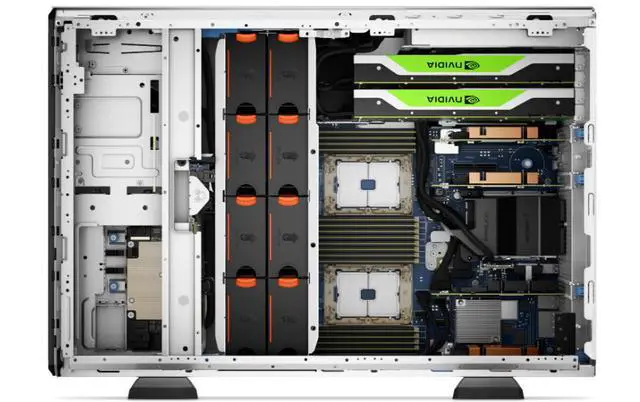
- Powerful Processing Potential: It can support up to two 3rd - generation Intel Xeon Scalable processors, with up to 32 cores per processor, which can provide strong computing power for complex tasks such as data analysis, virtualization, and AI.
- Memory Performance: It has 16 DDR4 DIMM slots, and the memory speed can reach up to 3200MT/s. The maximum support for RDIMM is 1TB, which can meet the memory - intensive workload requirements.
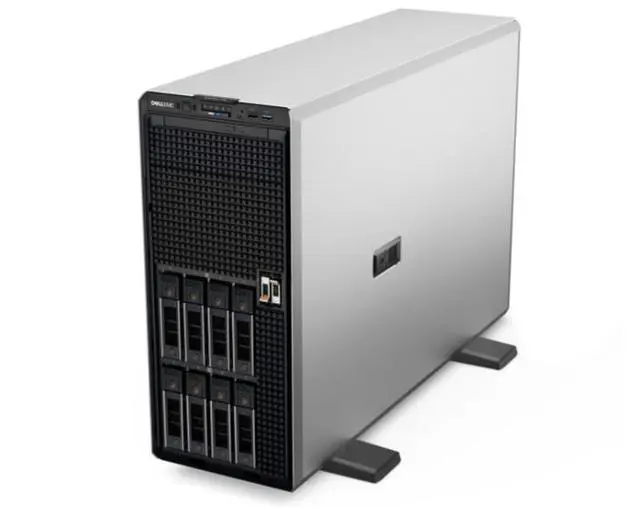
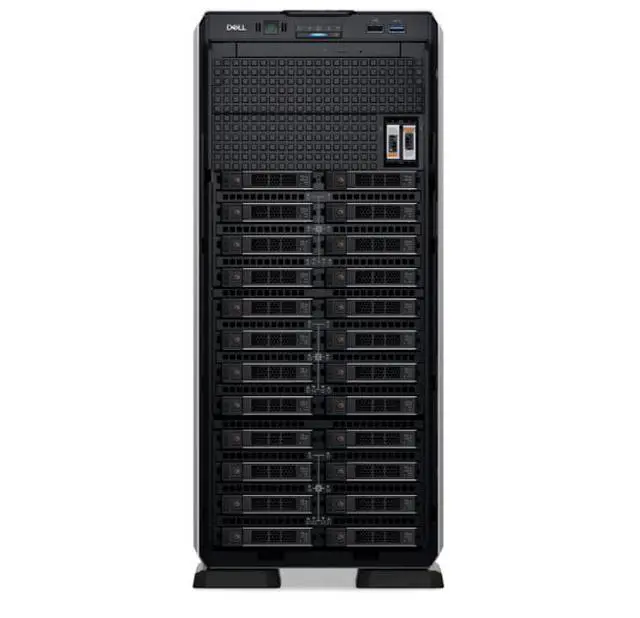
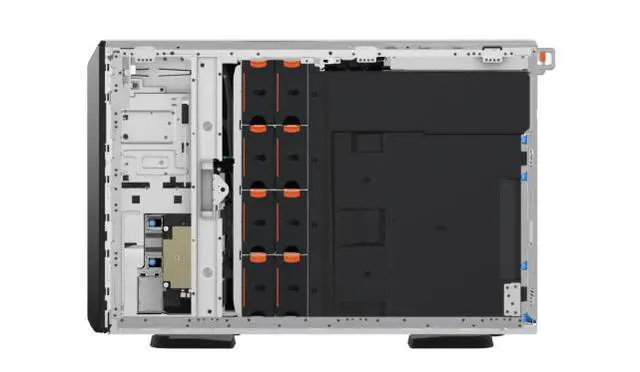
- Storage Expansion: The front - end bays can hold up to 8 3.5 - inch SAS/SATA hard drives, with a maximum capacity of 120TB. It can also be configured with a combination of 8 3.5 - inch SAS/SATA hard drives and 8 2.5 - inch NVMe drives, with a maximum capacity of 240TB, providing flexible storage expansion options.
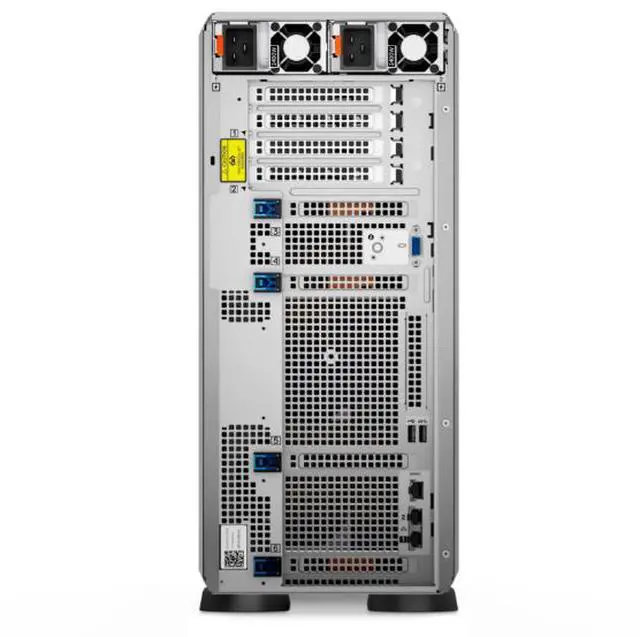
- I/O Expansion Capability: It is equipped with 5 PCIe Gen4 slots and 1 PCIe Gen3 slot, which can be used to connect high - speed network cards, graphics cards and other expansion devices to meet the needs of high - speed data transmission.
- Management Features: It is equipped with iDRAC9, which supports functions such as remote management, BIOS update and system monitoring. It also supports a variety of management tools, such as OpenManage Enterprise, OpenManage Power Manager plugin, etc., which can simplify server management and improve operation and maintenance efficiency.
- Security Features: It has security functions such as cryptographically signed firmware, secure boot, secure erase, and silicon root of trust. It also supports TPM 1.2/2.0, which can effectively protect the security of server data and system.
- Power Supply Options: Although no power supply is included, the T550 supports a variety of power supply options, including 600W platinum, 700W titanium, 800W platinum and other specifications, all of which support hot - swap and redundancy, which can ensure the stable power supply of the server.
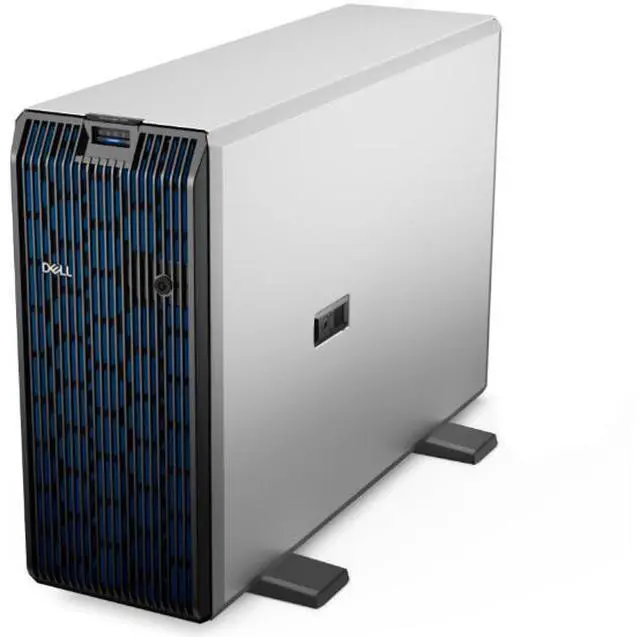
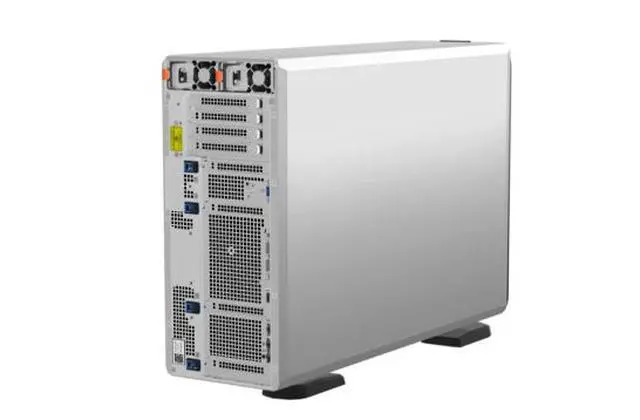
The Dell T550 is a barebones tower server chassis designed for IT teams, labs, and SMBs that want to build a custom dual-socket Xeon platform for virtualization, data analysis, AI-adjacent workloads, or large-capacity storage deployments.
| Attribute | Value |
|---|---|
| Best For | System builders and IT teams assembling a barebones Dell T550 server platform for virtualization, data analysis, and scalable storage deployments; chassis ships without CPUs, heatsink, drives, RAID card, or power supply so components must be added |
| Model Identifiers | Dell T550 server (3.5"/8-bay) — Server Barebones |
| Processor And Core Count | Supports up to two 3rd‑generation Intel Xeon Scalable processors with up to 32 cores per processor |
| Memory Configuration | 16 DDR4 DIMM slots, supports RDIMM up to 1 TB total, memory speeds up to 3200 MT/s |
| Storage And Expansion | Front bays accept up to eight 3.5" SAS/SATA drives (up to 120 TB); can be configured with eight 3.5" SAS/SATA plus eight 2.5" NVMe drives for a combined capacity up to 240 TB |
| I/O Expansion | Five PCIe Gen4 expansion slots plus one PCIe Gen3 slot for high‑speed network cards, GPUs, or accelerators |
| Management And Software | Integrated iDRAC9 for remote management, BIOS updates, and system monitoring; compatible with OpenManage Enterprise and OpenManage Power Manager plugin |
| Security Features | Cryptographically signed firmware, Secure Boot, secure erase, and silicon root of trust for firmware and platform protection |
Q: Should I choose the Dell PowerEdge T550 or the Dell PowerEdge T350?
A: Choose the PowerEdge T550 when you need a true dual-socket tower platform for virtualization, data analytics, larger memory footprints, or more PCIe and storage expansion. Dell positions the T550 for SDS, VDI, and data analytics, while the T350 is aimed more at small business and branch-office workloads. The T550 supports up to two 3rd Gen Intel Xeon Scalable processors, 16 DIMM slots, and much larger drive configurations, so it fits growth-oriented deployments better. The T350 is the better fit when you want a simpler, smaller, single-socket tower for lighter infrastructure needs.
Q: Is the Dell PowerEdge T550 better than a 1U or 2U rack server like the Dell PowerEdge R550 for the same workload?
A: Choose the PowerEdge T550 if you want tower form factor convenience with similar mainstream dual-socket Intel server capability, especially in offices, labs, or edge locations without a rack. Dell positions the R550 as a value-optimized rack server for general-purpose IT and virtualization-ready deployments, while the T550 brings similar processor class support in a tower chassis with broader local expansion options, including more PCIe headroom and tower-friendly serviceability. Choose the R550 when rack density, standardized rack deployment, and datacenter layout matter more than local expansion or tower acoustics and placement.
Q: Should I upgrade from an older Dell PowerEdge T440 or T640 to the T550?
A: The PowerEdge T550 is the stronger upgrade path if you want newer Intel platform features, PCIe Gen4 expansion, faster memory support, and updated management and security features such as iDRAC9 and silicon root of trust. Compared with older tower generations, the T550 is positioned for more modern virtualization, analytics, and accelerator use cases. A T440 or T640 can still make sense if you already own one and your workload is stable, but the T550 is the more practical choice for new deployments that need current-generation expansion and lifecycle headroom.
Q: Should I buy the Dell PowerEdge T550 now or move up to the newer Dell PowerEdge T560?
A: Choose the PowerEdge T560 if you want the newer generation platform and your workload will benefit from higher performance per system generation. Dell's own positioning for the T560 highlights major performance gains over the prior-generation T550, especially for compute-heavy and AI-adjacent workloads. Choose the T550 when a 3rd Gen Xeon platform is sufficient and you prioritize compatibility with existing 43xx-series CPU-era deployments, budget control, or a specific used or barebones configuration. In short: T560 for newer platform performance, T550 for a more cost-conscious dual-socket tower build.
Q: Who is this barebones Dell T550 best suited for?
A: This configuration is best for IT teams, refurbishers, labs, or experienced buyers who already plan to source their own CPU, heatsink, memory, storage, RAID, and power supplies. It is not a turnkey server. The main value is the T550 platform itself: dual-socket 3rd Gen Intel Xeon scalability, ECC RDIMM support, multiple PCIe slots, and enterprise remote management through iDRAC9.
Q: Does this server need major additional parts before it can be used?
A: Yes. This listing is a barebones chassis, so it cannot be deployed as-is. You will need compatible Xeon processor(s), matching heatsink(s), registered ECC DDR4 memory, storage drives, a supported RAID or HBA option if needed, and power supply module(s). You may also need an operating system, rails or accessories, and networking or GPU cards depending on the workload.
Q: Is this a good choice for virtualization, file storage, or office server workloads?
A: Yes, if you plan to build it out properly. The T550 platform is well suited for virtualization, file serving, backup, branch-office infrastructure, and other memory- and storage-heavy workloads because it supports up to two Xeon Scalable CPUs, 16 DDR4 RDIMM slots, up to 8 front 3.5-inch bays in this version, optional mixed SAS/SATA plus NVMe storage layouts, and iDRAC9 for remote administration. The trade-off is that this barebones listing shifts integration work and parts compatibility to the buyer.
Q: Can I upgrade memory, storage, and add-in cards later?
A: Yes. Expandability is one of the main reasons to buy this platform. The T550 supports 16 DDR4 RDIMM slots, multiple front drive configurations, and several PCIe expansion slots for networking, storage, or accelerator cards. In practice, upgrades depend on the exact chassis configuration and on whether the correct risers, backplanes, controllers, cooling parts, and power supplies are installed.
Q: Is this practical for a normal office environment, or is it mainly for a server room?
A: It can work in a normal office or back-office environment, but it is still a large 5U-class tower server, not a quiet consumer desktop. It is intended for business workloads and can be managed remotely with iDRAC9, which helps when the system is placed away from the user. Buyers should still plan for server-grade power, airflow, component noise, and physical space.
Q: Is this Dell T550 barebones server worth buying if I still need to add major parts?
A: It is mainly worth buying if you specifically want a current-generation tower server chassis and already plan to source the missing parts yourself. This listing is missing CPUs, heatsinks, storage, RAID, and power supplies, so the true cost depends on how cheaply and reliably you can complete it. For buyers who want a faster path to deployment, a more complete T550 or another ready-to-run server is usually the simpler choice.
Q: Who is a barebones Dell T550 best suited for?
A: It is best suited for IT buyers, labs, and experienced server users who already understand Dell server parts, compatibility, and build-out costs. The platform can support dual 3rd-gen Xeon Scalable CPUs, large DDR4 memory capacity, multiple drive types, and PCIe expansion, so it fits virtualization, storage-heavy workloads, and office or edge deployment. It is a poor fit for beginners who need a plug-and-play system.
Q: What are the main trade-offs of buying this barebones T550 instead of a complete server?
A: The main trade-off is flexibility versus time and risk. A barebones chassis gives you control over CPU, memory, storage, and RAID choices, which can reduce cost in some builds. The downside is that you must verify all required parts yourself, including power supplies, heatsinks, supported CPUs, drive backplane options, and storage controller needs. That makes the purchase less convenient and increases the chance of unexpected total cost or compatibility work.
Q: Is the Dell T550 a good choice for a homelab or virtualization server?
A: Yes, it can be a strong homelab or virtualization platform if you need enterprise features, high core counts, large memory support, remote management, and substantial storage expansion. It is less attractive if your workloads are light, because tower enterprise hardware is larger, more power-hungry, and usually more expensive to finish than smaller systems. It makes the most sense when you will actually use its CPU, RAM, PCIe, and drive capacity.


