here!
I’m your shopping assistant for PC builds, upgrades, and everything tech.
Got questions? Ask away!
Start a conversation
here!
I’m your shopping assistant for PC builds, upgrades, and everything tech.
Got questions? Ask away!
Start a conversation



Any questions? Ask CelesteSM will help you find out quickly.
Multi-Screen Expansion & Wireless MirroringWireless HDMI transmitter and receiver support two display modes: mirroring and extension. The transmitter can extend up to 8 display screens simultaneously.Whether it's a laptop, camera, or set-top box, content can be easily transmitted to TVs, monitors, projectors, and other devices, achieving content synchronization across multiple devices.Cross-screen transmission is fast, making it ideal for diverse scenarios including home theaters, churches, conference halls, education and training, and outdoor displays, satisfying the display needs of different scenarios. (Note: Ensure your smartphone supports the Power Delivery protocol when connecting.)
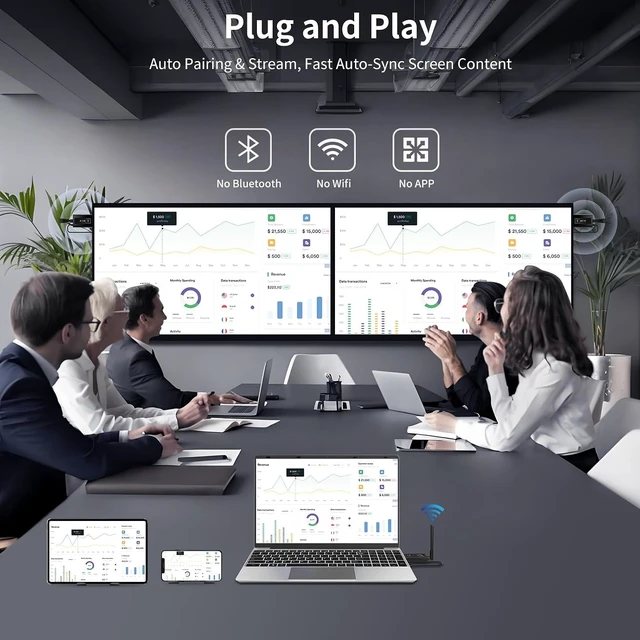
Compact Design, Plug and Play HDMI wireless extender features a lightweight and compact design, making it small and space-saving. It can be easily stored in a pocket, backpack, or office drawer, making it easy to carry for business trips, family gatherings, outdoor camping, and other scenarios. Pre-paired at the factory, it delivers true plug-and-play functionality, eliminating the hassle of cumbersome cables, Wi-Fi configuration, and Bluetooth pairing for hassle-free operation.
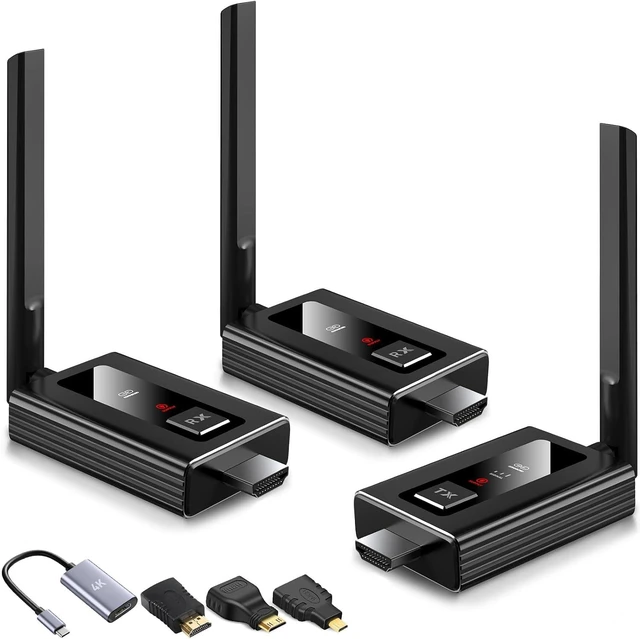
Broad Compatibility, Works with Multiple DevicesHDMI wireless splitter comes with a Micro HDMI adapter, a Mini HDMI adapter, and a USB-C to HDMI 4K adapter in the package, fully covering the interface requirements of different devices. It is also compatible with a wide range of devices, enabling the transmission of audio and video from cable TV set-top boxes, laptops, PCs, DSLR cameras, video cameras, and other devices to TVs, projectors, monitors, and more, meeting various connection needs.(Note: Transfer between TVs is not supported.)
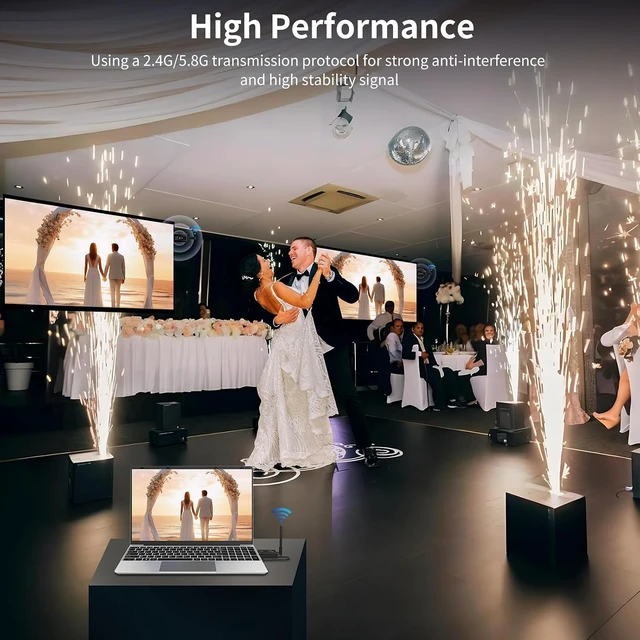
Dual-Band Technology and Deployable Enhanced Antenna Wireless HDMI adapter features intelligent 5.8G/2.4G dual-band automatic switching technology, automatically switching to the appropriate mode based on the environment. It supports simultaneous connection of two mobile devices (tablets or smartphones), improving the efficiency of multi-device collaborative work and the convenience of multi-person screen sharing. The deployable antenna significantly enhances signal reception, reducing signal interference and transmission delay, and effectively preventing signal interruptions and video stuttering.
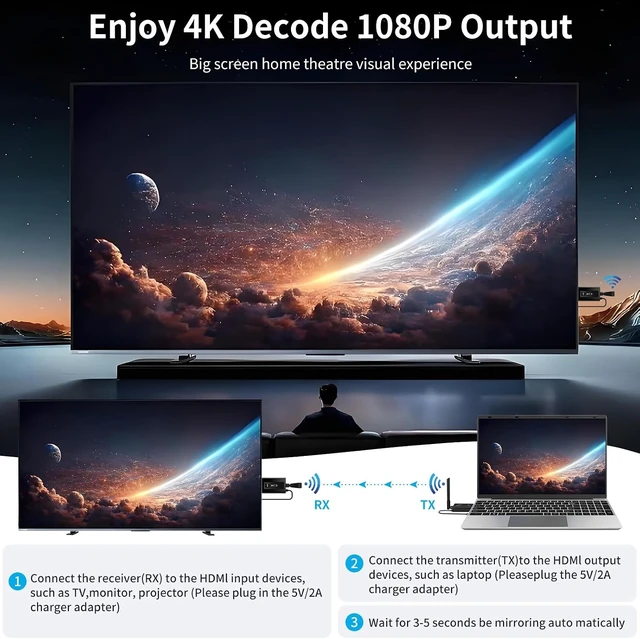
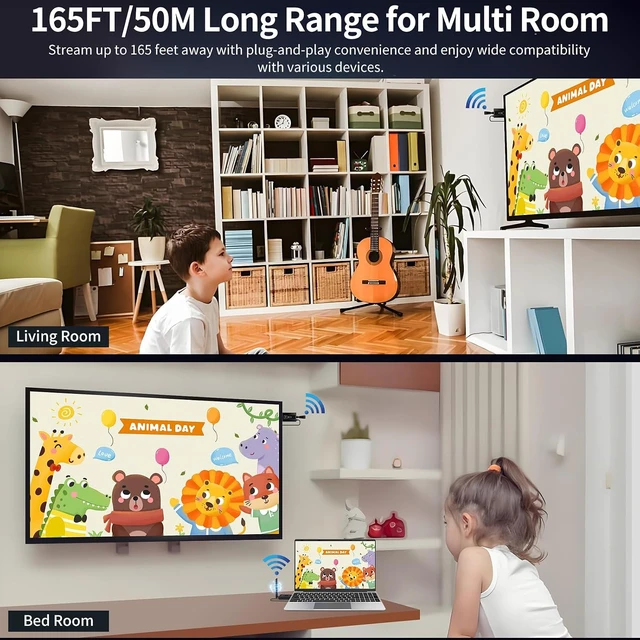
4K High-Definition Transmission, Stable and Smooth Over Long DistanceHDMI Wireless transmitter and receiver 4K features high-quality 4K decoding input and Full HD 1080P 60Hz output capabilities, enabling clear, stable, and smooth image transmission. It is ideal for sharing slides, pictures, videos, and meeting information. In open, unobstructed environments, its signal coverage distance can reach up to 165 feet (approximately 50 meters); even in complex scenarios with many obstacles such as walls and ceilings, it can maintain a stable connection of approximately 50 feet (approximately 15 meters).
TUTUPLAY ApplicationBy downloading the TUTUPLAY application and connecting a wireless HDMI transmitter, you can turn your mobile phone or tablet into a mobile display (TUTUPLAY software is compatible with iOS/Android systems). Easily achieve cross-screen synchronized playback of video/audio, meeting the needs of diverse scenarios such as mobile monitoring and real-time information tracking. (Note: The current version does not support reverse transmission from the mobile device to the signal source.)
Important Notes 1.Before connecting the devices, be sure to attach the antennas included in the kit to both the wireless receiver and transmitter. This is a critical step to maintain stable signal transmission. 2.Provide a stable 5V/1A power supply to both the receiver and transmitter. A consistent power supply ensures reliable operation of the kit. It is recommended to connect to a charger for a stable power input.
 **Core functions:**
** Supports up to 8 screens for synchronized playback * * - easily expand your display field of view
** Multi screen interaction * * - Real time synchronized content mirroring, multi device collaborative work
** Flexible Connection * * - Up to 8 receivers can be connected simultaneously to achieve multi screen synchronous display
**Product Highlights:**
**Wireless HDMI Transmission Kit * * - Newly upgraded, supports wireless screen mirroring from laptops or other HDMI devices to up to 8 monitors or smart mobile devices, achieving a true multi screen interactive experience.
**Get rid of cable constraints - without the need for complex wiring, screen content synchronization or extended display can be achieved, suitable for various scenarios such as business meetings, outdoor demonstrations, home entertainment, and education and training.
165T/50M wireless transmission Dual frequency adaptive transmission, ultra long distance stable connection
HDMI Wireless Splitter adopts a antenna architecture design and supports 5.8GHz/2.4GHz dual-frequency automatic switching technology. It can intelligently select the optimal frequency band based on environmental interference conditions to ensure stable signal transmission. The maximum transmission distance can reach 165 feet (about 50 meters), enabling smooth and unobstructed wireless screen-casting experience in spacious conference halls, open exhibition halls, and outdoor spaces.
**Core advantages:**
** Intelligent frequency band switching * * - automatically avoids interference and maintains stable connection
** Ultra long transmission distance * * - easily covering open spaces such as large conference rooms and exhibition halls
** Dynamic adaptation to the environment - even if the speaker moves freely within the venue, the image remains clear and smooth
**Attention:**
** Physical obstacle impact: If there are physical walls or other obstacles in the transmission path, the effective distance may be reduced to about 15 meters. To ensure the best user experience, it is recommended to prioritize deployment in unobstructed open environments.
One Source. Multiple Screens. Endless Possibilities. Home audio and video solution
Wireless HDMI Transmitter and Receiver offers to home entertainment, worship centers, business meetings and educational environments. Delivering immersive audiovisual performance, it eliminates cable troubles and enables reliable wireless multiscreen display of films and presentation content.
Home Use: Sync your favorite shows or movies across TVs in different rooms no extra wiring, no delay.
Religious Venues: Perfect for churches, chapels, or worship centers that need to display sermons or lyrics on multiple screens.
Business & Education: Present slides, training videos, or meeting content to multiple displays at once clear, wireless, and reliable.
Create an immersive audio and video experience, completely bid farewell to the troubles of cables.
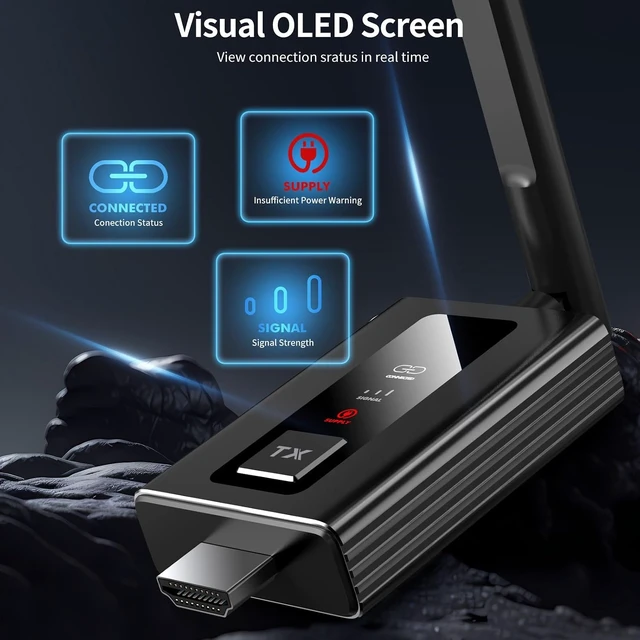
Visual OLED Screen Intelligent Status Visualization System
The HDMI Wireless Extender features a newly upgraded LED display, providing intuitive visual feedback to give you a complete overview of the device's real-time status and quickly identify and accurately troubleshoot various connection anomalies. This effectively reduces signal interruptions caused by connection failures, simplifies device operation and maintenance, and significantly improves efficiency.
Enhanced LED indicator system now provides:
- Real-time pairing progress visualization
- Connection stability monitoring
- Signal strength indication
Achieve complete device status awareness and easy operation.
TuTuPlay App - Wireless Mirror Laptop to Mobile phone, Pad, Tablet! HDMI wireless transmitter and receiver introduces the TuTuPlay app, revolutionizing screen extension by wirelessly transmitting HDMI output devices, such as laptops, directly to your mobile devices. Transform your phone or tablet into a secondary screen effortlessly.
Transmitter Setup:
Connect the TX into output device's HDMI port and Type-C cables to power it up.
Mobile Device-Phone/Pad Preparation:
Install the TuTuPlay app on your iPhone/iPad/Smartphones/Tablet or other compatible Smart Mobile Device.
WiFi Connection:
Access your WiFi settings and locate "TuTuPlay-xxx."
Connect to this network using the provided password: "12345678."
App Activation:
Open the TuTuPlay app on your iPhone or smartphone to begin syncing.
-Only supports laptop-to-smartphone transmission and doesn't mirror mobile devices to large screens. The design is tailored for using Mobile phone or Pad as receivers, allowing your smartphones to function as a mirroring device.
Instructions for use and technical specifications **Important Precautions for Receiver Connection**
Wireless HDMI Adapter requires you to complete pairing first when connecting multiple receivers for the first time, then disconnect the power and unplug the devices to ensure more stable signal transmission.
**First pairing process * *:
1. Insert the RX into the monitor and power it with a 5V/2A charger. Then, insert TX into the laptop and power it with a 5V/2A charger.
2. Press and hold the RX button for more than 5 seconds. After the RX indicator light starts flashing, press the TX button for more than 5 seconds until the TX indicator light starts flashing. The RX screen will then display the message "Pairing Timeout: 90s".
3. Release the button and wait for 5-30 seconds to complete synchronization.
If TX stops flashing, it means pairing is successful. After successful pairing, all receivers need to be unplugged and turned off for 3 seconds before they can be plugged back into the monitor.
**Technical specifications:**
* * Power supply requirement * *: 5V/2A (all transmitters and receivers require this specification of power supply)
* * Wireless transmission * *: Dual band dual antenna design (supports 5.8GHz/2.4GHz frequency band)
* * Picture Quality Support * *: Full HD 1080P@60Hz signal output