




 here!
I’m your shopping assistant for PC builds, upgrades, and everything tech.
Got questions? Ask away!
Start a conversation
here!
I’m your shopping assistant for PC builds, upgrades, and everything tech.
Got questions? Ask away!
Start a conversationShipped by Hebei XG Technology Co., Ltd.





Any questions? Ask CelesteSM will help you find out quickly.
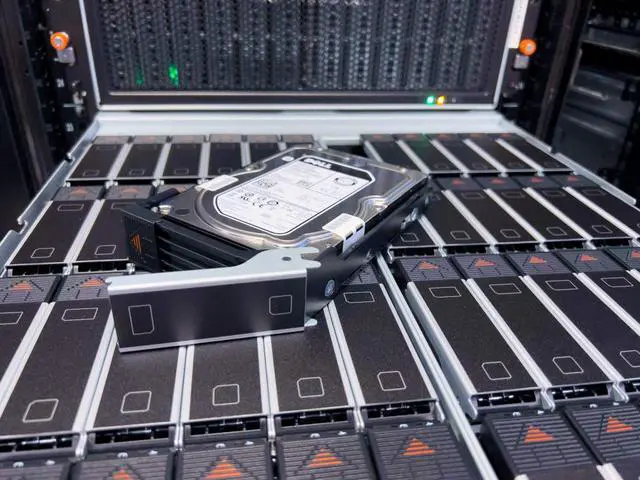
1. Massive Storage Capacity:Featuring 60 x 3.5-inch drive bays, the MD2460 offers an unparalleled storage capacity. It provides ample room for large-scale data storage, making it perfect for data-intensive businesses like media companies, research institutions, or large-scale e-commerce platforms.
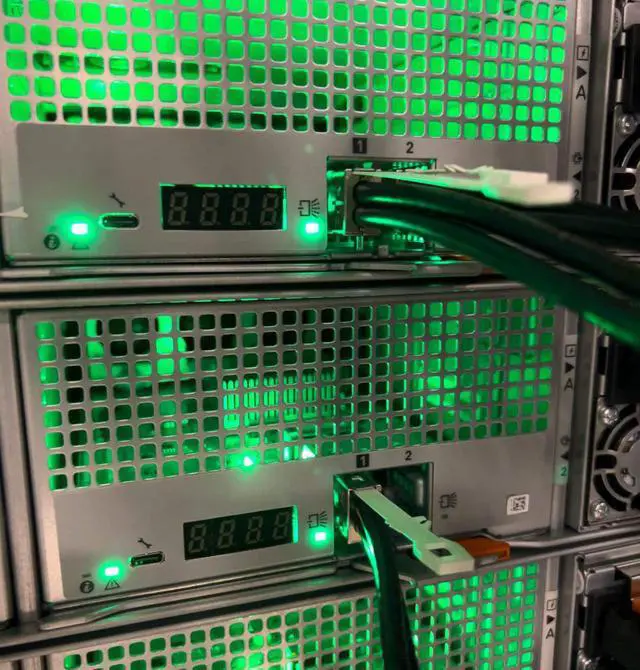
2. Dual-Controller Redundancy:The dual-controller setup ensures high availability. In case one controller malfunctions, the other can seamlessly take over, guaranteeing continuous data access and minimizing downtime. This is crucial for businesses where data availability is mission-critical.
3. Flexible Disk Configuration:With no pre-installed disks, you have the freedom to customize the storage according to your needs. You can choose from a variety of drive types, such as high-capacity HDDs for cost-effective long-term storage or high-speed SSDs for applications that demand low-latency data retrieval.
4. Power Redundancy:The dual power supplies add an extra layer of reliability. If one power supply fails, the other can keep the storage system running, ensuring that your data remains safe and accessible at all times. This is especially important for preventing data loss during power-related issues.
5. 3-Year Warranty Assurance:A 3-year warranty comes with this new Dell MD2460. It gives you peace of mind, knowing that Dell stands behind the quality of the product. In case of any hardware issues during this period, you can rely on Dell's support services for repair or replacement.
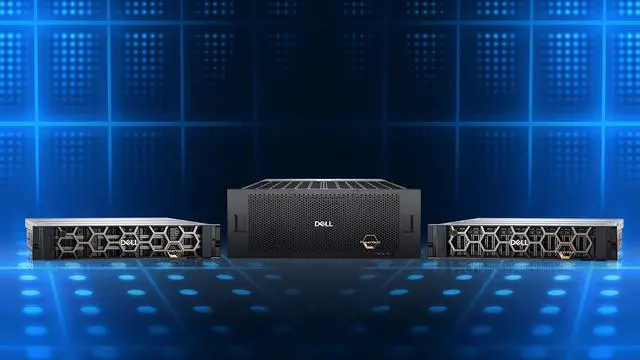
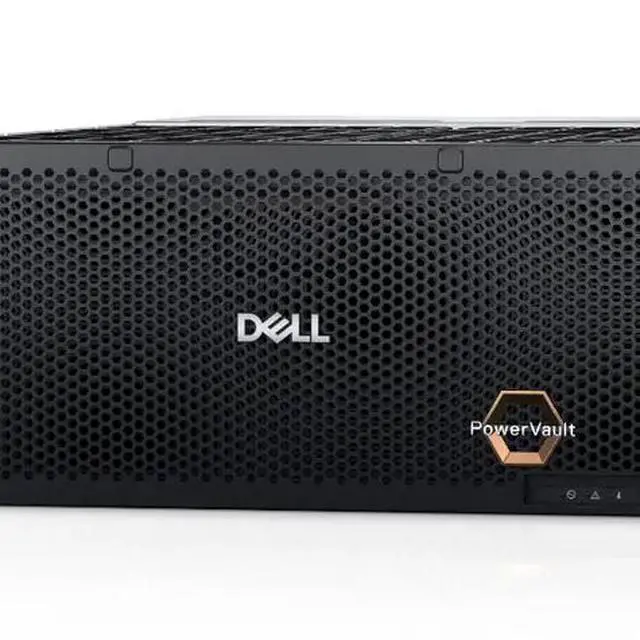
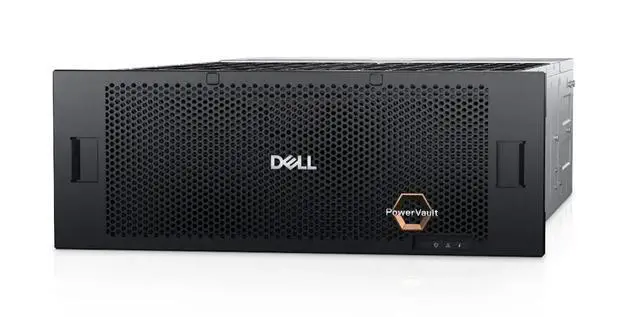
The Dell MD2460 is a 4U, disk-less enterprise storage enclosure with 60 x 3.5-inch drive bays, dual controllers, and dual power supplies, built for organizations that need large-capacity, highly available storage they can configure to fit archival, media, research, or data-heavy business workloads.
| Attribute | Value |
|---|---|
| Best For | High-capacity, highly available shared storage for enterprises such as media companies, research institutions, and large-scale e-commerce that need redundant chassis-level storage and flexible drive choices |
| Chassis And Drive Bays | 4U disk-less enclosure with 60 user-populated 3.5-inch drive bays for large-scale storage deployments |
| Controllers And Redundancy | Dual-controller architecture that provides controller-level failover to maintain continuous data access |
| Power And Redundancy | Redundant dual power supplies to preserve operation if a power module fails |
| Drive Configuration | Ships disk-less and supports user-installed HDDs for high-capacity, cost-effective storage or SSDs for lower-latency applications |
| Warranty | 3-year limited warranty |
| Brand And Appearance | Dell; silver finish |
| Model Identifiers | MD2460 |
Q: Should I choose the Dell MD2460 or a Dell MD1420 for direct-attached storage?
A: Choose the MD2460 when your priority is maximum bulk capacity in fewer rack units and newer SAS generation support. The MD2460 is a 4U direct-attached enclosure with 60 x 3.5-inch bays and support across the MD24 series for 12Gb/24Gb SAS host connectivity, making it a stronger fit for large backup repositories, media archives, and scale-up server storage. Choose the MD1420 when you want a smaller 2U shelf with 24 x 2.5-inch bays that favors denser performance-oriented drive layouts rather than highest per-chassis HDD capacity.
Q: Is the Dell MD2460 a better fit than a Dell PowerVault ME5 array?
A: Choose the MD2460 if you want a JBOD expansion shelf and plan to handle RAID, storage pooling, or software-defined storage from the attached server. Choose a PowerVault ME5 array if you need shared storage with built-in dual-active controllers, array services, and host connectivity options such as FC, iSCSI, or SAS. In short, the MD2460 is the simpler direct-attached capacity choice, while ME5 is the better fit for organizations buying a full storage array rather than just an expansion enclosure.
Q: Should I buy the MD2460 instead of a smaller MD2412 or MD2424 shelf?
A: Buy the MD2460 when your goal is the most raw capacity per enclosure using 3.5-inch drives. The MD2412 and MD2424 are better choices when you need a smaller footprint, lower initial population cost, or more emphasis on drive-count flexibility in 2U. The main trade-off is density: the MD2460 gives you 60 large-form-factor bays in 4U, while MD2412 and MD2424 are easier to deploy for smaller direct-attached expansions.
Q: Is the MD2460 a worthwhile upgrade from older Dell dense JBOD shelves like the MD3060e or MD1280?
A: The MD2460 is the more current platform if you want a modern Dell dense JBOD for PowerEdge environments, especially for buyers standardizing on newer PowerEdge generations and current adapter support. Older dense shelves such as the MD3060e or MD1280 can still make sense for cost-sensitive legacy deployments, but the MD2460 is the clearer choice when long-term platform alignment, current support matrices, and newer SAS connectivity matter more than lowest upfront cost.
Q: Does this unit include hard drives, or is it just the chassis?
A: It is a disk-less storage chassis. You get the 4U enclosure, dual controllers, and dual power supplies, but no drives are preinstalled. This is a good fit for buyers who want to choose their own drive type and capacity, but it also means the total cost and setup work will be higher because drives must be purchased and configured separately.
Q: Who is this storage system actually suitable for?
A: This product is best suited to businesses or IT teams that need very high raw capacity, rackmount deployment, and hardware redundancy. With 60 large-form-factor drive bays, dual controllers, and dual power supplies, it is aimed at centralized storage, backup, archive, media, research, or other data-heavy environments. It is not a simple plug-and-play option for casual home use.
Q: Is this a good choice if I want flexibility over drive capacity and media type?
A: Yes, if flexibility is a priority. Because it ships without disks, you can choose the capacity and performance profile that matches your workload, such as higher-capacity HDDs for bulk storage or SSDs where lower latency matters. The trade-off is that compatibility planning, RAID design, and drive procurement are your responsibility before deployment.
Q: Is this mainly for uptime and reliability, or just for adding more drive bays?
A: It is mainly for high-capacity storage with added reliability features. The dual-controller design helps maintain access if one controller fails, and the dual power supplies reduce the risk of a single power-supply failure taking the system offline. That makes it more appropriate for environments where downtime matters, not just for buyers who only need extra bays at the lowest cost.
Q: Is this easy to deploy for someone without storage administration experience?
A: No, this is better suited to experienced IT buyers. Retail Q&A for comparable disk-less storage products repeatedly centers on drive selection, usable capacity, enclosure-only purchases, RAID setup, and networked deployment. For this Dell unit, buyers should expect planning around drive population, rack space, power, controller configuration, and ongoing storage management rather than a simple consumer-style setup.
Q: Who is the Dell MD2460 suitable for?
A: The MD2460 is best suited for organizations that need very high raw drive density in a rack and already have the server, HBA/RAID, and storage design expertise to use a disk shelf or JBOD-style enclosure. It is a better fit for datacenter, lab, backup, archive, media, or research storage than for small offices or typical home users.
Q: Is the MD2460 a good choice if I want maximum drive capacity in minimal rack space?
A: Yes, if rack density is the main priority. The MD2460 gives you 60 front-access 3.5-inch bays in 4U, which is a strong fit when you need many large-capacity HDDs in one chassis. The trade-off is that high-density storage usually brings more complexity around airflow, power, cabling, host connectivity, and overall platform cost.
Q: Is the Dell MD2460 worth buying as a disk-less enclosure?
A: It can be worth buying if you specifically want to choose your own drives and already know the storage stack you plan to use. A disk-less configuration gives flexibility for HDD or SSD selection, but it also means the total project cost depends heavily on drive trays, drives, controllers, cables, and compatibility planning. It is less attractive for buyers who want a simple, ready-to-run storage system.
Q: What are the main trade-offs of choosing the MD2460 instead of a simpler NAS or lower-density shelf?
A: The main advantage is very high capacity density with redundant hardware such as dual controllers and dual power supplies. The trade-offs are greater deployment complexity, likely higher noise and power use than smaller systems, and more dependence on external host infrastructure for a complete solution. It makes sense when scale and redundancy matter more than simplicity.


