Your Browsing History
Meet Your Seller
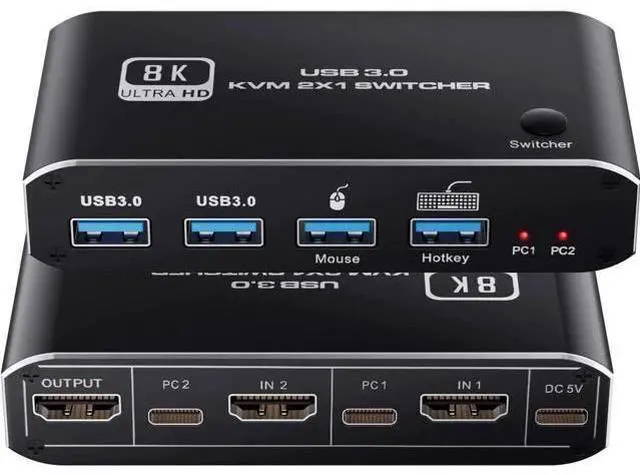
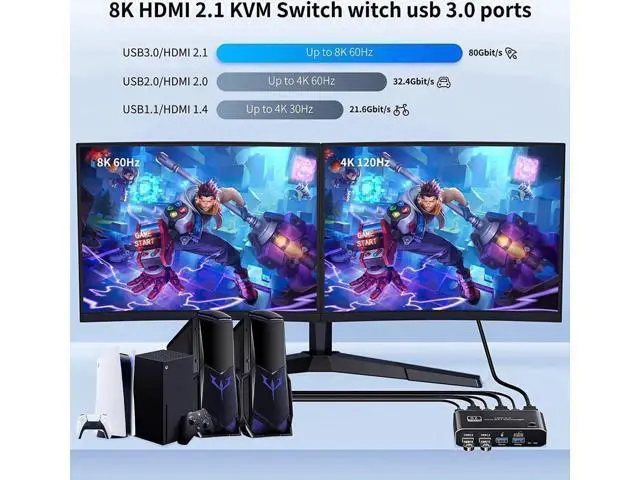
8K @60Hz HDMI2.1 KVM Switch 2 in 1 Out, 2 Port HDMI 2.1 USB KVM Switch for 2PC Shares 1 Set Mouse, Keyboard and Monitor, Support 8K @60Hz, 4K @120Hz, Hotkey, 4x USB 3.0 Port, HDMI2.1 in/Out Port
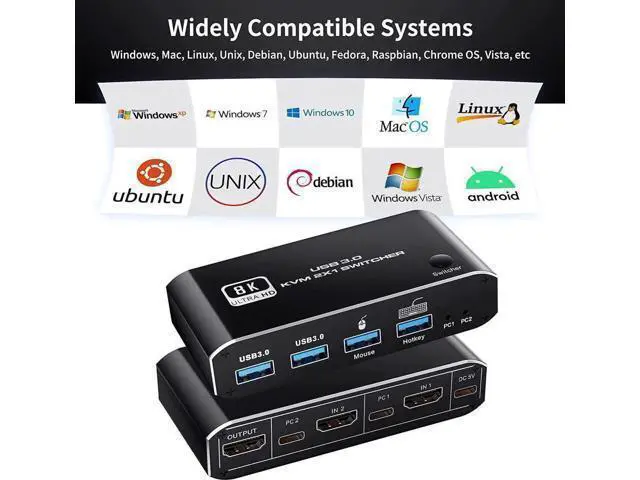
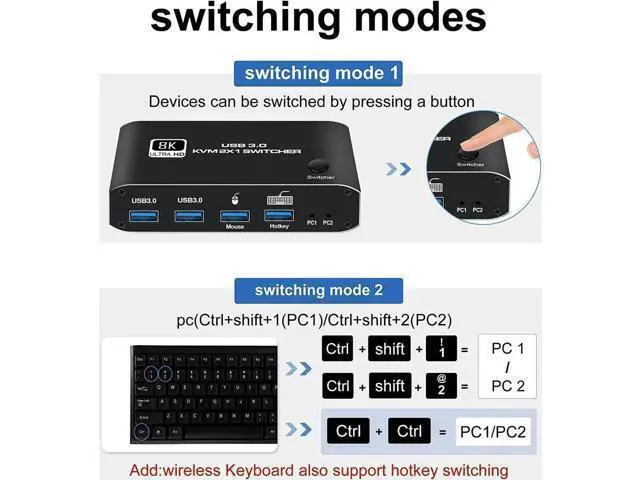
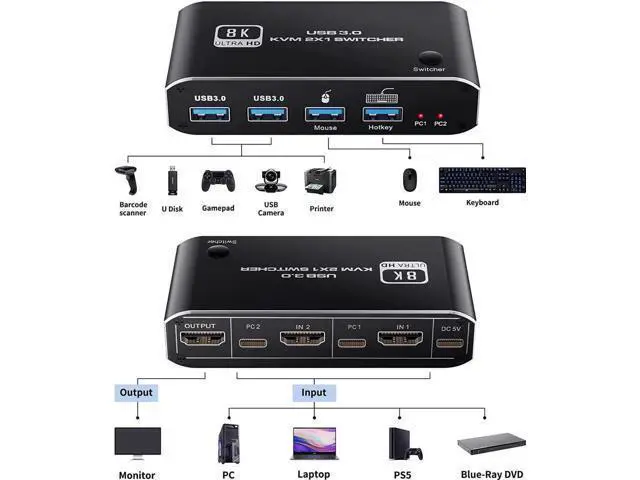
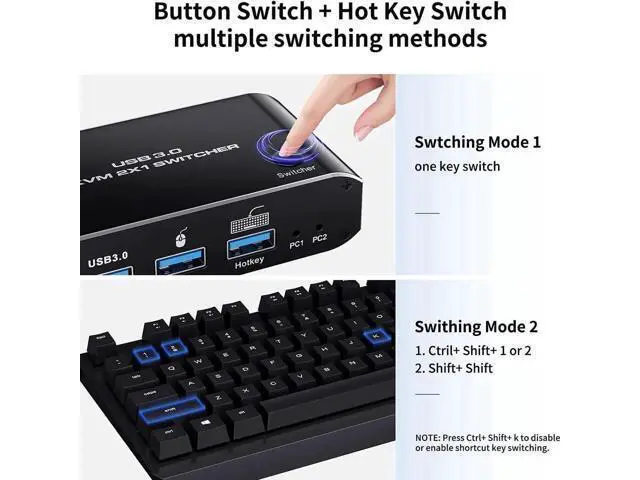
- KVM Switch HDMI USB Support 1 set of keyboard, mouse controls 2 computers that shares the same monitor. 2 in 1 out with space saved for tidy desktops. Check the 2nd picture for reference; HDMI 2.1 KVM Switch with USB 3.0 Port Support 8K@60hz, 4K@120hz, HDCP 2.3, HDR. Equipped with 2 USB port for mouse, keyboard, 2 USB 3.0 port for U Disk, carmera, printer etc. Back compatible Supported(limited compatibility with wireless/mechanic mouse, keybaords and even might lose signal); Two Ways to Switch between sources. First by press mainbody one key switcher. Second methods of hotkey switch. Shortcut method in the 4th picture; Wide Compatible with System like Windows vista/xp/7/10. MacOS, Linux, Unix, Debian, Chrome OS etc, Also fit forPS4/5, Xbox Series, TV Box, Nintendo Switch etc
+
+
Overview
Specs
Reviews
Any questions? Our AI beta will help you find out quickly.
Try me now
HDMI KVM Switch helps you control 2 devices like a home desktop and a work-issued laptop with 1 set of keyboard and mouse. High-Resolution Supports 8K@60Hz, 4K@120Hz, 4K@60HZ, 1080P@120HZ as well as lower resolutions; 3D Support with 2 USB 3.0 Port help you share an external hard drive between two computers for backing up or transferring data; Support a printer, a USB thumb drive, a webcam, headset, or other peripherals. Wide Compatibility 1. Support Windows, Mac, Linux, Vista, etc. 2. Support wired and wireless keyboard mice, and mechanical keyboards 3.
It also accepts a variety of input devices or signal sources that use HDMI, including the PS4, the PS5, the Xbox One, the Fire TV, and Apple TV
Support Hotkey Switch: Ctrl+Shift+1/ Ctrl+Shift+2 to switch HDMI signal source; Ctrl+Ctrl switch to another HDMI signal Source; Ctrl+Shift+R to Rest the KVM Switch Button Switch Equipped with a switch button, press the button to switch the HDMI Signal source
Package Include: - 1 X HDMI KVM Switch - 1 X Power Cable - 2 X USB Data Cable

It also accepts a variety of input devices or signal sources that use HDMI, including the PS4, the PS5, the Xbox One, the Fire TV, and Apple TV
Support Hotkey Switch: Ctrl+Shift+1/ Ctrl+Shift+2 to switch HDMI signal source; Ctrl+Ctrl switch to another HDMI signal Source; Ctrl+Shift+R to Rest the KVM Switch Button Switch Equipped with a switch button, press the button to switch the HDMI Signal source
Package Include: - 1 X HDMI KVM Switch - 1 X Power Cable - 2 X USB Data Cable
Warranty & Returns
Warranty, Returns, And Additional Information
Warranty
- Please contact the Seller directly for warranty information. Warranty information may also be found on the Manufacturer's website.
- CONTACT
Return Policies
- Return for refund within: 30 days
- Return for replacement within: 30 days
- This item is covered by LUOYIMAN Return Policy
Manufacturer Contact Info
- For a directory of all our manufacturers, please click below.
- Manufacturers Directory
LOADING...