


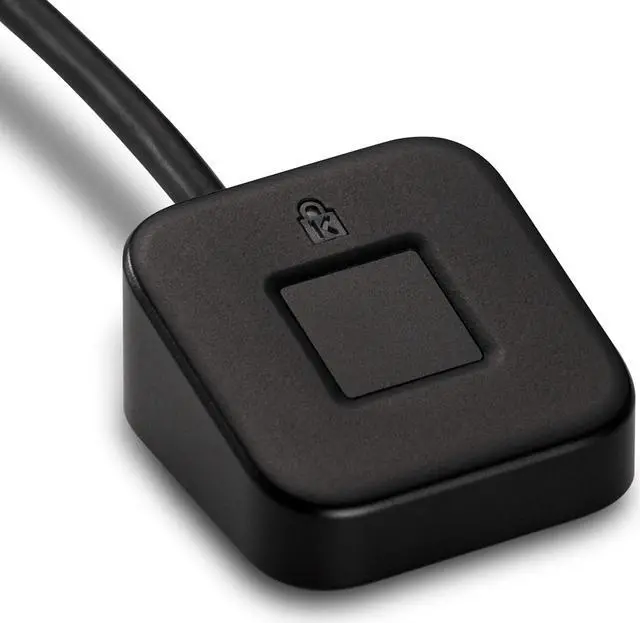




VeriMark Desktop Fingerprint Key
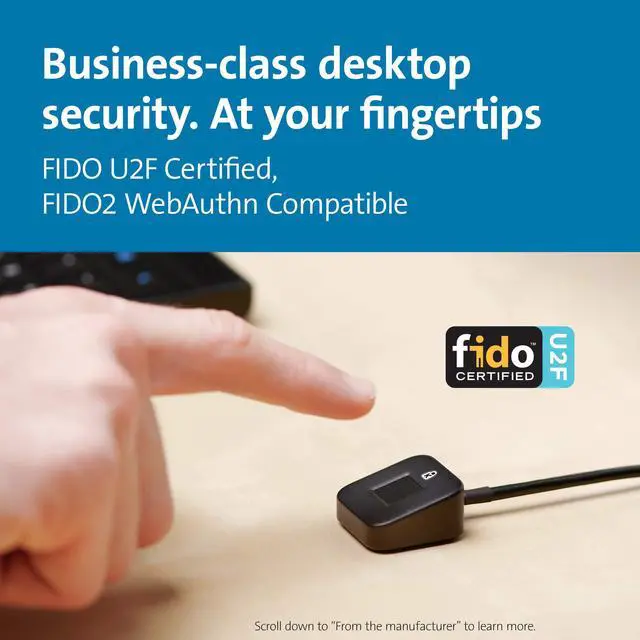
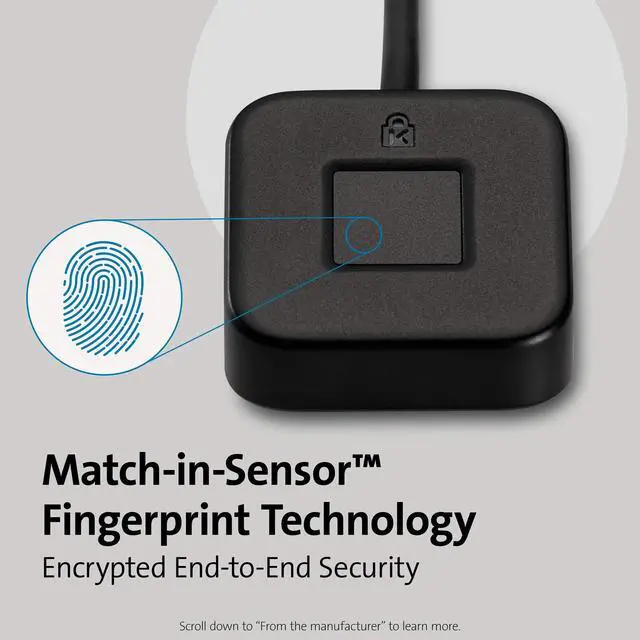
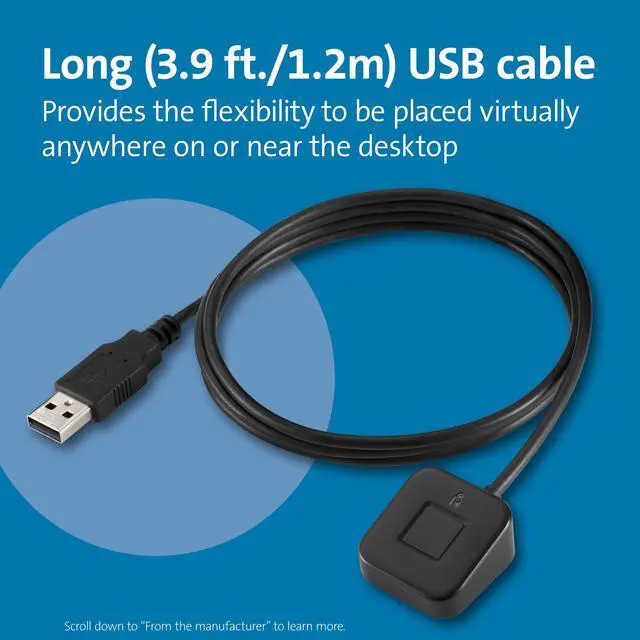
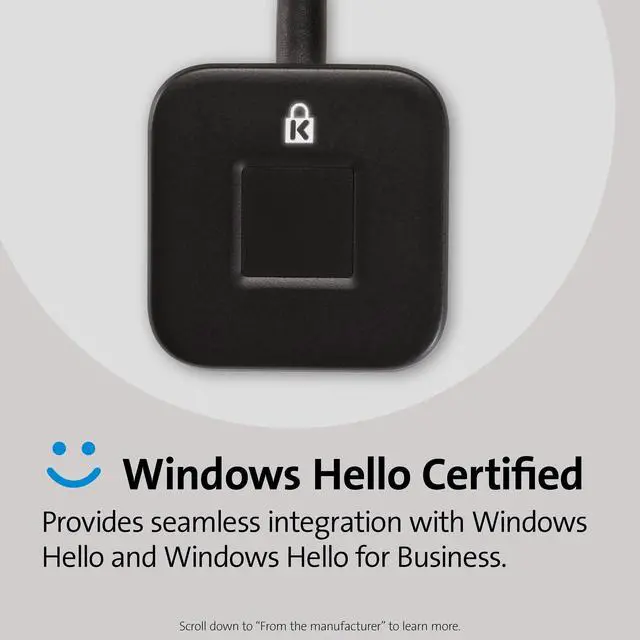
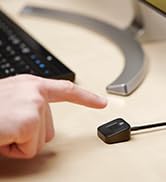
With support for the latest in biometric technology, the VeriMark Desktop Fingerprint Key puts business-class desktop security at your fingertips. Ideal for enterprise PC deployment, the VeriMark Desktop Fingerprint Key is FIDO U2F Certified, and FIDO2 WebAuthn compatible. Windows Hello certified (includes Windows Hello for Business) for seamless integration. Also compatible with additional Microsoft services including Office365, Microsoft Entra ID , Outlook, and many more. It’s a secure, reliable, and simple solution for single-factor (passwordless), dual, multi-factor, and Tap-and-Go1 for FIDO U2F services, offering web-based (WebAuthn) support across major browsers. Encrypted end-to-end security with Match-in-Sensor Fingerprint Technology exceeds industry standards for false acceptance rate (FAR) and false rejection rate (FRR). Includes a long (3.9 ft./1.2m) USB cable for flexible placement. Supports GDPR compliance and is TAA-compliant.
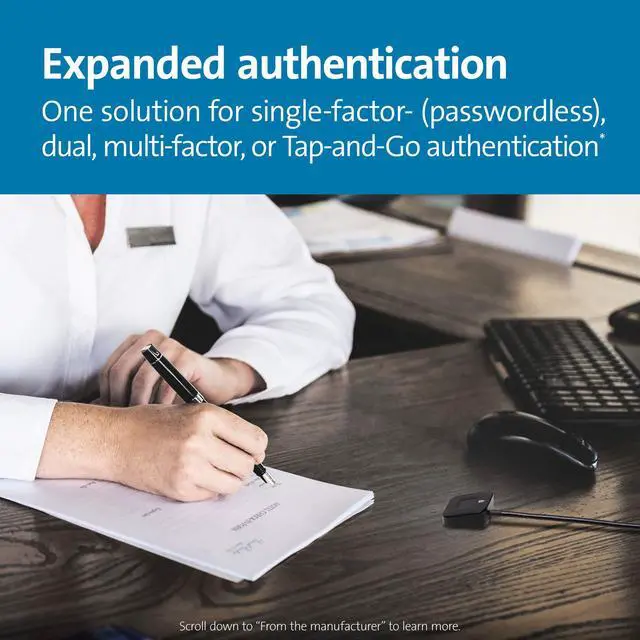
- One solution for single-factor- (passwordless), dual-, multi-factor-, or Tap-and-Go authentication1
- FIDO U2F certified2
- FIDO2 WebAuthn compatible Web-based (WebAuthn) support across major browsers
- Windows Hello certified (includes Windows Hello for Business)
- Encrypted end-to-end security with Match-in-Sensor Fingerprint Technology
- Exceeds industry standards for false acceptance rate (FAR) and false rejection rate (FRR)
- Long USB cable (3.9 ft./1.2m)
- Supports GDPR compliance; TAA-compliant
- Tap-and-Go combines a username and password with second-factor security key authentication, to enable extra security on non-FIDO2 services.
- For services leveraging the older FIDO U2F standard, instead of using biometric authentication, the user can simply place their finger on the VeriMark Desktop Fingerprint Key to enable a security token experience. See complete list on the VeriMark support page (kensington.com/software/verimark-setup). Tap-and-Go combines a username and password with second-factor security key authentication, to enable extra security on non-FIDO2 services

FAQ
Q: Is it necessary to install driver before using?
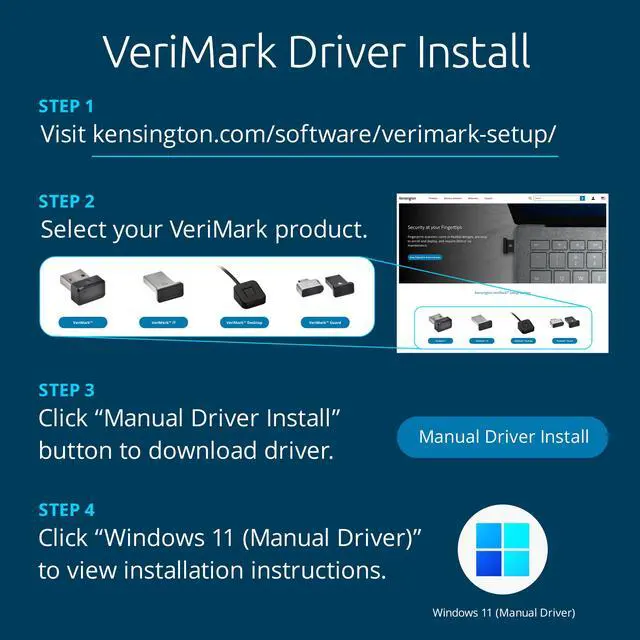
A: A driver is necessary for VeriMark, VeriMark IT and VeriMark Desktop for Windows 10 and 11. User can either manually install by downloading the latest driver from our support page and following the step instructions or using the Windows Optional driver install from Synaptics. VeriMark Guard is a plug and play dongle and no drivers are needed.
Q: Where can I download the driver that I need?
A: Drivers can be downloaded from our official site support page: kensington.com/software/verimark-setup/ by selecting the device and following the installation instructions.
Q: What's the difference between manual and optional driver?
A:
- Manual driver is for advanced users or hosts managed by an organization that don’t have Windows Updates rights due to limitations on the Windows policies. Also, some users might want to use manual driver install to either upgrade to latest driver or for troubleshooting purposes.
- Optional drivers are managed by Windows Updates. The VeriMark drivers are marked as optional drivers for any unknown device connected to the host. Make sure Windows is up to date, running the latest release for optional drivers to become available.
Q: What should I do if VeriMark couldn't recognize my device? (Unknown device issue)
A: Unknown device issue is simply a unrecognized peripheral connected to the host. In order to fix this issue the user has to install the drivers for VeriMark using one of the methods explained on the support page.
Q: How to solve error code 10 issue?
A: Error 10 is generated when Device Manager can't start the hardware device, usually caused by outdated or corrupted drivers. Reinstalling the latest drivers may solve the issue.
Q: Are ARM based processors supported?
A: ARM based processors may have limited functionality
 VeriMark Desktop |  VeriMark Gen2 |  VeriMark Guard USB-A |  VeriMark Guard USB-C |  VeriMark | |
|---|---|---|---|---|---|
| Customer Reviews | — | — | — | — | — |
| Price | — | — | — | — no data | — no data |
| Best for | Personal/office/Enterprise/Desktop computers | Office/Enterprise | Personal/office/Enterprise | Personal/office/Enterprise | Home/Office |
| FIDO | FIDO U2F certified, FIDO2/WebAuth, compatible | FIDO2/WebAuth Compatible for Multi factor and password less authentication | FIDO U2F certified ,FIDO2/WebAuth, CTAP2 certified | FIDO U2F certified ,FIDO2/WebAuth, CTAP2 certified | FIDO U2F Certified for Universal 2nd Factor Authentication |
| Windows Security login | Windows Hello & Windows Hello for Business certified, U2F security key (Tap-and-Go) | Windows Hello & Windows Hello for Business certified | Cross platform OS , U2F security key (Tap-and-Go) Microsoft service account login as security key (no Windows Hello) | Cross platform OS , U2F security key (Tap-and-Go) Microsoft service account login as security key (no Windows Hello) | Windows Hello certified |
| False Rejection Rate (FRR) | 2% | 2% | 2% | 2% | 3% |
| False Acceptance Rate (FAR) | 0.001% | 0.001% | 0.001% | 0.001% | 0.002% |
| Fingerprint Technology | Synaptics FS7600 (Match-in-sensor) | Synaptics FS7600 (Match-in-sensor) | Synaptics FS7600 (Match-in-sensor) | Synaptics FS7600 (Match-in-sensor) | Synaptics FS4300 (Match-on-host) |
| USB Data Encryption | •AES-256/SHA-256 Elliptic Curve Cryptography for key exchange, authentication, and data validation with unique keys for every sensor •AES-256/HMAC-SHA-256 authenticated encryption for credential and template data wrapping | •AES-256/SHA-256 Elliptic Curve Cryptography for key exchange, authentication, and data validation with unique keys for every sensor •AES-256/HMAC-SHA-256 authenticated encryption for credential and template data wrapping | •AES-256/SHA-256 Elliptic Curve Cryptography for key exchange, authentication, and data validation with unique keys for every sensor •AES-256/HMAC-SHA-256 authenticated encryption for credential and template data wrapping | •AES-256/SHA-256 Elliptic Curve Cryptography for key exchange, authentication, and data validation with unique keys for every sensor •AES-256/HMAC-SHA-256 authenticated encryption for credential and template data wrapping | •AES-256/SHA-256 •SSLv3 for secure session establishment •RSA-2048 public key cryptography for key exchange, authentication, and data validation •Match on Host |
| Material | Robust Metal Material (Zinc alloy) Cable length: 3.9 foot (1.2M) | Zinc Alloy | Robust Metal Material (Zinc alloy) & Plastic USB-cap | Robust Metal Material (Zinc alloy) & Plastic USB-cap | Plastic & Plastic USB-cap |
| Operating System and browsers support | •Windows 10 OS 19H1 (or later) •Windows 11 OS 21H2 (or later) •Microsoft Edge •Mozilla Firefox •Google Chrome | •Windows 10 OS 19H1 (or later) •Windows 11 OS 21H2 (or later) •Microsoft Edge •Mozilla Firefox •Google Chrome | •Windows 10 OS 19H1 (or later) •Windows 11 OS 21H2 (or later) •macOS 10.15 (or later) •Chrome OS •Microsoft Edge •Mozilla Firefox •Google Chrome | •Windows 10 OS 19H1 (or later) •Windows 11 OS 21H2 (or later) •macOS 10.15 (or later) •Chrome OS •Microsoft Edge •Mozilla Firefox •Google Chrome | •Windows 10 OS 19H1 (or later) •Windows 11 OS 21H2 (or later) •Microsoft Edge •Mozilla Firefox •Google Chrome |
VeriMark Desktop Fingerprint Key
With support for the latest in biometric technology, the VeriMark Desktop Fingerprint Key puts business-class desktop security at your fingertips. Ideal for enterprise PC deployment, the VeriMark Desktop Fingerprint Key is FIDO U2F Certified, and FIDO2 WebAuthn compatible. Windows Hello certified (includes Windows Hello for Business) for seamless integration. Also compatible with additional Microsoft services including Office365, Microsoft Entra ID , Outlook, and many more. It’s a secure, reliable, and simple solution for single-factor (passwordless), dual, multi-factor, and Tap-and-Go1 for FIDO U2F services, offering web-based (WebAuthn) support across major browsers. Encrypted end-to-end security with Match-in-Sensor Fingerprint Technology exceeds industry standards for false acceptance rate (FAR) and false rejection rate (FRR). Includes a long (3.9 ft./1.2m) USB cable for flexible placement. Supports GDPR compliance and is TAA-compliant.
- One solution for single-factor- (passwordless), dual-, multi-factor-, or Tap-and-Go authentication1
- FIDO U2F certified2
- FIDO2 WebAuthn compatible Web-based (WebAuthn) support across major browsers
- Windows Hello certified (includes Windows Hello for Business)
- Encrypted end-to-end security with Match-in-Sensor Fingerprint Technology
- Exceeds industry standards for false acceptance rate (FAR) and false rejection rate (FRR)
- Long USB cable (3.9 ft./1.2m)
- Supports GDPR compliance; TAA-compliant
- Tap-and-Go combines a username and password with second-factor security key authentication, to enable extra security on non-FIDO2 services.
- For services leveraging the older FIDO U2F standard, instead of using biometric authentication, the user can simply place their finger on the VeriMark Desktop Fingerprint Key to enable a security token experience. See complete list on the VeriMark support page (kensington.com/software/verimark-setup). Tap-and-Go combines a username and password with second-factor security key authentication, to enable extra security on non-FIDO2 services
FAQ
Q: Is it necessary to install driver before using?
A: A driver is necessary for VeriMark, VeriMark IT and VeriMark Desktop for Windows 10 and 11. User can either manually install by downloading the latest driver from our support page and following the step instructions or using the Windows Optional driver install from Synaptics. VeriMark Guard is a plug and play dongle and no drivers are needed.
Q: Where can I download the driver that I need?
A: Drivers can be downloaded from our official site support page: kensington.com/software/verimark-setup/ by selecting the device and following the installation instructions.
Q: What's the difference between manual and optional driver?
A:
- Manual driver is for advanced users or hosts managed by an organization that don’t have Windows Updates rights due to limitations on the Windows policies. Also, some users might want to use manual driver install to either upgrade to latest driver or for troubleshooting purposes.
- Optional drivers are managed by Windows Updates. The VeriMark drivers are marked as optional drivers for any unknown device connected to the host. Make sure Windows is up to date, running the latest release for optional drivers to become available.
Q: What should I do if VeriMark couldn't recognize my device? (Unknown device issue)
A: Unknown device issue is simply a unrecognized peripheral connected to the host. In order to fix this issue the user has to install the drivers for VeriMark using one of the methods explained on the support page.
Q: How to solve error code 10 issue?
A: Error 10 is generated when Device Manager can't start the hardware device, usually caused by outdated or corrupted drivers. Reinstalling the latest drivers may solve the issue.
Q: Are ARM based processors supported?
A: ARM based processors may have limited functionality
VeriMark Desktop | VeriMark Gen2 | VeriMark Guard USB-A | VeriMark Guard USB-C | VeriMark | |
|---|---|---|---|---|---|
| Customer Reviews | — | — | — | — | — |
| Price | — | — | — | — no data | — no data |
| Best for | Personal/office/Enterprise/Desktop computers | Office/Enterprise | Personal/office/Enterprise | Personal/office/Enterprise | Home/Office |
| FIDO | FIDO U2F certified, FIDO2/WebAuth, compatible | FIDO2/WebAuth Compatible for Multi factor and password less authentication | FIDO U2F certified ,FIDO2/WebAuth, CTAP2 certified | FIDO U2F certified ,FIDO2/WebAuth, CTAP2 certified | FIDO U2F Certified for Universal 2nd Factor Authentication |
| Windows Security login | Windows Hello & Windows Hello for Business certified, U2F security key (Tap-and-Go) | Windows Hello & Windows Hello for Business certified | Cross platform OS , U2F security key (Tap-and-Go) Microsoft service account login as security key (no Windows Hello) | Cross platform OS , U2F security key (Tap-and-Go) Microsoft service account login as security key (no Windows Hello) | Windows Hello certified |
| False Rejection Rate (FRR) | 2% | 2% | 2% | 2% | 3% |
| False Acceptance Rate (FAR) | 0.001% | 0.001% | 0.001% | 0.001% | 0.002% |
| Fingerprint Technology | Synaptics FS7600 (Match-in-sensor) | Synaptics FS7600 (Match-in-sensor) | Synaptics FS7600 (Match-in-sensor) | Synaptics FS7600 (Match-in-sensor) | Synaptics FS4300 (Match-on-host) |
| USB Data Encryption | •AES-256/SHA-256 Elliptic Curve Cryptography for key exchange, authentication, and data validation with unique keys for every sensor •AES-256/HMAC-SHA-256 authenticated encryption for credential and template data wrapping | •AES-256/SHA-256 Elliptic Curve Cryptography for key exchange, authentication, and data validation with unique keys for every sensor •AES-256/HMAC-SHA-256 authenticated encryption for credential and template data wrapping | •AES-256/SHA-256 Elliptic Curve Cryptography for key exchange, authentication, and data validation with unique keys for every sensor •AES-256/HMAC-SHA-256 authenticated encryption for credential and template data wrapping | •AES-256/SHA-256 Elliptic Curve Cryptography for key exchange, authentication, and data validation with unique keys for every sensor •AES-256/HMAC-SHA-256 authenticated encryption for credential and template data wrapping | •AES-256/SHA-256 •SSLv3 for secure session establishment •RSA-2048 public key cryptography for key exchange, authentication, and data validation •Match on Host |
| Material | Robust Metal Material (Zinc alloy) Cable length: 3.9 foot (1.2M) | Zinc Alloy | Robust Metal Material (Zinc alloy) & Plastic USB-cap | Robust Metal Material (Zinc alloy) & Plastic USB-cap | Plastic & Plastic USB-cap |
| Operating System and browsers support | •Windows 10 OS 19H1 (or later) •Windows 11 OS 21H2 (or later) •Microsoft Edge •Mozilla Firefox •Google Chrome | •Windows 10 OS 19H1 (or later) •Windows 11 OS 21H2 (or later) •Microsoft Edge •Mozilla Firefox •Google Chrome | •Windows 10 OS 19H1 (or later) •Windows 11 OS 21H2 (or later) •macOS 10.15 (or later) •Chrome OS •Microsoft Edge •Mozilla Firefox •Google Chrome | •Windows 10 OS 19H1 (or later) •Windows 11 OS 21H2 (or later) •macOS 10.15 (or later) •Chrome OS •Microsoft Edge •Mozilla Firefox •Google Chrome | •Windows 10 OS 19H1 (or later) •Windows 11 OS 21H2 (or later) •Microsoft Edge •Mozilla Firefox •Google Chrome |
Privacy Screens
Verimark Biometric Locks
Laptop Cable Locks
Security Products