here!
here!
I’m your shopping assistant for PC builds, upgrades, and everything tech.
Got questions? Ask away!
Start a conversation
here!
I’m your shopping assistant for PC builds, upgrades, and everything tech.
Got questions? Ask away!
Start a conversation
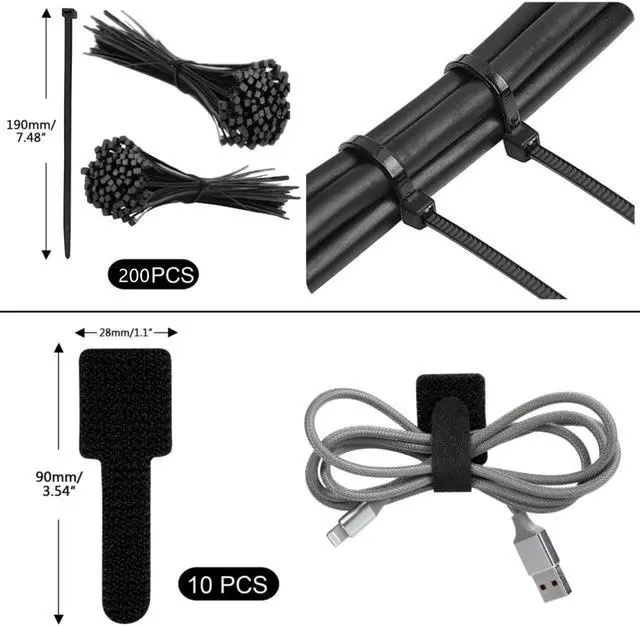
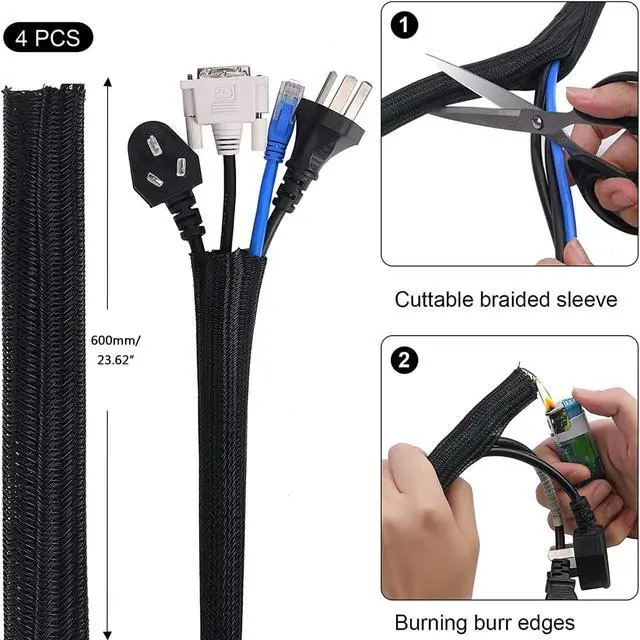
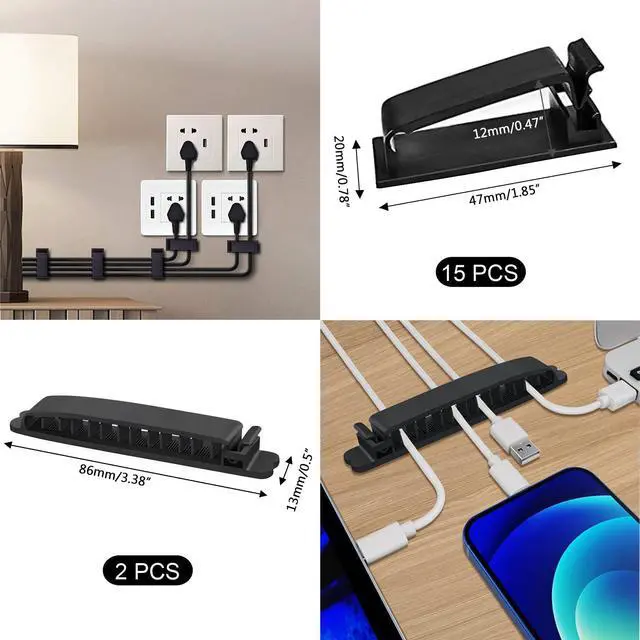
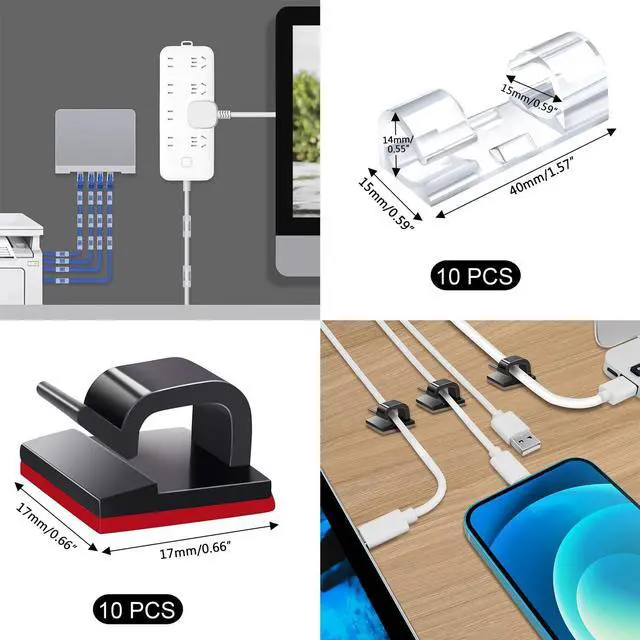



Any questions? Ask CelesteSM will help you find out quickly.

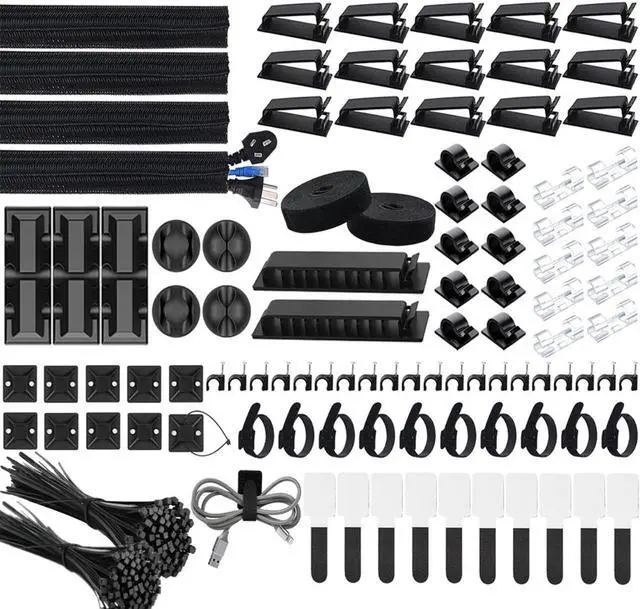
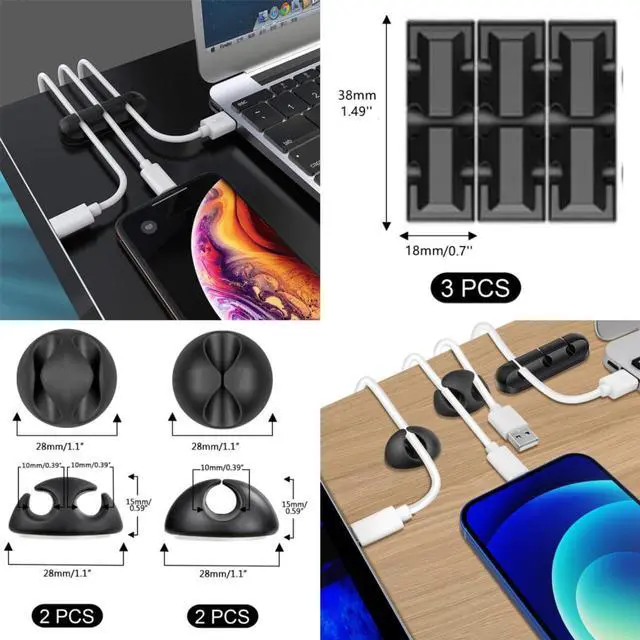
With all these accessories, you can easily organize and access your messy cables in the positions you need.

Premium Quality Materials:
Our cable sleeves are crafted from high-quality PET material, ensuring durability, flexibility, and easy self-wrapping. While the cable clips are made from eco-friendly materials, providing extra strength to securely hold your cables in place.
Easy Installation:
Simply cut the cable sleeve to your desired length and wrap it around the wires. While using the cable ties or clips to organize multiple cables without the need for drilling or a complex setup.

Wide Range of Applications:
Our cable management products are versatile and perfect for various occasions. They are ideal for organizing charging cords, power cords, network cables, audio cables, video cables, and cable runs in data centers, offices, or homes.
Safe and Tidy:
Say goodbye to safety hazards caused by pets biting on wires. Our cable management solution keeps your cables neatly arranged, preventing your feet from getting snagged and providing a cleaner, hazard-free look.


The Bailink 300-piece cable management kit is a versatile organization set with cable sleeves, clips, holders, adhesive mounts, ties, and cable tie rolls for tidying TV, PC, office, charging, power, network, audio, and video cables. It suits home users, gamers, office workers, and anyone managing multiple cable runs.
| Attribute | Value |
|---|---|
| Best For | Best for organizing charging, power, network, audio, and video cables in homes, offices, and data centers using sleeves, clips, holders, ties, and adhesive mounts |
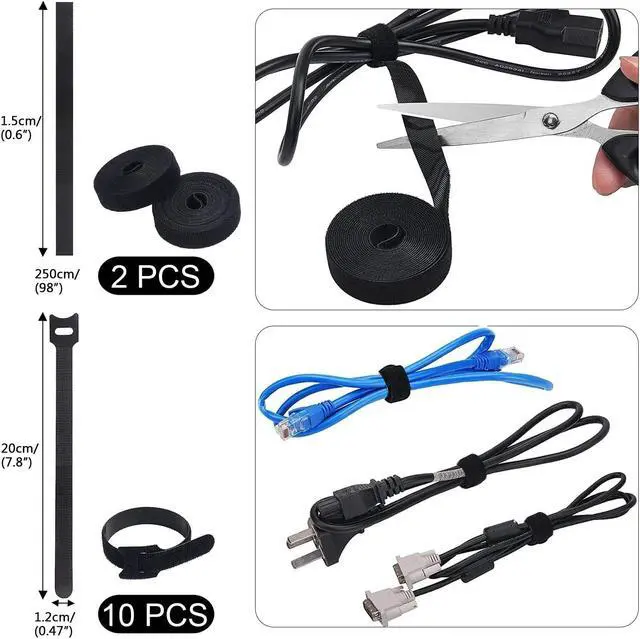
| Kit Contents | Includes 4 cable sleeves, 37 plastic cable clips, 7 soft cable holders, 10 zip tie adhesive mounts, 20 cable clip nails, 10 acrylic-gel cable ties, 100 cable fastening ties, 10 hook-and-loop cable ties, and 2 cable tie rolls |
| Materials | PET cable sleeves provide flexible, durable, self-wrapping coverage, while the cable clips use eco-friendly materials for secure cable retention |
| Installation | Cut the sleeve to the desired length and wrap it around wires; use the ties or clips to organize multiple cables without drilling or complex setup |
| Safety And Organization | Keeps cables arranged to reduce foot snagging and help protect wires from pets biting them |
| Color | Black |
Q: Is the Bailink 300-piece cable management kit better than buying only cable clips?
A: Choose the Bailink kit when you need to organize several devices or cable types at once. It combines cable sleeves, clips, soft holders, adhesive mounts, cable ties, and hook-and-loop straps, while a clip-only purchase is more suitable for routing a small number of individual cords. A dedicated clip system such as 3M Command is preferable when surface-safe adhesive mounting is the main priority.
Q: Should I buy the Bailink kit or a dedicated cable sleeve such as Alex Tech?
A: Choose Bailink for mixed cable-management tasks, including bundling, routing, fastening, and securing cables to surfaces. Choose an Alex Tech sleeve when the main goal is covering a specific cable bundle and you want a sleeve-focused product with selectable sleeve sizes. Bailink offers more accessory types, while a dedicated sleeve can provide a simpler, more targeted setup.
Q: Is the Bailink kit better than an under-desk cable tray for a PC or TV setup?
A: Choose the Bailink kit when you want flexible, low-complexity cable grouping without installing a rigid support structure. Choose an under-desk tray or raceway when you need to hold power strips, adapters, or heavier cable bundles off the floor. Many desk setups use both: a tray for power equipment and sleeves, clips, or hook-and-loop ties for the individual cable runs.
Q: Is the Bailink kit a good upgrade from a basic zip-tie pack?
A: Choose the Bailink kit when a basic tie pack does not provide enough routing or mounting options. In addition to fastening ties, it includes sleeves, adhesive mounts, cable clips, soft holders, and hook-and-loop straps, so it can manage both bundled cables and individual runs. A basic zip-tie pack remains the simpler choice for securing one fixed bundle inside a PC or behind a cabinet.
Q: Is this cable management kit suitable for a desk, PC, or TV setup?
A: Yes. It is suitable for home offices, PC desks, charging stations, entertainment centers, and TV areas. The kit combines cable sleeves, clips, holders, adhesive mounts, zip ties, and cable straps for organizing power, USB, network, audio, and video cables.
Q: Can I install it without drilling?
A: Yes. The kit is designed for simple installation using cable clips, adhesive zip-tie mounts, cable ties, and sleeves. Drilling is generally unnecessary for organizing cables on or under desks, although the holding strength of adhesive components depends on the surface, cable weight, and preparation.
Q: What types of cables can this kit organize?
A: It can organize common charging cords, power cables, USB cables, network cables, audio cables, video cables, and other low-voltage cable runs. The sleeves group multiple cables, while clips, holders, ties, and mounts help route individual cables or smaller bundles.
Q: Can the cable sleeves and ties be adjusted when my setup changes?
A: The cable sleeves can be cut to the needed length, and the hook-and-loop straps and cable tie rolls allow cables to be regrouped or repositioned. Adhesive mounts and nailed clips are less flexible after installation, so they are best placed after confirming the cable route.
Q: Who should buy this type of cable management kit?
A: It is best for people managing several cable types across one or more locations, such as a PC workstation, home office, TV console, gaming area, or charging station. Its main trade-off is that it provides many general-purpose pieces rather than one specialized solution for concealed in-wall wiring or a single large cable bundle.
Q: Is this cable management kit worth buying for a desk or TV setup?
A: It is most suitable when you need several cable-management methods in one package. The kit includes sleeves, clips, adhesive mounts, hook-and-loop ties, and reusable cable-tie rolls, but users discussing similar kits note that they may not use every included component. Buy it if you need variety; choose individual accessories if you already know exactly what type of organizer you need.
Q: Who is this cable management kit best suited for?
A: It is suited to home offices, gaming desks, TV consoles, and other setups with multiple charging, power, network, audio, or video cables. The mix of sleeves, clips, ties, and adhesive mounts makes it more useful for varied cable layouts than for a single cable or simple one-route installation.
Q: What are the main trade-offs of buying a large cable-management kit?
A: The main trade-off is flexibility versus consistency. This kit provides many accessory types and quantities, but some pieces may remain unused, and user discussions of similar kits report that accessory quality can vary. It is a practical choice for experimentation, but a less efficient choice if you only need a few high-quality clips or ties.
Q: Can this kit be installed without drilling?
A: Yes, many parts are designed for no-drill installation. The cable sleeves wrap around wires, while adhesive mounts, clips, and cable ties can organize cables without drilling. The included cable clip nails are available when a more permanent attachment is preferred.
Q: Is this kit a good replacement for a dedicated cable tray or raceway?
A: Not completely. The kit is better for bundling, routing, and securing individual cables, while a cable tray or raceway is better for supporting or concealing larger cable groups under a desk or along a wall. A mixed setup may be more effective for complex workstations.